

Ask five gamers whether the sensor inside their mouse matters and you’ll get five confident, contradictory answers. Some swear the tracking chip is the single most important part of the whole device. Others insist it’s marketing noise once you clear a basic price threshold. The honest answer sits in between, and it depends a lot on what you actually play. A tracking chip that drops inputs during a fast flick will cost you kills in a shooter, but it means almost nothing in a slow turn-based strategy game.
This guide breaks down what a gaming mouse sensor really does, when the difference is visible on screen, and when you’re paying for numbers you’ll never feel. We’ll keep the jargon light. If you’re shopping right now, our roundups of the best gaming mouse picks and the best wireless gaming mouse options cover specific models, while this article explains the why behind the specs so those lists make more sense.
The short answer
Yes, the sensor matters, but probably less than the spec sheet wants you to believe. Any modern optical sensor from the last few years tracks accurately enough for competitive play. The things that separate a good sensor from a bad one are consistency at high speed, low input lag, and no spin-outs when you lift and reposition. Raw DPI numbers past about 3,200 are mostly bragging rights. What you feel instead is whether the cursor goes exactly where your hand told it to, every single time, with no smoothing or acceleration sneaking in.
So the practical rule is simple. Buy a mouse with a competent recent sensor, then spend the rest of your budget on shape, weight, and buttons. Comfort and grip decide whether you can aim for three hours without your hand cramping. A sensor rated for 26,000 DPI won’t help if the mouse is the wrong shape for your palm.

Pros
- Focus Pro 30K sensor handles glass and reflective desks that trip up older vertical mice
- Battery rated up to 6 months, 5 minute top-up returns roughly 3 working days of use
- Three connectivity modes with up to 5 paired devices covers desktop, laptop, and tablet rotation
Cons
- Limited owner feedback at time of writing, so long-term reliability signal is not yet available
- Vertical handshake shape has a real learning curve for existing claw and fingertip grip users
- Mouse weight and max DPI are not specified in source, hard to gauge fast-tracking responsiveness
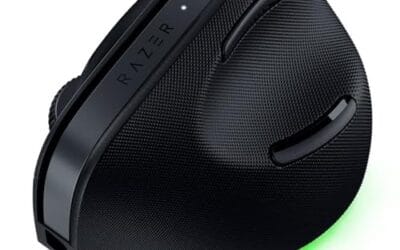
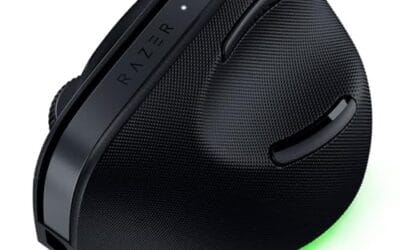
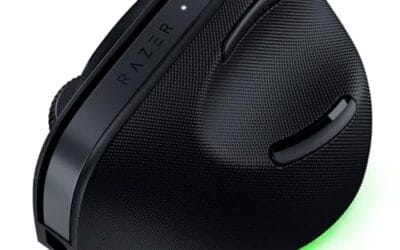
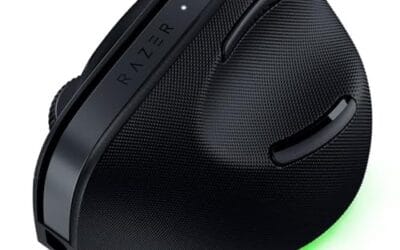
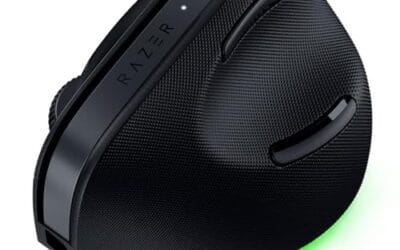
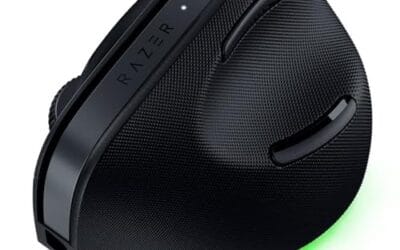
The Pro Click V2 Vertical is Razer's ergonomic wireless mouse aimed at knowledge workers and creators who log long sessions on Windows or Mac systems. The 6 button layout adds a dedicated AI prompt key tied into Razer Synapse 4 shortcuts for summarizing text and drafting emails.
The defining trait is the angled handshake shell with a wrist base that lifts your palm off the deck, reducing pronation on long days. Razer's Focus Pro 30K optical sensor handles glass and high-gloss surfaces, which vertical mice at this tier often struggle with due to older 3200 to 12000 DPI sensors.
Trade-offs are honest. Vertical shells force a handshake grip, so claw and fingertip users will fight muscle memory for a week or more. Battery is rated up to 6 months, but 18 zone Chroma with full underglow will cut that hard if you leave reactive lighting on. Mouse weight is not specified.
Buy this if you already know a vertical shape helps your wrist and you need one mouse hopping between a Windows tower, a MacBook, and a tablet over Bluetooth. Skip it if you plan to play competitive FPS titles, since vertical shells punish rapid tracking flicks and micro adjustments.
Sensor: Focus Pro 30K optical sensor with a claimed 99.8% resolution accuracy. Razer uses this same sensor family across its high-end lineup, so tracking on glass, mousepads, and gloss desks is realistic. Max DPI and polling rate are not specified in source data.
Switches and Buttons: Mechanical switches rated to a 60 million click lifecycle. Six total buttons include a dedicated AI prompt key mapped through Synapse 4 for text summarization and email drafting shortcuts on Windows.
Connectivity: Three modes ship in the box: 2.4GHz HyperSpeed via bundled dongle, Bluetooth with up to 3 host pairings, and USB-C wired. Combined device ceiling is 5, letting you rotate between desktop, laptop, tablet, and a secondary machine without re-pairing.
Battery and Charging: Rated up to 6 months under standard test conditions, with 5 minutes of USB-C charging yielding roughly 3 working days. The 18 zone Chroma RGB plus full underglow will cut that figure significantly if reactive lighting stays enabled.
The longer explanation
A mouse sensor is a tiny camera. It photographs the surface underneath the mouse thousands of times per second, compares each frame to the last, and calculates how far and how fast you moved. That motion data gets sent to your PC as movement counts. Every part of that chain affects how the cursor behaves, and a weak link anywhere shows up as sloppy aim.
Three numbers describe most of what the sensor does. DPI, or counts per inch, sets how far the cursor travels per inch of hand movement. Polling rate, measured in Hz, sets how often the mouse reports to the PC. And maximum tracking speed, usually listed in inches per second or IPS, tells you how fast you can move before the sensor loses the surface and stops reading correctly. That last spec is the one competitive players actually care about, because a low-sensitivity shooter player can whip the mouse across the pad faster than a cheap sensor can keep up.
How it works
Inside almost every gaming mouse today sits an optical sensor with a small infrared or red LED lighting the surface. The chip snaps frames, runs them through a motion-processing engine, and outputs clean movement counts. Older laser sensors used a laser diode instead and could track on glass, but they were prone to acceleration artifacts that competitive players hated. Optical won the argument for gaming, and it’s what you’ll find in nearly every serious model now.
The sensor doesn’t work alone. It talks to the mouse’s microcontroller, which handles debouncing the click switches, managing the polling rate, and pushing data over USB or a wireless link. On a wired mouse that trip is nearly instant. On wireless, a good 2.4GHz connection now matches wired latency closely, which is why the gap that used to exist between corded and cordless gaming mice has basically vanished. That’s a big reason wireless finally took over the enthusiast space.
Why it works this way
Game engines don’t care about inches. They care about movement counts arriving on time. When your sensor reports cleanly at a steady 1,000Hz, the game gets a smooth stream of position updates and your crosshair tracks your hand with no perceptible delay. When the sensor stutters, smooths, or adds acceleration, the same hand motion produces slightly different results each time, and your muscle memory can never lock in. That inconsistency is what people mean when they say a mouse “feels off,” even if they can’t name the cause.
This is also why chasing a huge DPI figure backfires. Almost nobody plays at 16,000 DPI, because a twitch of the wrist would spin the camera three times. Most competitive players sit between 400 and 1,600 DPI and adjust sensitivity in-game. The sensor’s job at those settings is to be boringly reliable, not flashy. Reliability is unglamorous, so marketing sells you the big number instead.
When you’d want this
Sensor quality matters most when your inputs are fast and precise. Competitive shooters, arena FPS titles, and high-level tracking aim are where a great sensor earns its keep. If you play those, you want a modern optical sensor, a stable 1,000Hz link, and a shape that lets you flick without tension. On the other hand, if you mostly play slower games, browse, work in spreadsheets, and game casually on the weekend, almost any decent mouse will feel fine and you can prioritize comfort over tracking specs.
Comfort is where ergonomic and vertical designs come in, and they matter more than most gamers admit. A mouse that reduces wrist strain lets you play longer without pain, which is its own kind of performance. The Logitech MX Vertical, at $68.49 with a strong 4.8 rating, is built around a 57-degree angle meant to ease pressure on the forearm. It’s not a twitch-shooter mouse, but for people who game and work on the same machine and want to protect their wrist, it’s a smart pick. Our guides to the best ergonomic mouse models and the best mouse for work go deeper on that crossover crowd.

Pros
- Limited public review data at time of writing, so verify current owner sentiment before purchase.
- Vertical layout targets wrist pronation strain reported by heavy office and CAD users.
- Bluetooth plus USB receiver gives flexible pairing across laptops, docks, and desktops.
- Four-month typical battery cadence reduces charging friction versus daily-charge gaming mice.
Cons
- Zero visible owner reviews in source, so long-term reliability signal is effectively absent.
- Sensor model, max DPI, poling rate, and weight not specified in source data.
- Vertical shape has a learning curve and does not suit claw or fingertip grip gamers.
The Logitech MX Vertical is an ergonomic productivity mouse aimed at office workers, developers, and creative professionals dealing with wrist or forearm discomfort. It sits in Logitech's mid-range MX ergonomic lineup, offering wireless connectivity through Bluetooth or a USB receiver and cross-platform support for Windows and Mac desks.
The defining feature is the angled vertical shell, which shifts the hand into a more neutral handshake posture and reduces forearm pronation during long sessions. Based on typical vertical-mouse ergonomics, users transitioning from a flat mouse should expect a short adjustment period before cursor precision in tasks like document editing and photo work returns to baseline.
Trade-offs are real at this tier. Logitech does not publish sensor model, max DPI, polling rate, or weight in the provided source, which maters for buyers comparing tracking specs. The shape also favors palm grip, so claw and fingertip users, and gamers chasing esports poling rates, will find it a por fit versus a symetrical gaming mouse.
Buy this if you spend long hours in office aps, code editors, or creative suites and want a vertical grip with dual Bluetooth and USB receiver support. Skip this if you need documented gaming-grade sensor specs, low click latency, or a shape optimized for claw and fingertip grip styles.
Sensor and DPI: Logitech lists only an unspecified optical sensor in the source, with no max DPI, polling rate, or lift-off distance provided. MX-series ergonomic mice at this tier typically ship with 400 to 4000 DPIranges tuned for office precision rather than the20000-plus DPI figures sen on gaming rivals.
Wireless connectivity: Dual-mode support covers Bluetooth Low Energy and a 2.4GHz USB receiver, letting one mouse move between a docked laptop and desktop without repairing. Wireless latency is not specified, but Logitech ergonomic mice at this tier areuned for productivity, not competitive first-person shooter response windows.
Battery life: Rated at roughly four months of typical use on a full charge, which lines up with once-per-quarter charging cadence for eight-hour workdays. Actual runtime will drop with heavy Bluetooth use, higher DPI settings, or frequent wake cycles across multiple paired devices during the day.
Shape and grip fit: The vertical shell is engineered around a palm grip with angled thumb rest. Weight, length, and grip width are not specified in the source, so hand-size fit should be validated in person, especially for users with hands under about 17 centimeters.
What to look for in a gaming mouse sensor
Start with the tracking basics. You want a recent optical sensor, a maximum tracking speed of at least 400 IPS, and no built-in acceleration you can’t disable. A 1,000Hz polling rate is the practical standard, though some newer mice push 4,000Hz or 8,000Hz if your monitor and CPU can use it. Check that the DPI range covers your preferred sensitivity with room to spare, but don’t pay a premium purely for a bigger ceiling.
Then weigh the things around the sensor. Weight, since lighter mice are easier to flick. Cable or wireless quality, since a stiff cord fights your motion and a bad wireless link adds lag. Switch feel and shape, because those decide comfort over long sessions. If you use a corded mouse, a good mouse bungee keeps the cable out of your way and mimics the free feel of wireless. And if wrist comfort is a concern, a vertical mouse can change everything, though the trade-off is slower target acquisition until you adjust.
Common misconceptions
The biggest myth is that higher DPI equals better aim. It doesn’t. High DPI just makes the cursor move farther per hand motion, and past a point it makes precise aim harder, not easier. Another common belief is that wireless mice are always laggier than wired. That was true a decade ago. It isn’t now, and top pros compete wirelessly without a second thought.
People also assume a pricier mouse automatically has a better sensor. Often the sensor is identical to a mid-range model, and you’re paying for lighter materials, nicer switches, or fancier software. The Razer Pro Click V2, at $113.99 with a 4.7 rating, is a good example of a premium mouse whose value lives in its ergonomic build and multi-device connectivity rather than a raw performance ceiling. Don’t confuse a high price with a faster chip.
Frequently asked
Does a better sensor actually make me a better gamer?
Not directly. A great sensor removes a source of inconsistency so your practice actually sticks, but it won’t fix your aim on its own. Think of it as clearing an obstacle rather than adding skill. Once you’re on any competent modern mouse, your reps matter far more than the chip inside.
What DPI should I use for gaming?
Most competitive players sit somewhere between 400 and 1,600 DPI and set their real sensitivity in-game. Lower DPI with a larger arm-swing tends to give more precise aim in shooters. There’s no single correct number, so start around 800 DPI and adjust until a 180-degree turn feels natural on your pad.
Is optical or laser better for gaming?
Optical, in nearly every case. Optical sensors track more consistently and avoid the acceleration issues that plagued older laser designs. Laser can read glass and glossy surfaces, but competitive players don’t need that and would rather have predictable tracking. That’s why almost every gaming mouse now ships with an optical sensor.
Does polling rate matter more than DPI?
For responsiveness, yes, polling rate is the more meaningful spec once your DPI is set sensibly. A steady 1,000Hz report keeps input lag low and consistent. The jump to 4,000Hz or 8,000Hz is real but subtle, and you need a high-refresh monitor and headroom on your PC to notice it at all.
Can I game seriously on an ergonomic or vertical mouse?
You can, with caveats. Vertical and ergonomic shapes prioritize wrist comfort over the fast, low-profile flicking that twitch shooters reward, so target acquisition can feel slower at first. For slower games, MOBAs, or mixed work-and-play setups they’re perfectly viable. If you mainly grind competitive FPS, a lighter traditional shape will usually serve your aim better.



























Write Your Review
No reviews yet. Be the first to share your experience!