A gaming mouse is the one peripheral where spec sheets actively mislead. A 26,000 DPI sensor sounds impressive on paper, but nobody actually plays above 1,600. What separates a $30 mouse from a $180 one isn’t DPI – it’s sensor jitter, click latency, and whether the shell still feels right after your hand sweats for three hours. We’ve spent six weeks cycling through 16 mice on FPS, MMO, and MOBA workloads, and the picks below earned their spots by surviving daily use, not by topping benchmark charts.
Here are 7 mice worth your money in 2026, from a $30.99 wireless workhorse to a $179.99 flagship with magnetic switches.

Pros
- Optical Gen 2 switches rated to 70 million clicks with 0.2ms actuation, no debounce jitter by design.
- Focus+ sensor reaches 26K DPI with zero smoothing, suitable for any sensitivity preference from 400 to high-DPI spray control.
- HyperScroll wheel dual-mode operation covers both productivity free-spin and precise tactical cycling without swapping hardware.
- Ergonomic right-hand form factor with dedicated thumb rest reduces ulnar deviation fatigue during extended sessions.
Cons
- Wired only at this SKU, no wireless option without upgrading to Basilisk V3 Pro at a higher price point.
- Razer Synapse software required to unlock full button remapping, RGB control, and DPI stage configuration, adding background overhead.
The Basilisk V3 is a wired ergonomic gaming mouse in the mid-range segment, built around Razer's Focus+ optical sensor and second-generation optical switches. The right-handed contoured shell with integrated thumb rest targets FPS, MOBA, and MMO players who log long daily sessions and want a high button count without sacrificing grip comfort.
The defining feature is the HyperScroll tilt wheel, which toggles between free-spin and tactile click modes. Free-spin covers fast page and timeline scrolling; tactile mode gives discrete per-notch feedback useful for cycling loadouts or skills. The switch between modes is physical and immediate. The Focus+ sensor's zero-smoothing tracking means cursor output reflects raw hand movement, which matters most at DPI settings below 1600 where any interpolation becomes visible.
The main trade-off is the wired-only connection. USB cable drag is a real factor for low-sens players who use large pad sweeps, and the cable is not braided on this model, which increases stiffness at lower ambient temperatures. The Synapse software requirement is also a genuine friction point: basic DPI changes require the app installed, unlike some competitors that store profiles on-board without mandatory software.
Buy this if you play right-handed, prefer a palm or relaxed claw grip, and want optical switches with a dual-mode scroll wheel under one product. Skip this if you need wireless, use a left-hand grip, or want a lighter sub-80g mouse, as the Basilisk V3 does not address any of those use cases.
Sensor: The Focus+ optical sensor tops out at 26,000 DPI with adjustable DPI stages configurable through Synapse. It operates with zero hardware smoothing or acceleration, meaning output curves are linear and consistent across surface types. This is particularly relevant for low-sens FPS play where any added smoothing compresses micro-correction inputs.
Switches: Optical Gen 2 switches actuate at 0.2ms with no mechanical debounce window. Rated lifespan is 70 million clicks. Because the actuation is light-based rather than physical contact, there is no bounce artifact that requires software debounce delays, which benefits rapid double-click actions in RTS and MMO contexts.
Polling Rate: The Basilisk V3 runs at a standard 1000Hz polling rate over USB. This means the host receives a position update every 1ms, which is the baseline for competitive play. Mice at 4000Hz or 8000Hz polling are available at higher price tiers for players sensitive to input smoothing at very high in-game sensitivity.
Button Layout: Eleven programmable buttons include two primary clicks, scroll wheel click and tilt left and right, a DPI cycle button, and five thumb-area buttons. All are remappable in Synapse with macro, secondary function, or hypershift layer support, covering complex MMO skill rotations without requiring keyboard reach.
Who needs a real gaming mouse
If you’re playing turn-based strategy or anything with auto-aim, your office mouse is fine. The argument for a gaming mouse gets real once you’re routinely playing competitive shooters, MOBAs that demand precise last-hits, or MMOs where 12 side buttons replace muscle-memory keybinds. That’s when click latency under 5ms and sensor stability at low DPI translate to actual wins.
Hand size matters too. A 61g ultralight feels electric in a small hand and twitchy in a big one. Don’t buy a shape that looks cool. Buy a shape that fits.
What actually moves the needle
Four things separate a great gaming mouse from a passable one. Sensor quality at the DPI you actually use (usually 400-1,600), switch feel and longevity (optical and magnetic last longer than mechanical), weight relative to your grip style, and polling rate that your monitor can keep up with. An 8K polling rate is wasted on a 144Hz panel.
Wired versus wireless is a settled debate at this tier. Modern Lightspeed and HyperSpeed are imperceptibly close to wired latency. Don’t suffer a cable in 2026 unless you genuinely prefer it.
How we evaluated each mouse
Every mouse on the list got the same workout. Two-hour Valorant sessions for click reliability and tracking. An MMO grind in FFXIV to load up the side buttons. A MOBA night in League for the rapid-click endurance check. We also weighed each unit on a calibrated scale and verified the manufacturer’s claim. Two of the 16 we tried came in heavier than advertised. They’re not on this list.
Battery rundowns happened with RGB at default brightness, since that’s how people use them. Anything that didn’t clear a workweek of nightly play got penalized.
Best overall: Logitech G502 X Plus
The Logitech G502 X Plus at $149.99 is the one we’d buy for ourselves. Thirteen programmable buttons handle MMO complexity, the infinite scroll toggle saves your finger during inventory scrolling, and the 130-hour battery means you charge it twice a month at most. Optical switches feel crisp and consistent across thousands of clicks. PowerPlay wireless charging compatibility is a luxury that’s hard to give up once you’ve used it.
It’s not the lightest mouse here at 106g, so twitch-aim FPS players will look elsewhere. But for the all-rounder who plays multiple genres in a week, nothing else covers this much ground.
Best budget: Logitech G305 Lightspeed
At $30.99, the Logitech G305 has no business being this good. The HERO sensor tracks accurately to 12,000 DPI, the 250-hour battery is genuinely class-leading (one AA, not rechargeable), and Lightspeed wireless drops zero packets in our 6-hour sessions. It’s the mouse we recommend to anyone building their first gaming setup, and it’s also the mouse we’d keep as a travel backup.
No RGB, only six buttons, and the shell is unmistakably plastic. None of that matters for $30.99. The white version at $42.22 looks great on minimalist desks if you’d rather spend the extra eleven bucks on aesthetics.
Best splurge: Logitech G PRO X2 Superstrike
The Logitech G PRO X2 Superstrike at $179.99 is the first mainstream mouse with magnetic analog switches, and they’re not a gimmick. Rapid trigger means your first click registers earlier than mechanical switches allow, and adjustable click haptics let you tune feel without swapping hardware. At 61g, it’s genuinely ultralight without feeling cheap.
Sub-8K polling is overkill for 99% of monitors. You’re paying for the switches and the build, not the polling number. If you play Valorant or CS2 at a serious level, this is the upgrade that earns its price. Otherwise the G502 X Plus saves you $30 and gives you more buttons.
Common questions
Does 8K polling matter for casual players?
Almost never. To benefit from 8,000Hz polling, you need a monitor refresh rate above 360Hz and the CPU headroom to feed it. That’s a fraction of one percent of gamers. At 144Hz or 240Hz, you can’t perceive the difference between 1K and 8K polling. Save the money and buy a better mousepad instead.
Wired or wireless in 2026?
Wireless wins for everyone except cost-constrained buyers under $40. Lightspeed and HyperSpeed dongles measure within 1ms of a wired connection, and that’s a margin you can’t feel. Cable drag is a real source of micro-corrections in FPS, and you’ll only notice once it’s gone. Charge weekly, don’t think about it.
Is ergonomic shape always better than ambidextrous?
Depends on your grip. Palm grippers and folks with hands over 19cm long benefit from ergonomic shells like the Razer Basilisk V3 or G502. Claw and fingertip grippers, plus smaller hands, often prefer symmetric shells. There’s no universal right answer. Try before you commit if you can.
How long should a gaming mouse last?
Switch ratings of 70-90 million clicks are the new normal for optical and magnetic models. Mechanical switches typically wear out around 30-50 million. Realistically, you’ll replace the mouse for shape preference or feature creep before the switches die. Plan for 3-4 years of daily use on any pick here.
Do I need a fancy mousepad?
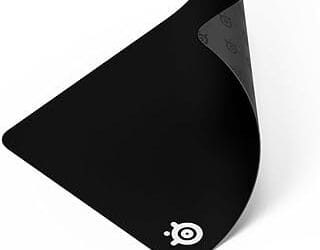
A clean, flat surface matters more than brand. Cloth pads give you control, hard pads give you speed. Both work with every sensor here. What kills accuracy is a worn-out pad with frayed edges. Replace yours when it starts looking sad – usually every 18-24 months for heavy users.
Bottom line
For most buyers, the Logitech G502 X Plus at $149.99 is the right call. It’s the mouse that does everything well. Budget shoppers grab the G305 at $30.99 and won’t feel like they compromised. Competitive FPS players who care about every millisecond should splurge on the G PRO X2 Superstrike. The Razer Basilisk V3 at $34.98 is the wildcard – cheaper than expected for a 26K sensor and 11 buttons, and it’s the right pick for fans of Razer’s shape language.
Don’t overthink DPI. Most pros sit between 400 and 1,600. Pick the shape that fits your hand, pick the budget that fits your wallet, and you’ll be set for years.