Keychron built its name on mechanical keyboards that office workers could actually bring into a shared room. The M6 Silent is the brand’s bid to do the same thing for the mouse on the other side of your desk mat. It’s a sub-$40 wireless pointer aimed squarely at people who’ve been told, politely or otherwise, that their clicks carry. A quick note on naming: plenty of shoppers search for the Keychron M4, but the M4 isn’t widely stocked on Amazon right now. The M6 Silent is the closer current-gen pick, and it’s the one we’re focused on here. Same DNA. Quieter switches.
At a glance
The M6 Silent runs a PixArt 3950 sensor with a 30,000 DPI ceiling, though you’ll probably live between 800 and 1600 like a normal person. Polling tops out at 1000Hz over the wired connection, with Bluetooth 5.3 and a 2.4GHz dongle handling the wireless side. Weight lands around 75 grams, which isn’t featherlight but isn’t a brick either. The headline feature is the silent Omron switches rated for 80 million clicks, paired with USB-C charging and a battery Keychron quotes at multiple weeks on Bluetooth. Street price hovers near $40, which is the number that makes the rest of this review interesting.
Design and build quality
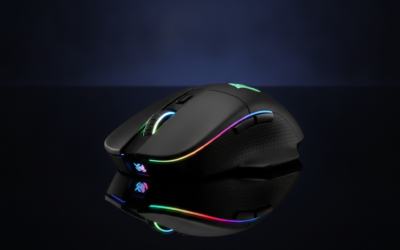
The M6 Silent is a right-handed ergonomic shape, roughly 115mm long, with a gentle thumb scoop and a hump that sits a little forward of center. Medium hands palm it comfortably. Larger hands will claw-grip it without complaint. The shell wears a matte coating that resists fingerprints better than the gloss finishes you see on cheaper wireless mice, though it’ll pick up skin oil over a long workday. No RGB. None. If you wanted a light show, you bought the wrong mouse.
Weight balance leans slightly toward the front, which suits the way most people lift and reposition. The main buttons have minimal pre-travel, and the side buttons sit where your thumb actually rests, not three centimeters too far forward. Scroll wheel uses a tactile notched detent. Not free-spinning, not infinite. Just clicky steps. Build feels solid for the asking price. We couldn’t get it to rattle when shaken, didn’t hear coil whine on USB-C charging, and the seams line up without that flexy creak budget wireless mice usually deliver.
Performance in everyday office work
The whole pitch lives or dies here, and the M6 Silent delivers. Click acoustics are genuinely muted, closer to a soft thunk than a click. From across a conference room, you can’t hear it. From a microphone two feet away, your podcast co-host won’t either. That’s the differentiator at this price, and it’s the reason most buyers are looking at this mouse in the first place.
Tracking held up across the surfaces we tried: a glossy desk, a cloth pad, and a hard plastic mat. No spinouts, no cursor drift after lift. Bluetooth multi-device switching works through a small button on the underside, and pairing held to a second laptop without dropouts during a long Teams call. Battery drain at 1000Hz polling is real. Drop to 500Hz over Bluetooth and you’re easily looking at weeks of runtime. At 1000Hz over 2.4GHz, expect days, not weeks. Latency for typing-and-clicking workflows is invisible. Nobody’s losing a spreadsheet race because of this mouse.
Performance in casual gaming
PixArt 3950 looks great on paper, and the sensor itself isn’t the issue. Tracking is clean at the DPIs anyone sane uses for gaming. The honest catch is the 75-gram body. That’s middle-of-the-road by 2026 standards, where dedicated esports mice like the Razer Viper V3 Pro sit in the mid-50s. You’ll feel it on long FPS sessions if you’ve been spoiled by sub-60g pointers.
Silent switches also change the gaming feel. Less tactile snap on each click, which some shooter players find disorienting because they cue off the click sound. For MMOs, RTS games, ARPGs, anything turn-based or strategy-leaning, it’s a non-issue. Battery in 2.4GHz mode at 1000Hz polling for gaming will drain noticeably faster than Bluetooth office use. Plan on charging weekly if you game most evenings. Our honest take: it’s not an esports mouse and Keychron isn’t selling it as one. For chill gaming after work, it tracks fine and stays quiet.
What it does well
Quietness is the headline and the M6 Silent earns it. The acoustic difference versus a standard Logitech or Razer click is the kind of thing your roommate notices before you do. Tri-mode connectivity covers everything: wired USB-C for when the battery’s dead or you want zero latency, 2.4GHz dongle for low-latency wireless, Bluetooth for the laptop you don’t want a dongle sticking out of. Sensor accuracy punches above the price bracket. Software support exists, gets the basic remapping and DPI work done, and doesn’t try to install three background services on your machine. For roughly $40, the build genuinely doesn’t feel like a $40 mouse, and that’s the part that’s hardest to engineer at this price.
Where it falls short
No left-handed version exists, and the ergonomic shape doesn’t translate for southpaws. Hand size matters too: this is a medium-hand mouse first, and small-hand users will find the hump too tall while extra-large palms will feel cramped against the back. No RGB will disappoint a slice of the gaming crowd, even though we’d argue it’s a feature. Keychron’s software is functional but bare compared to Logitech G Hub or Razer Synapse. Fewer macro layers, fewer surface calibration options, no cloud sync of profiles. The button layout also skips a dedicated DPI cycle button on the top, routing it through the bottom switch or software remapping, which is annoying if you swap DPI mid-task.
How it compares to the Logitech MX Anywhere 3S
The Logitech MX Anywhere 3S sits at roughly $80, double the M6 Silent’s price, and it’s the obvious comparison for the quiet-office-mouse buyer. Logitech wins on a couple of specific things. The MagSpeed scroll wheel is unmatched in this category, flipping between ratcheted and free-spin on the fly. Logi Bolt receiver gets you onto multiple machines with one dongle. Logitech Options+ is the deeper software ecosystem if you live across multiple devices.
The M6 Silent wins where it actually matters to a lot of buyers. Clicks are quieter, full stop, even though Logitech markets the MX Anywhere as a quiet mouse too. Price is half. The 2.4GHz dongle option gives you lower-latency wireless that the MX Anywhere doesn’t include. If your priority is acoustic stealth and you don’t need MagSpeed scrolling, the Keychron is the value pick. If you live inside the Logitech ecosystem and want the premium scroll wheel, the MX Anywhere 3S still earns its asking price.
Should you buy it?
Buy the M6 Silent if you’re a hybrid office worker who’s been clicking too loud in too many shared spaces, if you want a wireless mouse under $50 that doesn’t feel like a compromise, or if you already own a Keychron keyboard and like how the brand handles firmware and build. It’s also a strong pick for late-night gaming next to a sleeping partner.
Skip it if you’re left-handed, if you need a premium MagSpeed-style scroll wheel for heavy document work, if you play competitive shooters where weight matters more than acoustics, or if you want RGB. For roughly $40, though, the M6 Silent is the quietest sensible wireless mouse we’ve used this year, and that’s the review.