
Itx Vs Matx: Which Price Tier Actually Buys You More
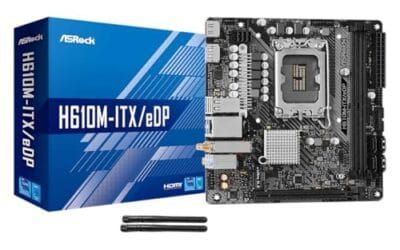
ITX vs mATX is really a trade between size, expansion, price, and build difficulty. Mini-ITX boards are tiny and great for small form factor systems, while.

We independently review everything we recommend. When you buy through our links, we may earn a commission. As an Amazon Associate we earn from qualifying purchases. Learn more ›
Find the best motherboards to power your PC build. We compare top models based on compatibility, features, connectivity, and value so you can choose the perfect foundation for your system.
ITX vs mATX is really a trade between size, expansion, price, and build difficulty. Mini-ITX boards are tiny and great for small form factor systems, while.

Roughly 244mm wide versus 244mm tall: that's the ATX board. A Micro-ATX board trims the height to about 244mm square, dropping a couple of expansion slots.

Walk into an Intel motherboard aisle and the price gap hits you fast. A Z890 board can run three times the cost of a B860, and both technically run the same.

AMD's B850 and X870 chipsets both sit on the AM5 socket and both run the same Ryzen chips, yet they land at noticeably different prices, often a $70 to $150.

Building on AMD's AM5 platform means picking a chipset, and B650 versus X670 is the decision that trips up most first-time buyers.
If you've ever stared at a motherboard box and wondered why one slot says "x16" and another says "x4," you've already bumped into PCIe lanes without knowing.

The difference between Z890 and B860 is mostly about freedom. Both chipsets are built for Intel's newer desktop platforms, but they don't aim at the same.

If you're building on AMD's AM5 platform right now, two chipset names keep showing up on spec sheets: B850 and X870.

If you've opened up a PC case in the last few years, you've probably spotted a small horizontal slot near the CPU socket with a tiny screw at one end.

AMD's B650 and X670 chipsets share the same AM5 socket, take the same Ryzen 7000 and 9000 processors, and run the same DDR5 memory.