

The ZOTAC MEK with an RTX 5070 Ti and Core Ultra 7 265KF is the first one I’d price for a high-refresh 1440p monitor. It was $300 more than the RTX 5070 model when we checked, with 16GB of graphics memory versus 12GB. If you play at 1080p, the $1,099.99 Ryzen 5 5500 and RTX 5060 build is where I’d start. The money you save there could buy the monitor if you still need one.
MEK is a family of desktops. Two listings with the same name can have different GPUs, memory and storage, and even an RTX 5060 listing can pair the card with either an older DDR4 platform or a newer DDR5 one. Match the processor and graphics card together when you shop. These five configurations had new U.S. offers when checked on November 25, 2026.
ZOTAC MEK gaming PCs at a glance
| Best for | MEK configuration | Graphics memory | RAM and SSD | Price and tradeoff |
|---|---|---|---|---|
| High-refresh 1440p | Core Ultra 7 265KF + RTX 5070 Ti | 16GB GDDR7 | 32GB DDR5 / 1TB | $2,599.99. Modest drive capacity for the price. |
| 1440p at a lower price | Ryzen 7 9700X + RTX 5070 | 12GB GDDR7 | 32GB DDR5 / 1TB | $2,299.99. 4GB less VRAM than the Ti. |
| 1080p with DDR5 | Core Ultra 5 250KF Plus + RTX 5060 Ti | 8GB GDDR7 | 16GB DDR5 / 1TB | $1,399.99. Same VRAM capacity as the $1,099.99 pick. |
| 1080p value | Ryzen 5 5500 + RTX 5060 | 8GB GDDR7 | 16GB DDR4 / 1TB | $1,099.99. Older CPU platform. |
| A strict $800 tower budget | Ryzen 5 5500 + RTX 3050 | 6GB GDDR6 | 16GB DDR4 / 500GB | $799.99. Smallest SSD and least VRAM. |
1. ZOTAC MEK RTX 5070 Ti Apocalypse: Best for high-refresh 1440p
This is the most capable graphics configuration among the five we could verify as available. The Core Ultra 7 265KF model pairs a 16GB RTX 5070 Ti with 32GB of DDR5, a 1TB NVMe SSD and a listed 750W Gold power supply. It’s the pick for someone who has already bought a good 1440p display and wants room to raise graphics settings in demanding games.
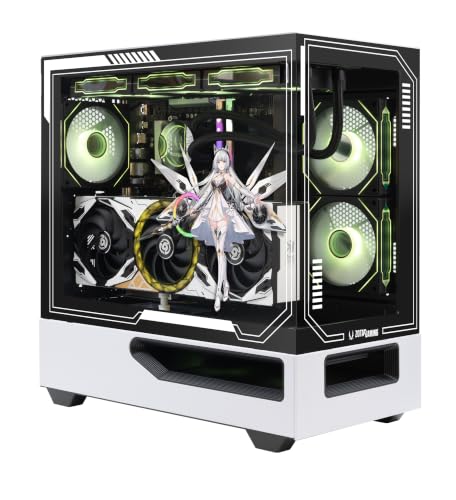
The decision here is unusually straightforward at the checked prices. The RTX 5070 MEK is $300 cheaper and also includes 32GB of RAM and a 1TB drive. The extra money here buys a higher graphics tier and 4GB more graphics memory, along with a different CPU platform. Those GPU differences are worth more to a buyer who plays demanding games or uses high-resolution texture packs than to someone who mainly plays competitive titles at low settings.
The 1TB drive is modest for a $2,599.99 tower. If you’ve already filled a drive that size with your current library, price a second SSD and ask which slots are free. For a build around a 4K display, check how your specific games run on a desktop 5070 Ti at the settings you want. It can make sense with a suitable mix of settings and upscaling, while a high native-resolution target may justify looking further up the lineup.
2. ZOTAC MEK RTX 5070: The lower-cost 1440p choice
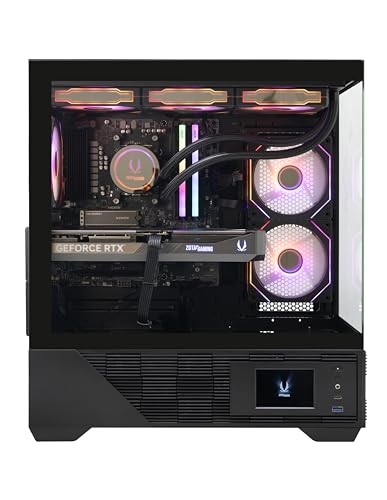
Pick the Ryzen 7 9700X version if you’re buying for 1440p and $2,300 is your limit. It keeps 32GB of DDR5 and a 1TB NVMe drive, so the step down from the Apocalypse build is mainly a matter of which CPU and GPU you want. Its RTX 5070 has 12GB of GDDR7. The listed 750W unit is useful information for comparing the builds, and you’d still need the exact PSU model and connectors before planning a future GPU swap.
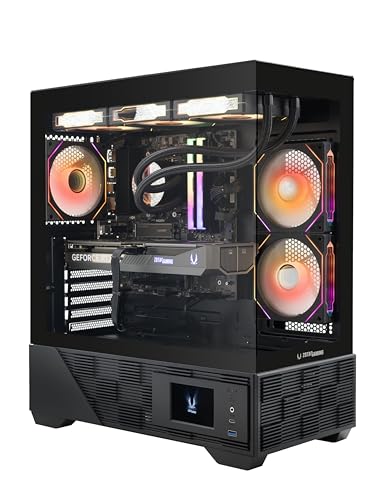
At $2,299.99 the system costs $900 more than the RTX 5060 Ti MEK. That’s a sizable jump for a buyer with a 1080p monitor and no plans to replace it. If the purchase includes a move to 1440p, budget for the screen first and decide how much remains for the tower. Our gaming PCs under $2,500 guide is a useful check if you’re open to other builders at this price.
Choose this exact Ryzen model if the RTX 5070 Ti price stretches your budget and you want 32GB from day one. A larger sale gap would strengthen its case. At a smaller gap, I’d buy the Ti system for a graphics-heavy library and put storage on the upgrade list for either one.
3. ZOTAC MEK RTX 5060 Ti 8GB: A DDR5 option under $1,500
The Core Ultra 5 250KF Plus MEK includes an RTX 5060 Ti with 8GB of graphics memory, 16GB of DDR5 and a 1TB NVMe SSD. At $1,399.99 it fits a buyer who can spend a bit more on the tower and expects to keep playing at 1080p. The Ti is a step up in GPU tier from the base RTX 5060. Pay attention to the capacity because NVIDIA sells 8GB and 16GB versions of the RTX 5060 Ti, and this is the 8GB one.
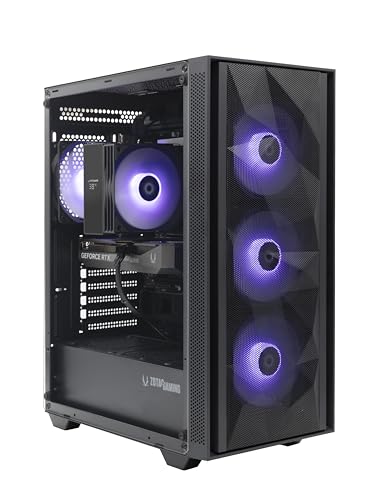
Same graphics memory, different price. The extra $300 over the Ryzen 5 5500 and RTX 5060 configuration buys the faster GPU tier and a different CPU and memory platform. The SSD capacity and amount of system RAM stay at 1TB and 16GB, respectively. Choose it if that combination is worth the premium for the games you play. If you’re shopping specifically to get more than 8GB of graphics memory, keep looking.
At a fixed budget I’d check the best gaming PCs under $1,500 before paying. Compare the graphics card and the amount of graphics memory first, then add the cost of any immediate RAM or storage changes. An attractive sale on a comparable desktop can matter more than a small difference in processor naming.
4. ZOTAC MEK RTX 5060: Best value for a 1080p setup
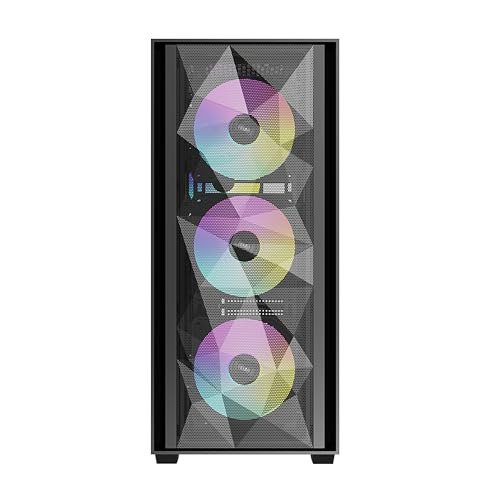
This is the Ryzen 5 5500 configuration with 16GB of DDR4, 1TB of NVMe storage and an 8GB RTX 5060. The $1,099.99 checked price makes it a sensible starting point for a buyer with a 1080p monitor who plays a mix of competitive and more demanding games. At that resolution you can adjust texture quality and ray tracing game by game instead of budgeting for the RTX 5070 immediately.
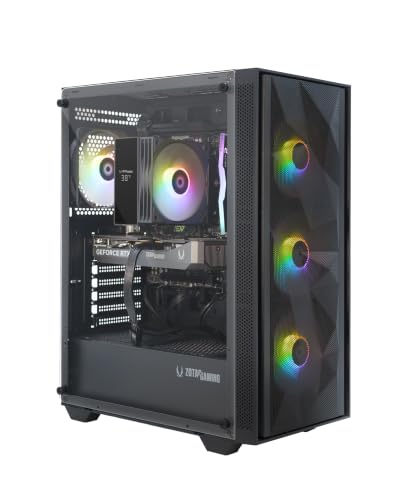
The older CPU platform is the compromise. If you play CPU-heavy simulations or target very high frame rates in competitive games, look up results for the exact Ryzen 5 5500 and the games you play. A faster GPU on its own can’t guarantee the frame rate you want in a CPU-limited scene. ZOTAC also sells an RTX 5060 MEK with a Ryzen 5 9600X and DDR5. Check for that specific CPU in the listing if you’d rather spend more on the platform while keeping the same GPU tier.
Compared with the RTX 3050 build below, $300 buys a newer graphics tier, 2GB more graphics memory and twice the listed SSD capacity. That’s where I’d stretch the budget first if you regularly rotate through large games. If the tower and monitor have to come from the same budget, compare the combined price before you move up.
5. ZOTAC MEK RTX 3050 6GB: The sub-$800 option
A hard ceiling. If $800 is all you can spend on the tower, the Ryzen 5 5500 and RTX 3050 MEK qualified by a cent at the checked price, before tax. It comes with 16GB of DDR4 and a 500GB NVMe drive. The RTX 3050 here is the 6GB version. Treat this as a desktop for lighter games and modest 1080p settings, especially if your regular library is already small.
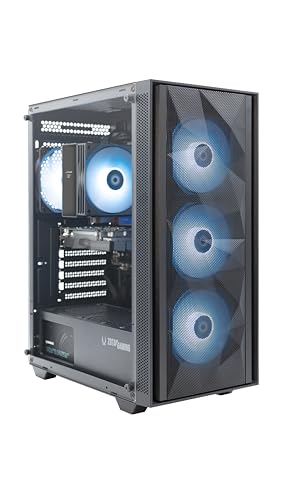
The 500GB SSD is the first compromise you’ll notice if you like to keep a lot of large games installed. Windows and other apps take some of that space before you install a game. Add up the storage sizes of the titles you actually keep, and budget for a compatible second drive if needed. Check the motherboard’s available slots before ordering an SSD.
I’d skip this model if you’re buying for demanding new releases and can afford the RTX 5060 above. The 3050 MEK makes more sense if you replace a much older desktop, know the games you want to play and need to hold the purchase near $800. Compare the final cost after tax and shipping if that ceiling covers the whole setup.
How we evaluated the ZOTAC MEK lineup
We compared the exact CPU and GPU pairings, graphics-memory capacity, included RAM and storage, and current U.S. retail offers for complete ZOTAC systems. We used NVIDIA’s desktop GPU specifications to distinguish similarly named cards and ZOTAC’s product information to check where the models fit in the lineup. The gaming recommendations are based on hardware and price. Check independent results for the games, settings and monitor resolution you care about.
We checked for new systems with an available offer and a listed price. ZOTAC documents 5080 and 5090 desktops, and both are discussed below for buyers weighing a higher-end setup. The five picks reflect the offers we could confirm. Prices are a snapshot and may change by seller or location.
How to choose a ZOTAC MEK gaming PC
Which resolution will you actually use?
Match the GPU to the monitor you plan to use over the next few years. At 1080p, decide whether the RTX 5060 fits your games before spending for the 5060 Ti. At 1440p, compare the 5070 and 5070 Ti with your preferred settings and refresh rate in mind. An aim of 144 frames per second in a competitive game is a different workload from a 60 fps target in a game with heavy ray tracing. Look for independent results that match both the resolution and settings.
Should you wait for the MEK RTX 5080 or RTX 5090?
Both make more sense for someone already committed to a demanding 4K setup. ZOTAC documents Ryzen 7 9800X3D versions of both towers. The RTX 5080 has 16GB of GDDR7 and the RTX 5090 has 32GB. Before paying for the top model, decide whether your games and settings call for that extra GPU capability, and compare whole-system pricing. Our 4K gaming PC guide gives you other systems to compare if the MEK you want is hard to find.
What would you need to upgrade first?
Start with the game library and apps you already use. A 1TB drive offers more breathing room than 500GB, and 32GB of system RAM is useful if you keep voice chat, browser tabs and other apps running while you game. If you plan to add RAM, ask whether the current capacity uses one module or two, how many slots are free and what kit the board supports. For a future GPU, ask about clearance and power connectors as well as the listed wattage.
Frequently asked questions
Is a MEK HERO G1 the same as a current ZOTAC MEK?
MEK HERO G1 is an earlier ZOTAC desktop family. For example, ZOTAC’s original G1 launch included an A5636 with an RTX 3060 and an A5837 with an RTX 3070. If you’re looking at an older listing, compare the model number, GPU, condition and seller coverage individually. The MEK name alone tells you little about the parts inside.
What does AI-enhanced mean on a ZOTAC gaming PC?
For gaming, the practical feature to look for is support for the NVIDIA DLSS options you want to use. Compatible games can use DLSS Super Resolution to render at a lower internal resolution and reconstruct the image. Frame generation adds generated frames in compatible games. If a listing highlights AI, match the GPU and the game’s supported features before spending more.
Is 16GB of system memory enough?
It’s a workable starting point if you’re buying primarily to game and your usual titles fit comfortably alongside your background apps. If you already run into memory pressure with a large mod list or multiple applications, price a move to 32GB. System RAM and graphics memory are separate specs. Adding system RAM leaves the capacity of the graphics card’s own memory unchanged.
Bottom line
For high-refresh 1440p, the RTX 5070 Ti Apocalypse is the MEK I’d buy at the checked $300 premium over the RTX 5070 version. The $1,099.99 RTX 5060 system is the better place to start for most 1080p shoppers. Whatever price tier you land on, match both processor and GPU before checkout, and leave room in the budget for the storage or monitor you’ll actually use.

























Write Your Review
No reviews yet. Be the first to share your experience!