

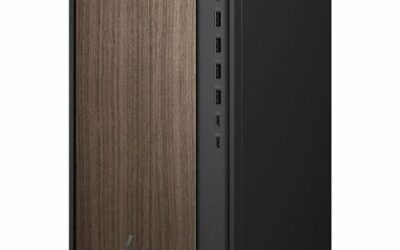
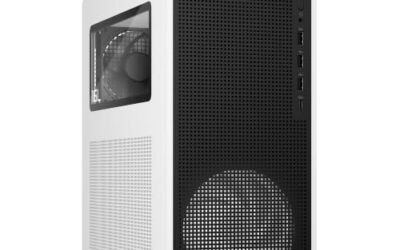
The iBUYPOWER Element with a Ryzen 7 8700F and Radeon RX 9070 GRE is the iBUYPOWER desktop we’d choose for a new 1440p setup. It pairs a 12GB graphics card with an eight-core CPU and costs less than the other 12GB configurations here. If you’re keeping a 1080p monitor, the $1,099.99 Scale with an RTX 4060 makes more sense. There’s no reason to buy for a screen you don’t plan to own.
iBUYPOWER sells the same case with very different parts, so shop by the CPU and GPU on the listing. These five desktops cover an affordable starting point, a newer GeForce option, two ways to buy the same Radeon GPU, and a Y40 with more storage and system memory. The prices are U.S. new-item offers checked November 26, 2026. Stock and pricing can change.
Our Picks for the Best iBUYPOWER Gaming PCs
| Pick | Desktop graphics | RAM and storage | Checked price | Main tradeoff |
|---|---|---|---|---|
| Element Ryzen 7 8700F, best overall | RX 9070 GRE 12GB | 16GB DDR5, 1TB NVMe | $1,539.99 | Less RAM and storage than the Y40 |
| Scale SCI5N4601, best value for 1080p | RTX 4060 8GB | 16GB DDR5, 1TB NVMe | $1,099.99 | Less room for demanding texture settings |
| Element SE ESI5N5601, best for RTX 50-series features | RTX 5060 8GB | 16GB DDR5, 1TB NVMe | $1,390.00 | About $290 more than the Scale with the same RAM and storage capacities |
| Element Ryzen 9 9900X, best for gaming and CPU-heavy work | RX 9070 GRE 12GB | 16GB DDR5, 1TB NVMe | $1,719.99 | CPU upgrade without a graphics upgrade |
| Y40 Black Y40BI7N4703, best for 32GB RAM and a 2TB drive | RTX 4070 12GB | 32GB DDR5, 2TB SSD | $1,899.99 | Highest price of the five |
1. iBUYPOWER Element Ryzen 7 8700F, best overall for 1440p
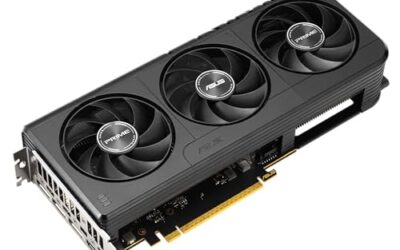
This Element pairs a Ryzen 7 8700F with a Radeon RX 9070 GRE, 16GB of DDR5, and a 1TB NVMe SSD. AMD lists the desktop GRE with 12GB of GDDR6. For someone moving up from 1080p, that’s the specification I’d pay attention to first. Greater graphics memory capacity gives you more room for large textures, and the price leaves $180 in your pocket compared with the Ryzen 9 tower using the same graphics model.

The 8700F has eight cores and 16 threads. If your main use is playing games, I’d put the savings toward the display or a bigger game drive before buying additional CPU cores. The listed Wi-Fi 5 will be fine for some rooms, but if your desktop sits next to your router, run Ethernet for a wired connection. If you have to use wireless, think about where the tower will sit and whether the signal there is reliable.
At checkout, look for both “Ryzen 7 8700F” and “RX 9070 GRE.” The GRE suffix identifies a specific GPU, and adjacent Element listings carry different hardware. I’d skip this one if your main application requires a GeForce-specific feature. For primarily gaming at 1440p, it’s the clearest place to start among these five.
2. iBUYPOWER Scale SCI5N4601, best value for 1080p
The Scale combines an Intel Core i5-14400F and an RTX 4060 with 16GB of DDR5 and a 1TB NVMe SSD. It’s the option I’d buy for a 1080p monitor and a mix of competitive games, indies, or older releases. At the checked price, it was $440 less than the top pick. If your current setup already suits the games you play, that difference can stay in your pocket.

Small settings changes matter here. In a demanding release, start with texture quality that fits the 8GB graphics card, then turn down costly shadows or reflections if you need smoother play. Adjust one setting at a time so you know which change mattered. If you mostly play lighter games and they’re running smoothly at native resolution, you can leave those tools alone.
One practical upgrade to check before ordering is storage. The 1TB drive also holds Windows and your applications, so your usable game space will be smaller than the capacity on the box. Ask which motherboard ships with the PC if you expect to add a second NVMe drive. If you’re shopping at the Scale’s price and can stretch a little, the gaming PCs under $1,500 guide gives you a wider set of configurations to compare.
3. iBUYPOWER Element SE ESI5N5601, best for RTX 50-series features
This Element SE shares the Scale’s Core i5-14400F, 16GB of DDR5, and 1TB NVMe storage capacity. The reason to buy it is the RTX 5060. NVIDIA lists 8GB of GDDR7 on the desktop 5060 and support for DLSS Multi Frame Generation in compatible titles. If you regularly play games with that feature, the Element SE gives you a reason to step up from the Scale without paying for the Y40’s larger CPU, RAM, and storage package.

Check the games you actually play before paying the extra $290. Generated frames can make motion look smoother when the game already runs well enough to respond comfortably. For competitive multiplayer, where you care about how quickly your aim or movement responds, I’d first lower expensive graphics settings to improve the underlying frame rate. The extra frames also leave the card’s 8GB memory capacity as it is.
At the checked prices, the Radeon Element was only about $150 more. I’d choose that Element for a general 1440p build, or keep the Scale and save the money for a 1080p setup. The Element SE earns its place when you can name a GeForce feature you’ll use and want the cheaper of the two GeForce upgrades in this list.
4. iBUYPOWER Element Ryzen 9 9900X, best for gaming and CPU-heavy work
This configuration replaces the eight-core Ryzen 7 with a 12-core, 24-thread Ryzen 9 9900X. It keeps the RX 9070 GRE 12GB and the same 16GB of DDR5 and 1TB NVMe capacities. That combination works for someone who games after a day of CPU rendering, compiling projects, or encoding video on the processor. If the desktop is mainly for games, I’d spend the $180 difference elsewhere.

Memory is the first thing I’d price out for this tower. A busy project, browser tabs, and a game launcher can all share those 16GB. Check your application’s memory guidance and ask the seller about module layout and supported capacities before adding a RAM kit to your budget. If you work with a lot of footage or large projects, set aside room for a separate project drive as well.
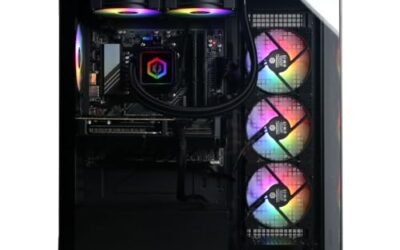
The listing describes the Ryzen 9 model as liquid cooled. If you’re budgeting for long jobs, ask for the cooler model and radiator size before you order. Those details matter when you’re planning case clearance or servicing the PC later. If you don’t have a regular task that benefits from the extra CPU cores, the Ryzen 7 Element is the easier buy.
5. iBUYPOWER Y40 Black Y40BI7N4703, best for more RAM and storage
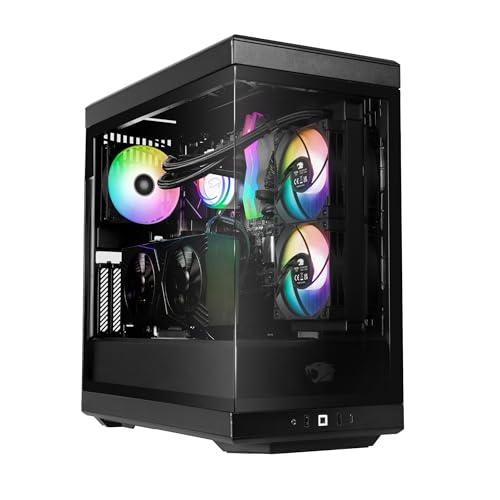
The Y40 Black combines a Core i7-14700F and a 12GB RTX 4070 with 32GB of DDR5 and a 2TB SSD. A bigger drive from day one. That’s useful if several large games stay installed alongside creative projects, while the additional RAM gives a busy desktop more room for open applications. If you need GeForce graphics as well as both of those capacity increases, this is the straightforward all-in-one option here.

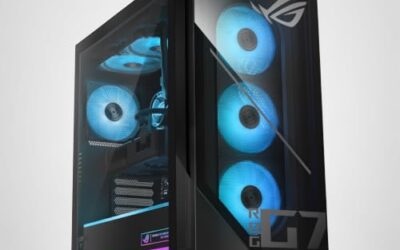
The HYTE Y40 case is designed for a vertical graphics card installation. If you plan to replace the GPU later, check card thickness, cable clearance, and the supplied power connectors for this exact system. It’s also worth checking the rear ports against your monitor and desk setup before ordering. The component list alone won’t tell you where those cables will fit on a tight desk.
At about $1,900, the Y40 is $360 above the top pick. Compare that premium with the actual price of adding storage and RAM to another machine, including any parts you’d replace. If you want the wider market at this performance target, see our 1440p prebuilt gaming PC guide before paying for the larger bundle.
How We Evaluated These Desktops
We compared new iBUYPOWER desktop offers by the exact CPU, desktop GPU, memory, and storage listed for each configuration. AMD and NVIDIA’s component documentation helped confirm the graphics memory and feature distinctions, and AMD’s CPU specifications helped distinguish the Ryzen 7 and Ryzen 9 builds. We ranked the complete towers by what the extra money buys, from a usable 1080p setup to a roomier 1440p system and a CPU-heavy work option.
The recommendations are based on listed hardware and pricing. Treat the resolution labels as shopping targets, with actual results depending on the game and settings. Power-supply model, motherboard, and RAM module layout are worth confirming with the seller whenever the listing leaves them open.
How to Choose an iBUYPOWER Gaming Desktop
Which monitor and games will you use?
Write down your resolution and the two or three games you spend the most time in. A 1080p monitor for competitive games makes the Scale a natural starting point. If you mostly want new single-player games on a 1440p panel, I’d budget for one of the 12GB options. Resolution also changes how much you’re asking of the GPU. If your goal is 4K with demanding visual settings, start with our guide to 4K prebuilt gaming PCs and compare accordingly.
How much storage and RAM do you need on day one?
Look at your current library or add up the install sizes of the games you’ll download first. Leave free space for updates, Windows, and the apps you need. A 1TB drive works well for a rotating library. A 2TB drive is easier to live with when most of your games stay installed. For memory, 16GB can serve a game-focused setup, while 32GB gives you more room if you’re frequently switching between a game, recording tools, and heavier applications.
What can you replace later?
Start with the parts most expensive to upgrade. If you’re buying a basic configuration with the idea of moving to a larger GPU later, confirm the power supply, case clearance, and power connectors before counting on that upgrade. For an SSD, ask which slots are free and whether installing another drive shares lanes or disables a port. The exact motherboard manual is the place to check after you get the model number.
Frequently Asked Questions
Are iBUYPOWER gaming desktops worth buying?
Yes, if the specific configuration makes sense at the price. I’d judge each listing against systems with similar graphics, memory, and storage from other builders. Check who sells the tower, how returns work, and who handles service. Save your invoice and the serial number, and keep the original packaging until you’re through the return window.
Do the two Radeon Element PCs have different graphics cards?
Both listings specify the Radeon RX 9070 GRE with 12GB. The main reason to choose the more expensive Element is the Ryzen 9 CPU, and the listing also describes a different cooling setup. If your current machine mainly struggles at high graphics settings, the Ryzen 7 Element is where I’d start.
Can I start with the Scale and upgrade to 1440p later?
Yes. Start by checking how your games run at the new display’s native resolution and lower the most expensive settings where needed. If you plan to upgrade both the display and GPU shortly after purchase, price that path against buying the Radeon Element up front. Include any power-supply replacement in the comparison.
Bottom Line
For most buyers who want an iBUYPOWER desktop for 1440p, I’d choose the Ryzen 7 Element with the RX 9070 GRE. For 1080p on a tighter budget, the Scale. Move to the Ryzen 9 Element if you can name a recurring CPU-heavy job you want it to handle, or to the Y40 if you want GeForce graphics, 32GB of RAM, and a 2TB drive from day one. Recheck the complete configuration and price before checking out.

























Write Your Review
No reviews yet. Be the first to share your experience!