

Every time you shop for a gaming CPU, you run into the same question buried in the spec sheet: does the integrated graphics actually matter, or is it dead weight you’re paying for? The short version is that for gaming with a dedicated GPU, the integrated graphics does very little day to day. But writing it off entirely is a mistake, because it quietly does a few jobs that matter more than most builders realize.
This explainer breaks down what integrated graphics (an iGPU) really does for a gaming PC, when it helps, and when you can safely ignore it. If you’d rather see chips sorted by use, our roundups of the best CPUs for gaming and the best CPUs without integrated graphics lay out both camps. Let’s define the thing first, then get into where it counts.
The short answer
Integrated graphics is a small GPU built into the CPU itself, sharing system memory instead of having its own. For gaming on a system with a dedicated graphics card, it mostly sits idle; your discrete GPU does the heavy lifting, and the iGPU contributes little to frame rates. So in the strict sense of “will it boost my gaming performance,” no, it won’t.

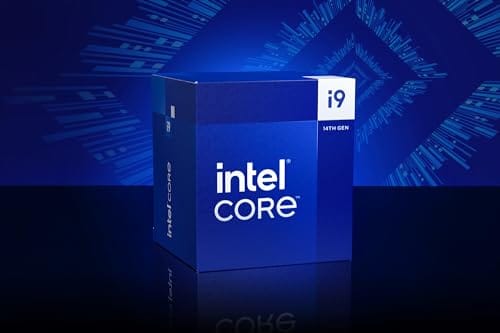
But integrated graphics still earns its place. It’s a built-in fallback if your dedicated card dies, it can drive extra monitors, and it handles video encoding through Intel’s Quick Sync, which is genuinely useful for streamers. A chip like the Intel Core i9-14900K at $469 (4.7 stars) includes integrated graphics on top of its gaming muscle, so you get the iGPU’s safety net without giving up discrete-GPU performance.

Pros
- Industry-leading 6.0GHz out-of-the-box boost clock for single-threaded applications.
- Massive 32-thread capacity excels in multi-threaded workloads like 4K video rendering and 3D modeling.
- Compatible with existing LGA 1700 motherboards via BIOS updates, extending the life of 600-series boards.
- Integrated Intel UHD Graphics 770 provides a fallback for troubleshooting and QuickSync hardware acceleration.
- Highly binned silicon offers significant tuning potential for users with high-end cooling solutions.
Cons
- High 253W maximum turbo power requires premium 360mm or 420mm AIO liquid cooling for sustained loads.
- Aggressive stock voltage curves can lead to thermal throttling on standard air coolers or entry-level AIOs.
- Final generation for the LGA 1700 socket, limiting future CPU upgrade paths without a motherboard change.
- Significant power draw necessitates a high-quality PSU with sufficient 12V EPS overhead.
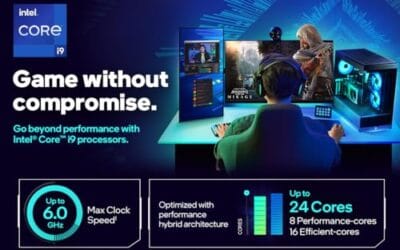
The Intel Core i9-14900K represents the enthusiast-tier peak of the Raptor Lake Refresh lineup, targeting professional creators and gamers who require the highest possible clock speeds. With 24 cores and 32 threads, it is designed to handle simultaneous gaming, streaming, and recording without the performance degradation typically seen on lower-core-count processors.
Technical performance is defined by its 6.0GHz Thermal Velocity Boost, a milestone frequency that pushes the limits of the LGA 1700 platform. In real-world gaming, this translates to high frame ceilings in 1080p and 1440p scenarios, while the 16 Efficient-cores provide the necessary throughput for background tasks and heavy multi-threaded productivity suites like Adobe Premiere Pro and DaVinci Resolve.
Build quality and reliability are consistent with Intel's high-end silicon, though the chip is notoriously demanding regarding thermals. The integrated heat spreader (IHS) must dissipate significant heat during 250W+ bursts, making the choice of thermal interface material and mounting pressure critical for maintaining stability under full load.
The primary trade-off for this level of performance is power consumption and heat. Users should expect the processor to hit its thermal junction maximum (TjMax) quickly during synthetic stress tests if paired with inadequate cooling. It is a processor that requires manual tuning of power limits (PL1 and PL2) to balance efficiency and performance effectively.
Final verdict: Buy this processor if you are an enthusiast with a high-end Z790 motherboard and a 360mm+ liquid cooler who needs the absolute fastest gaming and multitasking performance currently available on the Intel platform. Skip this if you prefer a plug-and-play experience with low power draw or are building in a small form factor case with limited cooling clearance.
| Cores / Threads | 24 (8P + 16E) / 32 |
| Max Turbo Frequency | 6.0 GHz |
| Intel Smart Cache (L3) | 36 MB |
| Total L2 Cache | 32 MB |
| Processor Base Power | 125 W |
| Max Turbo Power | 253 W (Listed as 250W in specs) |
| Socket Support | LGA 1700 |
| Memory Support | DDR5 5600 / DDR4 3200 |
| PCIe Lanes | 20 Total (Up to Gen 5.0) |
| Integrated Graphics | Intel UHD Graphics 770 |
Motherboard and Chipset: The i9-14900K requires an LGA 1700 socket. While it is compatible with older Z600-series motherboards, a BIOS update is mandatory for the system to POST. For optimal power delivery and PCIe 5.0 support, a high-end Z790 motherboard with robust VRMs is strongly recommended to handle the 250W+ power excursions.
Cooling Requirements: Due to the 6.0GHz boost clock and high TDP, air cooling is generally not recommended for this tier unless using a flagship dual-tower cooler with a contact frame. A 360mm or 420mm All-In-One (AIO) liquid cooler is the standard recommendation to prevent thermal throttling during intensive rendering or compilation tasks.
Memory Selection: This CPU supports both DDR4 and DDR5, but the motherboard determines which one you must use. For maximum performance in modern titles and professional apps, pairing this with a DDR5-7200+ kit on a Z790 platform is the ideal configuration, though DDR4 remains a viable cost-saving path for those upgrading from 12th gen.
Power Supply Guidance: Given the potential for 300W+ spikes from the CPU alone, especially when overclocked, a high-quality 850W or 1000W 80 Plus Gold PSU is recommended. Ensure your PSU has at least two 8-pin EPS (CPU) connectors to provide stable voltage to the motherboard's power phases.
Operating System: To properly utilize the Intel Thread Director and the hybrid core architecture, Windows 11 is the recommended operating system. Windows 10 may not efficiently schedule tasks between the P-cores and E-cores, potentially leading to inconsistent performance in multitasking scenarios.
The longer explanation
When you install a dedicated graphics card, the system routes game rendering to it automatically. The iGPU steps back. That’s why benchmark charts for a CPU rarely mention its integrated graphics; with a discrete card present, the iGPU isn’t the one drawing your game. Your frame rate depends on the discrete GPU, the CPU’s cores and cache, and your RAM speed, not the integrated portion.
Where it earns real work is off the game canvas. Windows can hand video decode and encode to it while the discrete card focuses on the game, which is why Intel’s Quick Sync is popular for recording and streaming with minimal frame-rate cost. It can also run secondary displays, your Discord and browser monitors, freeing the discrete card’s outputs. None of that shows up in a gaming benchmark, but it’s not nothing.
Troubleshooting is another quiet benefit. When a system won’t display and you’re not sure whether the graphics card or something else has failed, plugging the monitor into the motherboard’s iGPU output isolates the problem in seconds. If the picture comes back on integrated graphics, you know the discrete card or its slot is the fault, not the CPU or RAM. That diagnostic ability alone has saved plenty of builders a needless parts-swapping session, and it’s only possible because the CPU carries its own graphics.
How it works
An integrated GPU lives on the same silicon die as the CPU cores and pulls from system RAM rather than dedicated video memory. That shared-memory design is why it’s slower than a discrete card, which has its own fast VRAM, but also why it’s efficient and always available. No extra chip, no extra power connector, no extra cost beyond the CPU.
Modern Intel desktop chips ship with an iGPU as standard on most SKUs. On the CPU side, the cores and cache do the gaming work that a graphics card can’t: physics, AI, draw calls, and feeding the GPU fast enough to avoid a bottleneck. That’s the CPU’s real gaming job, and it’s separate from whether the chip happens to include integrated graphics.
Why it works this way
Chipmakers include integrated graphics because it makes a CPU usable on its own. A business PC, a media box, or a machine waiting for a GPU upgrade all need to display something, and the iGPU handles that without forcing a discrete card into every build. For the vast majority of computers, which never touch a demanding game, integrated graphics is all the graphics they’ll ever need.
For gamers, the iGPU exists as insurance and utility rather than performance. It costs the manufacturer little to include, and it dramatically widens who can use the chip. That’s the tradeoff: you carry a small amount of silicon you may rarely use as your primary renderer, in exchange for a fallback display, media acceleration, and multi-monitor flexibility that occasionally save the day.
When you’d want this
You’d want a CPU with integrated graphics if you value the safety net. If your dedicated GPU fails, or you’re between cards during an upgrade, the iGPU lets you boot, browse, and diagnose without a spare graphics card lying around. Anyone who’s had a card die mid-project knows that fallback is worth a lot. It turns a dead PC into a slow-but-working one.
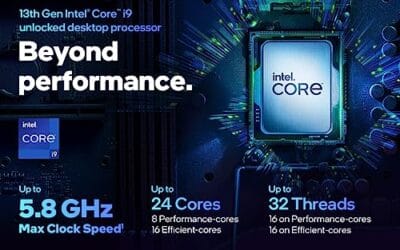
You’d also want it if you stream or record, or run several monitors. Quick Sync offloads encoding, and the iGPU’s video outputs can drive secondary displays. The Intel Core i9-13900K at $587.77 (4.8 stars), with 24 cores, 8 P-cores plus 16 E-cores, a 36M cache, and boost up to 5.8 GHz, is a strong example: a serious gaming chip that still bundles integrated graphics for exactly these convenience and fallback roles.

Pros
- Massive multi-threaded performance for 4K video editing, 3D rendering, and complex data science workloads.
- High 5.8 GHz peak frequency provides excellent single-core performance for gaming and CAD applications.
- Integrated UHD Graphics 770 serves as a reliable backup for troubleshooting or non-gaming productivity setups.
- Broad platform compatibility across two motherboard generations and two different memory standards.
Cons
- High 125W base power and significant peak wattage require a high-end 360mm AIO or custom loop cooling.
- Requires a BIOS update on many Intel 600 series motherboards before the system will POST.
- Platform longevity is limited as LGA1700 is an established socket nearing the end of its release cycle.
The Intel Core i9-13900K represents the pinnacle of the 13th Gen Raptor Lake lineup, positioned as a flagship solution for users who refuse to compromise. With a total of 24 cores and 32 threads, it is specifically engineered for enthusiast gamers, streamers, and heavy content creators who frequently run demanding applications like Adobe Premiere Pro, DaVinci Resolve, or Blender.
The standout technical achievement here is the refined hybrid architecture. By pairing 8 high-frequency Performance-cores with 16 Efficiency-cores, the 13900K manages heavy compute loads without sacrificing the responsiveness of background applications. In real-world gaming, this typically translates to higher 1% low frame rates and smoother overall performance, especially when multitasking with OBS or Discord in the background.
Thermal management is a critical consideration for this chip. While the 125W base power seems manageable, the processor is designed to scale its power consumption significantly to maintain the 5.8 GHz boost clock. Users should expect high operating temperatures under sustained all-core loads, necessitating a robust cooling solution and a high-airflow case to prevent thermal throttling.
An honest trade-off for this level of performance is the power draw and the resulting heat output. This is not a 'set and forget' chip for budget cooling or small form factor builds without careful undervolting or power limiting. Additionally, while the support for DDR4 is a welcome cost-saving measure, the highest performance tiers are only unlocked when paired with high-frequency DDR5 memory.
Buy this if you are building a top-tier workstation or gaming rig and already have a 360mm liquid cooler and a high-wattage power supply. Skip this if you are primarily gaming at 4K where the GPU is the bottleneck, or if you prefer a more power-efficient system with lower cooling requirements.
| Feature | Specification |
|---|---|
| Core Count | 24 (8 P-cores + 16 E-cores) |
| Thread Count | 32 |
| Max Turbo Frequency | 5.8 GHz |
| P-core Base Frequency | 3.0 GHz |
| E-core Base Frequency | 2.2 GHz |
| Intel Smart Cache (L3) | 36 MB |
| Total L2 Cache | 32 MB |
| Processor Base Power | 125 W |
| Memory Support | DDR5 5600 / DDR4 3200 |
| PCIe Revision | 5.0 and 4.0 |
| Total CPU PCIe Lanes | 20 |
| Socket Support | LGA1700 |
| Integrated Graphics | Intel UHD Graphics 770 |
Socket and Chipset: This processor uses the LGA1700 socket. It is natively compatible with Intel 700 series motherboards (Z790, H770, B760). While it works with 600 series boards (Z690, H670, B660, H610), a BIOS update is almost certainly required for the system to boot if the board was manufactured before the 13th Gen launch.
Cooling Requirements: Given the 5.8 GHz boost clock and high core count, a premium 360mm or 420mm All-In-One (AIO) liquid cooler is strongly recommended. High-end dual-tower air coolers may suffice for gaming but will likely lead to thermal throttling during intensive multi-threaded rendering or stress testing.
Memory Selection: The i9-13900K supports both DDR4 and DDR5, but this is determined by your motherboard choice. For a flagship build, pairing this CPU with DDR5 5600MT/s or higher is recommended to avoid bandwidth bottlenecks in memory-sensitive applications and modern games.
Power Supply Guidance: Due to the high transient power spikes typical of i9 processors, ensure your PSU has sufficient headroom. For a build featuring this CPU and a high-end GPU like an RTX 4080 or 4090, a minimum of an 850W or 1000W 80 Plus Gold power supply is advised.
Operating System: To properly utilize the Intel Thread Director for efficient task scheduling between P-cores and E-cores, Windows 11 is highly recommended. While Windows 10 is supported, it may not always assign tasks to the optimal core type, potentially impacting performance.
What to look for in a gaming CPU
For gaming, prioritize the traits that actually move frame rates: strong single-thread performance, high boost clocks, and a healthy L3 cache. The i9-13900K’s 5.8 GHz boost and 36MB cache are the kind of numbers that matter for games, far more than whether the chip has an iGPU. Core count helps for streaming and productivity, which is where those 24 cores come in.
Treat integrated graphics as a bonus feature, not a decision-maker. If two otherwise-equal chips differ only in that one has an iGPU, the iGPU version is worth a small premium for the fallback and Quick Sync. But don’t pay a large premium for integrated graphics you’ll rarely use as your main renderer, and don’t rule out an “F” chip without an iGPU if it’s cheaper and you’ll always run a discrete card.
Common misconceptions
The biggest myth is that integrated graphics boosts your gaming performance when a discrete card is installed. It doesn’t; the two don’t team up on your game’s rendering. Some technologies let the iGPU assist with specific encode or decode tasks, but your frames come from the discrete GPU. Buying a chip with an iGPU won’t add FPS to a system that already has a graphics card.
If anything, the two work on separate jobs rather than the same one.
The opposite myth is that integrated graphics is useless for gamers, so you should always buy the cheaper GPU-less chip. That ignores the real value of a fallback display, Quick Sync encoding, and multi-monitor support. It’s a judgment call based on your setup, not a blanket rule. Plenty of enthusiasts happily pay a little for the iGPU’s convenience even though they game on a discrete card.
Frequently asked
Does integrated graphics improve FPS if I have a graphics card?
No. With a discrete GPU installed, your game renders on that card, and the iGPU sits mostly idle. Your frame rate comes from the discrete GPU, CPU, and RAM. The integrated graphics won’t add frames, though it can offload video encoding so your card focuses fully on the game.
Can I game on integrated graphics alone?
For light or older titles at modest settings, yes. Desktop iGPUs like those in the i9 chips can run esports and indie games at low resolutions. For modern AAA games at high settings, you’ll need a dedicated card. The iGPU is a capable fallback, not a replacement for a real gaming GPU.
What is Quick Sync and why should a gamer care?
Quick Sync is Intel’s hardware video encode/decode engine built into the iGPU. Streamers and recorders use it to encode footage without loading the discrete GPU or CPU cores heavily, keeping in-game frame rates steadier. If you stream or capture gameplay, a chip with integrated graphics gives you that option for free.
Should I buy an “F” CPU without integrated graphics to save money?
If you’ll always run a discrete card and don’t need Quick Sync or a fallback display, an F-series chip can save a bit. Just accept that a dead GPU means no display until you get a replacement. Many builders find the small premium for an iGPU worth that insurance.
Does the iGPU slow down my CPU or use my RAM?
When idle, the integrated graphics uses negligible resources. It only draws system RAM and power when actively rendering or encoding. Running your game on a discrete card leaves the iGPU essentially dormant, so it won’t meaningfully steal RAM or performance from your gaming CPU cores. The tiny slice of memory Windows may reserve for it is trivial on a system with 16GB or more, and you won’t notice it in a game.




























Write Your Review
No reviews yet. Be the first to share your experience!