

Choose the AMD Ryzen 5 9600X if you’re putting together a gaming PC from scratch and want room for a later CPU upgrade. Consider the Intel Core i5-14600K if you already own a compatible LGA1700 motherboard or if you edit video in software that can use Intel Quick Sync. For an older AM4 gaming PC, check whether your board supports the Ryzen 5 5600 before pricing a full platform swap.
Ryzen 5 and Core i5 are product tiers. A Ryzen 5 5600 and a Ryzen 5 9600X use different sockets and memory, even though the names look similar. This comparison focuses on desktop processors. The 9600X and 14600K are the main matchup, with the 5600 as an option for keeping an existing AM4 build.
Ryzen 5 9600X vs. Core i5-14600K at a glance
| Desktop CPU | Cores and threads | Socket and memory | Integrated graphics | Rated CPU power |
|---|---|---|---|---|
| AMD Ryzen 5 9600X | 6 cores, 12 threads | AM5, DDR5 | AMD Radeon Graphics | 65 W default TDP |
| Intel Core i5-14600K | 6 performance cores and 8 efficient cores, 20 threads total | LGA1700, DDR4 or DDR5 depending on the board | Intel UHD Graphics 770 with Quick Sync Video | 125 W base power, 181 W maximum turbo power |
The power figures use each manufacturer’s definitions. Use them to plan cooling and power delivery. Actual CPU power varies with the workload and firmware settings, and total system power also depends on the graphics card and the rest of the build.
What each processor offers
AMD Ryzen 5 9600X
The 9600X has six Zen 5 cores, each capable of running two threads. AMD lists a boost clock of up to 5.4 GHz and 32 MB of L3 cache. The retail CPU ships without a cooler, so budget for an AM5-compatible one or confirm that your existing cooler has the right mount. Its small integrated GPU can drive a display through a compatible motherboard while you’re setting up the PC or waiting on a graphics card.
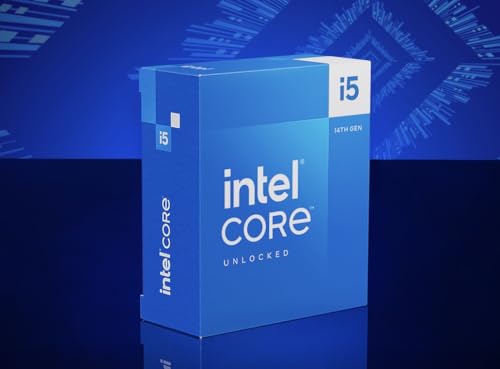
Intel Core i5-14600K
The 14600K combines six performance cores with eight efficient cores. Its performance cores boost up to 5.3 GHz, and its efficient cores give heavily threaded work more cores to use. The K model includes UHD Graphics 770 with Quick Sync. If you see a slightly cheaper 14600KF while shopping, check the suffix. Its CPU core configuration is the same, but you’ll need a discrete graphics card and give up Quick Sync on the processor.
Gaming performance and where to spend the difference
Start with the games you play and the frame rate you want. For a 1080p competitive setup targeting 240 fps, the CPU can have a greater effect on how consistently you hit that target, especially when you lower graphics settings. Look for independent results for the exact game and CPU models with a capable GPU, and check frame-time consistency as well as averages. A processor’s advertised boost clock or total core count alone can’t tell you which one will hold up better in a busy match.
Same graphics card, same settings. That’s the comparison you want when you’re trying to isolate the CPU. If the graphics card already limits your frame rate in a demanding 1440p game, compare the two complete builds and see what the CPU savings can buy on the GPU side. Our graphics card guide for the Ryzen 5 7600X and 9600X gives you options for different targets and budgets.
Think about what you’d notice in your own games. For a graphically demanding single-player game, you might value raising image quality while keeping a steady frame rate. For a strategy game that slows down when the map fills up, look for results from large or late-game scenarios. The workload behind the frame rate matters when you’re deciding where to put the money.
Streaming, editing, and cooling
The i5-14600K is worth pricing if your gaming PC also spends hours compiling code, rendering on the CPU, or doing other work that can spread across many threads. Its extra cores give those jobs more resources. For video editing, Quick Sync is a separate consideration. If your editor supports it for the codec and settings you use, it can accelerate compatible media operations. Check the documentation for your exact editor version and footage format before paying for that feature.
If you’re streaming through the hardware encoder on a discrete GPU, base your CPU choice on the work left over, such as the game, browser overlays, or other apps you run at the same time. A PC used for gaming and an occasional recording has a different workload from one doing frequent CPU-heavy exports alongside other tasks.
Allow for sustained power when sizing the cooler. Intel lists a 181 W maximum turbo power for the 14600K. A cramped case or modest cooler makes it especially important to account for airflow and the board’s power settings. Check your case’s cooler clearance and socket support when comparing air coolers for a gaming PC. For the 9600X, remember to include a cooler in the cart if you haven’t already got a compatible one.
Motherboards, memory, and the real upgrade cost
The Ryzen 5 9600X uses an AM5 board and DDR5. If you’re moving from an old DDR4 build to AM5, price the memory along with the processor. An existing AM5 board can be a good starting point, provided its CPU support list covers the 9600X and you’re on the required BIOS. AMD notes that 600-series AM5 motherboards may need a BIOS update for Ryzen 9000.

Pros
- Zen 5 architecture delivers measurable IPC gains over Zen 4 in both gaming and lightly threaded tasks.
- 5.4 GHz single-core boost is competitive with Intel mid-range offerings without requiring LGA1700 migration.
- Unlocked multiplier and PBO support give overclocking flexibility on any X670 or B650 board.
- 38 MB cache and DDR5-5600 support keep memory latency in check for esports and mainstream creative workflows.
Cons
- Cooler not included; plan for at least a 120mm AIO or quality tower cooler to handle sustained boost clocks.
- DDR5-only AM5 platform means no reuse of existing DDR4 kits, adding cost for first-time AM5 adopters.
The AMD Ryzen 5 9600X is a mid-range AM5 desktop CPU built on the Zen 5 architecture. With six cores, twelve threads, and a 5.4 GHz max boost clock, it targets mainstream gamers and light creators who want Zen 5 IPC without paying flagship prices. It replaces the 7600X in AMD's stack on the same AM5 socket.
The single defining feature here is the Zen 5 IPC uplift. In CPU-bound scenarios at 1080p and 1440p, Zen 5 pulls ahead of equivalent Zen 4 parts by a measurable margin. The 38 MB cache and DDR5-5600 native support work together to reduce frame time variance in competitive titles. Owner reports consistently note smooth performance in popular esports and mid-weight open-world games.
Trade-offs are real. Six cores are sufficient for gaming but can become a bottleneck in heavily threaded workloads like Blender or h.265 encoding compared to eight-core alternatives at similar price points. No cooler is included, which is standard at this tier but still a line-item cost. AM5 DDR5-only requirement also rules out budget DDR4 reuse, and PCIe 5.0 NVMe speeds require a compatible motherboard with proper M.2 thermal solutions.
Buy this if you are building or upgrading an AM5 gaming rig and want Zen 5 IPC at a mid-range entry point, particularly for 1080p and 1440p titles. Skip this if your workloads are heavily threaded or if you need more than six cores for sustained production tasks such as video rendering or large Blender scenes.
Socket and Platform: The 9600X uses Socket AM5, compatible with X670, X670E, B650, and B650E motherboards. PCIe 5.0 GPU and NVMe slots are available on select boards. Upgrading from AM4 requires a new motherboard and DDR5 RAM; there is no AM4 backward compatibility.
Memory and Frequency: Native DDR5-5600 support means the FCLK runs at 1:1 ratio at that speed on validated kits. Pushing beyond DDR5-6000 typically requires EXPO or manual tuning and a quality B-die kit; results vary by board AGESA version. Staying at DDR5-5600 to DDR5-6000 is the practical sweet spot for stability and latency.
Boost and TDP: The 5.4 GHz max boost operates under AMD's PBO envelope. The processor's base TDP is 65W with a configurable boost TDP up to 88W on most boards. A cooler rated for at least 100W TDP is recommended to sustain peak boost clocks under extended gaming or lightly threaded workloads without thermal throttling.
Overclocking: The unlocked multiplier supports manual all-core and per-core overclocking alongside AMD's Curve Optimizer for per-core voltage offsets. Effective tuning typically requires a B650 or X670 board with robust VRM and a BIOS updated to a recent AGESA revision for Ryzen 9000 series compatibility.
One motherboard, one memory standard. The i5-14600K can work with DDR4 or DDR5, but each motherboard is built for a specific type. If you already have DDR4 and a compatible LGA1700 DDR4 board, reusing both can make the Intel upgrade cheaper even when its processor costs more. Before buying, check the support list for your exact board model and revision. Intel recommends using the latest BIOS with microcode 0x12F or later and the Intel Default Settings profile for its affected 13th- and 14th-generation desktop processors.

An AM4 owner has a third option. On a supported board, the Ryzen 5 5600 keeps your DDR4 and comes with a Wraith Stealth cooler in its boxed version. It requires a discrete graphics card. If you’re replacing an older processor and the rest of the PC already meets your needs, keeping those parts can save more than shaving a few dollars off a new AM5 build.
For a new system, add up CPU, motherboard, memory, and cooler before you decide. The Ryzen 5 9600X was $172 and the Core i5-14600K was $249.95 in a November 26, 2026 US retail snapshot. That left about $78 between the chips. If you can reuse enough hardware with the i5 to save more than that on the other parts, compare the resulting totals again. Our gaming motherboard guide can help you price boards with the ports and expansion slots you actually need.
How we evaluated the matchup
We compared AMD and Intel’s published CPU specifications and platform requirements, then checked new US retail offers for the two main models. The recommendations weigh the graphics card budget, the parts you can keep, and workloads that benefit from Intel’s extra cores or media hardware. The prices are a dated snapshot. For a purchase today, use the same cart calculation with the prices available to you.
Which should you buy?
- All-new gaming tower: Start with the Ryzen 5 9600X and a suitable AM5 board. Put any savings toward the graphics card if that’s the part limiting your target settings.
- Compatible LGA1700 system: Price the i5-14600K as an in-place upgrade. Check BIOS support and cooling before counting your existing board and memory as savings.
- Gaming plus regular CPU-heavy work: Give the 14600K a closer look if your applications can use the extra cores or Quick Sync and the full build fits your budget.
- Older AM4 gaming system: Check the Ryzen 5 5600 as a lower-cost path that keeps the motherboard and RAM you already own.
Frequently asked questions
Is Intel Core Ultra 5 the same as Core i5?
Intel uses Core Ultra 5 as a tier name in a separate lineup. For example, the desktop Core Ultra 5 245K fits an LGA1851 board. The i5-14600K fits LGA1700. Use the full model number and the motherboard support list when choosing parts.
Does this comparison apply to Ryzen 5 and Core i5 laptops?
Laptop buyers should compare complete machines with their exact mobile CPU and GPU models. Cooling, configured power, and the graphics card can differ even between laptops with similar processor names. Use reviews of the configuration you can buy, especially if battery life or performance on battery matters.
Bottom line
At the prices above, the Ryzen 5 9600X is the one I’d start with for a new gaming desktop. It costs less upfront and gives you a path to other compatible AM5 processors. The i5-14600K makes the strongest case when you can keep your LGA1700 parts or you have a specific use for its extra cores or Quick Sync. If your AM4 system only needs a CPU upgrade, price the 5600 before committing to a new motherboard and memory.

























Write Your Review
No reviews yet. Be the first to share your experience!