

The Alienware Aurora with a GeForce RTX 5060 Ti is the Dell gaming desktop I’d start with for 1080p. It was the least expensive of the five configurations here, and its Core Ultra 7 processor, 16 GB of RAM and 1 TB SSD give you a sensible starting point. If you’re buying for a 1440p monitor and want more room for demanding graphics settings, step up to the Aurora with an RTX 5070 Ti.
Dell’s Alienware line also includes the much larger Area-51 for buyers aiming at 4K. The Dell Tower is a more understated option, provided you choose a configuration with dedicated graphics. And if you’re looking at a cheap OptiPlex, work out the full cost of making it game-ready before comparing its sticker price with a complete machine.

Pros
- Core Ultra 7 265F (20 cores, 8P+12E) covers modern gaming and light content creation workloads.
- RTX 5060 Ti Blackwell adds DLSS 4 and frame generation, easing 1440p performance in supported titles.
- Dell 1 year onsite warranty covers home service dispatch when remote troubleshooting cannot resolve the issue.
Cons
- Limited owner feedback at time of writing, verify long-term reliability signals before committing.
- Proprietary 500W PSU leaves little headroom for stepping up to a higher-tier GPU later.
- F-suffix CPU has no integrated graphics, so a failed dGPU means no display for troubleshooting.
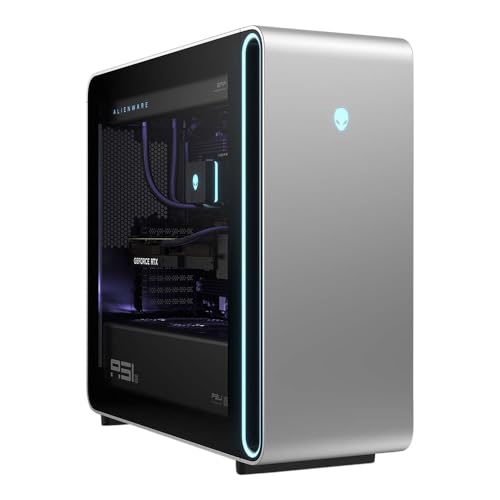
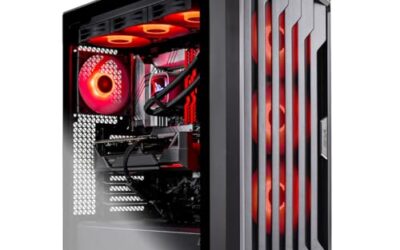
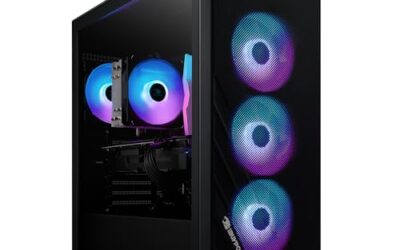
The Alienware Aurora ACT1250 is a mid-range prebuilt gaming desktop pairing Intel's Core Ultra 7 265F with the RTX 5060 Ti inside Dell's Aurora chassis with a clear side panel. It targets buyers who want a plug-and-play Alienware system for 1440p gaming and prefer Dell's onsite warranty over building their own PC.
The RTX 5060 Ti (Blackwell) is the defining component. Based on NVIDIA's architecture, it targets 1440p high settings with DLSS 4 and frame generation support in compatible titles. VRAM capacity is not specified in source data, and the 5060 Ti ships in both 8GB and 16GB variants, so confirm before ordering.
Trade-offs at this tier are real. The 500W Platinum PSU is proprietary Dell sizing and leaves little headroom for a future GPU step-up. 16GB DDR5 is the modern minimum rather than a comfortable buffer. The F-suffix CPU lacks integrated graphics, so any dGPU issue means no display output for troubleshooting.
Buy this if you want a turnkey Alienware chassis with AlienFX lighting and Dell's 1 year onsite service, and 1440p gaming is your primary goal. Skip this if you plan to swap in a higher-tier GPU later, need a standard ATX PSU for future upgrades, or want DIY-friendly component sourcing.
Resolution target: The RTX 5060 Ti (Blackwell) is a 1440p-class GPU with DLSS 4 and frame generation support in compatible titles. VRAM configuration (8GB or 16GB) is not specified in source data, which affects longevity in VRAM-hungry titles at higher texture settings.
CPU pairing: The Core Ultra 7 265F is a 20-core LGA1851 chip (8P+12E). At 1440p on this GPU class, the CPU is not the bottleneck. The F suffix removes integrated graphics, so a failed dGPU means no display output without a spare card.
Power delivery: The 500W Platinum PSU is proprietary Dell sizing rather than standard ATX in most Aurora chassis. Platinum rating indicates roughly 89% efficiency at typical loads. Adequate for the stock 5060 Ti, but headroom for a higher-tier GPU swap later is limited.
Cooling and memory: Air-cooled configuration with the specific cooler model not stated. 16GB DDR5 with channel setup and speed not specified. 1TB SSD with interface generation not specified. Clear side panel exposes AlienFX lighting zones for customization through the Alienware Command Center.



Best Dell gaming desktops at a glance
| Pick | Desktop | Graphics | Best for | Main trade-off |
|---|---|---|---|---|
| Best for most people | Alienware Aurora ACT1250 | RTX 5060 Ti | 1080p gaming | Listing leaves VRAM capacity unspecified |
| 1440p step-up | Alienware Aurora ACT1250 | RTX 5070 Ti, 16 GB | Sharper settings and a larger game library | Substantial price jump from the 5060 Ti |
| 4K pick | Alienware Area-51 AAT2250 | RTX 5080, 16 GB | A dedicated high-end 4K setup | Large case and steep price |
| Maximum graphics headroom | Alienware Area-51 | RTX 5090, 32 GB | Enthusiast 4K and graphics-heavy work | Costs much more, with a 1 TB SSD |
| Plain-case pick | Dell Tower ECT1250 | RTX 5060, 8 GB | A shared home office and gaming setup | Aurora 5060 Ti was cheaper at our check |
Alienware Aurora RTX 5060 Ti for most 1080p players
The Core Ultra 7 265F and desktop RTX 5060 Ti are the parts that matter here. The specific Aurora ACT1250 configuration includes 16 GB of DDR5, a 1 TB SSD and Windows 11 Home. It also lists 2.5 Gb Ethernet and a wired keyboard. A straightforward starting point for someone moving from an older desktop or buying their first prebuilt.
At 1080p, I’d put money into a better monitor or another SSD before paying the asking price for one of the Area-51 towers. That changes if your favorite game leans hard on ray tracing or you’re planning a quick move to 1440p. Check the games you actually play and decide which settings you’d give up to stay within budget.
One detail worth confirming with the seller is the graphics memory. NVIDIA makes desktop RTX 5060 Ti cards with either 8 GB or 16 GB of VRAM, and this listing specifies the GPU name without its capacity. The 16 GB of DDR5 in the title is system memory. If your buying decision depends on the 16 GB graphics card, get the exact configuration in writing before ordering.
Alienware Aurora RTX 5070 Ti for a 1440p setup
This Aurora keeps the Core Ultra 7 265F and steps up to a GeForce RTX 5070 Ti with 16 GB of GDDR7. The listing also specifies 32 GB of system RAM, a 2 TB SSD, a 1,000 W power supply and liquid cooling. Of those differences, the GPU is the strongest reason to move up. The bigger SSD is the one you’ll notice whenever you’re deciding which large game to uninstall.
I’d choose it for a primary 1440p display if you want room to raise textures and keep the PC for several game releases. If your desktop mostly runs competitive games at deliberately low settings, spending the difference on a monitor can be the better use of the budget. Our 1440p prebuilt gaming PC guide gives you other systems to price against this Aurora before committing to the brand.
Check the seller’s configuration and support terms, especially if memory or storage differs from what Dell lists for a factory build. Find out which components the seller will service and who handles a return. A large power-supply rating by itself tells you little about which replacement cards will physically fit.
Alienware Area-51 RTX 5080 for 4K gaming
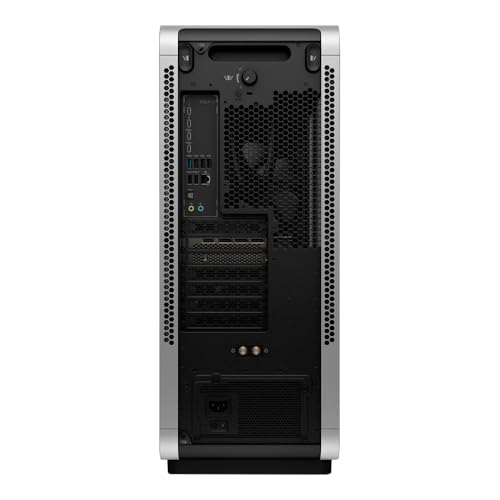
The Area-51 AAT2250 pairs its GeForce RTX 5080 and 16 GB of GDDR7 with a Core Ultra 9 285K. This offer lists 32 GB of DDR5, a 2 TB NVMe SSD and a 360 mm liquid cooler. Its larger enclosure deserves a place on your floor plan as much as on your shopping list. Measure the tower space and leave clearance for rear cables and airflow, especially if your desk has an enclosed PC cubby.
I’d buy this configuration for a 4K screen where image quality matters, with the expectation that you’ll still adjust settings or use upscaling in demanding games. A 4K panel has about 8.3 million pixels per frame, versus about 3.7 million at 1440p. That difference helps explain why upgrading the monitor can change which GPU makes sense even if your games stay the same.
The RTX 5080 and the Aurora’s 5070 Ti both have 16 GB of VRAM, so capacity alone can’t explain the price difference. Compare whole systems, including storage and case size, and check the performance of the games you care about before paying for this tier. If the tower takes too much room or too much of your budget, our guide to prebuilts for 4K gaming gives you more options to compare.
Alienware Area-51 RTX 5090 for the biggest GPU budget
Pick this Area-51 for its desktop RTX 5090 and 32 GB of GDDR7. The configuration here lists a Core Ultra 7 265K, 32 GB of system memory, a 1 TB SSD and a 360 mm liquid cooler. Notice the CPU and storage trade-off. The RTX 5080 system above lists a Core Ultra 9 and twice as much SSD capacity, even though it costs less.
The 5090 makes the most sense when a 4K gaming build also has to handle work that benefits from a larger graphics-memory pool, such as large GPU-rendered scenes. For gaming alone, I’d ask which titles and settings justify the spending. Check that the games you want offer the upscaling or frame generation modes you’re counting on. And if you divide your time between gaming and production work, price the software and storage you need into the build as well.
At the November offer check, this machine cost more than $3,000 above the RTX 5080 Area-51. That’s a large premium even if you can afford it. I’d reserve it for someone who can name a concrete reason to buy the 5090, has space for the tower and has room in the budget for more storage if needed.
Dell Tower RTX 5060 for work and gaming in a plain case
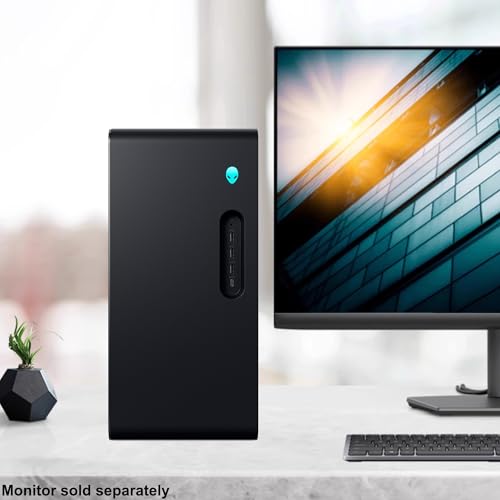
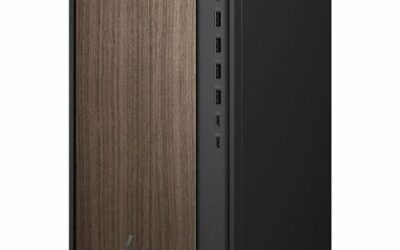
The Dell Tower ECT1250 is the one I’d consider for a desk that doubles as a home office. The selected configuration has a desktop GeForce RTX 5060 with 8 GB of GDDR7, 32 GB of RAM and a 1 TB SSD. The offer also lists Windows 11 Pro and a wired keyboard and mouse. The plain black case will look at home next to office equipment.
Look for the GPU name on the exact configuration you’re buying. Dell also sells the ECT1250 with integrated graphics, and a similar-looking tower with the same RAM and SSD capacity can be a very different gaming purchase. Confirm the power supply for that configuration if you have any plans to swap the card later.
There’s a catch at the prices we found. The Aurora with the 5060 Ti cost less and had the stronger GPU on paper. Buy this Tower if the plain enclosure and its listed memory capacity matter to you, or if a sale changes the pricing. For someone comparing a Dell with other lower-cost systems, our affordable gaming PC guide is a better starting point than paying extra for the plain-case pick.
How we evaluated these Dell gaming desktops
We checked five new, in-stock US configurations on November 26, 2026, and matched the model families against Dell’s configuration documentation and the desktop GeForce specifications. Seller listings supplied the CPU, RAM, storage and cooling details for the individual offers where stated. Prices and availability can change, and the same case name can cover several builds.
We prioritized the GPU relative to the intended screen, then looked at system memory, drive capacity, chassis and price. The resolution labels are buying guidance based on the hardware and spending tiers. Your frame rate will depend on the game, settings and rendering mode.
How to choose a Dell gaming desktop
What display will you actually use?
A 1080p screen makes the 5060 Ti Aurora an easier recommendation. At 1440p, the 5070 Ti becomes a more interesting purchase if you run demanding single-player games. At 4K, consider the Area-51 RTX 5080 if you’re willing to budget for the tower and the rest of the setup. Refresh rate also matters. Aiming for a higher frame rate can make you revisit graphics settings even if the resolution stays put.
How much memory and storage will you use?
Start with the games you plan to keep installed. A 1 TB SSD can be workable for a few big games and ordinary desktop files. If you jump between several large installs or keep recordings on the same drive, budget for more space. For memory, 16 GB can serve a straightforward gaming setup. I’d favor 32 GB if you routinely keep a browser, voice chat and recording software open together. Plenty of space for the way you actually play.
What will you want to upgrade later?
Look up the service manual for the exact model code before you buy. For a future GPU swap, confirm dimensions, power connectors, power-supply capacity and any card supports. For storage, check whether there’s a free slot and whether your intended SSD length fits. Which slots are occupied can vary with the seller’s configuration. Our prebuilt gaming PC buying guide covers more questions to ask before ordering.
Frequently asked questions
Is Alienware a Dell gaming desktop?
Yes. Alienware is Dell’s gaming brand. Aurora and Area-51 are model families with several possible configurations, so start with the model code and the GPU, then check the listing for memory and storage. The standard Dell Tower can serve as a gaming PC when it comes equipped with a suitable discrete card.
What’s the best Dell OptiPlex for cheap gaming?
I’d start with a full-size used OptiPlex tower you can inspect, then choose only after identifying the chassis, exact CPU, power supply and an affordable graphics card that fits. Small-form-factor versions deserve extra care. Dell’s manual for the older OptiPlex 7020 SFF, for example, specifies low-profile expansion cards. Even a low-profile GPU needs enough room for its cooler and suitable power.
Check the seller’s refurbishment terms and Windows 11 eligibility. Add up the desktop, graphics card and any RAM or SSD upgrades before buying. A very cheap office PC can make sense for older games or a project build. If the upgrades bring it close to a gaming-ready prebuilt, the complete system is usually the easier purchase.
Should I pay extra for Windows 11 Pro?
For gaming I’d choose the better GPU, memory or storage configuration first. If you also need the PC for work, check your employer’s requirements for Windows features and device management. That gives you a better reason to choose Pro than the edition name on the retailer’s listing.
Bottom line
Start with the Aurora RTX 5060 Ti if you play at 1080p and want the lowest price among these picks. Choose the Aurora RTX 5070 Ti for a more ambitious 1440p setup, or the Area-51 RTX 5080 if your budget and space are already set aside for 4K. The RTX 5090 is a specialist purchase, while the standard Dell Tower suits a shared workspace. Whichever one you pick, match the GPU and memory to the exact offer before you pay.

























Write Your Review
No reviews yet. Be the first to share your experience!