

If you’ve shopped for a gaming mouse lately, you’ve seen the label plastered across product pages: optical switches. It sounds like a spec that should change your win rate. So does an optical switch mouse actually matter for gaming, or is it another marketing badge? The short version is that it matters, but not in the way most ads imply. It’s about durability and eliminating one specific glitch, not raw speed you can feel mid-match.
We researched how mechanical and optical switches differ, what owners report after months of daily clicking, and where the difference shows up in real play. If you’re still deciding on a shape or budget first, our roundups of the best gaming mouse picks and the best wireless gaming mouse options cover that ground. This piece stays focused on the switch itself, because that’s the part buyers keep asking about and the part reviews rarely explain plainly.
The short answer
Yes, an optical switch matters, but the benefit is reliability rather than reaction time. Optical switches register a click when a beam of infrared light gets interrupted, so there’s no metal contact bouncing against metal. That design kills “double-clicking,” the annoying fault where one press fires two inputs. It also rates switches for a much longer lifespan, often 60 to 100 million clicks versus roughly 10 to 20 million on many mechanical designs. For gaming specifically, the felt difference is tiny. The switch shaves microseconds off actuation, and you won’t notice that in a firefight.
Comfort and grip matter far more to your actual performance than switch type, which is why ergonomics keeps coming up in mouse discussions. If wrist strain is your real problem, a shape change helps more than any switch. Something like the Logitech MX Vertical, a productivity-focused ergonomic mouse, shows how much posture affects long sessions. It’s not a competitive gaming mouse, but it makes the point about comfort clearly.

Pros
- Limited public review data at time of writing, so verify current owner sentiment before purchase.
- Vertical layout targets wrist pronation strain reported by heavy office and CAD users.
- Bluetooth plus USB receiver gives flexible pairing across laptops, docks, and desktops.
- Four-month typical battery cadence reduces charging friction versus daily-charge gaming mice.
Cons
- Zero visible owner reviews in source, so long-term reliability signal is effectively absent.
- Sensor model, max DPI, poling rate, and weight not specified in source data.
- Vertical shape has a learning curve and does not suit claw or fingertip grip gamers.
The Logitech MX Vertical is an ergonomic productivity mouse aimed at office workers, developers, and creative professionals dealing with wrist or forearm discomfort. It sits in Logitech's mid-range MX ergonomic lineup, offering wireless connectivity through Bluetooth or a USB receiver and cross-platform support for Windows and Mac desks.
The defining feature is the angled vertical shell, which shifts the hand into a more neutral handshake posture and reduces forearm pronation during long sessions. Based on typical vertical-mouse ergonomics, users transitioning from a flat mouse should expect a short adjustment period before cursor precision in tasks like document editing and photo work returns to baseline.
Trade-offs are real at this tier. Logitech does not publish sensor model, max DPI, polling rate, or weight in the provided source, which maters for buyers comparing tracking specs. The shape also favors palm grip, so claw and fingertip users, and gamers chasing esports poling rates, will find it a por fit versus a symetrical gaming mouse.
Buy this if you spend long hours in office aps, code editors, or creative suites and want a vertical grip with dual Bluetooth and USB receiver support. Skip this if you need documented gaming-grade sensor specs, low click latency, or a shape optimized for claw and fingertip grip styles.
Sensor and DPI: Logitech lists only an unspecified optical sensor in the source, with no max DPI, polling rate, or lift-off distance provided. MX-series ergonomic mice at this tier typically ship with 400 to 4000 DPIranges tuned for office precision rather than the20000-plus DPI figures sen on gaming rivals.
Wireless connectivity: Dual-mode support covers Bluetooth Low Energy and a 2.4GHz USB receiver, letting one mouse move between a docked laptop and desktop without repairing. Wireless latency is not specified, but Logitech ergonomic mice at this tier areuned for productivity, not competitive first-person shooter response windows.
Battery life: Rated at roughly four months of typical use on a full charge, which lines up with once-per-quarter charging cadence for eight-hour workdays. Actual runtime will drop with heavy Bluetooth use, higher DPI settings, or frequent wake cycles across multiple paired devices during the day.
Shape and grip fit: The vertical shell is engineered around a palm grip with angled thumb rest. Weight, length, and grip width are not specified in the source, so hand-size fit should be validated in person, especially for users with hands under about 17 centimeters.
The longer explanation
A traditional mechanical mouse switch is a tiny spring-loaded metal contact. Press the button, two metal leaves touch, and the circuit closes. That’s a proven, cheap, tactile design that’s been in mice for decades. The catch? Metal contacts wear, oxidize, and bounce. Bounce is the enemy. When the contacts chatter for a few milliseconds, firmware has to guess whether that was one click or two, and eventually a worn switch fools it into sending doubles.
An optical switch swaps the electrical contact for a light gate. An LED shines a beam, a receiver watches it, and pressing the button physically blocks the beam. No metal-on-metal, no oxidation, no debounce guesswork. The firmware doesn’t need a debounce delay to filter chatter, because there’s nothing to chatter. That’s where you occasionally see the “faster” claim. Some optical designs skip the small debounce timer that mechanical switches need, which can trim a few milliseconds off registered latency. Real, measurable, and honestly imperceptible in play.
How it works
Picture the switch as a doorway with a laser tripwire. The button plunger carries a small flag or shutter. At rest, the beam travels freely from emitter to sensor. Push down, the shutter drops into the beam’s path, the sensor sees darkness, and the mouse reports a click. Release, the beam reconnects, and the click ends. The whole cycle is optical, so the only wearing parts are the plastic plunger and the return spring, not an electrical contact.
That’s the core reason optical switches last longer. Nothing arcs or corrodes at the contact point because there is no contact point. Manufacturers still tune the physical click feel with springs and housings, so a good optical switch can feel crisp and tactile, or light and fast, depending on the model. The light gate handles the electrical side. The mechanical parts handle the feel. Two separate jobs, cleanly split.
Why it works this way
Switch makers went optical to solve a warranty headache, not to win benchmarks. Double-click failures were one of the most common gaming-mouse complaints for years, and they’d show up well inside a mouse’s expected life. A player would buy a $60 to $150 mouse, love it for eight months, then start losing single clicks to phantom doubles in ranked matches. That’s a support ticket, a return, and a lost customer.
Optical switches attack the root cause. By removing the debounce logic that masks contact bounce, engineers also removed the failure mode that debounce was hiding. It’s a rare case where the more reliable design is also the technically simpler signal path. That’s why brands lean on it in marketing. It’s a genuine engineering upgrade they can point to, even if the speed angle is oversold. Durability sells quietly. Speed sells loudly.
When you’d want this
You want an optical switch if you click a lot and you keep your mice for years. Competitive FPS players, anyone spamming clicks in an ARPG or clicker game, and people who’ve been burned by double-click failure before are the clearest fits. If your last mouse died from phantom doubles at month ten, an optical switch is worth prioritizing on your next one. The extra lifespan rating isn’t marketing fluff there. It’s the whole point.
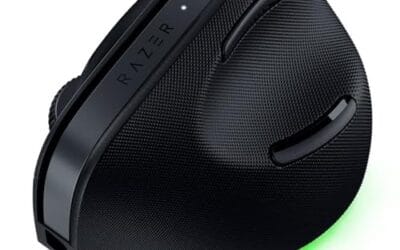
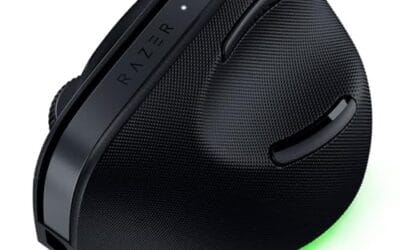
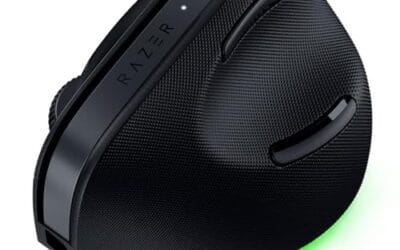
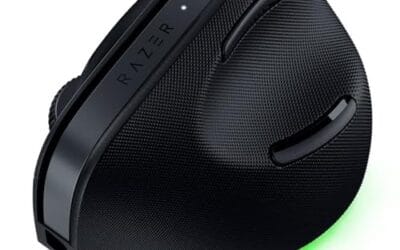
You care less about switch type if comfort or connectivity ranks higher for you. A person with wrist pain gains more from an ergonomic shape than from any switch. The Razer Pro Click V2 Vertical, a 6-button ergonomic wireless mouse with 2.4GHz, Bluetooth, and USB-C wired modes plus Chroma RGB, is built around posture and multi-device use rather than click speed. It’s a productivity and light-gaming crossover, and it shows how switch tech is only one slice of the buying decision. Shape, weight, and grip come first for most players.

Pros
- Focus Pro 30K sensor handles glass and reflective desks that trip up older vertical mice
- Battery rated up to 6 months, 5 minute top-up returns roughly 3 working days of use
- Three connectivity modes with up to 5 paired devices covers desktop, laptop, and tablet rotation
Cons
- Limited owner feedback at time of writing, so long-term reliability signal is not yet available
- Vertical handshake shape has a real learning curve for existing claw and fingertip grip users
- Mouse weight and max DPI are not specified in source, hard to gauge fast-tracking responsiveness
The Pro Click V2 Vertical is Razer's ergonomic wireless mouse aimed at knowledge workers and creators who log long sessions on Windows or Mac systems. The 6 button layout adds a dedicated AI prompt key tied into Razer Synapse 4 shortcuts for summarizing text and drafting emails.
The defining trait is the angled handshake shell with a wrist base that lifts your palm off the deck, reducing pronation on long days. Razer's Focus Pro 30K optical sensor handles glass and high-gloss surfaces, which vertical mice at this tier often struggle with due to older 3200 to 12000 DPI sensors.
Trade-offs are honest. Vertical shells force a handshake grip, so claw and fingertip users will fight muscle memory for a week or more. Battery is rated up to 6 months, but 18 zone Chroma with full underglow will cut that hard if you leave reactive lighting on. Mouse weight is not specified.
Buy this if you already know a vertical shape helps your wrist and you need one mouse hopping between a Windows tower, a MacBook, and a tablet over Bluetooth. Skip it if you plan to play competitive FPS titles, since vertical shells punish rapid tracking flicks and micro adjustments.
Sensor: Focus Pro 30K optical sensor with a claimed 99.8% resolution accuracy. Razer uses this same sensor family across its high-end lineup, so tracking on glass, mousepads, and gloss desks is realistic. Max DPI and polling rate are not specified in source data.
Switches and Buttons: Mechanical switches rated to a 60 million click lifecycle. Six total buttons include a dedicated AI prompt key mapped through Synapse 4 for text summarization and email drafting shortcuts on Windows.
Connectivity: Three modes ship in the box: 2.4GHz HyperSpeed via bundled dongle, Bluetooth with up to 3 host pairings, and USB-C wired. Combined device ceiling is 5, letting you rotate between desktop, laptop, tablet, and a secondary machine without re-pairing.
Battery and Charging: Rated up to 6 months under standard test conditions, with 5 minutes of USB-C charging yielding roughly 3 working days. The 18 zone Chroma RGB plus full underglow will cut that figure significantly if reactive lighting stays enabled.
What to look for in an optical-switch mouse
Start with the shape, then confirm the switch. A mouse can have the best switches on the market and still hurt your hand. Check the grip style it suits, palm, claw, or fingertip, and match it to how you hold. From there, look at the switch’s rated lifespan (60 to 100 million is common for optical), the sensor, weight, and polling rate. Those specs move the needle for most players more than the switch’s tiny latency edge.
If your priority is comfort or all-day use rather than pure competition, browse the best ergonomic mouse and best mouse for work guides, where switch feel and hand support matter more than click latency. Vertical designs deserve a look too, and our best vertical mouse 2026 roundup covers the shapes that reduce wrist strain. Cable management is a smaller detail people forget, so a best mouse bungee 2026 pick can clean up drag on a wired setup and make a light mouse feel even lighter.
Common misconceptions
The biggest myth is that optical switches make you faster in a way you’ll feel. They don’t. The latency gap between a good optical and a good mechanical switch is measured in single-digit milliseconds, well below human reaction perception. Your sensor, polling rate, monitor, and network do far more for responsiveness. Anyone promising a K/D boost from switches alone is selling, not explaining.
Another myth is that optical always feels better. It doesn’t inherently. Feel comes from the spring and housing, and plenty of players prefer the tactile snap of a well-made mechanical switch. Optical wins on longevity and double-click immunity, not on some universal “better click.” And no, optical switches here have nothing to do with the optical sensor that tracks movement. Same word, totally different part. That mix-up trips up a lot of first-time buyers.
Frequently asked
Do optical switches actually prevent double-clicking?
Largely, yes. Because there’s no metal contact to bounce or corrode, the classic double-click failure mode is designed out. You can still get double-inputs from a firmware bug or physical damage, but the wear-based fault that plagues mechanical switches is gone. That’s the single strongest reason to pick optical.
Are optical switch mice worth the extra money for gaming?
If you keep mice for years or click heavily, yes. The durability and double-click immunity pay off over time. If you replace mice every year anyway, the reliability edge matters less, and you can prioritize shape, weight, and sensor instead. It’s a long-term value call more than a performance one.
Will an optical switch improve my aim or reaction time?
Not noticeably. The latency difference is a few milliseconds at most, far below what you can perceive. Aim comes from sensor quality, sensitivity, practice, and your display. Don’t buy an optical mouse expecting a skill boost, because that’s not what it delivers.
How long do optical switches last compared to mechanical?
Optical switches are commonly rated for 60 to 100 million clicks, while many mechanical switches sit around 10 to 20 million. Real-world life varies with use, but the gap is real. For heavy clickers, that difference can mean years of extra service before any click issues appear.
Is an optical switch the same as an optical sensor?
No, and it’s an easy mix-up. The optical sensor tracks how your mouse moves across the surface. The optical switch registers your button clicks. A mouse can have one, both, or neither, so check the spec sheet for each rather than assuming the word covers both parts.



























Write Your Review
No reviews yet. Be the first to share your experience!