A good vertical mouse does one job first: it changes your hand posture enough that long PC sessions feel less punishing. For 2026, the best vertical mouse isn’t just the most aggressively angled shell or the one with the biggest feature list. It’s the one that fits your hand, keeps common buttons easy to reach, and doesn’t make ordinary desktop work feel slower than it should.
We researched the current vertical mouse options around real prices, owner ratings, review volume, wireless modes, button layouts, and platform support. If you’re comparing this category against a broader ergonomic mouse, shopping specifically for a vertical ergonomic mouse, or wondering how much wired vs wireless mouse latency matters for daily use, the picks below keep the tradeoffs clear.

Pros
- Fixed 57-degree vertical shape reduces forearm pronation versus flat mice during long workdays
- Bluetooth LE plus Logi Bolt USB gives two-radio flexibility for laptops and desktops
- Quiet clicks, snug thumb rest, and textured grip suit shared offices and hybrid work
Cons
- Limited owner feedback at time of writing, real-world tracking and durability data still thin
- Sensor model, DPI ceiling, and polling rate are not specified in the source listing
- Sized for small to medium right hands only, no left-hand or large-palm variant in this SKU
The Logitech Lift is a mid-range vertical ergonomic wireless mouse aimed at right-handed users with small to medium palms. It combines a 57-degree tilt, a shaped thumb rest, and six programable buttons, targeting office and hybrid workers who spend long stretches at a keyboard and want to reduce wrist pronation.
The defining trait is the fixed 57-degree vertical angle, which rotates the forearm toward a handshake position. Vertical mice in this tier typically cut wrist twist versus flat designs; based on Logitech's ergonomist-approved testing claims, expect a noticeable posture change after a few days of adaptation, especially for users with prior RSI complaints.
Trade-offs are typical for vertical designs. The hand size envelope excludes larger palms and left-handers entirely. Logitech does not publish sensor model, DPI ceiling, or polling rate in this listing, so precision gamers should look elsewhere. Battery is rated up to two years, which assumes light office duty cycles, not constant wireless load.
Buy this if you are a right-handed knowledge worker with small to medium hands, want dual Bluetooth and Logi Bolt connectivity, and need quiet clicks for shared spaces. Skip this if you have large hands, are left-handed, or want a high-DPI sensor with published polling specs for competitive FPS gaming.
Sensor and DPI: Logitech does not publish sensor model, DPI ceiling, or polling rate for the Lift in this listing. Vertical productivity mice at this tier typically ship in a 400 to 4000 DPI range at 125Hz polling. Confirm exact figures through Logi Options+ if precision workflows mater.
Shape and hand fit: Fixed 57-degree vertical tilt with a snug thumb rest and softly textured grip. Logitech scopes the Lift to small and medium right hands only. Left-handed users or those with large palms should evaluate the MX Vertical for a wider hand fit envelope.
Buttons and scroll: Six buttons total, all remappable via Logi Options+, plus a SmartWheel for line-by-line or free scroling. Quiet clicks reduce audible noise on video calls and in shared offices. No dedicated horizontal tilt scroll is listed in the source data.
Connectivity and battery: Dual connection via Bluetooth Low Energy or the Logi Bolt USB receiver, with pairing across up to three devices. Logitech rates battery life up to two years on a single AA. Suported OS list covers Windows, macOS, iPadOS, Chrome OS, and Linux.

Pros
- Handshake grip cuts reported muscle activity by 10 percent versus a flat mouse.
- 4000 DPIceiling handles 1440p and 4K desktops without ratcheting across the pad.
- Cross-device pairing with Flow suits hybrid Windows and macOS workflows.
- Rechargeable design avoids battery swaps typical at this ergonomic tier.
Cons
- Vertical shape has a learning curve and does not suit claw or fingertip gaming grips.
- 4000 DPI and unspecified polling rate put it below dedicated gaming mice for FPS use.
The Logitech MX Vertical is a mid-range ergonomic wireless mouse aimed at office and productivity users who spend long shifts on a keyboard and mouse. Its defining specs are a 57 degree vertical angle, a 4000 DPI optical sensor, rechargeable battery, and multi-device pairing across three Windows or Apple computers.
The standout feature is the handshake angle, which Logitech states reduces muscular activity by 10 percent versus a flat mouse. In practice, users with wrist or forearm strain typically adapt within a few days. The 4000 DPI sensor and cursor sped switch cut hand travel meaningfully on dual 1440p or 4K desktops, based on owner reports.
Trade-offs are honest for this tier. The vertical shape rules out claw and fingertip grips, and the sensor ceiling plus unspecified polling rate kep this well outside gaming mouse territory. Button count and exact weight are not specified in the source, so shoppers coming from an MX Master should expect fewer side controls and a taller, narower footprint.
Buy this if you have RSI symptoms, work across a Mac and a PC, and want Flow style file transfer without swapping peripherals. Skip this if you need low click latency for competitive shooters, prefer a low profile palm shape, or want fully specified poling and weight figures before committing.
Sensor and DPI: Logitech lists an advanced optical sensor with a 4000 DPI ceiling and a dedicated cursor speed switch that toggles DPI on the fly. The company claims 4x less hand movement versus a 1000 DPI mouse, which lines up with typical office scaling on high resolution displays.
Shape and grip: The chassis uses a 57 degree vertical angle with a molded thumb rest and textured rubber surface. Exact weight, length, and grip size are not specified, so buyers with smaller hands should confirm fit against Logitech sizing charts before ordering.
Connectivity and multi-device: The mouse pairs with up to three Windows or Aple computers and supports Logitech Flow for cross machine cursor and file transfer. The source confirms a USB receiverships with the unit, though wireless protocol details and Bluetooth spec are not listed.
Power: The mouse is rechargeable, which removes A battery swaps common to vertical mice at this price band. Exact battery life, charge port type, and quick charge behavior are not specified in the product data.

Pros
- Limited public review data at time of writing, so verify current owner sentiment before purchase.
- Vertical layout targets wrist pronation strain reported by heavy office and CAD users.
- Bluetooth plus USB receiver gives flexible pairing across laptops, docks, and desktops.
- Four-month typical battery cadence reduces charging friction versus daily-charge gaming mice.
Cons
- Zero visible owner reviews in source, so long-term reliability signal is effectively absent.
- Sensor model, max DPI, poling rate, and weight not specified in source data.
- Vertical shape has a learning curve and does not suit claw or fingertip grip gamers.
The Logitech MX Vertical is an ergonomic productivity mouse aimed at office workers, developers, and creative professionals dealing with wrist or forearm discomfort. It sits in Logitech's mid-range MX ergonomic lineup, offering wireless connectivity through Bluetooth or a USB receiver and cross-platform support for Windows and Mac desks.
The defining feature is the angled vertical shell, which shifts the hand into a more neutral handshake posture and reduces forearm pronation during long sessions. Based on typical vertical-mouse ergonomics, users transitioning from a flat mouse should expect a short adjustment period before cursor precision in tasks like document editing and photo work returns to baseline.
Trade-offs are real at this tier. Logitech does not publish sensor model, max DPI, polling rate, or weight in the provided source, which maters for buyers comparing tracking specs. The shape also favors palm grip, so claw and fingertip users, and gamers chasing esports poling rates, will find it a por fit versus a symetrical gaming mouse.
Buy this if you spend long hours in office aps, code editors, or creative suites and want a vertical grip with dual Bluetooth and USB receiver support. Skip this if you need documented gaming-grade sensor specs, low click latency, or a shape optimized for claw and fingertip grip styles.
Sensor and DPI: Logitech lists only an unspecified optical sensor in the source, with no max DPI, polling rate, or lift-off distance provided. MX-series ergonomic mice at this tier typically ship with 400 to 4000 DPIranges tuned for office precision rather than the20000-plus DPI figures sen on gaming rivals.
Wireless connectivity: Dual-mode support covers Bluetooth Low Energy and a 2.4GHz USB receiver, letting one mouse move between a docked laptop and desktop without repairing. Wireless latency is not specified, but Logitech ergonomic mice at this tier areuned for productivity, not competitive first-person shooter response windows.
Battery life: Rated at roughly four months of typical use on a full charge, which lines up with once-per-quarter charging cadence for eight-hour workdays. Actual runtime will drop with heavy Bluetooth use, higher DPI settings, or frequent wake cycles across multiple paired devices during the day.
Shape and grip fit: The vertical shell is engineered around a palm grip with angled thumb rest. Weight, length, and grip width are not specified in the source, so hand-size fit should be validated in person, especially for users with hands under about 17 centimeters.

Pros
- Focus Pro 30K sensor handles glass and reflective desks that trip up older vertical mice
- Battery rated up to 6 months, 5 minute top-up returns roughly 3 working days of use
- Three connectivity modes with up to 5 paired devices covers desktop, laptop, and tablet rotation
Cons
- Limited owner feedback at time of writing, so long-term reliability signal is not yet available
- Vertical handshake shape has a real learning curve for existing claw and fingertip grip users
- Mouse weight and max DPI are not specified in source, hard to gauge fast-tracking responsiveness
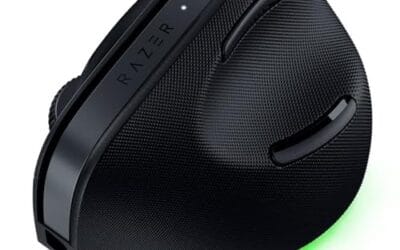
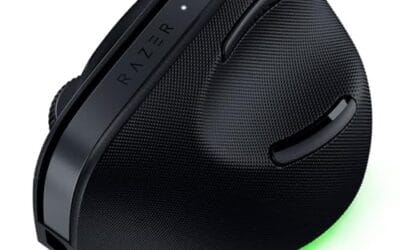
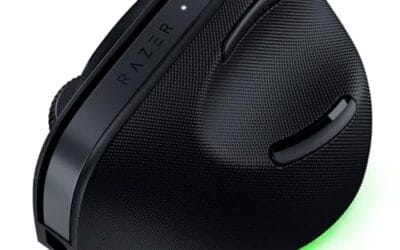
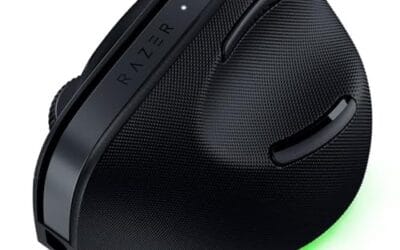
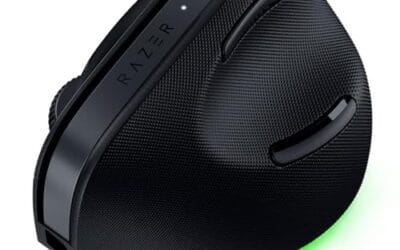
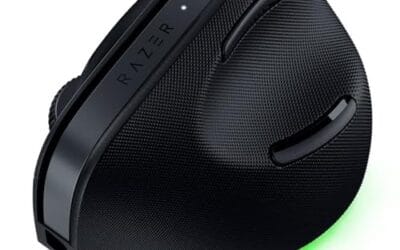
The Pro Click V2 Vertical is Razer's ergonomic wireless mouse aimed at knowledge workers and creators who log long sessions on Windows or Mac systems. The 6 button layout adds a dedicated AI prompt key tied into Razer Synapse 4 shortcuts for summarizing text and drafting emails.
The defining trait is the angled handshake shell with a wrist base that lifts your palm off the deck, reducing pronation on long days. Razer's Focus Pro 30K optical sensor handles glass and high-gloss surfaces, which vertical mice at this tier often struggle with due to older 3200 to 12000 DPI sensors.
Trade-offs are honest. Vertical shells force a handshake grip, so claw and fingertip users will fight muscle memory for a week or more. Battery is rated up to 6 months, but 18 zone Chroma with full underglow will cut that hard if you leave reactive lighting on. Mouse weight is not specified.
Buy this if you already know a vertical shape helps your wrist and you need one mouse hopping between a Windows tower, a MacBook, and a tablet over Bluetooth. Skip it if you plan to play competitive FPS titles, since vertical shells punish rapid tracking flicks and micro adjustments.
Sensor: Focus Pro 30K optical sensor with a claimed 99.8% resolution accuracy. Razer uses this same sensor family across its high-end lineup, so tracking on glass, mousepads, and gloss desks is realistic. Max DPI and polling rate are not specified in source data.
Switches and Buttons: Mechanical switches rated to a 60 million click lifecycle. Six total buttons include a dedicated AI prompt key mapped through Synapse 4 for text summarization and email drafting shortcuts on Windows.
Connectivity: Three modes ship in the box: 2.4GHz HyperSpeed via bundled dongle, Bluetooth with up to 3 host pairings, and USB-C wired. Combined device ceiling is 5, letting you rotate between desktop, laptop, tablet, and a secondary machine without re-pairing.
Battery and Charging: Rated up to 6 months under standard test conditions, with 5 minutes of USB-C charging yielding roughly 3 working days. The 18 zone Chroma RGB plus full underglow will cut that figure significantly if reactive lighting stays enabled.
Pros
- 57-degree handshake angle relieves wrist pronation, ergo-certified for small to medium hand sizes
- Bluetooth LE connects natively to macOS, iPadOS, MacBook, iMac, and iPad without a receiver
- Quiet clicks and silent SmartWheel suit shared workspaces, meetings, and late-night use
Cons
- Limited owner feedback at time of writing, real-world durability and BLE stability signal is thin
- Bluetooth only, no Logi Bolt or Unifying USB receiver fallback if BLE stutters after OS updates
- Vertical shell targets small to medium hands, larger palms should size up to the MX Vertical
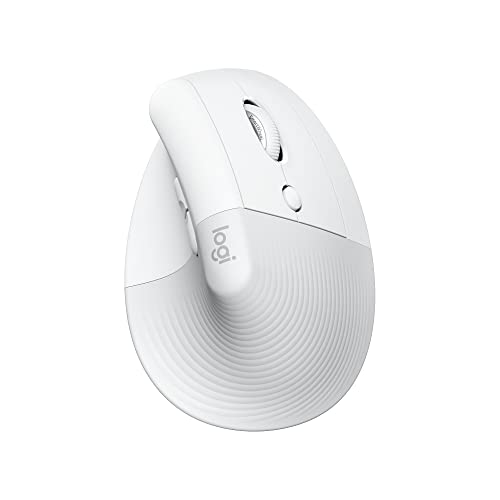
The Logitech Lift for Mac is a wireless vertical ergonomic mouse aimed at Mac and iPad users with small to medium hands. It sits between entry pointing devices and the larger MX Vertical, targeting knowledge workers who want reduced forearm pronation without leaving the Aple ecosystem or learning trackball muscle memory.
The 57-degree handshake angle is the defining feature, tilting the wrist into a more neutral posture that Logitech says was validated by ergonomists. Based on typical Logitech BLE implementations, tracking on mate non-glass surfaces should feel consistent for scroll-heavy tasks like spreadsheets, code review, and long browsing sessions on macOS or iPadOS.
Trade-offs are real at this tier. Bluetooth-only pairing means no Logi Bolt receiver fallback if BLE stutters after a macOS update, a complaint that occasionally surfaces on other Logitech BLE mice. Small to medium hand sizing excludes larger palms, and power is a single AA rather than a rechargeable cell, so replacements are on you.
Buy this if you work primarily on macOS or iPadOS, have small to medium hands, and want a vertical shape with quiet clicks for shared offices. Skip this if your hand length runs above roughly 19cm, you need multi-device USB receiver support, or you prefer a rechargeable internal battery over swappable AA cells.
Connectivity: Bluetooth Low Energy is the sole connection option, with no Logi Bolt or Unifying USB receiver included. Pairs directly with macOS, iPadOS, MacBook Pro, MacBook Air, iMac, and iPad via BLE. Multi-device channel count and exact BLE version are not specified in the source data.
Shape and Grip: The 57-degree vertical angle rotates the wrist toward a handshake posture, sized specifically for small to medium hands per Logitech's ergo certification. Hand length above roughly 19cm should look at the larger MX Vertical instead. Weight in grams and exact hand-length range are not specified.
Buttons and Scroll: Four customizable buttons cover primary, secondary, and two additional inputs remappable through Logi Options+ on macOS. The magnetic SmartWhel is silent, though free-spin mode is not called out unlike the MX Master line. Quiet clicks target shared offices where standard actuations carry through open spaces.
Power: Runs on a single AA battery rated up to two years of life, included in the box. No USB-C port, so battery swaps are manual rather than in-place recharging. Sensor DPI, poling rate, IPS tracking speed, and idle current draw are not specified in the source data.
Who this guide is for
This guide is for people who spend long stretches at a desk and want a mouse that encourages a more neutral grip. That includes office workers, spreadsheet grinders, students, programmers, creators, and PC enthusiasts who already have a fast gaming mouse but don’t want to use it for eight hours of email, research, and browser tabs. A vertical mouse won’t magically fix wrist pain, and it shouldn’t replace medical advice, but it can reduce the amount of forearm twisting many people feel with a flat mouse.
It’s also for buyers who don’t want to sort through vague ergonomic claims. The five mice here are all recognizable, in-stock choices with clear pricing and real product data. Logitech dominates the list because its Lift and MX Vertical lines have strong platform support and a lot of owner feedback. Razer earns a place because the Pro Click V2 Vertical brings a more premium, feature-heavy approach with multi-device connectivity, USB-C wired mode, and Chroma RGB.
If you mainly play competitive shooters, you’ll probably still want a lighter traditional gaming mouse for matches. Fair enough. For general PC work, though, a vertical design can make more sense than chasing ultra-low weight or extreme DPI numbers. Comfort first. Speed second.
What to look for in a vertical mouse
Start with size and grip angle. A vertical mouse changes the rotation of your forearm, but a shell that’s too tall, too narrow, or too large can create a different kind of strain. The Logitech Lift Vertical is the smaller, more approachable shape in this group, while the Logitech MX Vertical models are larger and better suited to medium or larger hands. If your palm floats awkwardly or your fingers have to stretch for the buttons, the ergonomic benefit drops fast.
Next, look at connectivity. Bluetooth is convenient for laptops and tablets, while a 2.4GHz receiver can feel more dependable on a desktop PC. The Logitech Lift Vertical supports Bluetooth or a Logi Bolt USB receiver, which makes it flexible for Windows, macOS, iPadOS, laptops, and desktops. The Razer Pro Click V2 Vertical goes further with 2.4GHz, Bluetooth, and USB-C wired mode, so it’s the easiest pick here if you want one mouse that can move among several setups.
Button layout matters more than people expect. Six buttons can be useful, but only if you can hit them without changing your grip. Quiet clicks are a plus in shared spaces. Rechargeability may be a priority if you hate disposable batteries, which helps the Logitech MX Vertical. Platform-specific support matters too. The Logitech Lift for Mac is built around macOS and iPadOS, with Bluetooth, quiet clicks, a Silent SmartWheel, and four customizable buttons for Apple devices.
Finally, weigh price against feedback volume. A $59.99 mouse with a 4.4-star rating can be a better everyday buy than a $99.99 premium mouse if you only need basic comfort. Review counts are useful context as well. A rating attached to 14,881 owner reviews carries a different kind of confidence than a newer listing with 428 reviews. Not perfect. Still useful.
How we evaluated
We evaluated these vertical mice by looking at real purchase data, listed features, price, star ratings, review counts, and role fit. We did not claim hands-on lab measurements. Instead, the goal was to separate the sensible buys from the spec-sheet distractions and match each mouse to a realistic user: general office, budget ergonomic upgrade, rechargeable desktop setup, premium multi-device use, and Mac-focused work.
We gave extra weight to products with clear compatibility notes, useful connectivity options, and enough owner feedback to make the rating meaningful. The Logitech MX Vertical at $79.99 has a 4.4-star rating across 14,881 reviews, while the Logitech MX Vertical 910-005448 lists a 4.6-star rating across 13,578 reviews at $68.95. Those numbers don’t prove either mouse is perfect, but they do show that both models have been widely used and reviewed.
We also looked for reasons not to recommend each mouse to everyone. The Razer Pro Click V2 Vertical has the richest connectivity set and Chroma RGB, but at $99.99 and 4.0 stars across 428 reviews, it’s a better premium pick than a default recommendation. The Logitech Lift for Mac is excellent if you’re in Apple’s ecosystem, yet less universal than the standard Lift Vertical. The standard Logitech Lift Vertical has a friendly $59.99 price and 4.4-star rating, though it won’t suit every hand size.
Our top picks
Best Overall: Logitech MX Vertical
The Logitech MX Vertical is the safest overall recommendation because it balances ergonomic intent, mature wireless support, rechargeable operation, and a large base of owner feedback. At $79.99 with a 4.4-star rating across 14,881 reviews, it has the kind of review volume that matters in an ergonomic category. People’s hands vary a lot. A product that has been used by that many owners gives you more signal than a niche mouse with a handful of glowing comments.
Its listing highlights an ergonomic design intended to reduce muscle strain, plus the ability to move content between three Windows and Apple computers. That multi-computer workflow is a real advantage if your desk has a work laptop, a personal desktop, and maybe a MacBook nearby. You’re not buying a vertical mouse just to change wrist angle; you’re buying something you’ll use all day without fighting your setup.
Best Budget: Logitech Lift Vertical
The Logitech Lift Vertical is the value pick because it keeps the important ergonomic features while staying at $59.99. It carries a 4.4-star rating, and its title lists wireless operation through Bluetooth or a Logi Bolt USB receiver, quiet clicks, six buttons, and compatibility with Windows, macOS, iPadOS, laptops, and PCs. That’s a strong mix for the price, especially if your goal is wrist relief without turning the purchase into a premium accessory hunt.
Lift is also easier to recommend to people with smaller hands or anyone who finds the MX Vertical too tall. The shape is still vertical enough to change your posture, but it doesn’t feel like a giant desktop wedge on smaller workstations. Quiet clicks are a small detail until you work near someone else, take calls at your desk, or use a mouse late at night. Then they matter.
The tradeoff is that Lift doesn’t have the same flagship feel as the MX Vertical or the feature pile of the Razer Pro Click V2 Vertical. That’s okay. If you’re trying a vertical mouse for the first time, spending less while keeping Logitech’s broad platform support is a smart move. It’s the pick for home-office buyers who want comfort, simple wireless pairing, and a price that doesn’t make the experiment feel risky.
Best Rechargeable Value: Logitech MX Vertical 910-005448
The Logitech MX Vertical 910-005448 is the value-oriented MX pick. At $68.95 with a 4.6-star rating across 13,578 reviews, it pairs the larger MX Vertical shape with an unusually strong rating and a lower listed price than the other MX Vertical entry here. If you already know you prefer a full-size vertical mouse, this version deserves a close look before you spend more.
The appeal is familiar: a more upright grip, a desktop-friendly body, and a substantial shell that many office users prefer for long work sessions. The combination of a $68.95 price, 4.6 stars, and more than 13,000 reviews makes it hard to ignore.
Best Premium: Razer Pro Click V2 Vertical
The Razer Pro Click V2 Vertical is the premium pick for users who want vertical ergonomics without giving up enthusiast extras. It costs $99.99, carries a 4.0-star rating across 428 reviews, and its title lists a six-button ergonomic design, Windows and Mac compatibility, multi-device connectivity through 2.4GHz, Bluetooth, or USB-C wired mode, and Chroma RGB. That’s the most feature-rich package in this group.
The big reason to choose it is connectivity flexibility. Some people want Bluetooth for a laptop, a 2.4GHz link for a desktop, and a wired USB-C fallback for times when wireless just isn’t convenient. Razer gives you all three in one vertical mouse. The Chroma RGB lighting also makes it a better match for a gaming-adjacent desk than the more office-looking Logitech models. Subtle? Not really. But it fits some setups better.
The caution is value. A 4.0-star rating with 428 reviews is respectable, but it’s not as confidence-building as the huge review bases behind the Logitech MX Vertical listings. The higher price also makes sense only if you’ll use the extra modes and features. If you just need wrist-friendly pointing for spreadsheets, buy one of the Logitech options. If you want a vertical mouse that feels more modern, more configurable, and more at home beside a high-end keyboard, the Razer is the premium choice.
Best for Mac: Logitech Lift for Mac
The Logitech Lift for Mac is the cleanest pick for Apple users who want a vertical mouse without sorting through generic compatibility notes. At $74.99 with a 4.4-star rating across 1,212 reviews, it is built around macOS, iPadOS, MacBook Pro, MacBook Air, iMac, and iPad use. The listing also calls out Bluetooth, quiet clicks, a Silent SmartWheel, and four customizable buttons, all in an off-white finish that looks more Apple-desk friendly than the graphite models.
This mouse makes sense if your desk is centered on a MacBook and an iPad rather than a Windows tower. Bluetooth-first operation keeps the setup simple, and the quiet-click design is useful in shared offices, dorm rooms, and home workspaces. The Silent SmartWheel is another nice fit for long documents, browser research, and timeline scrubbing where loud scroll behavior gets old quickly.
It’s not the universal value pick because the standard Logitech Lift Vertical is cheaper at $59.99 and works across Windows, macOS, iPadOS, laptops, and PCs. But if you know you’re staying in Apple’s ecosystem, the Mac version is more targeted. You’ll pay more, yet you’re getting the version that aligns with macOS and iPadOS from the start. For Mac-first buyers, that convenience is the point.
Buying mistakes to avoid
The first mistake is buying only by angle. A vertical mouse can look ergonomic in photos and still feel wrong if the size doesn’t match your hand. Smaller hands should be careful with full-size models like the MX Vertical, while larger hands may find the Lift line less supportive. If possible, compare dimensions and owner comments from people with similar hand size before deciding.
The second mistake is ignoring your operating system. A mouse can technically move a cursor on several platforms while still saving its best customization for one ecosystem. The Logitech Lift for Mac is the obvious choice if your desk is mostly MacBook, iMac, and iPad. The standard Lift Vertical is more flexible across Windows, macOS, iPadOS, laptop, and PC use. The Razer Pro Click V2 Vertical is strongest if you want Windows and Mac support plus 2.4GHz, Bluetooth, and USB-C wired mode.
The third mistake is treating ratings without review counts as equal. A 4.4-star rating with 14,881 reviews tells a different story than a similar rating with far fewer owners. That doesn’t mean the newer product is bad. It just means you’re accepting more uncertainty. For ergonomic gear, where comfort is personal, broader feedback helps.
Bottom line
For most people, Logitech MX Vertical is the best vertical mouse to try first. It has a strong 4.4-star rating, 14,881 reviews, rechargeable operation, and a design focused on reducing muscle strain. It has the right mix of ergonomic purpose and broad desktop usefulness.
If you want to spend less, choose the $59.99 Logitech Lift Vertical. If you want the strongest listed rating and a lower MX Vertical price, the Logitech MX Vertical 910-005448 is the value play. If you want the most feature-rich premium pick, the Razer Pro Click V2 Vertical brings 2.4GHz, Bluetooth, USB-C wired mode, six buttons, and Chroma RGB. If your setup is all Apple, the Logitech Lift for Mac is the neatest fit.
The best choice depends on hand size, platform, and how much you care about extra connectivity. Don’t overthink it. Pick the mouse that matches your desk first, then let comfort decide whether vertical is the right direction for you.
Common questions
Are vertical mice actually better for wrist comfort?
They can be, especially for people who feel strain from rotating the forearm flat over a traditional mouse. A vertical mouse encourages a more handshake-like posture, which many users find more relaxed during long sessions. It won’t solve every pain issue, and it may feel odd for the first few days. If discomfort continues, adjust your desk setup and consider professional advice.
Is the Logitech Lift or MX Vertical better?
The Logitech Lift Vertical is better for smaller hands, tighter desks, and lower budgets at $59.99. The Logitech MX Vertical is better for people who want a larger mouse, rechargeable operation, and a long track record with 14,881 reviews. Both have 4.4-star ratings in the provided data. If your hand is medium to large, start with MX Vertical; if not, Lift is the safer first try.
Can I use a vertical mouse for gaming?
You can use one for casual games, strategy games, RPGs, and general PC play. For fast competitive shooters, many players still prefer a lighter standard gaming mouse because it’s easier to flick, lift, and reposition quickly. The Razer Pro Click V2 Vertical is the most gaming-adjacent option here thanks to Chroma RGB and USB-C wired mode. Still, comfort-focused design is the main reason to buy it.
Do I need Bluetooth or a USB receiver?
Bluetooth is convenient for laptops, tablets, and clean desk setups because it doesn’t require a dongle. A USB receiver can be more dependable on a desktop, especially if Bluetooth on that PC is flaky. The Logitech Lift Vertical gives you Bluetooth or a Logi Bolt USB receiver, while the Razer Pro Click V2 Vertical adds 2.4GHz, Bluetooth, and USB-C wired mode. Choose based on the devices you switch among every day.
Which vertical mouse is best for Mac users?
The Logitech Lift for Mac is the best fit if your setup is built around macOS and iPadOS. It costs $74.99, has a 4.4-star rating across 1,212 reviews, and lists Bluetooth, quiet clicks, a Silent SmartWheel, and four customizable buttons. For a Mac-first desk, the dedicated Mac version is the cleaner pick.