

If you’ve shopped for a new graphics card in the last couple of years, you’ve probably run into a skinny little 16-pin plug and a wall of forum arguments about whether it’s safe. That plug is the 12VHPWR connector, and it’s now the default way high-end GPUs pull power. So does it actually matter for gaming, or is it just another spec to gloss over? The short version: it matters, but not always in the way the scary headlines suggest.
Here’s the honest framing. For most gamers running a mid-range card, the connector barely registers. For anyone eyeing a power-hungry flagship GPU, it changes what power supply you should buy and how carefully you seat a cable. We’ve researched the standard, the failure reports, and what the newer ATX 3.1 units bring to the table. If you’re already comparing units, our roundups of the best 1000W PSUs of 2026 and the best modular PSUs for gaming builds pair naturally with everything below.
The short answer
The 12VHPWR connector matters because it’s how modern high-wattage GPUs receive power over a single cable instead of two or three older 8-pin plugs. It can deliver up to 600W through one 16-pin connector, which is why NVIDIA’s higher-tier cards adopted it. For a gamer, the practical impact is simple: if your next GPU uses it, you’ll want a power supply that provides a native 12VHPWR (or the revised 12V-2×6) cable rather than relying on a bundled adapter.
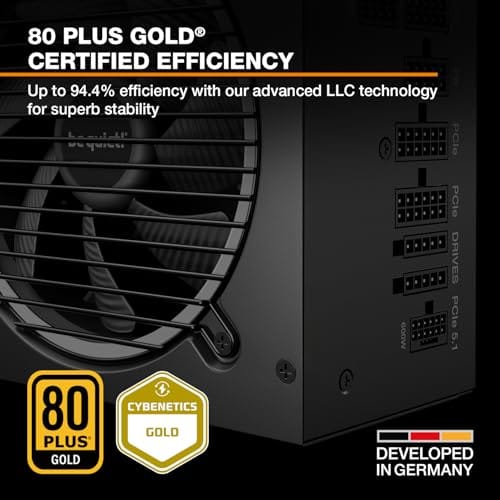
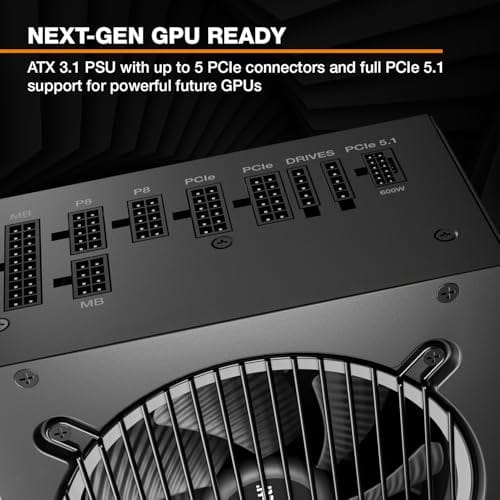
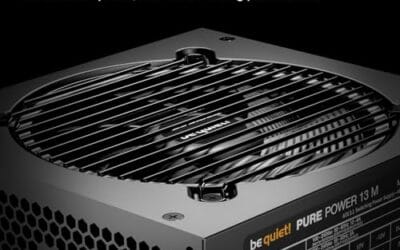
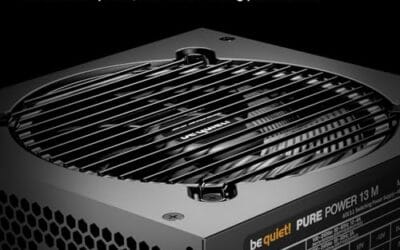
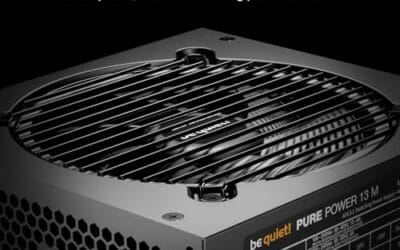
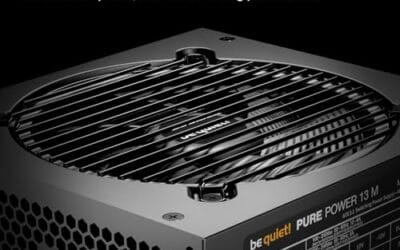
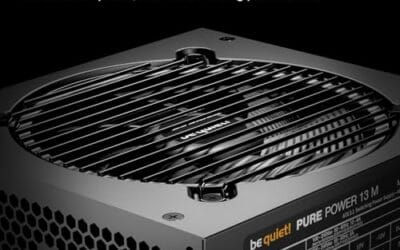
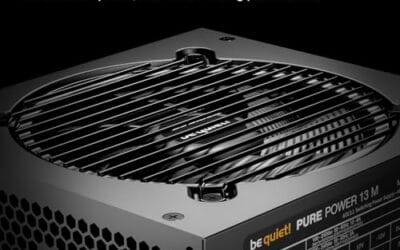
That’s really the whole ballgame for day-to-day gaming. The connector doesn’t make frames render faster. It just needs to be present, correct, and fully seated. A modern ATX 3.1 unit like the be quiet! Pure Power 13 M 1000W ($139.90, 4.8 rating) ships with the right cable and enough headroom for an overclocked GPU, so you’re not stuffing a bird’s-nest adapter behind the card. Its spec sheet calls out ATX 3.1, PCIe 5.1 support, an LLC-topology single-rail design, and a semi-passive 120mm fan that stays quiet at low load.

Pros
- Native 12V-2x6 connector on ATX 3.1 platform ready for RTX 40 and PCIe 5.1 GPUs.
- Handles power excursions up to 2000W transient, headroom for RTX 4080 and 4090 class spikes.
- Semi-passive zero-RPM mode below moderate load keps idle acoustics near inaudible.
- LLC topology with single 12V rail delivers stable voltage regulation for overclocked GPUs.
Cons
- Limited independent owner feedback available at time of writing, riple and hold-up data unverified.
- Only four PCIe 6+2-pin connectors, tight for legacy multi-GPU or high-CPU-EPS custom lop builds.
- 80 PLUS Gold trails Platinum and Titanium units at similar wattage on sustained efficiency.
The be quiet! Pure Power 13 M 1000W is a high-end ATX 3.1 PSU aimed at builders pairing a Ryzen 7000/9000 or Core Ultra CPU with an RTX 4070Ti Super,4080 Super, 4090, or RX 7900 XTX class GPU. It targets buyers who want native 12V-2x6 wiring and transient headroom without stepping up to Platinum-tier pricing.
The defining trait is ATX 3.1 compliance with power excursion handling up to double the rated 1000W, meaning brief 2000W spikes from modern GPUs should not trip OCP. Combined with the single 12V rail and LLC topology, this suits overclocked GPUs where transient behavior, not average draw, tends to triger shutdowns on older units.
Trade-offs are typical at this tier. 80 PLUS Gold is eficient but not Platinum, soustained heavy loads generate more heat than a higher-rated unit. Four PCIe 6+2-pin connectors is standard, though builders running EATX boards with dual EPS plus a 4x8-pin GPU adapter should verify cable counts against the modular panel before buying.
Buy this if you are building a single-GPU gaming or content rig around a 250-450W TGP card and want native 12V-2x6 without paying Platinum prices. Skip this if you need sub-audible acoustics under sustained full load, or if you already own a workingATX 3.0 unit with a 12VHPWR pigtail.
ATX standard: Full ATX 3.1 compliance with native 12V-2x6 connector integration, which corects the sense-pin issue found on early 12VHPWR cables. Supports PCIe 5.1 GPUs at spec, and handles transient power excursions up to 2000W, roughly double the 1000W continuous rating.
GPU pairing: Comfortable for GPUs in the 250W to 450W TGP range, including RTX 4080 Super (320W) and RTX 4090 (450W) with headroom for overclocking. Four PCIe 6+2-pin outputs cover legacy 8-pin GPUs; the native 12V-2x6 removes the need for a 4x8-pin adapter dongle.
Efficiency and cooling: 80 PLUS Gold rated up to 94.4% at optimal load, typically around 50% utilization. The 120mm be quiet! fan runs semi-passive with zero-RPM below a load threshold not specified by the manufacturer, so idle and light workloads should remain silent.
Cabling: Fully modular design, leting builders omit unused SATA and Molex leads. Exact cable lengths and connector counts beyond the four PCIe 6+2-pin and single 12V-2x6 are not specified in source material, verify against your case routing before purchase.
The longer explanation
Older graphics cards drew power through 8-pin PCIe connectors, each rated for 150W. A 350W card meant three of them, which got ugly fast: three thick cables, three sets of pins, and a lot of clutter crowding the side panel. The 12VHPWR connector consolidated all of that into one plug carrying twelve power pins plus four small sideband signal pins. Those sideband pins let the GPU and PSU communicate how much power the cable can safely handle.
The number that gets thrown around is 600W. That’s the ceiling for a fully rated cable, and it’s why a single connector can feed a flagship card that would’ve needed three or four legacy plugs. For gaming specifically, the benefit is tidier cabling and a cleaner power path, not extra performance. Your frame rate depends on the GPU and CPU. The connector’s job is just to move current without drama, and when it’s seated properly, it does exactly that.
How we got here
The connector arrived alongside the PCIe 5.0 era and the ATX 3.0 power-supply spec. Early on, the design was called 12VHPWR, and it showed up on high-end 40-series cards through an adapter that split into multiple 8-pin inputs. That adapter is where a lot of the trouble started. Some users didn’t push the plug fully home, the contact resistance rose at a few pins, heat built up, and a handful of connectors melted. It made headlines, and it spooked a lot of buyers.
The industry responded with a revised connector called 12V-2×6, which shortened the sideband sense pins and lengthened the power terminals so a not-quite-seated plug won’t carry full current. ATX 3.1 power supplies pair with that revision and ship native cables instead of adapters. So the version you’d buy today isn’t the same part that generated those early photos. It’s a hardened design, and that’s a meaningful distinction when you’re weighing whether the connector is a dealbreaker.
Why it works this way
Consolidating power onto one connector is an engineering trade. Fewer cables means less clutter and a simpler build, but it also concentrates a lot of current through a small footprint. That’s why seating matters so much. When all twelve power pins make solid contact, the load spreads evenly and each pin runs cool. When one or two pins sit slightly loose, the remaining pins carry more than their share, resistance climbs, and heat follows. Physics doesn’t negotiate.
The sideband signal pins are the clever part. They tell the card how much power the cable is rated to deliver, so a 600W-capable cable and a 450W-capable cable are treated differently. A quality ATX 3.1 PSU with a native cable removes most of the risk because the connector is built to spec and there’s no adapter junction adding failure points. It’s genuinely simpler and safer than the adapter era, provided you click it in until it latches.
When you’d want this
You want a native 12VHPWR or 12V-2×6 setup whenever your GPU ships with that socket, which now covers most upper-mid-range and flagship cards. If you’re building around a 300W-plus graphics card, a modern ATX 3.1 unit isn’t optional. It’s the clean way to power the thing. That’s also true for small-form-factor rigs, where cable bulk is the enemy and a native cable saves precious millimeters behind the motherboard tray.
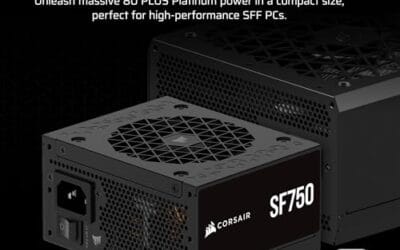
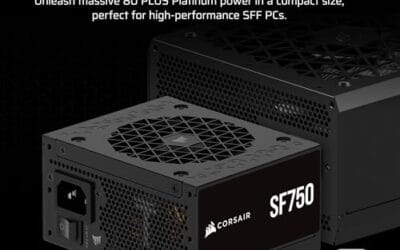
For a compact build, the Corsair SF750 (2024) is a strong example at $159.99 (4.1 rating). It’s a fully modular SFX unit, 80 Plus Platinum rated, ATX 3.1 compliant and PCIe 5.1 ready, and it ships with an ATX-to-SFX bracket so it drops into a standard case too. In an ITX chassis, that native cable and the platinum-grade efficiency matter a lot. If your build is more about raw headroom for a high-end chip, our guide to the best PSUs for the 9800X3D covers the wattage math in more detail.

Pros
- ATX 3.1 compliant with PCIe 5.1 support, resists transient spikes from RTX 50 and RX 9000 series GPUs.
- Zero RPM Mode eliminates fan noise at low and medium loads, a real advantage in acoustically sensitive SFF builds.
- Fully modular design with short SFX cables reduces cable management friction in sub-10-liter cases.
- 105 degree C Japanese capacitors indicate quality component selection typical of high-tier SFX units.
Cons
- Limited owner feedback at time of writing; real-world noise, ripple, and transient performance are unverified by community data.
- Short SFX cables are unsuitable for mid-tower or full-tower cases without aftermarket cable extensions.
- 750W ceiling may fall short for extreme SFF builds pairing a 300W-plus TGP GPU with a high-core-count CPU.
The Corsair SF750 (2024) is a high-end SFX PSU targeting SFF builders who need substantial wattage in a compact footprint. With 80 Plus Platinum certification and ATX 3.1 compliance, it sits at the upper tier of the SFX market, aimed at builders pairing it with current-gen discrete GPUs inside sub-10-liter cases.
The most defining specification here is ATX 3.1 compliance combined with PCIe 5.1 readiness. This means the unit is rated to handle the sharp transient power spikes that RTX 50 and RX 9000 series GPUs can produce, where non-compliant PSUs may trigger overcurrent protection. At 750W, it covers most single-GPU SFF configurations without derating concerns.
The honest trade-off is the review data gap. At time of writing, no substantial owner feedback exists to validate Corsair's noise and ripple claims under real load. The Zero RPM Mode claim and 92mm fan acoustics are based on spec sheets only. Buyers should also note that SFX cable lengths are intentionally short and will not reach connectors in mid-tower or larger cases without extensions.
Buy this if you are building an SFF PC around a single high-TGP GPU and need confirmed ATX 3.1 compliance in a modular SFX unit. Skip this if you want a large ATX case build, need more than 750W for a dual-component high-wattage system, or require extensive owner testing before purchasing.
Form Factor and Mounting: This is a standard SFX form factor PSU, not SFX-L. Verify your case specifies SFX compatibility before purchasing. An SFX-to-ATX bracket is included, allowing installation in ATX-footprint cases, though short cable lengths will require extensions in anything larger than a compact SFF enclosure.
Power Standard and Connector: ATX 3.1 compliant with PCIe 5.1 readiness. The unit supports the 12V-2x6 connector standard, relevant for RTX 40 and RTX 50 series GPUs as well as AMD RX 7000 and RX 9000 cards with high transient draw. Non-ATX 3.1 units can trigger OCP shutdowns above 150 percent peak load spikes.
Efficiency and Thermal Operation: 80 Plus Platinum certification indicates roughly 92 percent efficiency at 50 percent load under 115V. The 92mm PWM fan uses a fluid dynamic bearing and Zero RPM Mode activates at low loads, which in SFF cases where airflow is restricted can noticeably reduce system acoustic output.
GPU Wattage Pairing: At 750W, this PSU pairs appropriately with GPUs up to approximately 300W TGP when combined with a mid-range CPU. For a 320W-plus TGP GPU alongside a 65W-plus CPU, headroom becomes tight and a higher-wattage SFX unit should be considered instead.
What to look for in a 12VHPWR power supply
Start with the ATX version. An ATX 3.1 label tells you the unit is built for the current 12V-2×6 revision and includes a native cable, not an adapter. Next, check the wattage against your GPU with room to spare. A card that peaks near 350W is happiest on a 850W-to-1000W supply, which leaves margin for transient spikes that modern GPUs are notorious for. The be quiet! Pure Power 13 M at 1000W and 80 Plus Gold gives that margin, while the SF750 at 750W suits mid-tier cards in a small case.
Efficiency rating is worth a look too. 80 Plus Gold is the sensible baseline, and Platinum, like the SF750 carries, runs a bit cooler and quieter under load. Fully modular cabling helps you route only what you need, which keeps airflow clean. And don’t ignore the cable itself: a native 12V-2×6 cable with a solid latch beats any adapter arrangement, full stop. Seat it firmly, listen for the click, and you’ve handled the single most important step.
Common misconceptions
The biggest myth is that the connector is inherently a fire hazard. It isn’t. The early adapter failures traced back mostly to improper seating and the original pin geometry, both of which the 12V-2×6 revision and native ATX 3.1 cables address. Another misconception is that a beefier connector boosts gaming performance. Nope. It moves power, and that’s all. Your GPU and CPU determine frames, not the plug feeding them.
People also assume every recent PSU handles it. That’s not a safe bet. Plenty of good older units are ATX 2.x and rely on adapters, so if a native cable matters to you, confirm the ATX 3.1 spec on the box. Finally, some folks think the 600W rating means you need a 600W GPU to benefit. You don’t. The rating is a ceiling, and a mid-range card simply draws less through the same well-built connector.
Frequently asked
Is the 12VHPWR connector safe for gaming?
Yes, when it’s a native ATX 3.1 cable and you seat it fully until it clicks. The failures that made news came largely from adapters and partially inserted plugs on the original design. The revised 12V-2×6 connector and native cables from current supplies address those weak points, so a properly installed setup runs cool and reliable for years of gaming.
Do I need a new PSU if my GPU uses 12VHPWR?
Not strictly, since many cards include an adapter. But you’ll get a cleaner, safer install with a native ATX 3.1 unit that provides the cable directly. If your current supply is older or marginal on wattage, upgrading to something like the be quiet! Pure Power 13 M 1000W or the Corsair SF750 removes the adapter and gives you transient headroom at the same time.
What’s the difference between 12VHPWR and 12V-2×6?
They share the same 16-pin footprint, so cables and cards are cross-compatible. The 12V-2×6 revision shortened the four sense pins and lengthened the power terminals so a loose plug won’t draw full current. It’s the hardened version of the same idea. Any ATX 3.1 supply you buy today uses the newer geometry, which is why the melting reports have faded.
How much wattage does a 12VHPWR cable deliver?
A fully rated cable can carry up to 600W over its twelve power pins. The sideband signal pins tell the GPU what the cable is rated for, so lower-tier cables and cards negotiate a safe limit. For most gaming cards that draw 200W to 350W, you’re well under the ceiling, which is part of why a correctly seated connector stays comfortable.
Does the connector affect frame rates?
No. The connector only delivers power. Your frames come from the GPU, CPU, memory, and settings. A good 12VHPWR setup keeps power stable and clean, which supports consistent performance, but swapping to it won’t add frames on its own. Think of it as plumbing. It needs to work, and once it does, it fades into the background.
























Write Your Review
No reviews yet. Be the first to share your experience!