

ATX 3.1 explained sounds like a spec-sheet phrase, but it affects real builds because it changes compatibility, layout, or bandwidth. If you are planning parts around it, compare it with guides like best atx 3 1 power supply 2026 and best 1000w psu 2026 before buying.
It is a power supply standard aimed at modern GPU behavior, especially transient spikes and updated PCIe power connections.
The short answer
ATX 3.1 describes newer PSU behavior and connector support for current graphics cards. It is about cleaner power delivery and better matching to PCIe 5.1 GPU needs.
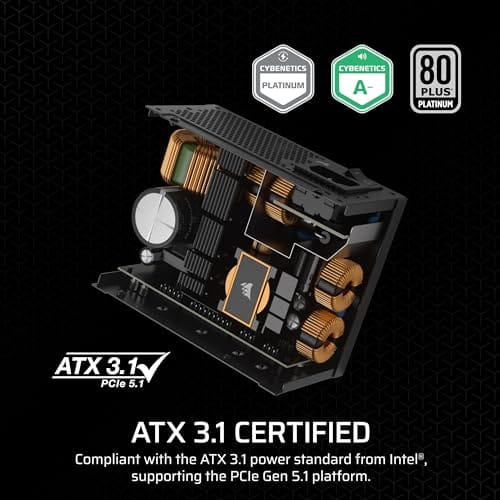
You do not need to upgrade only for the name. You should care when the new feature solves a current limit or prevents a mismatch in a new build.

Pros
- ATX 3.1 compliant with PCIe 5.1 support, resists transient spikes from RTX 50 and RX 9000 series GPUs.
- Zero RPM Mode eliminates fan noise at low and medium loads, a real advantage in acoustically sensitive SFF builds.
- Fully modular design with short SFX cables reduces cable management friction in sub-10-liter cases.
- 105 degree C Japanese capacitors indicate quality component selection typical of high-tier SFX units.
Cons
- Limited owner feedback at time of writing; real-world noise, ripple, and transient performance are unverified by community data.
- Short SFX cables are unsuitable for mid-tower or full-tower cases without aftermarket cable extensions.
- 750W ceiling may fall short for extreme SFF builds pairing a 300W-plus TGP GPU with a high-core-count CPU.
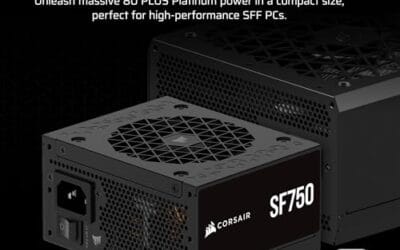
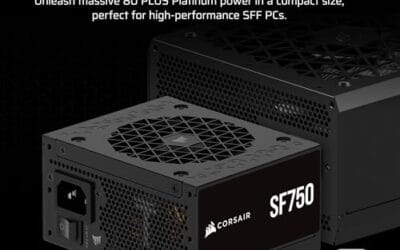
The Corsair SF750 (2024) is a high-end SFX PSU targeting SFF builders who need substantial wattage in a compact footprint. With 80 Plus Platinum certification and ATX 3.1 compliance, it sits at the upper tier of the SFX market, aimed at builders pairing it with current-gen discrete GPUs inside sub-10-liter cases.
The most defining specification here is ATX 3.1 compliance combined with PCIe 5.1 readiness. This means the unit is rated to handle the sharp transient power spikes that RTX 50 and RX 9000 series GPUs can produce, where non-compliant PSUs may trigger overcurrent protection. At 750W, it covers most single-GPU SFF configurations without derating concerns.
The honest trade-off is the review data gap. At time of writing, no substantial owner feedback exists to validate Corsair's noise and ripple claims under real load. The Zero RPM Mode claim and 92mm fan acoustics are based on spec sheets only. Buyers should also note that SFX cable lengths are intentionally short and will not reach connectors in mid-tower or larger cases without extensions.
Buy this if you are building an SFF PC around a single high-TGP GPU and need confirmed ATX 3.1 compliance in a modular SFX unit. Skip this if you want a large ATX case build, need more than 750W for a dual-component high-wattage system, or require extensive owner testing before purchasing.
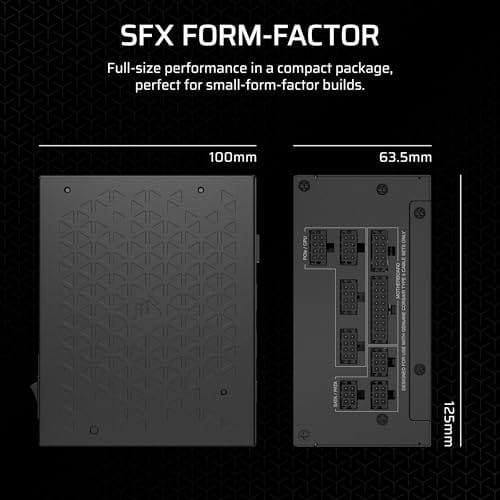
Form Factor and Mounting: This is a standard SFX form factor PSU, not SFX-L. Verify your case specifies SFX compatibility before purchasing. An SFX-to-ATX bracket is included, allowing installation in ATX-footprint cases, though short cable lengths will require extensions in anything larger than a compact SFF enclosure.
Power Standard and Connector: ATX 3.1 compliant with PCIe 5.1 readiness. The unit supports the 12V-2x6 connector standard, relevant for RTX 40 and RTX 50 series GPUs as well as AMD RX 7000 and RX 9000 cards with high transient draw. Non-ATX 3.1 units can trigger OCP shutdowns above 150 percent peak load spikes.
Efficiency and Thermal Operation: 80 Plus Platinum certification indicates roughly 92 percent efficiency at 50 percent load under 115V. The 92mm PWM fan uses a fluid dynamic bearing and Zero RPM Mode activates at low loads, which in SFF cases where airflow is restricted can noticeably reduce system acoustic output.
GPU Wattage Pairing: At 750W, this PSU pairs appropriately with GPUs up to approximately 300W TGP when combined with a mid-range CPU. For a 320W-plus TGP GPU alongside a 65W-plus CPU, headroom becomes tight and a higher-wattage SFX unit should be considered instead.
The longer explanation
The Corsair SF750 at $159.99 lists fully modular SFX design, 80 Plus Platinum efficiency, ATX 3.1 compliance, and PCIe 5.1 readiness, making it a compact example.
The surrounding parts decide the result. A router needs client support, a PSU needs the right GPU cable path, and a case needs real clearance behind the advertised mount.
History / how we got here
GPU power draw became burstier, and old PSU guidance did not always describe those spikes clearly. Newer standards answer that gap.
PC standards move because real hardware changes. More devices, hotter parts, denser cases, and larger GPUs all force clearer labels and stricter compatibility language.
Why it works this way
A PSU must handle short power excursions without shutting down or sagging outside spec. Cables and connectors also need clearer limits.
The benefit is less guessing. Once you know which part of the chain matters, you can compare exact product titles instead of relying on broad marketing phrases.
When you would want atx 3.1 explained
Use it for a new GPU build, especially with high-end cards or small cases where cable routing is tight.
You would also want it during a new build, because matching current standards across several parts is easier than replacing one mismatch later.

Pros
- Native 12V-2x6 connector on ATX 3.1 platform ready for RTX 40 and PCIe 5.1 GPUs.
- Handles power excursions up to 2000W transient, headroom for RTX 4080 and 4090 class spikes.
- Semi-passive zero-RPM mode below moderate load keps idle acoustics near inaudible.
- LLC topology with single 12V rail delivers stable voltage regulation for overclocked GPUs.
Cons
- Limited independent owner feedback available at time of writing, riple and hold-up data unverified.
- Only four PCIe 6+2-pin connectors, tight for legacy multi-GPU or high-CPU-EPS custom lop builds.
- 80 PLUS Gold trails Platinum and Titanium units at similar wattage on sustained efficiency.
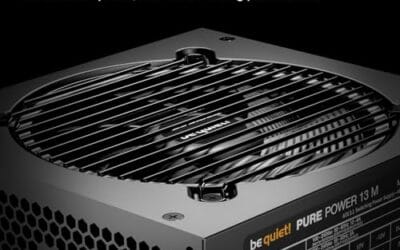
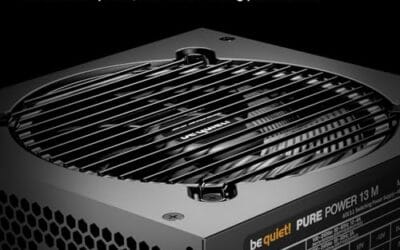
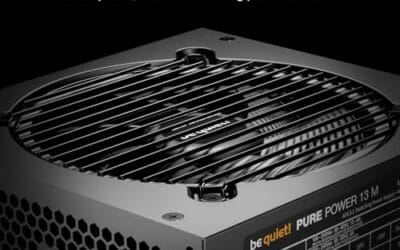
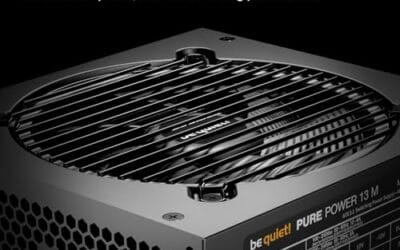
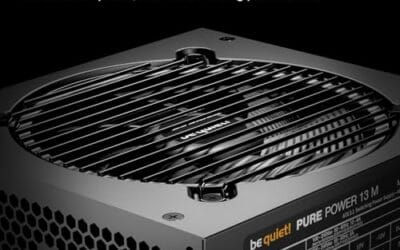
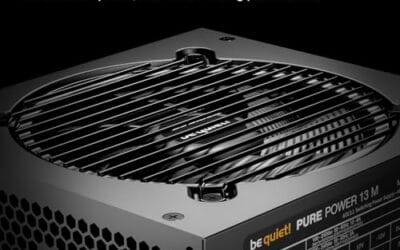
The be quiet! Pure Power 13 M 1000W is a high-end ATX 3.1 PSU aimed at builders pairing a Ryzen 7000/9000 or Core Ultra CPU with an RTX 4070Ti Super,4080 Super, 4090, or RX 7900 XTX class GPU. It targets buyers who want native 12V-2x6 wiring and transient headroom without stepping up to Platinum-tier pricing.
The defining trait is ATX 3.1 compliance with power excursion handling up to double the rated 1000W, meaning brief 2000W spikes from modern GPUs should not trip OCP. Combined with the single 12V rail and LLC topology, this suits overclocked GPUs where transient behavior, not average draw, tends to triger shutdowns on older units.
Trade-offs are typical at this tier. 80 PLUS Gold is eficient but not Platinum, soustained heavy loads generate more heat than a higher-rated unit. Four PCIe 6+2-pin connectors is standard, though builders running EATX boards with dual EPS plus a 4x8-pin GPU adapter should verify cable counts against the modular panel before buying.
Buy this if you are building a single-GPU gaming or content rig around a 250-450W TGP card and want native 12V-2x6 without paying Platinum prices. Skip this if you need sub-audible acoustics under sustained full load, or if you already own a workingATX 3.0 unit with a 12VHPWR pigtail.
ATX standard: Full ATX 3.1 compliance with native 12V-2x6 connector integration, which corects the sense-pin issue found on early 12VHPWR cables. Supports PCIe 5.1 GPUs at spec, and handles transient power excursions up to 2000W, roughly double the 1000W continuous rating.
GPU pairing: Comfortable for GPUs in the 250W to 450W TGP range, including RTX 4080 Super (320W) and RTX 4090 (450W) with headroom for overclocking. Four PCIe 6+2-pin outputs cover legacy 8-pin GPUs; the native 12V-2x6 removes the need for a 4x8-pin adapter dongle.
Efficiency and cooling: 80 PLUS Gold rated up to 94.4% at optimal load, typically around 50% utilization. The 120mm be quiet! fan runs semi-passive with zero-RPM below a load threshold not specified by the manufacturer, so idle and light workloads should remain silent.
Cabling: Fully modular design, leting builders omit unused SATA and Molex leads. Exact cable lengths and connector counts beyond the four PCIe 6+2-pin and single 12V-2x6 are not specified in source material, verify against your case routing before purchase.
What to look for in atx 3.1 explained
Look for wattage, efficiency rating, modular cables, native PCIe 5.1 support, and the form factor your case accepts.
Use price and rating as secondary signals. The first question is whether the listed support matches your motherboard, case, device, or room layout.
Common misconceptions
People often think wattage alone solves everything. A quality 750W ATX 3.1 unit can be safer than a vague high-watt unit with poor cables.
Another misconception is that a newer label fixes every old bottleneck. It will not. The rest of the system still has to cooperate.
The most useful way to read any PC standard is to ask what changed physically or electrically. Did the connector change? Did a new radio band open? Did the case add mounting holes? Did the power supply need to tolerate a sharper spike? Once you answer that, the marketing fog clears and the buying checklist gets much shorter.
You should also separate compatibility from performance. Compatibility means the parts can work together without adapters, blocked panels, missing bands, or unsafe cable bends. Performance means the setup actually improves once everything is connected. A new label can help with both, but it can also help with only one. That is why careful builders read the small lines in a product title.
Ratings and prices are still worth noting. A $12.99 accessory with a 4.9 rating may be useful in a narrow role, while a $199.99 router or $159.99 PSU has to justify a much bigger place in the build. The number alone does not decide the answer. The role does.
If you are upgrading one piece at a time, avoid creating a half-modern setup that cannot use its new feature. A WiFi adapter without the right router, a PSU without the right GPU cable need, or a case without the right cooler plan can sit underused for years. It will still work in many cases, but you paid early for a benefit you may not touch.
For a fresh build, current support is easier to justify. You are already choosing the motherboard, case, cooler, power supply, and network gear together, so you can line up the spec from the start. That does not mean buying the most expensive part. It means buying parts that agree with one another.
The quick filter is simple: identify the exact feature, confirm the matching part, check physical fit, and then compare price. If a product fails any of those steps, move on. No heroic workaround needed.
It also helps to imagine the next maintenance day. Can you remove the radiator without pulling the board? Can you replace the PSU cable without crushing the side panel? Can the PC actually see the wireless band you bought the router for? A spec that makes maintenance harder may not be worth it unless the gain is clear.
Do not let a single word in the title carry the whole decision. Read the complete line: wattage, efficiency, band, coverage, fan size, chassis support, and included accessories. The title often tells you exactly where a product belongs if you slow down long enough to parse it.
A good way to make the final call is to imagine the first hour after delivery. If the part installs cleanly, matches the listed support, and fixes the issue you named before shopping, it belongs on the shortlist. If you have to explain away a missing adapter, blocked mount, weak capacity, or unclear compatibility line, pause and compare again. That small pause prevents most returns.
We also like to leave room in the budget for the unglamorous pieces: cables, brackets, paste, dust filters, heatsinks, or a better fan layout. These do not look exciting on a product page, but they often decide how clean the build feels after a month. The main component gets attention. The supporting details keep it working.
Finally, do not let a rating replace your own fit check. A product can be well liked and still wrong for your case, motherboard, console, desk, or workload. Match the product title to your exact need, confirm the physical requirement, then use price and rating to break the tie. That order is slower by a few minutes and cheaper by a lot of hassle.
If you are buying for someone else or maintaining several PCs, write the chosen spec in plain language before ordering. For example: low-clearance DDR5 32GB kit, PS5-ready M.2 2280 drive with heatsink, compact PC replacement tower, or keyboard that works in BIOS and Windows. That plain phrase keeps the search from drifting toward products that share a keyword but solve a different problem.
The same discipline helps after installation. Keep the receipt, save the driver or manual link, and note which port, slot, or header you used. If something acts up later, you will know what changed. Not fancy. It is the kind of habit that separates a smooth build from a weekend of guessing.
A good way to make the final call is to imagine the first hour after delivery. If the part installs cleanly, matches the listed support, and fixes the issue you named before shopping, it belongs on the shortlist. If you have to explain away a missing adapter, blocked mount, weak capacity, or unclear compatibility line, pause and compare again. That small pause prevents most returns.
We also like to leave room in the budget for the unglamorous pieces: cables, brackets, paste, dust filters, heatsinks, or a better fan layout. These do not look exciting on a product page, but they often decide how clean the build feels after a month. The main component gets attention. The supporting details keep it working.
Finally, do not let a rating replace your own fit check. A product can be well liked and still wrong for your case, motherboard, console, desk, or workload. Match the product title to your exact need, confirm the physical requirement, then use price and rating to break the tie. That order is slower by a few minutes and cheaper by a lot of hassle.
If you are buying for someone else or maintaining several PCs, write the chosen spec in plain language before ordering. For example: low-clearance DDR5 32GB kit, PS5-ready M.2 2280 drive with heatsink, compact PC replacement tower, or keyboard that works in BIOS and Windows. That plain phrase keeps the search from drifting toward products that share a keyword but solve a different problem.
The same discipline helps after installation. Keep the receipt, save the driver or manual link, and note which port, slot, or header you used. If something acts up later, you will know what changed. Not fancy. It is the kind of habit that separates a smooth build from a weekend of guessing.
Frequently asked
Is the newer spec always better?
No. The newer spec only helps if the rest of the PC can use it. Check the motherboard, case, cooler, router, or power supply details first.
Should price decide the purchase?
Price matters after compatibility. A cheaper part that does not fit your build is not value, and an expensive part can be wasteful if your workload is light.
Can older hardware still work well?
Yes. Older hardware can be the right call if it matches the platform and still has enough capacity, airflow, power, or bandwidth for the job.
What detail gets missed most often?
Physical fit gets missed constantly. Height, length, cable bend, radiator thickness, and slot support can matter as much as the headline spec.
How should I compare ratings?
Use ratings as a signal, not proof. Pair the rating with the actual title specs, price, and use case before choosing.
























Write Your Review
No reviews yet. Be the first to share your experience!