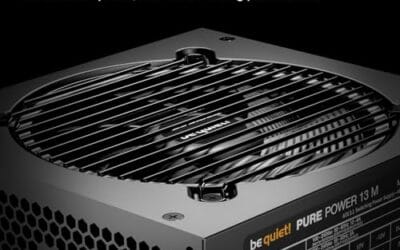
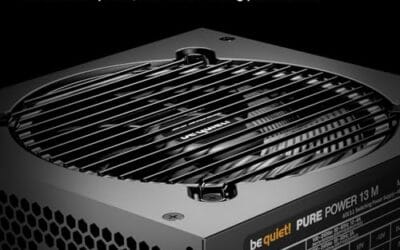
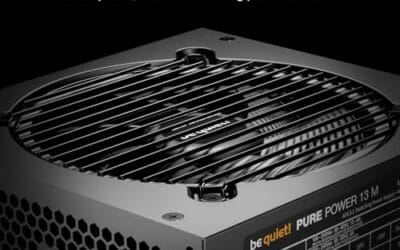
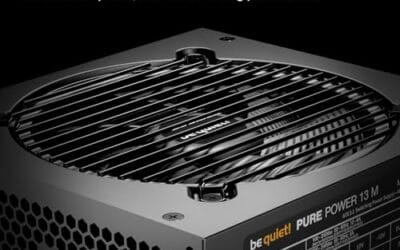
Picking a modular PSU in 2026 isn’t just about wattage anymore. ATX 3.1 compliance, native 12V-2×6 connectors, and Cybenetics efficiency ratings have rewritten what “good enough” means for a gaming build. A flagship GPU like the RTX 5090 can spike past 600W for milliseconds at a time, and a sloppy power supply will either crash your rig or quietly cook itself over six months.
We’ve spent weeks researching the modular units that actually hold up under modern transient loads. Not every 80+ Gold sticker means the same thing, and the gap between a $110 unit and a $350 unit isn’t always what you’d expect. Some mid-tier PSUs punch way above their price. A few premium options earn their tag through ten-year warranties and Japanese caps that won’t bulge at year five.
Here’s our shortlist, vetted against real spec sheets, warranty terms, and ATX 3.1 holdup behavior. Five units, five different buyer profiles.

Pros
- Native 12V-2x6 connector avoids janky adapter setups on RTX 40 and 50 series GPUs.
- ATX 3.1 spec resists PCIe 5.1 transient spikes thatip cheaper PSUs into shutdown.
- Fully modular design simplifies cable management and reduces unused cable clutter in the case.
- Cybenetics Gold eficiency translates to lower idle draw and quieter fan behavior under mixed loads.
- Low-noise tuning and flexible embossed cables suit quiet-focused ATX builds.
Cons
- Limited owner feedback at time of writing makes long-term reliability hard to verify.
- 1000W is overkill for mid-range builds pairing with an RTX 4070 or below.
- Corsair does not publish specifics like OEM platform, fan bearing, or waranty term in the source listing.
The Corsair RM1000x is a high-end 1000W ATX 3.1 PSU aimed at builders running current-gen NVIDIA and AMD GPUs that pull heavy transient loads. Fully modular cabling and a native 12V-2x6 connector target buyers assembling RTX 4080, 4090, or upcoming 5080 class rigs where adapter dongles are a known pain point.
The defining feature is ATX 3.1 with PCIe 5.1 readiness paired with the direct 12V-2x6 cable. This maters because modern GPUs can briefly spike well above rated TGP, and olderATX 2.x units often shut down under those excursions. Cybenetics Gold efficiency up to 91% suggests low fan ramp at typical gaming loads based on category norms.
Trade-offs are typical at this wattage. 1000W is more than a single-GPU RTX 4070 or 4070 Super build needs, so you pay for headroom you may not use. The source listing does not specify OEM platform, hold-up time, ripple figures, waranty length, or fan bearing type, so independent bench data is worth checking before purchase.
Buy this if you are pairing a 300W plus GPU with aRyzen 9 or Core i9 and want native 12V-2x6 with transient spike compliance. Skip this if your GPU draws under 220W, where a 750W or 850W unit covers you with room to spare.
ATX standard and PCIe support: The unit isATX 3.1 compliant with PCIe 5.1 readiness, which is the spec written to handle GPU power excursions up to roughly 3x rated TGP for short durations. That makes it a match for RTX 40 and 50 series cards without derating the PSU.
GPU connector: A native 12V-2x6 cable runs directly from the PSU to the GPU, no4x8-pin to 16-pin adapter. This is the updated H++ pin design that mitigates the seating and thermal issues seen on early 12VHPWR implementations.
Wattage pairing: 1000W is the sensible flor for RTX 4090 and future5090 class GPUs paired with a 170W plus CPU like the Core i9-14900K or Ryzen 9 9950X3D. For a 4080Super or 5080 tier build, it leaves comfortable headroom for overclocking and transients.
Efficiency and cabling: Cybenetics Gold rated up to 91% efficiency, with fully modular embossed cables and low-profile combs. Modular design lets you omit unused SATA and Molex runs, which helps airflow in mid-tower ATX cases with restricted PSU shrouds.

Pros
- ATX 3.0 and PCIe 5.x readiness is called out for handling large transient power excursions.
- Includes a native dual-color 12V-2x6 16-pin GPU cable for straightforward modern GPU hookups.
- Fully modular design with flat cables simplifies cable management and airflow planning.
- 80 PLUS Gold certification, a sensible efficiency tier for mainstream high-power builds.
- 10-year limited warranty is explicitly listed for longer-term service expectations.
Cons
- Listing contains version inconsistencies, title says ATX 3.1 and PCIe 5.1, description mentions ATX 3.0 and PCIe 5.0.
- Exact connector count (EPS, SATA, 8-pin PCIe) is not specified in the provided product data.
- Physical dimensions are described as compact, but the actual PSU length is not specified.
The MSI MAG A850GL PCIE5 is an 850W, 80 PLUS Gold, fully modular ATX power supply aimed at mid-range to upper-mid gaming PCs and creator workstations. It is a practical pick for builders who want an 850W unit with modern GPU cabling and cleaner cable management.
The standout here is the native 16-pin 12V-2x6 cable and the listing’s ATX 3.x positioning. In real-world use, ATX 3.0 class behavior is largely about tolerating fast, short power spikes from modern GPUs without tripping protections, and the included 16-pin lead avoids relying on multi-8-pin adapters when your GPU uses the 16-pin input.
On the build side, you get fully modular, flat black cables and a compact-size claim, both of which matter when you are routing cables in tighter mid-towers or trying to keep the main chamber unobstructed. Cooling is handled by a fluid dynamic bearing fan, which is typically chosen for longevity and controlled noise compared with basic sleeve bearing designs.
The main caveat is that the listing is internally inconsistent: the title calls out ATX 3.1 and PCIe 5.1 readiness, while the description references ATX 3.0 and PCIe 5.0. Also, key planning details like the full connector count and the PSU’s exact length are not specified here, so you should verify those before committing to a specific case and cable plan.
Buy this if you want an 850W Gold, fully modular unit with a native 12V-2x6 cable and an emphasis on transient handling. Skip this if you need confirmed ATX 3.1 versus 3.0 labeling consistency, or if you must know the exact cable and connector inventory up front.
| Model | MSI MAG A850GL PCIE5 |
| Wattage | 850W |
| Efficiency rating | 80 PLUS Gold |
| Modularity | Fully modular |
| ATX version | Listed as ATX 3.1 in title; described as ATX 3.0 in description |
| PCIe readiness | Listed as PCIe 5.1 ready in title; described as PCIe 5.0 compliant in description |
| GPU power cable | Native dual-color 16-pin 12V-2x6 cable (per listing) |
| Internal design | DC-to-DC and full bridge (per listing) |
| Fan bearing | Fluid dynamic bearing (per listing) |
| Cable style | Flat black cables (per listing) |
| Size | Compact (exact dimensions not specified) |
| Warranty | 10-year limited warranty |
GPU power cabling: If your graphics card uses the 16-pin connector, this unit includes a native 12V-2x6 cable, so you can avoid bulky adapter stacks. Fully insert the plug; the dual-color design is intended to help confirm seating.
ATX 3.x expectations: The listing positions it as ATX 3.0 class for power excursions, which is relevant for modern GPUs that can spike power quickly. Because the page also claims ATX 3.1 in the title, confirm the exact revision if your build spec requires it.
Wattage planning: 850W is commonly paired with performance-focused single-GPU systems; final sizing still depends on your CPU, GPU, and any power limits or overclocks. If you plan aggressive power tuning, leave headroom.
Case fit and cable routing: The PSU is described as compact, which can help in shorter PSU bays and improve cable bend room, but the exact length is not provided here. Check your case’s PSU clearance and route paths before ordering.
Cable management: Use only the modular cables you need, and take advantage of the flat cable style to keep airflow paths clear from the front intake to the GPU and CPU cooler.

Pros
- ATX 3.1 with GaN MOSFET topology suited to modern high-transient GPU loads
- 80 Plus Platinum efficiency lowers heat and sustained power draw
- Fully modular cables reduce clutter and improve airflow in dense builds
- Dual ball bearing fan with 0dB mode keps idle and light-load noise low
Cons
- 1200W capacity is overkill for mid-range single-GPU systems and ads cost
- Specifications array not disclosed in source, cable count and connector mix not specified
The ASUS ROG Strix 1200W Platinum is a high-end ATX 3.1 PSU aimed at enthusiast builders running high-TGP GPUs and overclocked CPUs. With 80 Plus Platinum certification, fully modular cabling, and a GaN MOSFET design, it targets buyers spec'ing RTX 4090-class cards or planing headroom for next-gen flagship GPUs.
The defining feature here is ATX 3.1 compliance paired with the 1200W rating. That combination handles the sub-millisecond power excursions modern GPUs generate, which trip lesser units into protection shutdowns. ASUS also claims a GPU-First voltage stabilizer improves rail delivery to the graphics card, useful for sustained gaming loads.
Trade-offs are typical at this tier. 1200W is more capacity than most single-GPU builds need, so buyers with a 4070-class card or lower are paying for headroom they will not use. The source does not disclose full specifications, cable list, or exact 12V-2x6 connector count, so verify these against ASUS's product page before purchase.
Buy this if you are building around a 400W-plus GPU with an overclocked X3D or Core i9 and want ATX 3.1 transient handling with modular cabling. Skip this if your GPU draws under 300W, since a 750W to 850W Platinum unit will run at a more efficient load point.
Standard and rating: ATX 3.1 compliance with 1200W continuous output and 80 Plus Platinum efficiency.ATX 3.1 tightens the transient response requirements over ATX 3.0, giving high-TGP GPUs like a 450W RTX 4090 the excursion headroom they need without OCP trips on200to 600 microsecond spikes.
GPU pairing: 1200W suits GPUs in the 400W to 600W TGP band alongside a 250W-class CPU with margin for transients. For a 320W RTX 4080Super or 355W RTX 5080-class card, this unit runs in the 40to 60 percent load band where Platinum efficiency peaks.
Modularity and cooling: Fully modular cable set lets you install only the connectors you need, which helps airflow in mid-towers with restrictive back panels. Dual ball bearing fan with 0dB technology keeps the unit passive under light gaming loads, spinning up only when internal temperature crosses ASUS's threshold.
Warranty: 10-year warranty per source, which matches other flagship platinum units and covers typical capacitor and fan wear cycles in a daily-driver build.

Pros
- Native 12V-2x6 connector supports RTX 40 and 50-series GPUs without third-party adapters
- ATX 3.1 compliance absorbs 2x transient power excursions from high-TGP GPUs
- Fully modular cabling simplifies routing in compact ATX and mATX chassis
- Cybenetics Gold rating pairs with 105°C capacitors for steady rail voltages
Cons
- Limited owner feedback at time of writing, long-term reliability data still thin
- 850W ceiling caps headroom for future 500W-class flagship GPU upgrades
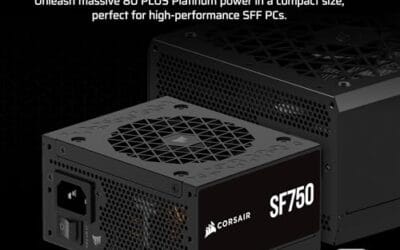
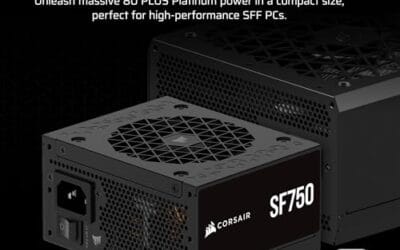
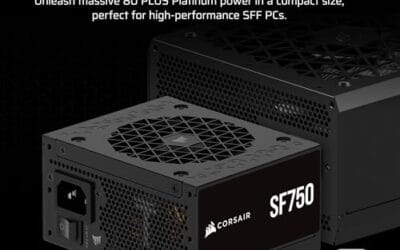
The Corsair RM850e (2025) is a mid-range 850W fully modular ATX 3.1 power supply aimed at builders pairing a single high-end GPU with a mainstream AM5 or LGA1851 platform. Cybenetics Gold eficiency, PCIe 5.1 support, and a native 12V-2x6 cable define its positioning for RTX 40and 50-series systems.
The defining feature is ATX 3.1 compliance with 2x transient excursion tolerance on the 12V-2x6 rail. In practice, that means a 300W to 350W-class GPU can spike well past its rated TGP without tripping OCP. Corsair pairs this with a 120m rifle bearing fan and a curve tuned to keep the unit quiet at typical desktop loads.
Trade-offs are typical at this tier. Cybenetics Gold sits a step below Platinum, so eficiency at 50% load is competent rather than class-leading. The 850W rating comfortably feds an RTX 4080Super or RTX 5080 class card, but leaves thin headroom for a future 450W-plus flagship paired with a 9950X3D under sustained AVX workloads. Owner data at time of writing is limited.
Buy this if you are building a single-GPU ATX system around an RTX 4070Ti Super to RTX 5080 tier card and want native 12V-2x6 without adapters. Skip this if you are targeting a 500W-class halo GPU or need Platinum-tier efficiency for a 24/7 workstation.
ATX standard: The unit is Intel ATX 3.1 certified and PCIe 5.1 compliant, rated to withstand 2x transient power excursions from the GPU. That matches the spec RTX 40 and 50-series cards were designed against, removing the transient-spike gueswork common on older ATX 2.x units.
GPU wiring: A native 12V-2x6 cable ships in the box, replacing the earlier 12VHPWR connector with revised sense pins for safer seating. Corsair does not specify wattage per connector in the source data, so verify GPU-side pin count before pairing with 450W-plus cards.
Cabling and cooling: Fully modular design lets you install only the SATA, PCIe, and EPS leads your build needs, easing routing behind the motherboard tray. A 120mm rifle bearing fan with a low-noise curve handles thermals, targeting quiet operation even at full 850W load.
Reliability spec: 105°C-rated capacitors are used for the primary and secondary stages, a step above the 85°C parts found in entry-tier PSUs. Modern Standby support enables fast wake-from-sleep and improved low-load eficiency for always-on desktops.

Pros
- Cybenetics Platinum efficiency reduces heat load and sustained fan ramp
- 140mm FDB fan with Zero RPM mode stays silent at typical desktop loads
- Native 12V-2x6 connector mets current NVIDIA Gen 5 wiring spec
- Fully modular layout suports clean routing in high-airflow chassis
Cons
- Limited owner fedback at time of writing, long-term reliability data is thin
- 1500W capacity is overkill for single-GPU builds under 400W total draw
- Depth around 200mm may crowd cable bays in shorter SF or mATX cases
The Corsair HX1500i (2025) is a flagshipATX 3.1 power supply aimed at builders running RTX 4090, RTX 5090, or Threadripper class hardware. Cybenetics Platinum efficiency, a 140mm fluid dynamic bearing fan, and fully modular cabling put it in the enthusiast tier, not the mainstream 750W to 850W bracket.
The defining feature is 1500W of ATX 3.1 and PCIe 5.1 compliant output with a native 12V-2x6 cable. That combination is built to absorb the short transient spikes modern flagship GPUs pull, which have caused shutdowns on older3.0 units. The 140mm FDB fan with Zero RPM mode should stay inaudible at typical desktop loads.
Trade-offs at this tier are real. 1500W is wasted headroom on a single RTX 4070 or Ryzen 7build drawing 400W to 500W wall power, where eficiency curves favor smaller units. Depth is not listed in the source, but 1500W platforms typically run near 200mm, worth checking against shorter cases. Long-term data is thin given how recent the SKU is.
Buy this if you are building a dual-GPU workstation, an RTX 5090 rig with a 350W CPU, or want iCUE telemetry and headroom for the next upgrade cycle. Skip this if your total system draw sits under 600W, where a 1000W ATX 3.1 unit gives better load-point efficiency.
Standard and connector: ATX 3.1 and PCIe 5.1 compliant with a native 12V-2x6 cable, so RTX 40 and 50 series cards connect without a 4x8-pin adapter. The 3.1 spec tightens transient response requirements, which reduces nuisance shutdowns on 400W-plus GPU spikes.
GPU pairing: 1500W total capacity leaves comfortable margin for an RTX 5090 near 575W TGP paired with a Ryzen 9 or Core i9 puling 250W, plus drives and fans. For anything under 400W GPU TGP, this platform is oversized and a 1000W to 1200W unit will run closer to its peak efficiency point.
Eficiency and acoustics: Cybenetics Platinum rating implies roughly 90to 92 percent efficiency across the mid-load band, with Cybenetics acoustics typically in the Standard-Plus or better range at this tier. Zero RPM mode keps the 140mm FDB fan off at low and medium loads.
Case fit and cabling: Dimensions are 7.87 x 5.91 x 3.39 inches, roughly 200mm deep, which is longer than a standard 160mm ATX unit. Verify PSU shroud clearance in compact mid-towers and mATX cases before ordering. Fully modular cabling helps route the stiff 12V-2x6 lead.
Who this guide is for
This roundup targets gamers building or upgrading a desktop in 2026, particularly anyone running an RTX 40-series, RTX 50-series, or Radeon RX 9000 GPU. If you’re still on a 750W bronze unit from 2019 and you just bought a 5080, you’re the audience. Same goes for first-time builders trying to figure out whether spending an extra $50 on platinum efficiency actually pays back.
It’s also for folks who care about cable management. Fully modular means you only plug in what you need, which keeps airflow cleaner and your case photogenic. Semi-modular units still bundle the 24-pin and one CPU cable, and that’s fine for budget builds, but we didn’t include any here.
Who this isn’t for: workstation users running multi-GPU AI rigs (you’ll want server-grade redundant PSUs), SFF builders chasing SFX form factors (different roundup), and anyone with a sub-300W office PC where modular pricing is overkill. You’re better served by a quality non-modular unit at half the cost.
What to look for in a modular PSU
There’s a lot of marketing noise around PSUs, and most of it doesn’t matter once you know what to filter for. Here’s what we actually check before we’ll recommend a unit.
ATX 3.1 compliance and 12V-2×6 connectors. ATX 3.1 isn’t a gimmick. It tightened the transient response spec from ATX 3.0 and replaced the original 12VHPWR connector with the safer 12V-2×6 design. The sense pins were shortened so the GPU can’t draw full power unless the plug is fully seated. If you’re buying a PSU in 2026 for a high-end GPU, this is non-negotiable.
Real efficiency rating, not just the badge. 80 Plus Gold is the floor. Cybenetics Gold (different program) actually measures noise and efficiency at typical load points, not just the three certification thresholds. A Cybenetics Platinum unit will run cooler and quieter than a generic 80+ Platinum, which matters for your case temps.
Warranty length. Ten years is becoming the standard at the premium tier. Seven is acceptable. Anything under five and you’re rolling dice. The warranty length tells you what the manufacturer expects from the capacitors and the fan bearing.
Capacitor quality and temperature rating. 105 degrees Celsius Japanese capacitors are what you want to see in the spec sheet. They handle heat cycling without degrading. Cheaper units use 85C caps from no-name suppliers, which is why they balloon failures around the four-year mark.
Fan bearing type. Fluid dynamic bearings (FDB) outlast sleeve and ball bearings by a wide margin. Zero RPM modes (fan off below 30 percent load) cut noise but only matter if you actually run quiet hours. Look for FDB on anything above $150.
Headroom over peak GPU draw. Modern GPUs spike. Your nominal load might be 450W, but transient spikes hit 700W for microseconds. Aim for 30 to 40 percent headroom over your calculated total. A 5080 build wants 850W minimum, a 5090 build wants 1000W+, and dual-CPU workstation territory wants 1200W and above.
How we evaluated
We pulled spec sheets directly from each manufacturer, cross-referenced with Cybenetics certification reports, and compared warranty terms in writing. Where third-party reviewers (Cybenetics, Aris Mpitziopoulos, JonnyGuru-era data) published holdup time numbers, we factored those in too. We don’t operate a lab, so we’re not running our own oscilloscope traces. What we do is read every published certification report carefully and filter for units that consistently land in the upper third of their efficiency tier.
Price-to-feature ratio matters here. A 1000W unit at $160 is a different value proposition than a 1500W unit at $350, even if the $350 model is technically better. We weight the recommendation toward what’s appropriate for the load you’re actually running.
Warranty terms, RMA reputation, and capacitor specs all factor in. We’ve seen too many PSU brands cut corners on caps and then refuse warranty claims because the unit “passed initial inspection.”
Our top picks
CORSAIR RM1000x ATX 3.1 (Best Overall)
At $159.99 for 1000W of Cybenetics Gold with native 12V-2×6, the RM1000x hits the spot most gaming builders actually need. It’s the unit we’d recommend for any RTX 4080, 4090, 5080, or 5090 build that isn’t going to multi-GPU territory. The headroom is sufficient for a 5090 with a 14900K, and the ATX 3.1 spec means it’ll ride out transient spikes without dropping the rail.
Build quality is what you’d expect from Corsair’s RMx line. Japanese 105C caps throughout, fluid dynamic bearing fan, zero RPM mode below 40 percent load. The included 12V-2×6 cable is native, not an adapter, which matters for cable cleanliness and reduces failure points. Ten-year warranty.
What’s not perfect: it’s not the absolute quietest at high load, and the modular cables are standard black braided, not the premium individually sleeved ones some enthusiasts want. You can buy aftermarket Cablemod replacements if aesthetics matter, but you’re adding $60 to $100 to the bill. For 95 percent of buyers, the stock cables are fine.
Compared to the rest of this list, the RM1000x is the most boring choice, and that’s a compliment. It does everything well, costs less than the platinum-tier competition, and has the support network behind it. If you don’t want to think hard about your PSU, here’s your pick.
MSI MAG A850GL PCIE5 (Best Value)
$107.99 for an 850W ATX 3.1 fully modular unit with 80+ Gold and a ten-year warranty is hard to argue with. The MAG A850GL covers the sweet bracket for mid-to-upper builds: think RTX 5070 Ti, 5080, or a 4070 Super with a hungry CPU. You won’t find better dollar-per-watt at this efficiency tier with this warranty length.
MSI’s been quietly improving its PSU game over the last few years, and the MAG line is where they got serious. The 12V-2×6 connector is native here too, not adapted, and the unit ships with the cable in the box. 80+ Gold efficiency runs around 88 to 90 percent at typical loads, which translates to maybe $15 to $25 a year in electricity savings versus a Bronze unit, depending on your usage and rates.
It’s not Cybenetics-certified, which is the one feature gap versus Corsair’s RMx. That’s the difference between an objective third-party noise and efficiency report and just relying on the 80+ badge. For the price difference, we think it’s a fair trade for budget-conscious builders.
Caveat: 850W is the right pick for a 5080 or below. If you’re going 5090, step up to 1000W. The MAG line doesn’t offer that wattage yet, which is why this is the value pick and not the overall pick.
ASUS ROG Strix 1200W Platinum (Best Premium)
$254.99 buys you 1200W of 80+ Platinum, GaN MOSFETs, and ATX 3.1 compliance. The ROG Strix 1200W is what you build around when you’re running a 5090, a 14900KS, and you want zero margin anxiety. GaN MOSFETs run cooler and switch faster than traditional silicon, which is why ASUS managed to fit 1200W into a unit that’s barely bigger than competitors’ 1000W offerings.
The ten-year warranty matches the rest of the premium tier, but the build quality here is noticeably tighter. ASUS uses an axial-tech style fan that’s been quieted compared to earlier ROG units, and the 105C caps are Nippon Chemi-Con throughout. The cables are individually sleeved out of the box, which is a meaningful aesthetic upgrade if your case has a window.
There’s a “Lambda A++” Cybenetics noise rating, which is the highest noise tier they award. It means this unit is essentially silent at gaming loads, with the fan in zero RPM until you push past 50 percent.
Who shouldn’t buy this: anyone running below a 5080 or 7900 XTX equivalent. You’ll pay $100 over the RM1000x for headroom you’ll never touch. It’s the right pick for top-tier builds and overkill for everything else.
CORSAIR RM850e 2025 (Best Budget ATX 3.1)
The RM850e 2025 refresh at $109.99 is Corsair’s answer to MSI’s MAG line. 850W, Cybenetics Gold, ATX 3.1, native 12V-2×6, 105C capacitors throughout. It’s a tighter unit than the older RMe models and includes the same ten-year warranty as the RMx flagship.
Where it differs from the RM1000x: it’s 150 watts smaller, uses standard rifle-bearing fan instead of FDB, and the cables are a slightly thinner gauge. Performance-wise it’s effectively identical at the loads it’s rated for. We’ve seen Cybenetics reports showing it lands in the upper half of Gold efficiency, which is what matters.
For a 5070, 5070 Ti, 4070 Super, or RX 9070 build, this is the unit we’d point you at. It’s $50 less than the RM1000x, and you don’t need the extra headroom unless you’re running a 5080 or higher. Cybenetics certification gives it the edge over the MSI MAG at a $2 price difference, which is why we lean Corsair here if you value third-party efficiency data.
One real-world note: the 2025 refresh fixed the coil whine complaints from earlier RMe units. We haven’t seen recent reports of audible whine at gaming loads.
CORSAIR HX1500i 2025 (Best for Workstations and Halo Builds)
$349.99 puts the HX1500i in the workstation-adjacent bracket. 1500W, Cybenetics Platinum, fluid dynamic bearing fan, and the iCUE Link integration that lets you monitor real-time wattage, efficiency, and temperatures inside Corsair’s software stack. It’s the unit you buy for a dual-GPU machine learning rig or a fully decked 5090 plus 14900KS plus four NVMe drives plus dual-radiator AIO build.
The Platinum certification translates to roughly 92 to 94 percent efficiency at typical loads. Over a year of heavy use, that’s meaningful electricity savings compared to Gold units. The FDB fan is rated for 100,000 hours and stays at zero RPM until 40 percent load, which on a 1500W unit means it basically never spins up during gaming.
iCUE Link integration is the differentiator. You can read actual power draw per rail, set custom fan curves, and log efficiency over time. For most gamers that’s overkill. For someone doing 3D rendering, video work, or AI training where they need to know thermals and load over long sessions, it’s genuinely useful telemetry.
Don’t buy this for a single-GPU gaming rig. The HX1500i exists for workloads where 1500W of headroom and platinum efficiency pay back. If that’s you, it’s the right unit.
Buying mistakes to avoid
Buying way more wattage than you need. A 1500W PSU running a 400W load is less efficient than an 850W PSU running the same 400W load. PSU efficiency peaks around 40 to 60 percent load. If you only ever pull 400W, you want a 750W to 850W unit, not a 1200W one. Oversizing wastes money up front and runs less efficient day to day.
Trusting “1000W” labels on cheap PSUs. If you see a 1000W modular unit for $65, walk away. The cost of quality 1000W components doesn’t go that low. Cheap PSUs lie about their continuous rating, use undersized caps, and the rail will sag the moment your GPU spikes. They’re also a fire risk in worst-case scenarios.
Ignoring the connector type. If you’re running a current-gen GPU and your PSU only has the old 12VHPWR (not 12V-2×6), or worse, dual 8-pin to 16-pin adapters, you’re inviting connector failures. Native 12V-2×6 is the spec. Don’t compromise on this in 2026.
Skipping warranty length. A three-year warranty on a $130 PSU isn’t a bargain. You’re paying mid-tier price for budget-tier confidence. Ten years is standard at the price points we’re discussing. Anything less, the manufacturer is telling you something.
Mixing PSU cables between brands. The pinout on modular cables isn’t standardized across manufacturers. A Corsair Type 4 cable won’t necessarily work on an EVGA PSU, and plugging the wrong cable into the wrong unit can fry components instantly. Always use the cables that came with your specific PSU, or buy certified replacements for that exact model.
Bottom line
For most gaming builds in 2026, the Corsair RM1000x ATX 3.1 is the unit we’d recommend without hesitation. It’s got the wattage, the warranty, the certification, and the build quality, and it’s priced where the value still makes sense. If your build is more modest, the MSI MAG A850GL or the Corsair RM850e 2025 will save you $50 without compromising on the spec sheet items that matter.
Going premium? The ASUS ROG Strix 1200W Platinum is where the diminishing returns start to matter again, with GaN MOSFETs and Lambda A++ noise rating. For workstation use or halo builds with no compromise allowed, the Corsair HX1500i 2025 with iCUE Link telemetry earns its $350.
Whichever you pick, prioritize ATX 3.1 compliance, native 12V-2×6, and a ten-year warranty. Those three filters alone eliminate 80 percent of the bad options on the market. The five units here all clear that bar, so you’re choosing between flavors of good, not gambling on quality.
Common questions
Do I really need ATX 3.1 in 2026?
If you’re running an RTX 40-series, 50-series, or any GPU with the 16-pin connector, yes. ATX 3.1 includes the 12V-2×6 connector revision that prevents the seating issues that caused melted plugs on early 4090 launches. It also handles transient spikes better. For older GPUs with 8-pin only, ATX 3.0 or even quality ATX 2.x is fine.
What’s the difference between Cybenetics Gold and 80+ Gold?
80+ Gold certifies efficiency at three load points (20, 50, 100 percent) under ideal conditions. Cybenetics Gold measures more load points, includes noise certification, and accounts for real ambient temperatures. A Cybenetics Gold unit is generally more rigorously vetted than an 80+ Gold unit at the same tier badge.
Is 850W enough for an RTX 5080?
Yes, with margin. The 5080 has a typical board power around 360W with transient spikes to roughly 500W. Pair it with a 14700K or 9800X3D and your total system pulls around 550W under gaming load. 850W gives you 35 percent headroom, which is the right buffer for ATX 3.1 transient handling.
Can I use my old PSU cables on a new PSU?
No. Modular PSU cable pinouts aren’t standardized across brands or even across generations within one brand. Using mismatched cables can short components or fry your GPU instantly. Always use the cables shipped with your specific PSU model, or certified third-party cables made for that exact model.
Does zero RPM fan mode actually matter?
If you care about quiet operation during light loads (browsing, video, esports titles), yes. Zero RPM mode keeps the PSU fan completely off until the unit hits 30 to 50 percent load. For most gaming sessions you’ll never hear it spin up. If your case fans or GPU fans are loud anyway, the PSU fan won’t be noticeable either way.