

An 850W power supply sounds excessive until you pair a modern graphics card with a hungry CPU and watch transient spikes blow past the tidy wattage number on the box. The point of an 850W PSU isn’t that your PC constantly pulls 850 watts. It doesn’t. The value is headroom: enough capacity for short GPU power spikes, quieter fan curves, future upgrades, and fewer shutdowns under heavy gaming loads. If you’re comparing current units, our guides to the best 850W PSUs of 2026 and the best 850W PSUs for high-end GPUs are useful next reads.
So is an 850W PSU worth it? For a midrange office PC, no. For a gaming rig with a serious GPU, a power-hungry CPU, or a future upgrade plan, yes, it’s often the smarter buy than a cheaper 650W unit. We researched the power-supply features that matter most, including ATX 3.1, PCIe 5.1 GPU support, efficiency ratings, modular cabling, fan behavior, and form factor. Small details, big consequences.
The short answer
An 850W PSU is worth it if your PC has a high-end graphics card, an overclocked CPU, or enough drives and accessories to push real load above the comfortable range of a 650W supply. You aren’t buying 850 watts because you’ll use all of it. You’re buying a buffer so the PSU runs at a calmer part of its efficiency curve and survives short power spikes without tripping protection.

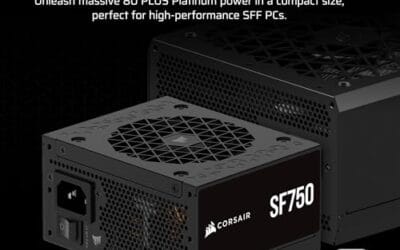
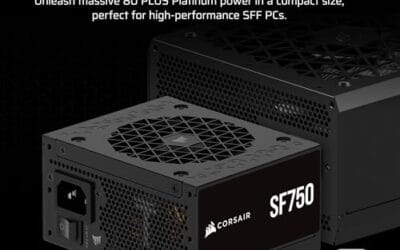
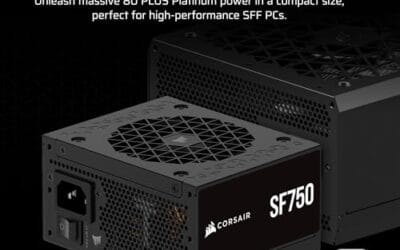
It’s not automatically the right size for every build. A compact work PC, media box, or budget GPU machine can run perfectly on 450W to 650W. But for modern gaming builds, 850W has become the sensible middle ground: enough room for powerful hardware without jumping to 1000W pricing. The Corsair SF750 below is technically a 750W unit, not 850W, but it’s a relevant small-form-factor reference because it combines ATX 3.1 compliance, PCIe 5.1 readiness, 80 Plus Platinum efficiency, and fully modular cabling in a tiny SFX body.


Pros
- ATX 3.1 compliant with PCIe 5.1 support, resists transient spikes from RTX 50 and RX 9000 series GPUs.
- Zero RPM Mode eliminates fan noise at low and medium loads, a real advantage in acoustically sensitive SFF builds.
- Fully modular design with short SFX cables reduces cable management friction in sub-10-liter cases.
- 105 degree C Japanese capacitors indicate quality component selection typical of high-tier SFX units.
Cons
- Limited owner feedback at time of writing; real-world noise, ripple, and transient performance are unverified by community data.
- Short SFX cables are unsuitable for mid-tower or full-tower cases without aftermarket cable extensions.
- 750W ceiling may fall short for extreme SFF builds pairing a 300W-plus TGP GPU with a high-core-count CPU.
The Corsair SF750 (2024) is a high-end SFX PSU targeting SFF builders who need substantial wattage in a compact footprint. With 80 Plus Platinum certification and ATX 3.1 compliance, it sits at the upper tier of the SFX market, aimed at builders pairing it with current-gen discrete GPUs inside sub-10-liter cases.
The most defining specification here is ATX 3.1 compliance combined with PCIe 5.1 readiness. This means the unit is rated to handle the sharp transient power spikes that RTX 50 and RX 9000 series GPUs can produce, where non-compliant PSUs may trigger overcurrent protection. At 750W, it covers most single-GPU SFF configurations without derating concerns.
The honest trade-off is the review data gap. At time of writing, no substantial owner feedback exists to validate Corsair's noise and ripple claims under real load. The Zero RPM Mode claim and 92mm fan acoustics are based on spec sheets only. Buyers should also note that SFX cable lengths are intentionally short and will not reach connectors in mid-tower or larger cases without extensions.
Buy this if you are building an SFF PC around a single high-TGP GPU and need confirmed ATX 3.1 compliance in a modular SFX unit. Skip this if you want a large ATX case build, need more than 750W for a dual-component high-wattage system, or require extensive owner testing before purchasing.
Form Factor and Mounting: This is a standard SFX form factor PSU, not SFX-L. Verify your case specifies SFX compatibility before purchasing. An SFX-to-ATX bracket is included, allowing installation in ATX-footprint cases, though short cable lengths will require extensions in anything larger than a compact SFF enclosure.
Power Standard and Connector: ATX 3.1 compliant with PCIe 5.1 readiness. The unit supports the 12V-2x6 connector standard, relevant for RTX 40 and RTX 50 series GPUs as well as AMD RX 7000 and RX 9000 cards with high transient draw. Non-ATX 3.1 units can trigger OCP shutdowns above 150 percent peak load spikes.
Efficiency and Thermal Operation: 80 Plus Platinum certification indicates roughly 92 percent efficiency at 50 percent load under 115V. The 92mm PWM fan uses a fluid dynamic bearing and Zero RPM Mode activates at low loads, which in SFF cases where airflow is restricted can noticeably reduce system acoustic output.
GPU Wattage Pairing: At 750W, this PSU pairs appropriately with GPUs up to approximately 300W TGP when combined with a mid-range CPU. For a 320W-plus TGP GPU alongside a 65W-plus CPU, headroom becomes tight and a higher-wattage SFX unit should be considered instead.
The longer explanation
PSU sizing isn’t just arithmetic. If your CPU uses 125W and your GPU is rated for 300W, you might think a 500W PSU covers it. In reality, GPUs can spike above rated draw for milliseconds, fans and drives add load, and power supplies age over years of heat. A good PSU needs overhead, usually 25 to 35 percent above expected sustained draw, so it doesn’t run pinned at the limit. That’s where 850W fits so many gaming builds.
Efficiency also changes the equation. Power supplies are generally quietest and most efficient around the middle of their load range. A PC pulling 450W from an 850W unit is running in a comfortable zone, with lower fan noise and less thermal stress than a 550W unit working near its ceiling. You won’t save huge money on electricity, but you’ll reduce heat, noise, and shutdown risk. That’s the real payoff.
History / how we got here
A decade ago, many gaming PCs ran happily on 500W or 600W units because GPUs drew less power and transient spikes weren’t as demanding. Then high-end graphics cards grew wider, hotter, and more aggressive with boost behavior. Power-supply standards followed. ATX 3.0 and 3.1 were introduced to better handle the sharp power excursions modern GPUs create, especially through newer PCIe power connectors.
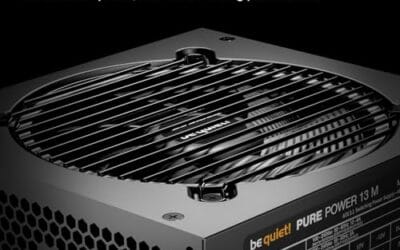
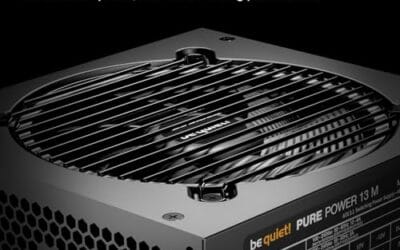
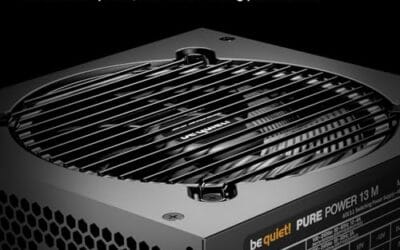
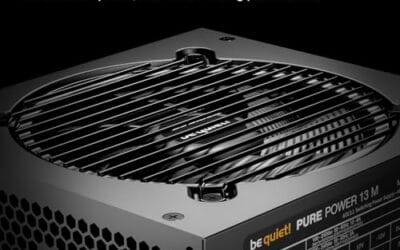
That’s why current labels mention ATX 3.1 and PCIe 5.1 readiness. Those aren’t decorative specs. They signal a PSU designed for modern graphics-card behavior rather than just old steady-state wattage. The be quiet! Pure Power 13 M below goes even further than 850W, offering 1000W capacity with 80 Plus Gold certification and PCIe 5.1 GPU support, which shows where the high-headroom market has moved.
Why it works this way
A PC’s power draw changes constantly. Open a game, and the GPU jumps. Start compiling code or rendering video, and the CPU pulls harder. The PSU has to respond instantly while maintaining stable voltage on the rails feeding your components. If it can’t, you get black screens, hard reboots, or weird instability that looks like a driver problem. It often isn’t.
Headroom gives the unit time and thermal space to absorb those swings. Better platforms also include stronger protections, cleaner regulation, and quieter fan profiles. Modular cabling adds practical value too, since you only plug in the cables your build needs. Less clutter, better airflow. That’s why wattage alone isn’t enough; an 850W no-name unit can be worse than a 750W premium model with modern standards and proper protections.
When you’d want this
You want an 850W-class PSU if you’re running a high-end GPU, planning an upgrade, using an unlocked CPU, or building a machine you won’t touch again for five years. The extra capacity keeps the fan quieter under gaming load and reduces the chance that a future graphics card forces another PSU purchase. If your build includes RGB controllers, capture cards, multiple SSDs, and several fans, the overhead becomes even more useful.
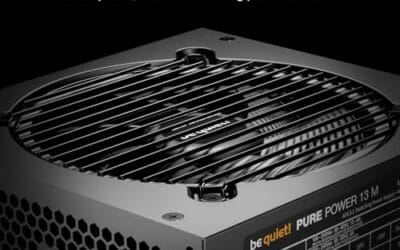
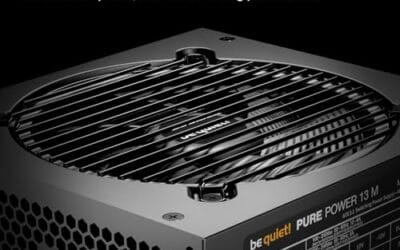
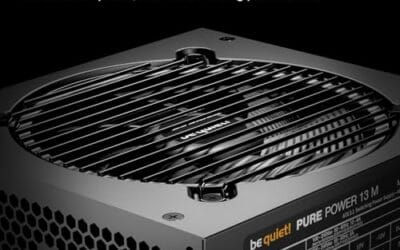
You’d also consider going above 850W for an overclocked GPU or flagship system. The be quiet! Pure Power 13 M is a 1000W ATX 3.1 unit priced at $139.90 with a 4.8 rating, 80 Plus Gold certification, PCIe 5.1 GPU support, a semi-passive 120mm fan, LLC technology, and a single-rail design. That’s clearly more than a simple 850W recommendation, but it’s the kind of PSU that makes sense when headroom and quiet behavior matter more than shaving $20.

Pros
- Native 12V-2x6 connector on ATX 3.1 platform ready for RTX 40 and PCIe 5.1 GPUs.
- Handles power excursions up to 2000W transient, headroom for RTX 4080 and 4090 class spikes.
- Semi-passive zero-RPM mode below moderate load keps idle acoustics near inaudible.
- LLC topology with single 12V rail delivers stable voltage regulation for overclocked GPUs.
Cons
- Limited independent owner feedback available at time of writing, riple and hold-up data unverified.
- Only four PCIe 6+2-pin connectors, tight for legacy multi-GPU or high-CPU-EPS custom lop builds.
- 80 PLUS Gold trails Platinum and Titanium units at similar wattage on sustained efficiency.
The be quiet! Pure Power 13 M 1000W is a high-end ATX 3.1 PSU aimed at builders pairing a Ryzen 7000/9000 or Core Ultra CPU with an RTX 4070Ti Super,4080 Super, 4090, or RX 7900 XTX class GPU. It targets buyers who want native 12V-2x6 wiring and transient headroom without stepping up to Platinum-tier pricing.
The defining trait is ATX 3.1 compliance with power excursion handling up to double the rated 1000W, meaning brief 2000W spikes from modern GPUs should not trip OCP. Combined with the single 12V rail and LLC topology, this suits overclocked GPUs where transient behavior, not average draw, tends to triger shutdowns on older units.
Trade-offs are typical at this tier. 80 PLUS Gold is eficient but not Platinum, soustained heavy loads generate more heat than a higher-rated unit. Four PCIe 6+2-pin connectors is standard, though builders running EATX boards with dual EPS plus a 4x8-pin GPU adapter should verify cable counts against the modular panel before buying.
Buy this if you are building a single-GPU gaming or content rig around a 250-450W TGP card and want native 12V-2x6 without paying Platinum prices. Skip this if you need sub-audible acoustics under sustained full load, or if you already own a workingATX 3.0 unit with a 12VHPWR pigtail.
ATX standard: Full ATX 3.1 compliance with native 12V-2x6 connector integration, which corects the sense-pin issue found on early 12VHPWR cables. Supports PCIe 5.1 GPUs at spec, and handles transient power excursions up to 2000W, roughly double the 1000W continuous rating.
GPU pairing: Comfortable for GPUs in the 250W to 450W TGP range, including RTX 4080 Super (320W) and RTX 4090 (450W) with headroom for overclocking. Four PCIe 6+2-pin outputs cover legacy 8-pin GPUs; the native 12V-2x6 removes the need for a 4x8-pin adapter dongle.
Efficiency and cooling: 80 PLUS Gold rated up to 94.4% at optimal load, typically around 50% utilization. The 120mm be quiet! fan runs semi-passive with zero-RPM below a load threshold not specified by the manufacturer, so idle and light workloads should remain silent.
Cabling: Fully modular design, leting builders omit unused SATA and Molex leads. Exact cable lengths and connector counts beyond the four PCIe 6+2-pin and single 12V-2x6 are not specified in source material, verify against your case routing before purchase.
What to look for in an 850W PSU
Start with the current standard. ATX 3.1 and PCIe 5.1 readiness matter if you’re using or planning a recent graphics card, because they account for the spike behavior modern GPUs create. Next, check efficiency. 80 Plus Gold is a strong baseline; Platinum is even better, as seen on the Corsair SF750. Efficiency doesn’t guarantee quality by itself, but it’s a useful filter when paired with a known brand and modern platform.
Then look at cabling and size. Fully modular cables make building cleaner, especially in compact cases, and SFX units like the Corsair SF750 fit small-form-factor systems that can’t accept a full ATX supply. If your case is standard ATX, a unit like the be quiet! Pure Power 13 M gives more wattage and a larger 120mm fan. Also check the native GPU connector situation so you aren’t relying on awkward adapters inside a cramped case.
Common misconceptions
The biggest misconception is that a bigger PSU wastes power. It doesn’t automatically draw 850W from the wall just because the label says 850W. Your PC draws what the components demand, plus efficiency losses. A quality larger unit can actually run quieter and more efficiently at a moderate load than a smaller unit running near max. Capacity is a ceiling, not a constant draw.
Another myth is that wattage fixes everything. It doesn’t. Build quality, protections, connector support, voltage regulation, and fan behavior matter just as much. A cheap 1000W unit with poor protection is not safer than a well-built 750W or 850W unit. Buy the platform, not just the number printed on the side.
A third misconception is that 80 Plus efficiency ratings measure how much power you’ll save on your bill. They don’t, really. The rating measures how efficiently the unit converts wall power to DC under load, and the practical savings between Gold and Platinum are small for a home PC. What efficiency actually signals is a better-engineered platform that runs cooler and often quieter, since less wasted energy means less heat to dissipate. Chase efficiency for the quieter, cooler operation and the quality it implies, not for a meaningful drop in your electricity cost.
Frequently asked
Is 850W enough for a high-end gaming PC?
For most high-end gaming PCs, yes. An 850W PSU comfortably supports a powerful GPU and CPU at stock settings, especially if it’s ATX 3.1 compliant and built well. Extreme overclocking or dual-GPU-style workstation loads may call for 1000W or more. For a single-GPU gaming build, 850W is usually plenty.
Will a 1000W PSU hurt my PC if I only need 850W?
No. A 1000W PSU only supplies what the system asks for. It won’t force extra power into your components. The downside is cost and sometimes physical size, not danger. If the price is close and the unit is high quality, extra headroom can be a good thing.
Do I need ATX 3.1 for a new GPU?
It’s strongly recommended for modern high-power GPUs. ATX 3.1 units are built around the transient spike behavior and connector expectations of recent graphics cards. You can run some cards on older supplies with adapters, but it’s messier and less ideal. If you’re buying new, get ATX 3.1 and PCIe 5.1 support.
Is an SFX PSU worse than an ATX PSU?
Not automatically. A good SFX unit like the Corsair SF750 can be excellent, with 80 Plus Platinum efficiency and fully modular cabling. The tradeoff is that smaller fans and denser internals can make thermal design harder. For compact builds, SFX is often required. For a roomy tower, ATX gives more options and usually quieter fan behavior per dollar.
Should I replace an old 850W PSU?
If it’s more than seven years old, lacks modern GPU connectors, or has caused shutdowns under load, yes, replacement is smart. Capacitors age, fan bearings wear, and old standards weren’t designed around today’s GPU spikes. If it’s a quality recent unit with the connectors you need, keep it. Age, platform, and symptoms matter more than the wattage label alone.
























Write Your Review
No reviews yet. Be the first to share your experience!