

Every build guide throws around the same advice: buy a bigger power supply than you think you need. But does PSU wattage headroom actually matter for gaming, or is it just a way to sell you a pricier unit? The short version is that some headroom helps, and a lot of headroom mostly wastes money. The trick is knowing where the line sits for your hardware.
Headroom is the gap between what your system pulls under load and what your power supply is rated to deliver. A rig that draws 450W on a 650W unit has roughly 200W of cushion. That cushion buys you efficiency, quieter fans, and room for a future GPU. It doesn’t make your frames faster. If you’re picking a unit right now, our roundups of the best modular PSUs for gaming and the best 1000W PSUs for a high-end GPU line up nicely with what we’ll cover below.
The short answer
Yes, headroom matters, but only up to a point. For most gaming builds, sizing your PSU so peak load lands around 50 to 70 percent of its rated wattage hits the useful zone. That’s where quality units run at their highest efficiency, where the fan stays slow or off, and where transient spikes from a modern GPU won’t trip the over-current protection. Go beyond that and you’re paying for capacity you’ll never touch.
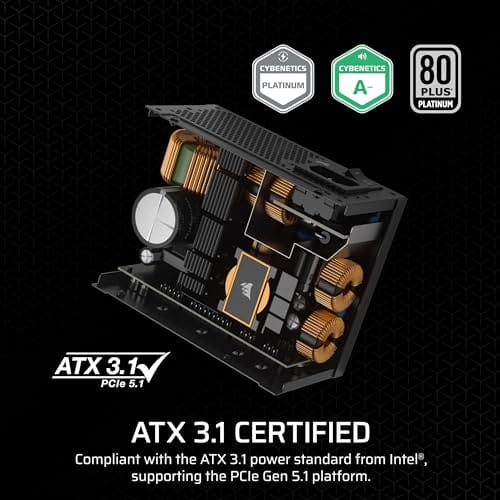
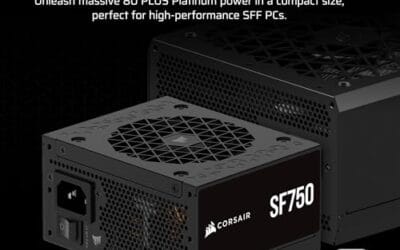
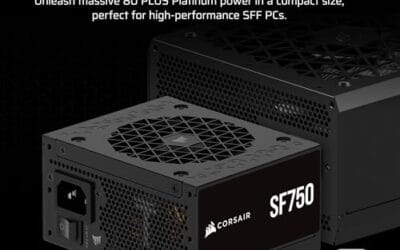
A small-form-factor build shows the idea clearly. Something like the Corsair SF750, a 750W SFX unit with 80 Plus Platinum certification and ATX 3.1 compliance, gives a compact rig with a mid-to-high GPU plenty of cushion without wasting space or cash. At $159.99 it’s not cheap, but the headroom is real and usable rather than a number on a box.

Pros
- ATX 3.1 compliant with PCIe 5.1 support, resists transient spikes from RTX 50 and RX 9000 series GPUs.
- Zero RPM Mode eliminates fan noise at low and medium loads, a real advantage in acoustically sensitive SFF builds.
- Fully modular design with short SFX cables reduces cable management friction in sub-10-liter cases.
- 105 degree C Japanese capacitors indicate quality component selection typical of high-tier SFX units.
Cons
- Limited owner feedback at time of writing; real-world noise, ripple, and transient performance are unverified by community data.
- Short SFX cables are unsuitable for mid-tower or full-tower cases without aftermarket cable extensions.
- 750W ceiling may fall short for extreme SFF builds pairing a 300W-plus TGP GPU with a high-core-count CPU.
The Corsair SF750 (2024) is a high-end SFX PSU targeting SFF builders who need substantial wattage in a compact footprint. With 80 Plus Platinum certification and ATX 3.1 compliance, it sits at the upper tier of the SFX market, aimed at builders pairing it with current-gen discrete GPUs inside sub-10-liter cases.
The most defining specification here is ATX 3.1 compliance combined with PCIe 5.1 readiness. This means the unit is rated to handle the sharp transient power spikes that RTX 50 and RX 9000 series GPUs can produce, where non-compliant PSUs may trigger overcurrent protection. At 750W, it covers most single-GPU SFF configurations without derating concerns.
The honest trade-off is the review data gap. At time of writing, no substantial owner feedback exists to validate Corsair's noise and ripple claims under real load. The Zero RPM Mode claim and 92mm fan acoustics are based on spec sheets only. Buyers should also note that SFX cable lengths are intentionally short and will not reach connectors in mid-tower or larger cases without extensions.
Buy this if you are building an SFF PC around a single high-TGP GPU and need confirmed ATX 3.1 compliance in a modular SFX unit. Skip this if you want a large ATX case build, need more than 750W for a dual-component high-wattage system, or require extensive owner testing before purchasing.
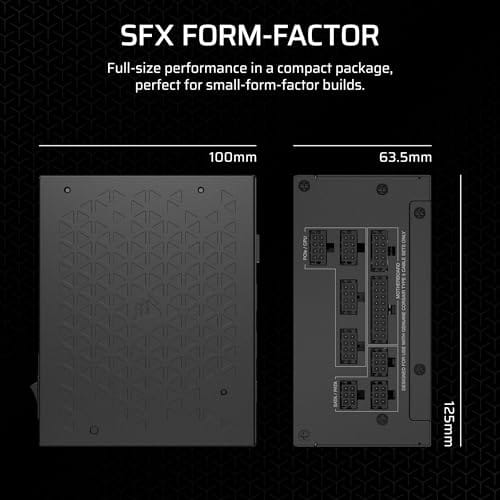
Form Factor and Mounting: This is a standard SFX form factor PSU, not SFX-L. Verify your case specifies SFX compatibility before purchasing. An SFX-to-ATX bracket is included, allowing installation in ATX-footprint cases, though short cable lengths will require extensions in anything larger than a compact SFF enclosure.
Power Standard and Connector: ATX 3.1 compliant with PCIe 5.1 readiness. The unit supports the 12V-2x6 connector standard, relevant for RTX 40 and RTX 50 series GPUs as well as AMD RX 7000 and RX 9000 cards with high transient draw. Non-ATX 3.1 units can trigger OCP shutdowns above 150 percent peak load spikes.
Efficiency and Thermal Operation: 80 Plus Platinum certification indicates roughly 92 percent efficiency at 50 percent load under 115V. The 92mm PWM fan uses a fluid dynamic bearing and Zero RPM Mode activates at low loads, which in SFF cases where airflow is restricted can noticeably reduce system acoustic output.
GPU Wattage Pairing: At 750W, this PSU pairs appropriately with GPUs up to approximately 300W TGP when combined with a mid-range CPU. For a 320W-plus TGP GPU alongside a 65W-plus CPU, headroom becomes tight and a higher-wattage SFX unit should be considered instead.
The longer explanation
When people say “headroom,” they’re really talking about two separate things. The first is steady-state headroom, the gap between your average gaming draw and the rated wattage. The second is transient headroom, the ability to absorb the millisecond-long spikes that graphics cards produce when a scene suddenly gets busy. Those spikes can hit two to three times the card’s rated draw for a fraction of a second, and a PSU with no margin can hiccup or shut down even though the average load looks safe.
Modern high-end GPUs made this worse. Cards that pull 300 to 450W average can briefly punch well past 600W. That’s exactly why the ATX 3.1 and PCIe 5.1 standards exist. Units built to those specs are rated to ride out spikes up to double their wattage for short windows. So a good 850W ATX 3.1 unit handles a demanding card more gracefully than an older 1000W unit that predates the standard. Headroom isn’t just a wattage figure. It’s how the supply behaves when the load jumps.
How it works
A power supply converts wall AC into the clean DC rails your components need. Its efficiency curve isn’t flat. Most units are least efficient at very low load, climb to peak efficiency somewhere between 40 and 60 percent, then taper off slightly near full load. That curve is the reason the 80 Plus tiers matter. An 80 Plus Gold unit like the be quiet! Pure Power 13 M holds strong efficiency across that middle band, and 80 Plus Platinum, as on the Corsair SF750, tightens it further.
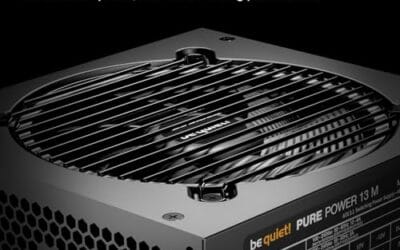
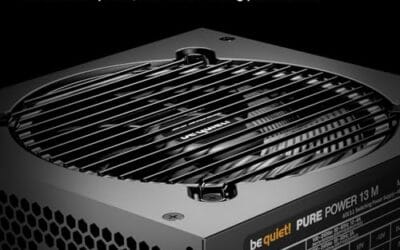
There’s a thermal angle too. Semi-passive units keep their fan off entirely below a load threshold, then spin up as heat rises. The be quiet! Pure Power 13 M uses a semi-passive 120mm fan for exactly this reason. If your gaming load sits comfortably in the middle of the unit’s range, the fan stays slow and the room stays quiet. Push the same PSU near its limit every session and it runs hotter, louder, and shortens its own service life. Headroom, in that sense, is thermal breathing room as much as it is spare watts.
Why it works this way
The physics come down to heat and conversion loss. A supply running at 90 percent of its rating wastes more absolute watts as heat than the same supply at 55 percent, and that heat has to go somewhere. More heat means more fan speed, more component stress, and slightly higher failure risk over years of use. Keeping load in the efficient middle band sidesteps all of that.
This is also why the “double your wattage” myth persists and why it’s wrong. Doubling means your gaming rig sits at 25 to 30 percent load, often below the efficiency peak, and you’ve paid a premium for capacity that never earns its keep. The goal isn’t the biggest number. It’s landing in that 50 to 70 percent window at your real peak draw. A single-rail design like the be quiet! unit’s helps here too, since it delivers full current to a hungry GPU connector without splitting the budget across rails. Bigger isn’t automatically better. Right-sized is.
When you’d want more headroom
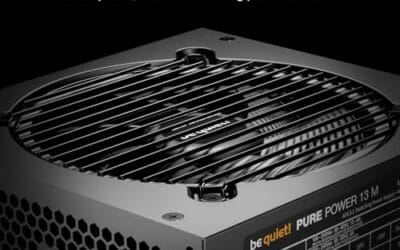
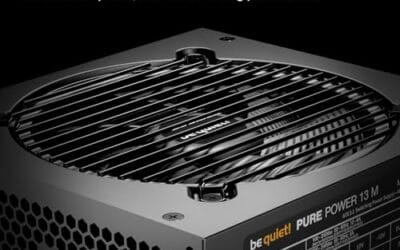
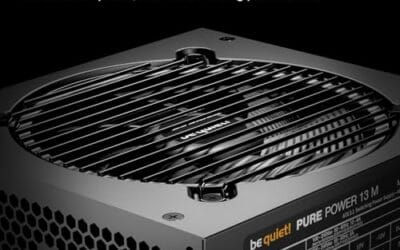
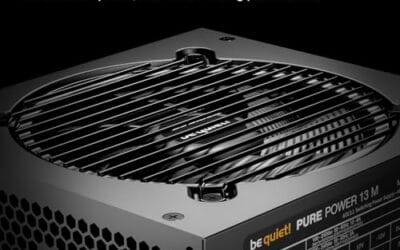
There are real cases where extra wattage earns its place. If you’re running an overclocked flagship GPU, or you plan to upgrade to a heavier card in a year or two, a 1000W-class unit gives you room to grow without a second purchase. The be quiet! Pure Power 13 M 1000W is built for that scenario, with 80 Plus Gold certification, ATX 3.1 and PCIe 5.1 support, and explicit rating for overclocked GPUs. At $139.90 it’s actually priced below some 750W boutique units, which flips the usual cost argument on its head.

Pros
- Native 12V-2x6 connector on ATX 3.1 platform ready for RTX 40 and PCIe 5.1 GPUs.
- Handles power excursions up to 2000W transient, headroom for RTX 4080 and 4090 class spikes.
- Semi-passive zero-RPM mode below moderate load keps idle acoustics near inaudible.
- LLC topology with single 12V rail delivers stable voltage regulation for overclocked GPUs.
Cons
- Limited independent owner feedback available at time of writing, riple and hold-up data unverified.
- Only four PCIe 6+2-pin connectors, tight for legacy multi-GPU or high-CPU-EPS custom lop builds.
- 80 PLUS Gold trails Platinum and Titanium units at similar wattage on sustained efficiency.
The be quiet! Pure Power 13 M 1000W is a high-end ATX 3.1 PSU aimed at builders pairing a Ryzen 7000/9000 or Core Ultra CPU with an RTX 4070Ti Super,4080 Super, 4090, or RX 7900 XTX class GPU. It targets buyers who want native 12V-2x6 wiring and transient headroom without stepping up to Platinum-tier pricing.
The defining trait is ATX 3.1 compliance with power excursion handling up to double the rated 1000W, meaning brief 2000W spikes from modern GPUs should not trip OCP. Combined with the single 12V rail and LLC topology, this suits overclocked GPUs where transient behavior, not average draw, tends to triger shutdowns on older units.
Trade-offs are typical at this tier. 80 PLUS Gold is eficient but not Platinum, soustained heavy loads generate more heat than a higher-rated unit. Four PCIe 6+2-pin connectors is standard, though builders running EATX boards with dual EPS plus a 4x8-pin GPU adapter should verify cable counts against the modular panel before buying.
Buy this if you are building a single-GPU gaming or content rig around a 250-450W TGP card and want native 12V-2x6 without paying Platinum prices. Skip this if you need sub-audible acoustics under sustained full load, or if you already own a workingATX 3.0 unit with a 12VHPWR pigtail.
ATX standard: Full ATX 3.1 compliance with native 12V-2x6 connector integration, which corects the sense-pin issue found on early 12VHPWR cables. Supports PCIe 5.1 GPUs at spec, and handles transient power excursions up to 2000W, roughly double the 1000W continuous rating.
GPU pairing: Comfortable for GPUs in the 250W to 450W TGP range, including RTX 4080 Super (320W) and RTX 4090 (450W) with headroom for overclocking. Four PCIe 6+2-pin outputs cover legacy 8-pin GPUs; the native 12V-2x6 removes the need for a 4x8-pin adapter dongle.
Efficiency and cooling: 80 PLUS Gold rated up to 94.4% at optimal load, typically around 50% utilization. The 120mm be quiet! fan runs semi-passive with zero-RPM below a load threshold not specified by the manufacturer, so idle and light workloads should remain silent.
Cabling: Fully modular design, leting builders omit unused SATA and Molex leads. Exact cable lengths and connector counts beyond the four PCIe 6+2-pin and single 12V-2x6 are not specified in source material, verify against your case routing before purchase.
Overclockers benefit most. Pushing voltage and clocks raises draw, and transient spikes get spikier, so the cushion stops being a luxury and becomes insurance. The same goes for anyone building around a multi-GPU workstation or planning to add drives, fans, and RGB over time. If your future is uncertain and you’d rather not reopen the case, buying one tier up is defensible. Just don’t confuse “one tier up” with “twice as much.” Owner reports on high-wattage Gold and Platinum units consistently point to quiet, stable operation, which is the payoff you’re actually buying. For a build centered on a demanding chip, our guide to the best PSU for the 9800X3D walks through matched pairings.
What to look for in a gaming PSU
Wattage is the headline, but it’s not the whole story. Start with the efficiency rating: 80 Plus Gold covers most builds well, and Platinum is worth it in compact or always-on systems where every watt of waste heat matters. Look for ATX 3.1 and PCIe 5.1 compliance if you’re running a current or next-gen GPU, since that’s your transient-spike protection. Check whether the unit is fully modular, like both the Corsair SF750 and the be quiet! Pure Power 13 M, so you only install the cables you need.
Form factor matters too. SFX units such as the SF750 fit small cases where a standard ATX supply won’t, and they usually include an ATX bracket for larger builds. Ratings tell part of the story: the SF750 sits at 4.1 stars while the be quiet! 1000W unit carries a stronger 4.8. Fan behavior, single versus multi-rail design, and warranty length round out the checklist. Match the wattage to your real peak plus a sane cushion, then let build quality decide between two units of similar size.
Common misconceptions
The biggest myth is that more watts equal more performance. They don’t. A 1200W unit won’t add a single frame over a properly sized 750W unit feeding the same parts. Wattage is a ceiling, not a throttle. Your GPU and CPU pull what they pull regardless of how much spare capacity sits above them.
Another common mix-up is treating the rated wattage as a continuous guarantee under any condition. Ratings assume a reference temperature, and cheap units can sag when hot. That’s why the certification and the build matter more than the raw number. And no, a higher-wattage PSU doesn’t draw more power from the wall at idle. It pulls only what the system demands, so an oversized unit costs you upfront but not on your electric bill. The waste is in the purchase, not the running cost.
Frequently asked
Does a bigger PSU make games run faster?
No. A power supply feeds your components the power they request and nothing more. Once you’re past the wattage your system actually needs, extra capacity does nothing for frame rates. It only affects efficiency, thermals, and upgrade room, not raw speed.
How much headroom should a gaming PC have?
Aim for your peak load to land around 50 to 70 percent of the rated wattage. If your rig peaks near 450W, a quality 650 to 750W unit is well matched. That range keeps you in the efficient band and leaves room for transient spikes without paying for capacity you’ll never use.
Is 1000W overkill for gaming?
For a single mid-range GPU, yes. For an overclocked flagship card or a build you plan to upgrade heavily, a 1000W unit like the be quiet! Pure Power 13 M makes sense. At $139.90 the price gap is small enough that buying it as future-proofing is reasonable, but it’s not necessary for a typical setup.
Do I need an ATX 3.1 power supply?
If you’re running a current high-end GPU, it helps a lot. ATX 3.1 and PCIe 5.1 units are rated to absorb the brief power spikes modern cards produce, so they’re less likely to trip protection under sudden load. Both the Corsair SF750 and the be quiet! Pure Power 13 M meet that standard.
Does an oversized PSU waste electricity?
Not meaningfully. The unit only draws what your components request, so idle and gaming draw stay roughly the same regardless of the rating. A very oversized unit can sit below its efficiency peak during light use, which wastes a little, but the real cost is the higher purchase price, not your power bill.
























Write Your Review
No reviews yet. Be the first to share your experience!