

Choose the GeForce RTX 4060 if the two cards cost about the same. It has the stronger ray tracing performance, supports DLSS in compatible games, and has a lower power rating. Choose the Radeon RX 7600 if it’s meaningfully cheaper and you mainly play at 1080p with ray tracing off. In that situation, the two can be close enough that the discount matters more than the difference in frame rates.
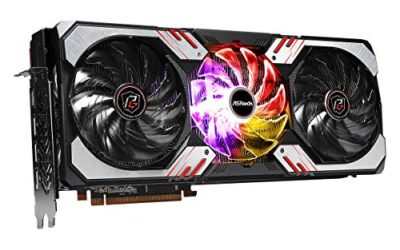
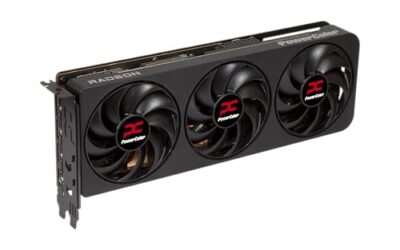
The prices of these older cards can overturn that advice. On November 26, 2026, the new U.S. Amazon offers we checked were $599.99 for the Gigabyte RTX 4060 WINDFORCE OC 8G and $399.99 for the ASRock RX 7600 Challenger Pro 8GB OC. We’d pass on both at those prices. Here’s what you’re getting if you find a better deal, and what to check if one of these cards is going into an older PC.
RTX 4060 vs. RX 7600 at a glance
| Desktop GPU | VRAM and bus | Official GPU power rating | U.S. launch price | Where it makes sense |
|---|---|---|---|---|
| GeForce RTX 4060 | 8 GB GDDR6, 128-bit | 115 W total graphics power | $299 | Close prices, DLSS, ray tracing, or a tighter power budget |
| Radeon RX 7600 | 8 GB GDDR6, 128-bit | 165 W typical board power | $269 | Discounted 1080p gaming with ray tracing off |
Same memory capacity. Very different power budgets. Those wattages are Nvidia’s and AMD’s specifications for the GPU models. Actual draw varies by workload and board, and the power supply has to cover the rest of your PC. See the Nvidia specifications and AMD specifications.
What each card offers
GeForce RTX 4060
The desktop RTX 4060 is an Ada Lovelace card aimed at mainstream gaming. Its draw is the combination of modest power demand and features you can use in supported games, including DLSS Super Resolution and Frame Generation. If you’re upgrading a small desktop and already know your favorite games support DLSS, those advantages apply even when the two cards are close at native resolution.

Radeon RX 7600
The desktop RX 7600 is an RDNA 3 card that AMD introduced for 1080p gaming. It supports hardware ray tracing and can use FSR upscaling or FSR 3 Frame Generation in games that offer those options. It makes the most sense when you can buy it for less, leave ray tracing off, and put the savings toward something that will improve your particular setup, such as an SSD with enough space for your game library.

Native gaming performance at 1080p, 1440p, and 4K
1080p is where both cards make sense
With ray tracing switched off, a single percentage can hide how differently individual games run. In TechSpot’s 40-game comparison, the RX 7600 trailed the RTX 4060 by just 2% on average at 1080p when ray tracing results were excluded. The same suite had the Radeon ahead by 11% in Hogwarts Legacy at the high preset. If you mostly play two or three games, look for results in those games at your preferred settings before paying a premium. TechSpot’s game-by-game comparison
1440p is workable with settings adjustments
TechSpot also found the two broadly comparable at 1440p with ray tracing results removed. The question is whether either meets your frame-rate goal with visual settings you’ll enjoy. On a 1440p monitor, try a high preset with ray tracing disabled, and lower texture quality if you see stutters or delayed textures at the highest setting. Both cards have 8 GB of VRAM. That can matter more than a small difference in average FPS when a game needs more room for textures and other assets.
4K video output and 4K gaming are different jobs
You can connect a 4K display for desktop work or video. For demanding games, native 4K asks the GPU to render four times as many pixels as 1080p. Upscaling and reduced settings can make some games playable, especially older titles. If your goal is consistently smooth native 4K gaming in demanding releases, budget for a higher tier. The difference between 1080p and 1440p for gaming is more relevant to what these two cards can deliver.
Ray tracing, upscaling, and frame generation
Ray tracing is where the RTX 4060 more clearly pulls away. In Tom’s Hardware’s comparison, it led by 42% across eight ray-traced games at 1080p ultra. In the same comparison it led by just 3% across 11 conventional rasterized games at that resolution and preset. That’s a reason to pay a modest premium if you actually turn on ray-traced reflections or lighting. In a demanding game, you may still need to reduce ray tracing quality or use upscaling to get a frame rate you’re happy with. Tom’s Hardware’s ray tracing and raster results
Upscaling and frame generation solve different problems. Upscaling can improve the rate at which the GPU renders frames by starting from a lower internal resolution. Frame generation inserts extra frames between rendered ones to make movement look smoother. If a single-player game already responds well and you’d like smoother camera movement, try frame generation. If you’re playing a competitive shooter, prioritize a stable rendered frame rate and responsive controls first. Check the actual game menu for feature support. The guide to how DLSS works explains what changes when you enable each option. AMD documents game and hardware requirements on its FSR technology page.
Case fit, power supply, and older motherboards
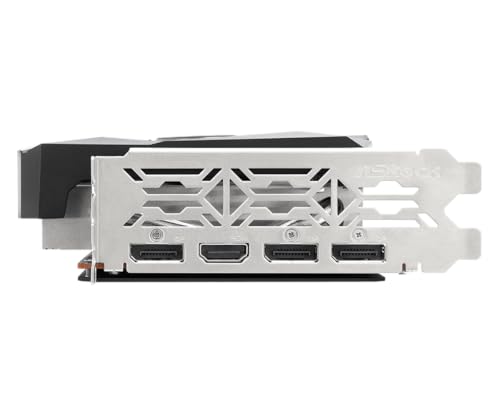
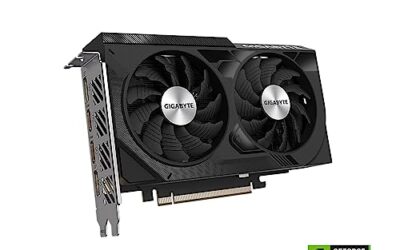
Shop by the full board model if you have a tight case. Gigabyte lists its RTX 4060 WINDFORCE OC at 192 × 120 × 41 mm. ASRock lists its RX 7600 Challenger Pro at 303 × 131 × 45 mm. That’s a 111 mm difference in length between these particular boards. With 250 mm of usable room after accounting for a front fan or radiator, the Gigabyte fits on length and the ASRock doesn’t. You’ll still need to check thickness and space for the power lead. See the Gigabyte board specifications and ASRock board specifications.
Both pictured models use one 8-pin PCIe power connector. Check the specific board maker’s PSU recommendation alongside your CPU and power supply specs. If you’re upgrading an office prebuilt, confirm the power supply has the required PCIe cable and that the chassis accepts a full-height card before ordering. A lower GPU wattage alone won’t solve a missing connector or restricted case.
Both GPUs use eight PCIe lanes. In a compatible PCIe 3.0 motherboard, the link will run at Gen 3 speeds, which reduces bandwidth compared with PCIe 4.0. That’s worth checking if you’re buying to extend the life of an older PC. Look for game benchmarks on a similar platform if frame times are already an issue or if you often run at settings that fill the card’s VRAM. PCIe connectivity details from Tom’s Hardware
Price and how we evaluated the two cards
We compared the vendors’ specifications and launch announcements, then used published gaming results to separate conventional rendering from ray tracing. The retail snapshot covers two new U.S. Amazon listings for the exact boards shown. It’s a point-in-time price check, so compare the delivered price and return terms before buying. See the RTX 4060 launch announcement and the RX 7600 launch announcement.
At launch, the two were $30 apart. At the offers we checked, they were $200 apart and both exceeded their launch prices. Use the current 1080p GPU buying guide to compare other options at checkout. For example, AMD announced the newer RX 9060 XT 16GB at $349, a useful price reference when a seller is asking $400 for an 8 GB RX 7600. Check today’s delivered price for the newer card too. AMD’s RX 9060 XT announcement
Which should you buy?
- Buy the RTX 4060 when prices are close. Choose it if you use DLSS, want better ray tracing performance, or need to keep power draw down in a compact build.
- Buy the RX 7600 at a meaningful discount. If your games run about as well on it and you prefer standard 1080p settings, the Radeon can give you the experience you want for less.
- Keep shopping when both are expensive. Spend the same budget on a better card if you can find one, especially if you plan to move to 1440p or use high-resolution textures.
Bottom line. The RTX 4060 is the better all-round choice at similar prices. The RX 7600 earns its place when the discount is large enough to outweigh the GeForce card’s advantages in the games and settings you actually use.
Frequently asked questions
What’s the closest Nvidia equivalent to the RX 7600?
The desktop RTX 4060 is the closest GeForce counterpart from the same generation and launch-price tier. Expect similar performance in many conventional 1080p games and a bigger advantage for Nvidia when ray tracing is enabled. Laptop GPUs with related names have their own power limits and should be compared separately.
Is the RX 7600 XT closer to the RTX 4060?
The RX 7600 XT is a separate Radeon with 16 GB of GDDR6, versus 8 GB on both cards in this comparison. AMD lists 32 compute units on both Radeon models. Buying the XT mainly changes how much graphics data fits in memory, alongside higher official clocks and board power. Choose it for a workload or game that benefits from the extra memory, and judge speed using results for that workload. AMD’s RX 7600 XT specifications
























Write Your Review
No reviews yet. Be the first to share your experience!