Steam’s 2026 hardware survey still puts 1080p at roughly 60% of active gamers, but the math behind that number is shifting fast. A 27-inch 1440p IPS panel now starts at $160, which is cheaper than plenty of 1080p displays sold two years ago. The cost gap collapsed. So the real question isn’t “can I afford 1440p” anymore. It’s whether your GPU can actually feed those extra 1.6 million pixels at the framerates you want. That’s a different problem, and the answer depends on what you play, what card you own, and how close you sit to the screen.
The matchup at a glance
We pulled five 27-inch panels that bracket the decision. Four run 1440p at refresh rates from 180Hz to 240Hz, priced between $160 and $180. One sits in the 1080p camp at $179 with a curved VA panel and 165Hz. Same screen size. Same price band. Wildly different pixel counts and GPU demands. If you’re shopping right now, these are the exact tradeoffs you’re weighing. The hardware below shows how tight the pricing actually is at this size class.

Pros
- 1440p 240Hz over DisplayPort 1.4 pairs well with current-gen 70-class GPUs at high settings.
- IPS panel with 99% sRGB coverage handles esports and content editing without visible color shift.
- Full ergonomicErgostand includes 4.7-inch height range, 360-degree swivel, and 90-degree pivot support.
- Three video inputs (1 DisplayPort 1.4, 2 HDMI) plus included cables cover most PC and console pairings.
Cons
- Limited owner fedback at time of writing makes long-term panel uniformity and QC hard to verify.
- HDMI ports cap at 2.0 and 144Hz despite the title referencing HDMI 2.1, so 240Hz requires DisplayPort.
- DisplayHDR 400 lacks local dimming, so HDR contrast is closer to bright SDR than true HDR.
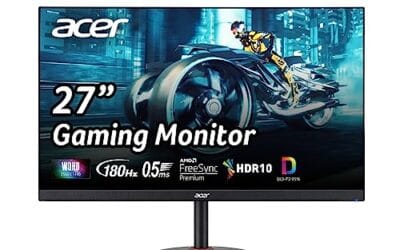
The Acer Nitro XV272U W2bmiiprx is a mid-range 27-inch 1440p IPS gaming monitor targeting high-refresh esports and mixed-use buyers. It runs up to 240Hz over DisplayPort 1.4, quotes a 0.5ms GtG response with overdrive, and carries DisplayHDR 400 plus AMD FreeSync Premium certification for adaptive sync.
The defining feature is the 1440p at 240Hz pipeline. That refresh ceiling matches an RTX 4070,X 4070 SUPER, or RX 7800 XT class GPU pushing competitive titles like Valorant, CS2, or Apex above 200FPS. IPS panels in this tier typically deliver 350 nits SDR brightness and roughly 1000:1 static contrast, based on category norms.
Trade-offs are typical at this price bracket. HDMI ports are limited to 2.0 and 144Hz, so consoles running 120Hz work fine but PC users must use DisplayPort for the full 240Hz. DisplayHDR 400 without local dimming means HDR content looks like elevated SDR rather than true high dynamic range. Speakers are 2W each, adequate for system sounds only.
Buy this if you want a 1440p 240Hz IPS panel with a full ergonomic stand for a competitive PC setup driven by a 70-class or better GPU. Skip this if you need genuine HDR performance, factory-calibrated DCI-P3 coverage for color-critical work, or 240Hz over HDMI for a PS5 Pro.
Panel and resolution: 27-inch IPS panel at 2560x1440 native, giving a 0.233m pixel pitch and roughly 109 PI. That density is the accepted sweet spot for 27-inch gaming without requiring desktop scaling, and IPS keps off-axis color shift minimal compared with VA alternatives at the same tier.
Refresh and response: 240Hz refresh over DisplayPort 1.4, dropping to 144Hz on either HDMI 2.0 input. Response time is rated 1ms GtG standard and0.5ms GtG with maximum overdrive, though aggressive overdrive on IPS panels in this tier typically introduces some inverse ghosting in darker transitions.
HDR and color: DisplayHDR 400 certification with 99% sRGB coverage. Without local dimming zones or a peak brightness above 400 nits, HDR mode functions closer to bright SDR. sRGB coverage is sufficient for web content and1080p video editing, but DCI-P3 gamut is not specified.
Connectivity and ergonomics: 1 DisplayPort 1.4, 2 HDMI 2.0, and a 3.5mm audio out. The Ergostand supports 4.7-inch height range, -5 to 15 degree tilt, 360-degree swivel, and 90-degree pivot in either direction. VESA 100x100 mounting is included for arm or wall installs.

Pros
- QHD resolution on a 27-inch IPS panel
- 180Hz refresh rate at this price tier
- Strong color accuracy for creative work
Cons
- DisplayPort 1.2 limits max bandwidth headroom
- HDR 10 support lacks local dimming hardware
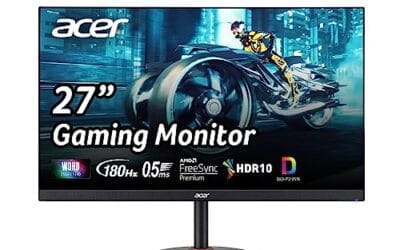
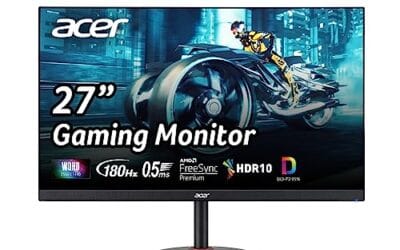
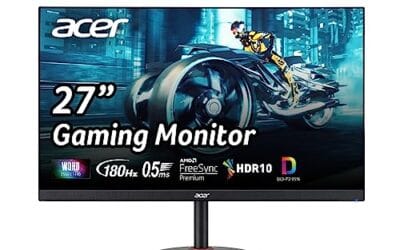
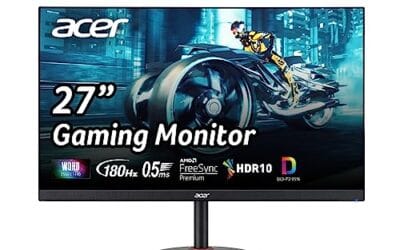
The Acer Nitro KG271U targets budget-focused PC gamers and creative users wanting QHD clarity without a premium price. Its 27-inch IPS panel runs at 2560x1440 with 95% DCI-P3 coverage, making colors appear accurate enough for photo editing alongside gaming sessions. AMD FreeSync syncs frame output from your GPU directly to the panel, and the 180Hz ceiling with 0.5ms GTG response keeps motion blur minimal based on owner reports. The HDR 10 badge is present, but without local dimming, contrast improvements appear modest in practice. Skip if your GPU cannot consistently push above 100 FPS at QHD resolution.

Pros
- ELMB Sync enables simultaneous blur reduction and VRR, a feature absent on many IPS monitors at this tier.
- 95% DCI-P3 coverage is above average for a gaming-focused IPS panel; useful for creators doubling on gaming.
- 210Hz OC refresh rate with Fast IPS and 0.3ms GTG (min) targets competitive 1440p play above 144FPS.
- Includes height-adjustable ergonomic stand with VESA compatibility, avoiding the need for an aftermarket arm.
Cons
- Limited owner feedback at time of writing; real-world panel uniformity, backlight bleed, and OC stability unverified.
- DisplayHDR 400 certification indicates edge-lit local dimming at best; HDR contrast will not match OLED or Mini-LED displays.
- 0.3ms GTG is a minimum spec, not typical; actual average GtG at mid-gray transitions is not specified in source data.
The ASUS TUF VG27AQL5A is a mid-range 27-inch QHD Fast IPS gaming monitor targeting competitive players who want 1440p resolution above 144Hz without moving to OLED pricing. Its 2560x1440 resolution and 210Hz OC refresh rate position it for GPU pairings in the RTX 4070 or RX 7800 XT class.
The most defining feature is ELMB Sync, which lets backlight strobing and AMD FreeSync Premium run simultaneously. Most IPS monitors force a choice between the two. In fast-paced titles this combination reduces perceived motion blur and eliminates tearing without toggling between modes. The 95% DCI-P3 gamut also makes this a credible dual-use panel for color work alongside gaming.
The main trade-off is HDR implementation. DisplayHDR 400 at this tier means a typical peak brightness around 400 nits with no true local dimming, so HDR content looks marginally better than SDR at best. The 0.3ms GTG figure is a minimum spec; mid-gray transitions will be slower in practice, which is typical at this tier and not unique to this model. Owner data is sparse, so panel lottery risk and OC stability under sustained 210Hz use are not yet confirmed by the community.
Buy this if you are running a mid-to-high-tier GPU at 1440p in competitive titles and want ELMB Sync plus FreeSync Premium in one panel. Skip this if you prioritize HDR quality or need confirmed owner data before purchasing, as this is a recent release with no substantial review base yet.
Panel and Resolution: Fast IPS panel at 2560x1440 (QHD) across a 27-inch screen yields approximately 109 PPI, a density that keeps text sharp without requiring display scaling on Windows. Fast IPS sub-type reduces GtG versus standard IPS at the cost of potential overshoot, which varies by unit and requires overdrive tuning.
Refresh Rate and Response: Native refresh is not explicitly stated; 210Hz is listed as an overclocked figure. The 0.3ms GTG is a minimum specification. Monitors in this tier typically measure average GtG between 3-6ms across the full gray range, so the headline figure applies to specific transitions only. ELMB Sync operates simultaneously with FreeSync Premium within the supported VRR range.
HDR and Color: DisplayHDR 400 certification sets the peak brightness floor at 400 nits. The 95% DCI-P3 gamut is a meaningful spec for color work; sRGB coverage will exceed 99% by inference at that DCI-P3 level, though sRGB is not explicitly stated in source data. No local dimming zone count is specified.
Connectivity and Mounting: Box contents confirm a DisplayPort cable is included. Additional port count and HDMI version are not specified in source data. The stand offers height adjustment and VESA mount compatibility for aftermarket arm use.

Pros
- 165Hz refresh with FreeSync Premium supports VRR across both AMD Radeon and NVIDIA GTX 10 series and newer.
- ELMB plus Adaptive-sync active simultaneously reduces ghosting without disabling variable refresh rate.
- Shadow Boost darkens-to-detail processing aids visibility in FPS titles without requiring manual gamma tuning.
- HDMI 2.0 supports full 1080p at 165Hz, avoiding the bandwidth ceiling that limits older HDMI 1.4 monitors.
Cons
- 1080p on a 27-inch panel yields roughly 81 PPI, which is noticeably soft for desktop productivity or text work.
- D-Sub port limits usefulness to legacy systems only; modern GPU owners gain no benefit from its inclusion.
The ASUS TUF VG27VH1B is a budget-to-mid-range 27-inch curved FHD gaming monitor targeting entry-level PC builders and console-to-PC converts. Its 1500R curvature and 165Hz refresh rate position it as a high-refresh esports option for buyers running mid-range GPUs who are not yet ready to invest in QHD or IPS alternatives.
The defining feature is the combination of FreeSync Premium and ASUS ELMB, which allows simultaneous motion blur reduction and adaptive sync. At 1080p, mid-range GPUs such as an RTX 3060 or RX 6600 can sustain frame rates well within the 48-165Hz VRR window, making tearing largely a non-issue in typical esports titles. Shadow Boost adds useful dark-scene visibility without requiring per-game HDR configuration.
The core trade-off at this tier is pixel density. At 27 inches with a 1920x1080 resolution, PPI sits around 81, which is below what most users consider sharp for mixed productivity and gaming use. Buyers who split time between gaming and document work will notice softness at normal viewing distances. The panel type is not explicitly confirmed in source data, so color volume and HDR performance are not specified.
Buy this if you are pairing it with a mid-range GPU and primarily play esports titles at high frame rates where 1080p resolution is a non-issue. Skip this if you do any meaningful content creation, spend hours reading text, or are running an RTX 4070 or above where 1080p becomes the GPU bottleneck rather than the target.
Resolution and Refresh: Native resolution is 1920x1080 at a maximum 165Hz, with the product listing noting 144Hz is also supported. FreeSync Premium requires a minimum 120Hz VRR range and low-framerate compensation, placing the VRR floor behavior above basic FreeSync. HDMI 2.0 carries the full 165Hz bandwidth without compromise.
Response Time and Motion Handling: Advertised response is 1ms MPRT via ELMB technology, which is a backlight-strobing measurement, not GtG pixel transition time. GtG response is not specified in source data. ELMB and Adaptive-sync can operate together on this model, which is not universal across all ELMB-equipped ASUS panels.
Adaptive Sync Compatibility: FreeSync Premium is the primary certification. ASUS confirms compatibility with NVIDIA GeForce GTX 10 series, GTX 16 series, RTX 20 series and newer via G-Sync Compatible mode, covering the majority of discrete GPUs in active use as of this listing.
Connectivity: Ports are HDMI 2.0 and D-Sub only. No DisplayPort is included, which limits daisy-chaining and restricts users who need DisplayPort for high-refresh output from workstation GPUs or KVM switches. VESA mount compatibility is not specified in source data.

Pros
- QHD resolution at 240Hz in one panel
- Three-sided frameless design, VESA 100x100mm ready
- Dual HDMI 2.0 plus DisplayPort 1.4 connectivity
Cons
- Review count still building; long-term data limited
- 300-nit brightness modest for bright room use
The AOC Q27G41ZE targets competitive gamers who want QHD resolution without sacrificing refresh rate. Its 27-inch IPS panel runs 2560x1440 at 240Hz natively via DisplayPort 1.4, with an overclock option pushing 260Hz, and the 0.3ms MPRT rating keeps motion blur controlled during fast-paced sessions. Adaptive-Sync covers both AMD and NVIDIA GPUs, reducing tearing across most mid-to-high-end builds. Based on current owner reports, the panel's color accuracy and viewing angles satisfy the IPS expectation, though 300 nits of peak brightness appears limiting in well-lit environments. Skip if HDR performance or height-adjustable ergonomics are priorities.
Spec sheet showdown
Numbers tell the story faster than adjectives. 1440p pushes 78% more pixels than 1080p, which is why GPU load climbs roughly 60% at the same settings. Pixel density matters most at 27 inches and up, where 1080p starts showing visible pixel structure from a normal viewing distance. The price floor surprised us. Two years back, 1440p meant $250 minimum. Now it’s $160. That changes the calculation for anyone shopping a fresh build. Refresh rate ceilings also favor 1440p these days, with 240Hz options sitting right at the budget tier.
| Spec | 1080p | 1440p | Winner | Why |
|---|---|---|---|---|
| Pixel count | ~2.07M | ~3.69M | 1440p | 78% more detail on screen |
| Pixel density at 27″ | ~82 PPI | ~109 PPI | 1440p | Crosses the “retina-ish” threshold |
| GPU load | Baseline | +60% | 1080p | Cheaper GPU does the same FPS |
| Panel price floor | ~$130 | ~$160 | 1080p (barely) | $30 gap, basically gone |
| Refresh rate ceiling | 360Hz+ | 240Hz mainstream | 1080p | Esports tier still favors lower res |
Round 1 – Image clarity and text
Sit two feet from a 27-inch 1080p panel and you’ll see it. The pixel grid. Text edges fuzzy around small fonts. UI elements in strategy games looking a touch chunky. At 82 PPI, the panel just isn’t dense enough to hide the dots. 1440p at the same size jumps to 109 PPI, which is the desktop clarity threshold most reviewers point to. Crisp text. Sharp game HUDs. Photos that actually look like photos.
Anti-aliasing tells the same story from a different angle. On 1080p you need aggressive AA settings to clean up jagged edges, and that AA costs frames. On 1440p the higher density does some of that work for you, so you can drop AA from 8x down to 2x or even off without the image falling apart. Net result? You sometimes claw back the GPU overhead just by tuning settings smarter. Productivity work matters too. Spreadsheets. Code. Two browser windows side by side. 1440p gives you measurably more workspace before scrolling.
Round 2 – GPU horsepower required
Here’s where the resolution debate actually gets settled. An RTX 4060 or RX 7600 handles 1440p high settings in most modern titles at 60-90 FPS. Not maxed. Not ray-traced. But playable, smooth, and looking sharp. Step up to a 4060 Ti or 7700 XT and you’re looking at 100+ FPS in the same workload. That’s where 1440p stops feeling like a compromise.
1080p ultra is a different conversation. An RTX 3060 or 6650 XT runs almost everything at 100+ FPS, and a 4060 punches through 144 Hz ceilings in plenty of esports titles. Older cards still alive on this tier. GTX 1660 Super. RX 5600 XT. They’re not great at 1440p, but they still deliver smooth 1080p in Apex, Valorant, CS2. Real talk. If your GPU is older than 2022 and you’re not planning an upgrade, 1080p makes more sense. If you’ve got something newer or you’re building fresh, 1440p is the better long-term call.
Round 3 – Competitive vs immersive gaming
What you play matters as much as what hardware you’ve got. Esports players chase frames over fidelity, and 1080p still wins that race. A 360Hz 1080p panel paired with a midrange GPU hits the refresh ceiling in CS2, Valorant, Overwatch 2 with settings cranked. That’s the formula pros use. Lower res, higher framerate, faster response.
Single-player and immersive games flip the script. Cyberpunk 2077. Baldur’s Gate 3. The Witcher 4. Starfield. These games reward pixels, lighting, texture detail. 60 FPS at 1440p with high settings looks dramatically better than 144 FPS at 1080p medium. Your eyes can’t track 144 FPS as cinematic narrative anyway. Mixed gamers, which is most people, end up in the middle. They want both. The good news? A 1440p 165Hz or 180Hz panel covers both bases reasonably well. Drop settings for competitive sessions, crank them for story games. One monitor, two playstyles, no regrets.
Who should pick which
Pick 1080p if your GPU is older than an RTX 3060 or RX 6600, if your main games are competitive shooters where every frame counts, or if your desk pushes you closer than two feet from the screen. Also pick 1080p if your screen size is 24 inches or smaller, because pixel density at 24″ 1080p actually looks fine (around 92 PPI) and the GPU savings let you push refresh rates to 240Hz or higher without breaking the budget.
Pick 1440p if you’ve got a GTX 1660 Super, RTX 3060, RX 6600, or anything newer with at least 8GB of VRAM. Pick it if your screen is 27 inches or larger, because anything bigger than 24″ at 1080p starts looking soft. Pick it if you mix competitive and story games, or if you do productivity work alongside gaming. At $160 starting prices, the 1440p tax basically vanished. The only real reason to stay on 1080p in 2026 is GPU horsepower or a hardcore esports focus. For everyone else, 1440p is the new default.