The mechanical vs membrane keyboard fight isn’t even close on durability. Mechanical switches rate for 50-100 million keystrokes, membranes die at 5 million. But durability isn’t the only axis. Membranes are quieter, cheaper, and friendlier to anyone who shares a room with a roommate or a sleeping partner. In 2026, the line between the two is blurring with mecha-membrane hybrids and low-profile mechanical switches. Here’s how to pick.
Matchup at a glance
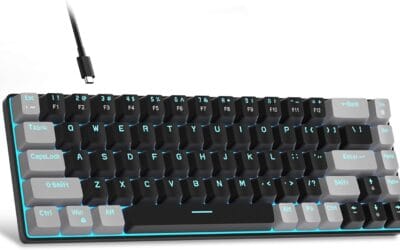
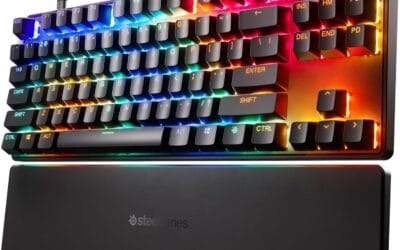
Mechanical keyboards use individual spring-loaded switches under each key. Press one, a metal contact closes, and you get tactile feedback you can actually feel. Membrane keyboards stack three rubber layers. Press a key, the top layer collapses onto a circuit on the bottom. Cheap. Quiet. Mushy.
The newer hybrid category (mecha-membrane, opto-membrane) tries to bridge the gap. You’ll find it in boards like the Razer Ornata V3: rubber dome under a clicky bar that mimics mechanical feedback. It’s not as crisp as a real Cherry MX Red, but it’s a real upgrade over a $20 office keyboard.
Spec sheet showdown
| Spec | Mechanical | Membrane |
|---|---|---|
| Switch lifespan | 50-100M keystrokes | 5-10M keystrokes |
| Actuation force | 35-80g | 55-65g |
| Typing noise | Loud (50-65 dB) | Quiet (35-45 dB) |
| Price range | $60-$300 | $15-$60 |
| N-key rollover | Yes | Usually 6-key |
Where mechanical wins
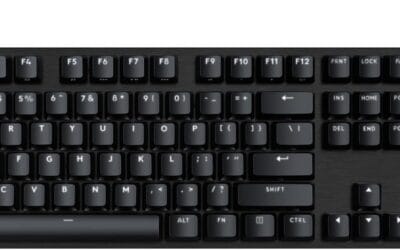
Typing feel is the obvious one. A board like the Logitech G413 SE with tactile mechanical switches gives you a defined actuation point. You know exactly when the key registers. Once you’ve spent a week on a real mechanical, going back to a mushy membrane feels like typing through pudding. Writers, coders, and anyone who hits 80+ WPM notices the difference within minutes.
N-key rollover matters for gaming. You can press 10+ keys simultaneously and every one registers. Membranes often cap at 6-key rollover, which means in fighting games, MMOs, and rhythm titles, some inputs vanish.
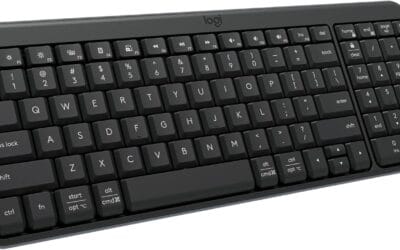
Customization is the underrated angle. Hot-swap mechanical boards let you change switches without soldering. Try linear reds for gaming, swap to tactile browns for typing, mix them. The MX Mechanical from Logitech offers tactile quiet switches, backlit keys, and Bluetooth: a productivity setup that doesn’t sacrifice the feel.

Pros
- Aluminum-magnesium alloy top case keps the deck rigid versus all-plastic budget boards.
- PBT keycaps resist shine and heat wear longer than ABS typically found at this price tier.
- Tactile switches with 6-key rollover cover WASD clusters and modifier combos without ghosting.
Cons
- Limited owner feedback at time of writing makes long-term reliability and QC consistency hard to verify.
- White LED backlighting only, no per-key RGB or lighting effect customization via software.
- 6-key rollover trails full NKRO found on mid-tier boards, and no hot-swap PCB is specified.
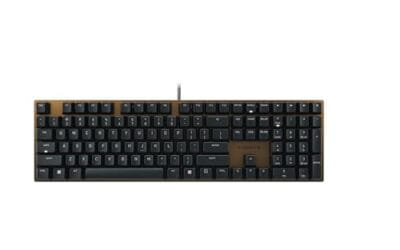
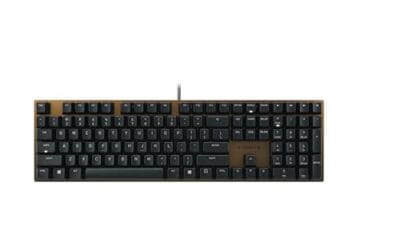
The Logitech G413 SE is a full-size wired mechanical gaming keyboard sitting at the budget end of the G-series lineup. It ships with tactile mechanical switches, PBT keycaps, and a brushed aluminum-magnesium top plate. Target buyer: first-time mechanical adopters or gamers moving up from a rubber-dome board on a tight budget.
The defining spec is the PBT keycap set, uncommon at this price tier where ABS dominates and starts shining within months. Combined with tactile switches, typing feel should hold up over long sessions. Based on category norms at this tier, expect a clear step above rubber dome without matching mid-tier custom builds.
Trade-offs are typical for entry-level gear: white-only backlighting, no per-key RGB, no G HUB software profiles, and 6-key rollover instead of full NKRO. Hot-swap sockets and dedicated media keys are absent, with media control layered on FN. Owner feedback at time of writing is too thin for confident reliability claims.
Buy this if you want a durable-feling entry mechanical keyboard for Windows or macOS with PBT keycaps under a rigid aluminum top plate. Skip this if you need per-key RGB, hot-swap switches, full NKRO, dedicated macro keys, or wireless connectivity for a cleaner desk layout.
Switches: Tactile mechanical switches, with actuation force and travel distance not specified for the SE model. Feel sits between linear reds and clicky blues, offering a mid-way bump without an audible click. Reasonable for mixed typing and gaming workloads at this tier.
Layout and rollover: Full-size 104-key layout including dedicated numpad and function row, with 6-key rollover anti-ghosting. Full NKRO is not specified. For WASD, Shift, Ctrl, and Space combinations common in FPS and MOBA titles, 6KRO covers the standard input load without dropped keys.
Build and keycaps: Brushed aluminum-magnesium alloy top case sits over the switch plate for minimal deck flex during aggressive input. Keycaps are PBT, more heat and wear resistant than the ABS used on most budget boards. Legends are shine-through, paired with white LED backlighting.
Connectivity and controls: Wired USB with Windows and macOS compatibility, no Bluetooth or 2.4GHz wireless option. Twelve FN-layer shortcuts cover volume, play and pause, skip, mute, backlight toggle, and Windows key lock. No dedicated macro row, rotary knob, or G HUB software profile support is called out in source data.
The hot-swap revolution changed everything
Five years ago, picking a mechanical switch was a permanent decision. Solder it, live with it. In 2026, hot-swap PCBs are standard on most mid-range boards. Pull a switch out with a $5 tool, drop a new one in, done. That changes the buying calculus entirely. You can grab a board you like the look of and tune the feel afterward. It also extends a keyboard’s lifespan: if a switch fails after five years of heavy gaming, you don’t replace the whole board. You replace the switch for $0.50.
Where membrane still wins
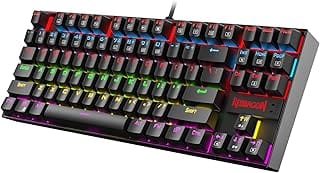
Noise. If you’re on Discord calls all day, share a desk with a partner, or work in a quiet office, a clicky mechanical board makes you the villain. Membranes top out around 40 dB; even “silent” mechanicals push 50. The Redragon K515 Shiva uses a mechanical-feel membrane that’s a fair middle ground: quieter than Cherry MX, with more bounce than a $15 office board.
Spill resistance is real on membranes. The sealed rubber dome layer shrugs off coffee, soda, and the occasional water glass. Mechanical boards can survive a spill but usually need disassembly and individual switch cleaning afterward.
Cost. You can grab a fully RGB-lit, multimedia-equipped membrane like the Wired Semi-Mechanical 98-key board for $22. The cheapest serious mechanical sits north of $60. For a kid’s first gaming setup or a backup keyboard, membrane’s the rational call.

Pros
- Mecha-membrane switches blend clicky tactile feedback with softer rubber dome cushioning
- Dedicated backlit media keys handle volume, playback, and brightness without function layers
- Magnetic wrist rest attaches cleanly, spill-resistant chassis for casual desk accidents
Cons
- Limited owner feedback at time of writing, verified review signal is thin
- Not a true mechanical board, no hot-swap PCB and no per-key RGB
- Polling rate, N-key rollover, weight, and cable type are not specified in the source
The Razer Ornata V3 is an entry-level membrane gaming keyboard aimed at users stepping up from stock office keyboards without committing to a true mechanical board. Its low-profile keycaps and mecha-membrane switches target casual gamers, streamers, and productivity users who prefer softer keystrokes and shorter travel.
The defining feature is Razer's mecha-membrane switch, which layers a clicky tactile bump over a ruber dome for shorter actuation than typical membrane boards. Snap Tap logic registers the most recent input on opposing key presses, useful for strafe swaps in Counter-Strike or Valorant, based on Razer's stated behavior.
Trade-offs are typical for the membrane tier: no hot-swap PCB, no true mechanical switch travel, and 10-zone RGB rather than per-key lighting. Polling rate, N-key rollover, and cable specifics are not specified in the source listing, so buyers wanting competitive-grade telemetry should verify on Razer's product page.
Buy this if you want a soft-typing hybrid feel with RGB, media keys, and a magnetic wrist rest for mixed gaming and desktop use. Skip this if you already own a mechanical board, need hot-swap sockets, or require documented polling rate and N-key rollover for tournament play.
Switch feel: Mecha-membrane switches combine a clicky click-bar mechanism over a rubber dome, producing tactile feedback closer to a light Blue switch but with softer bottom-out. Actuation force and travel distance are not specified in the source, so try in person if precise feel matters.
Layout and keycaps: Full-size layout with dedicated backlit media keys covers volume, playback, and brightness without function-layer combos. UV-coated keycaps resist legend fade under repeated finger oils, though the source does not specify ABS versus PBT plastic, which affects long-term shine resistance and typing acoustics.
Gaming features: Snap Tap prioritizes the most recent key press on opposing directional inputs, targeting counter-strafing patterns in tactical shooters. The source lists 10-zone RGB rather than per-key, so lighting sync with reactive game effects is limited to zoned macro regions across the WASD cluster and function row.
Build and comfort: Spill-resistant construction protects against small liquid accidents, and the magnetic soft-touch wrist rest attaches without alignment pins. Weight, dimensions, cable type, and USB poling rate are not specified in the listing, so competitive players should confirm those metrics before purchase.
Which one to buy
Daily typist, programmer, or competitive gamer? Spend the $80 on a real mechanical board. The G413 SE is the safest entry-level mechanical: aluminum top plate, tactile switches, no RGB gimmicks. You’ll keep it for years.
Casual gamer, shared workspace, or noise-sensitive household? Stick with membrane or mecha-membrane. The Ornata V3 at $59 is the best of both worlds: rubber dome quietness with a tactile bar that feels closer to mechanical than membrane.
Mixed-use buyer who wants premium typing without the clack? Low-profile tactile mechanical like the MX Mechanical. Quiet switches, full N-key rollover, and a price that reflects the engineering. It’s the answer for adults who want quality without annoying everyone in the room.
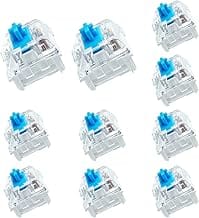
Switch type within mechanical matters as much as the mechanical/membrane decision itself. Linear reds (no tactile bump, smooth all the way down) suit fast-paced gaming. Tactile browns give you a bump at actuation, great for typing and mixed use. Clicky blues add an audible click that’s satisfying solo but unfriendly to anyone nearby. Most modern boards let you spec the switch at purchase, so figure out which feel you want before clicking buy.
Keycap quality often gets overlooked but it’s where you’ll feel a budget board reveal itself. ABS keycaps shine smooth after six months of heavy use. PBT keycaps stay textured and matte for years. Most $80+ mechanicals ship PBT now. Below $40, you’re almost always getting ABS, which is fine, just expect the shine.
Common questions
Are mechanical keyboards worth the money?
If you type more than two hours a day, yes. The feel, durability, and customization justify the spend. For occasional users, the cost-benefit gets weaker.
Do membrane keyboards lag in gaming?
Latency-wise, no. Both register in single-digit milliseconds. The real gap is rollover. Membranes ghost keypresses under heavy simultaneous input; mechanicals don’t.
What’s mecha-membrane really?
A rubber dome switch with a clicky bar or actuator on top that adds tactile feedback. Cheaper than mechanical, louder than pure membrane, somewhere in between for feel.
Can I clean a mechanical keyboard easily?
Easier than membrane, actually. Keycaps pull off with a puller, you can blow out debris between switches, and most boards survive a careful wipe-down. Membrane keyboards require full disassembly to clean inside the dome layer.
Why are mechanical keyboards so loud?
The spring-loaded stem bottoms out on a plastic housing with every keystroke, which produces the click and thock most users hear. Silent-rated switches add rubber dampers around the stem to soften that impact, dropping noise by roughly 10 dB.
Do gamers actually need mechanical?
For competitive play, yes. The N-key rollover and faster actuation matter. For casual sessions, a quality mecha-membrane is usually enough. Don’t let marketing convince you a $200 board makes you better at Apex.