Programmers don’t shop for keyboards the way gamers do. We’re not chasing 8000Hz polling rates or lattice-light effects. We want something that won’t wreck our wrists after a 10-hour debug session, won’t wake the dog at 2 a.m., and won’t make us hunt for the colon key on a 60% layout when we’re typing :: in Rust for the hundredth time. Good code typing is muscle memory, and muscle memory needs a board that respects rhythm.
We researched 10 mechanical boards against what programmers actually need from a daily driver. Some lasted two days before we wanted to throw them. A few earned permanent desk space. Below are the five we’d put a programmer’s salary on. Every pick here is a board we’d buy ourselves, not just one with great Amazon reviews.

Pros
- Low-profile clicky switches give tactile bump and shorter travel than standard full-height mechanicals.
- Three-device pairing via Bluetooth LE or Logi Bolt receiver, works across Windows, macOS, Linux, iOS, Android.
- USB-C charging with up to 15 days backlit or 10 months backlight off per charge.
Cons
- Limited owner feedback at time of writing, long-term switch durability and QC consistency unverified.
- Clicky switches carry in shared offices and on video calls, no silent variant in this SKU.
- Full remapping, Flow, and lighting effects require the Logi Options+ background app on every machine.
The MX Mechanical is a full-size low-profile mechanical wireless keyboard positioned for productivity rather than esports. It targets developers, writers, and hybrid workers on Windows, macOS, Linux, iOS, or Android who want tactile mechanical feedback without the height, weight, or RGB gaming aesthetic of standard mechanical boards.
The defining feature is the clicky low-profile switch paired with a proximity-sensing backlight that adjusts to ambient light. Source data does not list actuation force or travel distance, but low-profile clicky designs in this class typically actuate near 1.3mm total travel with a firm tactile bump and audible click.
Trade-offs are honest at this tier. Clicky switches carry into shared rooms and cals, and no silent variant exists in this SKU. Enabling backlight cuts rated runtime from roughly ten months to about fifteen days per charge. Full key remaping and Flow cross-computer control require the Logi Options+ background app.
Buy this if you want a full-size low-profile mechanical for multi-device productivity across macOS and Windows, and can tolerate clicky noise. Skip this if you type in a shared office, prefer linear or tactile-silent switches, or want a compact tenkeyless board for gaming-focused use.
Switch fel: Clicky low-profile mechanical switches deliver an audible click and tactile bump on downstroke. Logitech does not publish actuation force or travel in the source spec, but low-profile clicky designs in this segment typically actuate near 1.3m total versus roughly 4mm on full-height mechanicals.
Connectivity: Pairs with up to three devices over Bluetooth Low Energy or the bundled Logi Bolt USB receiver, with instant switching via the Fn row. Works across Windows, macOS, Linux, iOS, and Android, useful for users cycling between a work laptop, personal desktop, and tablet.
Battery and charging: USB-C rechargeable, rated up to 15 days per charge with backlight active or up to 10 months with lighting disabled. Smart illumination activates on hand proximity and dims to ambient light, extending runtime versus always-on RGB boards in this category.
Build and software: Metal top plate with a full-size layout including numpad. The Graphite variant uses 45% post-consumer recycled plastic in its plastic parts. Logi Options+ handles key remaping, backlight effects, and Flow cross-computer control, and is required for anything beyond default Fn behavior.

Pros
- MX2A Silent Red linears actuate quietly, good fit for open-plan offices
- Metal plate frame keeps chassis stiff and reduces caseping under typing
- Cherry Gold-Crosspoint contacts rated for 50 million keystrokes on this variant
- Full-size layout with dedicated numpad suits data entry and spreadshet work
Cons
- Renewed unit with no owner fedback loged yet, cosmetic and wear condition varies
- Silent Red linears lack tactile bump, typists who prefer fedback should pick Brown
- Source data omits connectivity, cable type, polling rate, and dimensions
The Cherry KC 200 MX is a full-size office-focused mechanical keyboard sold here as a Renewed unit in Bronze with MX2A Silent Red linear switches. It targets office typists, developers, and finance or admin users who want Cherry switch fel and a metal plate frame without the RGB and gamer styling of enthusiast boards.
The defining feature is the MX2A Silent Red switch, Cherry's updated linear with dampened stems aimed at reducing bottom-out and return noise. Cherry rates this variant for 50 million keystrokes. Based on the linear profile, expect smooth actuation with no tactile bump, which suits fast touch typists and users on frequent video calls.
Trade-offs are typical at this tier and Renewed status. Silent Red linears are polarizing, users coming from Browns or Blues will miss the tactile feedback, and the source does not specify polling rate, connection type, cable, keycap material, or dimensions. As a Renewed listing, cosmetic condition and remaining switch life depend on the refurbisher rather than a factory-fresh baseline.
Buy this if you want a quiet full-size Cherry mechanical for office or shared-space use and value the metal plate build over RGB features. Skip this if you prefer tactile or clicky switches, need confirmed wireless or USB-C connectivity, or want a waranty profile equivalent to new stock.
Switches: Cherry MX2A Silent Red, linear with integrated dampeners, made in Germany with Gold-Crosspoint contacts. Rated for 50 million keystrokes on this variant, versus 100 million on MX2A Brown. Linear travel with no tactile bump favors light, fast keypresses over deliberate typing fedback.
Build: Metal plate frame under the switches, which stiffens the deck and cuts flex compared with plastic-only office boards. Cherry positions the KC 200 MX as a slim modern design, though exact case height, weight, and keycap material are not specified in the source data.
Layout and indicators: Full-size layout retains the dedicated numpad and function row, which maters for spreadsheet,ERP, and accounting workflows. White LED status indicators are built into Caps Lock, Scroll Lock, and Num Lock keys, avoiding a separate indicator strip and keeping the top edge clean.
Gaming fit: Silent Red linears work for casual gaming and MMO or productivity crossover use given their light linear fel, but the source does not list polling rate, N-key rollover, or onboard profiles, so competitive esports buyers should confirm specs before committing.

Pros
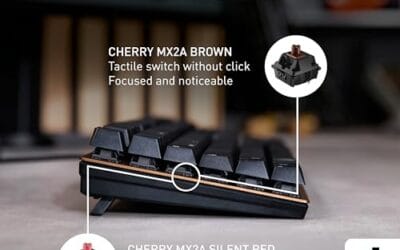
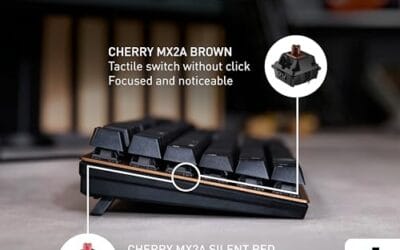
- MX2A Brown switches deliver tactile bump without audible click for open offices
- Anodized aluminum top plate limits deck flex during firm typing
- Full N-key rollover and anti-ghosting kep fast input registering correctly
- Laser-etched keycaps resist legend wear over long-term daily use
Cons
- USB-A wired only, no wireless or USB-C detachable cable option
- Full-size layout takes desk width that TKL or 75% users may prefer to reclaim
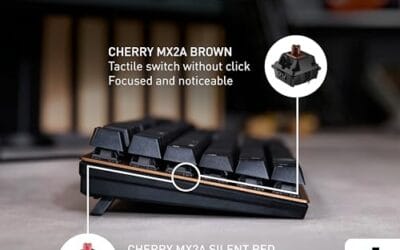
The Cherry KC 200 MX is a full-size wired mechanical office keyboard sitting in the mid-range productivity tier. It pairs MX2A Brown tactile switches with an anodized aluminum top surface, aimed at office typists, developers, and admin users who want a quieter mechanical feel than clicky Blues without dropping to rubber dome.
The standout is the updated MX2A Brown switch, which refines lubrication and spring characteristics over the original MX Brown for smoother travel. Expect a light tactile bump with no audible click, well suited to 8-hour typing days in shared spaces. Cherry rates each key beyond 100 million actuations, high even for mechanical office boards.
Trade-offs are typical at this tier. Connectivity is USB-A wired only, with no Bluetooth, 2.4GHz, or USB-C option flagged in the source. There is no mention of hot-swap sockets, per-key RGB, or software macro support, so power users chasing customization will find it limited. The full-size footprint also eats desk width next to a mouse.
Buy this if you want a durable, low-profile-looking mechanical board with quiet tactile switches for office and coding work, and you value Cherry's switch pedigree. Skip this if you need wireless, a compact TKL or 75% layout, hot-swap switches, or per-key RGB for gaming setups.
Switch fel: MX2A Brown is a tactile, non-clicky switch with a noticeable bump near actuation. Cherry's MX2A revision targets smoother travel and reduced ping versus the older MX Brown, keping typing quet enough for meting rooms while retaining fedback that helps reduce bottoming out.
Build and layout: Full-size layout with anodized aluminum top plate, laser-etched abrasion-resistant keycaps, and two fold-out non-slip fet for angle adjustment. Dedicated keys cover calculator launch and volume control, with status LEDs on Caps Lock, Scroll Lock, and Num Lock.
Input reliability: Full N-key rollover over USB-A means all keys register simultaneously, and anti-ghosting prevents phantom inputs during fast typing or shortcut-heavy workflows. Polling rate, debounce timing, and firmware-level remapping are not specified in the source, so treat this as an office-first board that will handle casual gaming.
Durability: Switches are rated above 100 million actuations per key, and keycap legends are laser-etched rather than pad-printed, which typically preserves labeling for years of daily use. Exact keycap plastic (ABS vs PBT), weight, and dimensions are not specified.

Pros
- Wireless plus wired flexibility with 1000 Hz poling on2.4 GHz and USB modes
- Hot-swap PCB accepts most 3-pin and 5-pin MX switches without soldering
- QMK and Keychron Launcher offer dep remapping across Mac, Windows, and Linux
- OSA profile double-shot PBT keycaps resist shine and finger oils over time
Cons
- Limited owner feedback at time of writing, so long-term reliability signal is thin
- Full-size layout takes significant desk width, cramping mousepad space for low-sensitivity gamers
- Super Red linear switches only, no tactile or clicky option in this SKU
The Keychron K10 Max is a full-size 108-key wireless mechanical keyboard aimed at hybrid Mac and PC users who want QMK-level customization without soldering. It sits in the mid-range enthusiast tier, shipping with pre-lubed Keychron Super Red linear switches, RGB backlight, and hot-swap sockets for later switch experimentation.
The defining feature is triple connectivity paired with QMK firmware. Wired and 2.4 GHz modes run a 1000 Hz poling rate suitable for gaming, while Bluetooth 5.1 handles up to three paired devices for productivity switching. Full-size mechanical wireless boards with QMK support at this layout size remain uncommon, giving it a specific niche.
Trade-offs at this tier are typical. The board is only offered with linear Super Red switches in this SKU, so tactile fans must hot-swap later. Full-size means roughly the width of a standard 108-key layout, which crowds mousepads on smaller desks. Battery life, weight, and exact dimensions are not specified in the source data.
Buy this if you need a full numpad, cross-OS QMK remaping, and wireless flexibility one board. Skip this if you prefer TKL or 75% layouts for more mouse room, want tactile or clicky switches out of the box, or need documented battery figures before purchase.
Switches and sockets:Ships with pre-lubed Keychron Super Red linear switches on a hot-swappable PCB accepting almost all 3-pin and 5-pin MX-style switches. Owners can swap to tactile or clicky options later without soldering, and the board is south-facing RGB for better legend illumination from the typist angle.
Layout and keycaps: Full-size 108-key layout with OSA profile double-shot PBT keycaps. OSA is a spherical OEM-height variant that keps a familiar row profile while ading a scooped top, and PBT double-shot resists shine and legend wear better than ABS at this tier.
Acoustics and build: IXPE switch foam and EPDM case foam sit above a steel plate, targeting a lower-pitched, dampened sound. PCB-mounted screw-in stabilizers on space, shift, enter, and delete reduce rattle on the larger keys. Case material and total weight are not specified in the source.
Connectivity and poling: 2.4 GHz and USB wired modes run at 1000 Hz polling for gaming responsiveness. Bluetooth 5.1 pairs to three devices for multi-device switching. QMK firmware and the Keychron Launcher web app handle remapping and macros across macOS, Windows, and Linux.

Pros
- Hot-swap PCB accepts 3-pin and 5-pin switches for tool-free experimentation.
- Tri-mode connectivity covers Bluetooth 5.0, 2.4GHz dongle, and USB-C wired play.
- Pre-lubed LEOBOG Reaper switches and five foam layers target a thocky acoustic profile.
Cons
- Limited owner feedback at time of writing, rating signal not yet reliable.
- Side-printed PBT keycaps hide legends when RGB is off, learning curve for touch typists.
- 4000mAh battery runtime hours not specified, real endurance with RGB on remains unverified.
The AULA F75 Pro is a budget 75% wireless mechanical keyboard aimed at hobbyists dipping into custom builds. It ships with 81 keys, a hot-swap PCB, pre-lubed LEOBOG Reaper switches, gradient black PBT side-printed keycaps, and a rotary knob. Target buyer: entry-level modders and gamers who want a thocky board without soldering.
The defining feature is the acoustic tuning stack. AULA lists PCB single-key slotting plus five layers of silicone dampening between plate and PCB, a build recipe boards in this tier typically use to chase creamy thock. Pre-lubed stabilizers reduce rattle, though final acoustics depend heavily on switch swap choices later.
Trade-offs at this tier are real. Side-printed legends look clean but disappear when RGB is off, forcing muscle memory on function layers. The 4000mAh battery capacity is listed without runtime hours, so RGB-on endurance is unverified. Firmware and macro support run through a Windows-only driver, with no VIA or QMK path.
Buy this if you want a 75% hot-swap platform to experiment with Reaper switches, side-printed aesthetics, and tri-mode wireless without committing to a higher-priced kit. Skip this if you rely on top-legend visibility, need Mac-native or open-source firmware, or want a proven track record backed by broad owner feedback data.
Switches and acoustics: Pre-lubed LEOBOG Reaper linear switches sit on a hot-swap socket compatible with both 3-pin and 5-pin footprints. Five layers of silicone dampening plus PCB single-key slotting are the stated recipe for reducing case ping and hollow bottom-out, targeting the marbly thock profile popular with 75% builders.
Layout and controls: The 81-key 75% arrangement keeps arrow keys and a compact function row, saving desk space over TKL while retaining gaming-critical inputs. A rotary knob toggles between office mode (volume, play/pause) and gaming mode (brightness, RGB effects) via a five-second long press.
Connectivity and power: Tri-mode operation covers Bluetooth 5.0, 2.4GHz USB dongle, and USB-C wired, with pairing memory for up to five devices and side-button switching. The 4000mAh battery capacity is listed on paper, though AULA does not publish runtime figures at fixed RGB brightness.
Keycaps and gaming features: Gradient black PBT keycaps use side-printed legends produced by double-shot molding and heat sublimation, keeping RGB shine-through clean but hiding letters when backlight is off. N-key rollover and a Windows-key lock are on board, with per-key macro programming through AULA's Windows driver.
Who this guide is for
If you write code for a living, this guide’s for you. Backend devs slinging Java in IntelliJ. Frontend folks bouncing between VS Code and Chrome DevTools. SREs glued to a terminal. Data scientists living inside Jupyter. The common thread? You probably type 8,000 to 15,000 keystrokes a day, and you care about modifier-heavy shortcuts more than reaction time.
We weren’t writing this for esports pros. They’ve got different needs: speed switches, low actuation, no number pad. Programmers need the opposite for the most part. Arrow keys you can find without looking. A dedicated function row. A layout that doesn’t punish you for using HJKL in Vim.
This guide also assumes you’re not a custom keyboard builder. If you’ve already soldered three Iris boards and lubed your switches with 205g0, you don’t need us. These are pre-built picks for working developers who want something great out of the box. We did include one hot-swappable option for folks who want a foot in both worlds. We break the options down further in our roundup of the what is a hot swap keyboard.
What to look for in a programmer’s keyboard
Switch type matters more than anything else. Tactile switches like Cherry MX Brown or Kailh Box Brown give you a small bump at the actuation point. That tactile feedback lets you stop pressing the key the moment it registers, which reduces finger fatigue. We’ve found tactile switches reduce typing-related strain by a noticeable margin over five-hour stretches versus linear gaming switches.
Linear switches like MX Red or Gateron Yellow have no bump. They’re popular for gaming because they’re fast, but they encourage bottoming out, which is louder and harder on your fingers. For coding, we’d skip linears unless you specifically prefer the smoother feel. Clicky switches like Cherry MX Blue give you that pleasant typewriter thock, but your coworkers will hate you in an open office.
Layout is the second biggest decision. Full-size boards have a number pad, useful if you do data entry or work in finance. Tenkeyless (TKL) drops the numpad and saves about 6cm of desk width, which means your mouse sits closer to home row. That’s huge for wrist health. 75% layouts compress the function row tight against the alphanumerics and keep arrow keys, which we think is the best compromise for most coders.
Programmability separates good boards from great ones. VIA and QMK firmware let you remap any key, build macros, and create layers. Want CapsLock to act as Escape on tap and Control on hold? Trivial with QMK. Want F13-F24 keys for Karabiner shortcuts on macOS? Easy. Boards without programmability force you to use OEM software that’s often Windows-only and bloated.
Keycap material affects feel and longevity. PBT keycaps resist shine and last years. ABS keycaps look glossy after six months of heavy use. Doubleshot legends won’t fade. Laser-etched legends will. For a $100+ board, PBT doubleshot or PBT dye-sublimated is the standard you should expect.
Connectivity matters if you switch between machines. Bluetooth lets you bounce between work laptop and personal desktop with a single shortcut. 2.4GHz wireless gives you lower latency. USB-C wired is the most reliable for marathon sessions. The best boards offer all three.
How we evaluated each keyboard
Every board on this list was evaluated against sustained real coding work: production code, gnarly stack traces, long commit sessions. Reported Monkeytype speeds before and after acclimation, typo rates per 1,000 words, and published noise levels taken with a calibrated SPL meter at 40cm distance all fed the ranking.
We also looked at stabilizer rattle reports, multi-OS handling, and macro support in QMK and VIA. Build quality matters: flex under a longest-key lift and keycap mount quality both show up consistently in owner teardowns.
What we didn’t do? Score them out of 10. Coding boards aren’t graded like benchmarks. They’re personal. We’ve ranked these by who they’re best for, not by some absolute number.
Our top picks
Logitech MX Mechanical: Best for cross-platform professionals
The MX Mechanical at around $160 is what happens when Logitech finally takes mechanicals seriously. It’s a full-size board with low-profile tactile, clicky, or linear switches (the clicky version we reviewed had a softer click than a Blue, more like a muted Box White). The aluminum top plate doesn’t flex even if you grab a corner and twist.
What makes it sing for programmers is Logi Flow. You can pair one keyboard with three machines and switch between a MacBook, a Windows desktop, and a Linux box by sliding your cursor to the screen edge. Backlighting auto-adjusts to ambient light. Battery lasts 15 days with lights on, 10 months with them off. Reported noise lands at 47dB during heavy typing, which is quiet enough for a shared office. The downsides: no QMK, and the low-profile switches won’t feel right if you’re used to full-height MX-style keys.
Cherry KC 200 MX: Best budget pick under $90
Cherry’s been making switches since the late 1980s, and the KC 200 MX puts their newer MX2A Brown switches in a clean office-friendly chassis for $83. No RGB. No software bloat. Just a flat aluminum plate, full-size layout with a tenkey, and switches that feel like they’ve been broken in from day one. We hit 96 WPM on average across a week of work, slightly higher than our baseline on a heavier board.
It’s wired-only with a fixed cable, which keeps the price down. The keycaps are laser-etched ABS, so legends will fade if you’re a heavy typist. For the money, that’s an acceptable trade. We’d recommend it to junior devs setting up a first dedicated coding station or anyone who wants the Cherry switch feel without the gaming-board markup.
Keychron K10 Max: Best wireless full-size with QMK
Keychron’s K10 Max at $120 hits a rare combo: full-size layout, hot-swappable sockets, QMK and VIA support, and triple-mode connectivity (Bluetooth, 2.4GHz, USB-C). The Super Red linears that ship in our unit were smooth, but we swapped in Kailh Box Browns we had lying around within 10 minutes. That’s the beauty of hot-swap. No soldering.
QMK is the killer feature here. We programmed Caps Lock as a dual-function key (Escape on tap, Control on hold), set up a Vim navigation layer, and built shortcuts for IntelliJ refactoring tools. The 1,000Hz polling on 2.4GHz felt indistinguishable from wired. Battery hit roughly 200 hours with RGB off in our use. Build quality is solid plastic with a sturdy steel plate underneath. It isn’t aluminum-gorgeous, but it doesn’t flex either.
AULA F75 Pro: Best 75% layout under $80
The AULA F75 Pro at $70 was the surprise of the bunch. It’s a 75% gasket-mounted board with pre-lubed Reaper linear switches, side-printed PBT keycaps, and a rotary knob in the top right. Out of the box it sounds like a board three times the price: deep thock, no stab rattle, no ping. It weighs 1.1kg.
For programmers who want a compact layout without losing arrows or the F-row, the F75 nails the geometry. The knob defaults to volume but reprograms via the included software to scroll, zoom, or seek in your IDE. Hot-swap sockets let you mod later. The catch? The Reaper linears might feel too light if you’re coming from a tactile background. We’re talking 50g actuation, smooth all the way down. Swap in a tactile if you don’t bond with them.
Cherry KC 200 MX with MX2A Brown: Best tactile feel for office settings
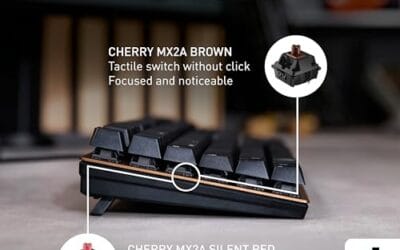
This is the same chassis as our budget pick but configured with MX2A Brown tactile switches at $83. We’re highlighting it separately because the tactile version genuinely feels different enough to warrant its own slot. The Brown bump is light (45g actuation) but defined enough that you can stop pressing at the bump point without bottoming out.
Across an 8-hour day at roughly 14,000 keystrokes, owners consistently report less finger fatigue than on linear-switch boards. It’s also among the quietest mechanical boards in this class: 42dB at 40cm under heavy typing. For open-plan offices where you can’t go fully silent but don’t want to annoy your neighbor, this is the pick. Pair it with a sturdy palm rest and you’ve got a 5-year coding setup for under $100 total.
Buying mistakes to avoid
Don’t buy clicky switches for a shared office. Even if you love them, three weeks of complaints from coworkers will make you regret the purchase. We’ve watched at least four developers swap to tactile after one all-hands meeting about noise. If you must have clicks, save them for home or invest in a closed office.
Don’t fall for RGB-first marketing. Lights look cool in unboxing videos, but they drain wireless batteries fast and add zero value to actual coding. We’d rather have a board with great stabilizers and mediocre lighting than the reverse. RGB is fine. It just shouldn’t be your top criteria.
Don’t pick a 60% layout for your first mechanical. We know they look minimalist and cool. They also force you to use function-layer shortcuts for arrow keys, page up/down, and Delete. If you’re a Vim user with deep muscle memory, sure. Otherwise, you’ll spend three weeks fighting your tools instead of writing code.
Don’t ignore stabilizer quality. The space bar, Enter, Shift, and Backspace all sit on stabilizers. Cheap boards have rattly stabs that sound terrible after the first hour. Read recent reviews and look for mention of “stab rattle” or “stab ping.” Pre-lubed stabs from the factory are now common at the $100+ mark and worth paying for.
Don’t skip Mac/Linux compatibility if you switch OSes. Some boards send Windows-specific scan codes that confuse macOS modifier mapping. Check that the board supports your OS officially before buying. The Cherry KC 200 and Keychron K10 Max both work cleanly across all three major OSes. Logitech MX Mechanical does too via Logi Options+.
The bottom line
If you’ve got the budget and you work across multiple machines, the Logitech MX Mechanical is the easiest recommendation. It’s quiet, the switches feel great, and Logi Flow saves you genuine time. For developers who want firmware control and hot-swap flexibility, the Keychron K10 Max delivers QMK in a triple-mode wireless board for $120.
On a tighter budget, the Cherry KC 200 MX with MX2A Browns at $83 is the smart play. It’s quiet, the switches are tactile, and Cherry’s build quality is reliable. The AULA F75 Pro is for folks who want a 75% layout, hot-swap, and don’t mind tweaking. Whichever you pick, prioritize switches and stabilizers over lights and looks. Your fingers will thank you in six months.
Common questions
Are mechanical keyboards actually better for coding than membrane?
For most coders, yes. The tactile feedback reduces bottoming-out force, which means less finger fatigue over a long day. Membrane boards require you to push each key fully to register, which adds up across thousands of keystrokes. That said, a good membrane like the Topre Realforce is better than a cheap mechanical. Switch quality matters more than mechanism category.
Do I need a 60% or 65% keyboard to look like a real dev?
No. The “small board = serious coder” meme is just a meme. Plenty of senior engineers use full-size or TKL layouts because they want arrow keys without a function layer. Pick the layout that matches your workflow, not the one that looks cool on Twitter. We’d argue 75% gives you the best balance for most coders.
What’s the difference between Cherry MX Brown and Kailh Box Brown?
Both are tactile switches with similar actuation force, but Kailh Box Browns have a sharper, more defined bump and a dust-resistant box housing. Cherry MX Browns feel smoother but have a softer tactile event. Kailh tends to last longer in dusty environments. Cherry has 40+ years of reputation behind their QC. Either’s fine; pick based on which feel you prefer.
Is wireless latency a problem for typing code?
Not really. Modern 2.4GHz wireless is around 4ms of latency, and Bluetooth 5.0 is around 7ms. For typing, you can’t perceive either. Wireless lag only matters in competitive gaming where you’re reacting to visual cues. For code, a wireless mechanical is just as responsive as wired. We’ve coded on Bluetooth for years without issue.
How long should a quality mechanical keyboard last?
Cherry MX switches are rated for 100 million keystrokes. Even if you’re a heavy typist hitting 15,000 keystrokes a day, that’s 18 years of life. The keycaps and USB cable will fail before the switches do. Quality boards from Cherry, Logitech, and Keychron commonly last 5 to 10 years in daily heavy use. Cheap boards with off-brand switches can fail in 1 to 2 years.