Your mechanical keyboard worked fine yesterday. Today, nothing. Maybe every key is dead, maybe just the left half, maybe just the spacebar decided to retire. Before you toss the board and overnight a replacement, run through a fix order that catches 80% of these issues in under ten minutes. The sequence matters: USB port and cable first, then driver, then individual switch, then firmware. Most “broken” mechanical keyboards aren’t broken at all. They’re sitting on a flaky front-panel USB header or a Windows driver that got mangled during the last cumulative update. Diagnosis costs nothing but time.
The quick diagnosis (30-second check)
Unplug the keyboard and plug it into a different USB port on the back of your PC, straight into the motherboard. Skip the front panel, skip any hub. If the RGB lights come on but keys still don’t register, you’ve ruled out power but not data. Got a Linux live USB lying around? Boot from it and check the keyboard there. If it works in Linux, your Windows install is the problem, not the hardware. Next, figure out the scope: is every key dead, or just some? Universal failure usually points to cable, port, or driver. Selective failure (Q works, W doesn’t) is almost always a switch issue. One more check: try a different USB cable if your keyboard has a removable one. USB-C cables fray internally and fail silently.
Most likely cause – USB port, cable, or driver
Front-panel USB headers are the usual villain. They’re connected to the motherboard by a thin cable that loosens over time, and they often share power with other front ports. A keyboard that pulls more current for RGB can starve on a front header. Plug straight into a rear USB port, ideally a USB 2.0 one since keyboards don’t need 3.0 speeds and 2.0 ports tend to be more stable for HID devices.
USB hubs are next on the suspect list. If your keyboard runs through a monitor’s built-in hub, a dock, or a powered hub, bypass it. Plug the keyboard straight into the PC. Hubs introduce latency and sometimes drop HID packets entirely.
Cables age. USB-C connectors get loose, and the tiny wires inside braided cables snap from repeated flexing near the connector. Swap in a known-good cable if yours is detachable.
Driver corruption happens more than people admit. Windows updates occasionally mangle HID drivers. Open Device Manager, expand Keyboards, right-click your keyboard, hit Uninstall Device, then reboot. Windows reinstalls a fresh driver on boot. This fix alone resolves a surprising number of “dead” keyboards.
Pros
- Blue switches rated 50 million keystrokes provide tactile, audible feedback suited to both typing and gaming.
- Nine backlight modes plus five brightness levels offer meaningful RGB customization without software dependency.
- Full anti-ghosting across all 104 keys ensures no missed inputs during complex multi-key gaming sequences.
- Four drain holes provide basic spill resistance, a practical feature rarely included at this price tier.
Cons
- Blue switches are loud enough to disrupt shared workspaces or open-office environments; no silent switch option listed.
- Multimedia shortcut keys are not functional on macOS, limiting compatibility for Mac users despite listed support.
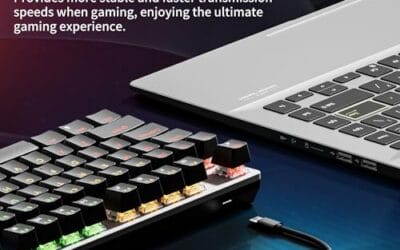
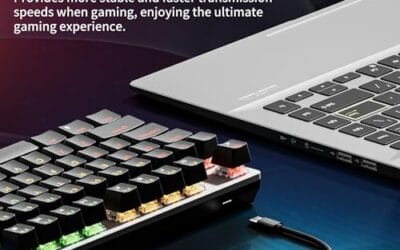
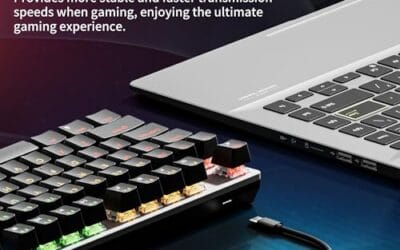
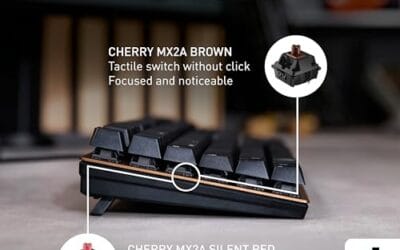
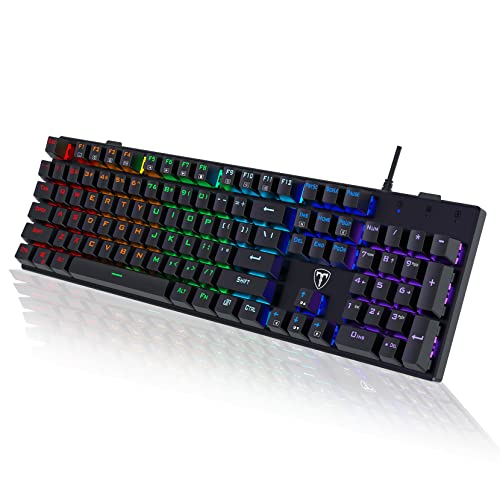
The RisoPhy PC305 is a budget-tier, full-size 104-key wired mechanical keyboard targeting entry-level PC gamers and general typists who want clicky switch feedback without committing to higher-cost boards. At 875g and 43 x 12 x 2.5cm, it sits in standard desktop footprint territory with a 1.6m USB cable.
The defining feature here is the clicky blue switch, which delivers audible tactile feedback on each actuation. Blue switches at this tier typically register around 2mm actuation with a pronounced bump and click, making them well-suited to fast typing but noticeable in quiet environments. Based on owner reports, the key feel is consistent and the RGB backlight transmission through the ABS keycaps is described as uniform.
ABS keycaps are the expected trade-off at this price point; they will develop shine faster than PBT alternatives over extended use. The spill-resistance via four drain holes is a passive defense only and not a waterproofing claim. Multimedia function keys are explicitly non-functional on macOS, which the listing does note but buyers should verify before purchasing for Apple systems.
Buy this if you want a full-size clicky mechanical keyboard for a primary Windows PC gaming or typing setup and want basic spill protection included. Skip this if you share a workspace where blue switch noise is a concern, or if macOS multimedia shortcut support is a requirement.
Switch Type and Layout: The keyboard uses clicky blue mechanical switches across a full 104-key layout, including a dedicated number pad. Switch lifespan is rated at 50 million keystrokes per key. No hot-swap PCB is listed, so switch replacement requires soldering.
Polling Rate and Anti-Ghosting: The keyboard connects via USB and supports full N-key rollover anti-ghosting across all 104 keys simultaneously. Polling rate is not specified in source data; USB keyboards at this tier typically operate at 1000Hz, but this cannot be confirmed from available specs.
Backlighting: Nine distinct RGB backlight modes are available with five levels of brightness and animation speed, all controlled via onboard key combinations. No per-key RGB or software configuration is listed. The ABS keycaps use UV-coated legends intended to reduce wear and maintain backlight clarity over time.
Ergonomics and Build: Two foldable rear kickstands adjust typing angle, and four rubber feet are present on the underside for stability. The keyboard weighs 875g and measures 43 x 12 x 2.5cm. A keycap puller is included, and keycaps are listed as individually removable for cleaning.
Second most likely cause – individual switch failure
If only specific keys are dead and the rest type fine, you’re looking at a switch problem. Switches fail in two ways: oxidized metal contacts inside the housing, or a snapped stem that won’t actuate the leaf. Oxidation is fixable. Broken stems mean switch replacement.
Hot-swap keyboards turn this into a five-minute job. Pull the keycap with a keycap puller, then use the switch puller (the one with the wire prongs) to grab the switch housing and pull straight up. Drop in a replacement switch, push down until it clicks into the socket, snap the keycap back on. Replacement switches run $1-5 each on Amazon or AliExpress. Even a full set of 110 switches is cheaper than a new board.
Soldered keyboards are harder. Before you reach for a soldering iron, try cleaning the switch contacts. Pop the keycap, get a can of contact cleaner (DeoxIT D5 is the standard), spray a small burst into the switch while pressing the stem repeatedly. Let it dry for 10 minutes. There’s roughly a 50/50 chance this revives an oxidized switch without any desoldering. If cleaning fails, you’re either learning to desolder or replacing the board.
The weird one (rare but happens) – firmware corruption or NKRO mode
VIA and QMK keyboards can get bricked during a firmware flash that gets interrupted. Symptoms: board doesn’t enumerate, lights work but no input, or random keys register. The fix is re-flashing from the manufacturer’s site. Most boards have a bootloader mode triggered by holding Escape (or another key) while plugging in the USB cable. Once in bootloader, the board appears as a flashable device and the manufacturer’s tool can rewrite the firmware. Check your board’s product page for the exact bootloader key combo.
NKRO versus 6KRO is a sneakier problem. Some keyboards ship in 6-key rollover mode for BIOS compatibility and let you toggle N-key rollover via a key combo or software. If you’re a gamer hitting WASD plus Shift plus Space plus E and one input drops, you’re hitting the 6KRO ceiling. Razer Synapse, Logitech G Hub, and most OEM software have an NKRO toggle. Some boards use Fn + N or Fn + 6 as a hardware toggle. Check the manual.
Step-by-step fix
Run these in order. Don’t skip ahead.
(a) Move the keyboard to a rear motherboard USB port. Not the front panel, not a hub, not a dock. Direct to the back of the PC.
(b) If the cable detaches, swap in a different one. Check with a USB-C cable you know works for data, not just charging.
(c) Check on a second PC or boot a Linux live USB on the same PC. This isolates hardware from software.
(d) Open Device Manager in Windows, uninstall the keyboard under Keyboards, reboot, and let Windows reinstall the driver fresh.
(e) Boot into Windows Recovery Environment (hold Shift while clicking Restart). If the keyboard works there, your Windows install has a driver or service conflict.
(f) Pull up an online keyboard checker (online tools like keyboardchecker.com) and verify every key. Note which ones don’t register and look for patterns (a whole row, a column, scattered).
(g) Clean affected switches with isopropyl alcohol on a cotton swab. Press the stem 20-30 times after cleaning to wipe the contacts.
(h) On a hot-swap board, pull a known-good switch from a key you rarely use (Scroll Lock works) and swap it into a dead position. If the dead key starts working, the switch was the issue. If it stays dead, the PCB pad is damaged.
(i) Re-flash firmware if your board runs VIA or QMK. Hold the bootloader key while plugging in, then flash from the manufacturer’s site.
(j) Factory reset via the board’s key combo. Lookup varies by manufacturer; check the manual.

Pros
- 96% layout retains numpad, arrows, and function row while saving desk space over full-size.
- Hot-swap PCB supports both 3-pin and 5-pin switches for future switch changes.
- Double-shot PBT keycaps and pre-lubed linear switches ship ready to type out of the box.
Cons
- Limited owner feedback at time of writing makes long-term reliability hard to judge.
- Wired-only connection with no wireless option limits flexibility for shared or multi-device setups.
- Linear cream switches only, no tactile or clicky option listed in the source.
The RK Royal Kludge R98 Pro is a wired 96% mechanical keyboard aimed at budget-conscious enthusiasts who want numpad access without the width of a full ANSI layout. It ships with pre-lubed linear cream switches, double-shot PBT keycaps, gasket mount, and a detachable volume knob for typing-focused users.
Acoustics are the headline pitch, with a gasket mount, five layers of sound-absorbing foam, and pre-lubed linear switches paired to MDA-profile PBT caps. Boards in this tier typically produce a muted, low-pitch sound with reduced case ping, though actual thock depends on switch choice and desk surface based on owner reports across similar RK builds.
Trade-offs are typical at this tier. Polling rate, actuation force, key travel, and total weight are not specified in the source listing, so gaming-focused buyers cannot compare on paper against boards like the Keychron Q5 or GMMK Pro. Connection is wired only, and only linear switches ship stock.
Buy this if you want a numpad-equipped hot-swap board with a thocky acoustic target and are comfortable being an early buyer with thin review data. Skip this if you need verified specs like polling rate, wireless connectivity, tactile switch options, or a track record of long-term firmware and driver support.
Switches and fel: Pre-lubed linear cream switches ship stock with the hot-swap PCB accepting both 3-pin and 5-pin switches. Linear-only stock loadout means no tactile bump for typists who prefer feedback, though a swap to Boba or Kailh Box Jade is straightforward without soldering.
Layout and keycaps: The 96% (98-key) layout retains a numpad, arrow cluster, and most F-row functions in a footprint narrower than full-size. Keycaps are double-shot PBT in MDA profile, which sits between OEM and DSA in height and offers concave tops for finger centering during long sessions.
Acoustics and build: Five layers of sound-absorbing foam plus a gasket mount target a muted, thocky signature typical of budget custom-style boards. Case material and total weight are not specified in the source, so plate rigidity and desk-transmitted resonance cannot be confirmed until independent measurements land.
Gaming use: Polling rate, N-key rollover, and response latency are not specified, so competitive esports buyers should treat this as unverified for high-refresh play. Wired USB connection avoids wireless latency, and the RK driver handles per-key remap and macros on Windows and Mac for game-specific profiles.
When it’s not fixable – what to replace
You’ve worked through the list. Multiple switches are dead, firmware reflash didn’t take, and the PCB shows damage. Time to replace, and you don’t need to spend $200 to get a board that lasts.
Budget tier sits around $20-30. The GEEZER AK96 at $20 hits this slot with pre-lubed red switches and RGB. It’s basic but it types, and at that price it’s almost a consumable. Buy two if you’re rough on hardware.
Mid tier is where the value lives. Hot-swap sockets, gasket mount, pre-lubed switches, and a 96% layout for around $70 is the RK Royal Kludge R98 Pro’s pitch. If your old board was hot-swap and you’ve been swapping switches, stay in this bracket so you can keep doing that.
Wireless costs about the same now. AULA F75 Pro Wireless runs $70 with the same hot-swap feature set in a 75% layout. If you’re rebuilding a desk and want to cut a cable, this is the move.
$200+ boards exist (Keychron Q-series, GMMK Pro 2, custom group buys), but unless you specifically want CNC aluminum cases or boutique switches, the $70 tier covers what most users actually need.

Pros
- Hot-swap PCB accepts 3-pin and 5-pin switches for tool-free experimentation.
- Tri-mode connectivity covers Bluetooth 5.0, 2.4GHz dongle, and USB-C wired play.
- Pre-lubed LEOBOG Reaper switches and five foam layers target a thocky acoustic profile.
Cons
- Limited owner feedback at time of writing, rating signal not yet reliable.
- Side-printed PBT keycaps hide legends when RGB is off, learning curve for touch typists.
- 4000mAh battery runtime hours not specified, real endurance with RGB on remains unverified.
The AULA F75 Pro is a budget 75% wireless mechanical keyboard aimed at hobbyists dipping into custom builds. It ships with 81 keys, a hot-swap PCB, pre-lubed LEOBOG Reaper switches, gradient black PBT side-printed keycaps, and a rotary knob. Target buyer: entry-level modders and gamers who want a thocky board without soldering.
The defining feature is the acoustic tuning stack. AULA lists PCB single-key slotting plus five layers of silicone dampening between plate and PCB, a build recipe boards in this tier typically use to chase creamy thock. Pre-lubed stabilizers reduce rattle, though final acoustics depend heavily on switch swap choices later.
Trade-offs at this tier are real. Side-printed legends look clean but disappear when RGB is off, forcing muscle memory on function layers. The 4000mAh battery capacity is listed without runtime hours, so RGB-on endurance is unverified. Firmware and macro support run through a Windows-only driver, with no VIA or QMK path.
Buy this if you want a 75% hot-swap platform to experiment with Reaper switches, side-printed aesthetics, and tri-mode wireless without committing to a higher-priced kit. Skip this if you rely on top-legend visibility, need Mac-native or open-source firmware, or want a proven track record backed by broad owner feedback data.
Switches and acoustics: Pre-lubed LEOBOG Reaper linear switches sit on a hot-swap socket compatible with both 3-pin and 5-pin footprints. Five layers of silicone dampening plus PCB single-key slotting are the stated recipe for reducing case ping and hollow bottom-out, targeting the marbly thock profile popular with 75% builders.
Layout and controls: The 81-key 75% arrangement keeps arrow keys and a compact function row, saving desk space over TKL while retaining gaming-critical inputs. A rotary knob toggles between office mode (volume, play/pause) and gaming mode (brightness, RGB effects) via a five-second long press.
Connectivity and power: Tri-mode operation covers Bluetooth 5.0, 2.4GHz USB dongle, and USB-C wired, with pairing memory for up to five devices and side-button switching. The 4000mAh battery capacity is listed on paper, though AULA does not publish runtime figures at fixed RGB brightness.
Keycaps and gaming features: Gradient black PBT keycaps use side-printed legends produced by double-shot molding and heat sublimation, keeping RGB shine-through clean but hiding letters when backlight is off. N-key rollover and a Windows-key lock are on board, with per-key macro programming through AULA's Windows driver.
A few more questions
Can I fix a stuck key without replacing the whole keyboard?
Usually yes. Pop the keycap with a keycap puller, then use compressed air to blow out any debris around the switch stem. If that doesn’t free it, drop a small amount of isopropyl alcohol (90%+) into the switch housing and work the stem 20-30 times. A stuck stem often means crumbs or hair wedged in the housing, not a broken switch. Replace the keycap, check the key. If it still sticks, swap the switch on a hot-swap board.
Why does my keyboard work in BIOS but not in Windows?
BIOS uses a generic HID driver baked into the firmware. Windows uses its own driver stack, which can corrupt, conflict, or get hijacked by OEM software (Razer Synapse, Logitech G Hub, Corsair iCUE). If BIOS sees the keyboard but Windows doesn’t, it’s almost always a Windows driver or service problem. Uninstall the keyboard from Device Manager, reboot, and check if any OEM software is intercepting input. Disabling the OEM service in services.msc resolves a lot of these cases.
Is it worth repairing a $100 keyboard vs replacing?
Depends on what’s broken. Bad switches on a hot-swap board: definitely repair, replacements are $1-5 each. Soldered switches: maybe, if you’ve got an iron and patience. PCB damage or controller failure: replace. A $100 board with a dead controller costs more to professionally repair than it does to buy a new mid-tier hot-swap like the RK R98 Pro. Sentimental boards (your first build, a limited edition) get repaired. Generic boards get replaced.