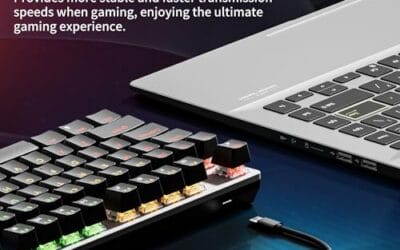
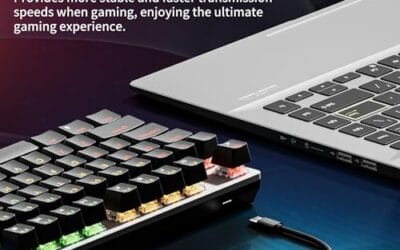
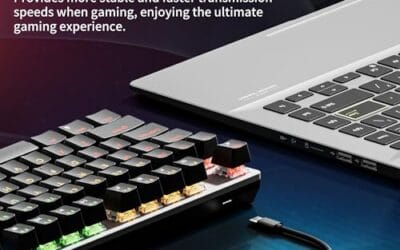
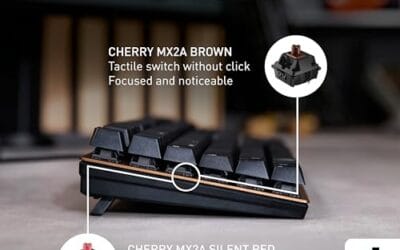
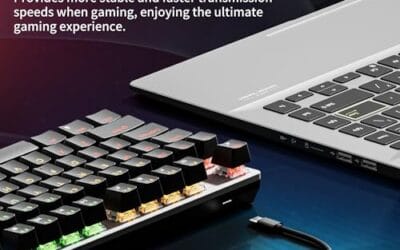
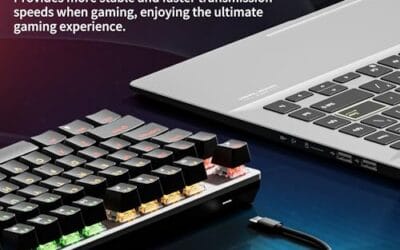
Search “TKL keyboard” and you’ll find 11,000 people a month asking the same thing: what does that acronym mean, and why does every gaming streamer use one? TKL stands for tenkeyless. It’s a standard keyboard with the numpad lopped off the right side. That’s the whole concept. The reason it gets searched so much isn’t curiosity. It’s pain. Wrist soreness from reaching across a full-size board to grab the mouse is the silent epidemic of desk workers and FPS players, and the numpad’s the culprit. Here’s what TKL actually means in 2026, who benefits, and a handful of boards worth knowing.
The short answer
A TKL keyboard keeps the function row, arrow keys, and the navigation cluster (Insert, Home, Page Up, etc.). It removes the 17-key numpad on the right. That drops the board from 104 keys to 87 keys, and the width from roughly 45cm to around 30cm. You lose nothing you use daily unless you’re an accountant. You gain about 6 inches of mouse real estate on your desk. That’s it. Not complicated. Not a niche. Just smaller.
The longer explanation
The full-size ANSI layout has four blocks: alphas, function row, navigation/arrows, and numpad. TKL keeps the first three. You’re at 87 keys instead of 104, sitting at about 80% the footprint of a full board. Doesn’t sound like much on paper. Feels enormous in practice.
The physics matter. When the numpad’s gone, your mouse hand sits roughly 6 inches closer to your body’s centerline. Your right shoulder doesn’t have to abduct as far. After a long session that’s the difference between a relaxed arm and a sore one. FPS players figured this out first because aiming requires huge mouse sweeps, and a full-size board pushes the mouse into uncomfortable territory. Counter-Strike pros were on TKL boards a decade before the mainstream caught up.
Modern TKLs aren’t compromised either. Hot-swap PCBs let you change switches without soldering. Mechanical, optical, and Hall Effect (HE) options all exist in this form factor. Wireless tri-mode (Bluetooth, 2.4GHz dongle, USB-C wired) is standard at the mid-tier now. The TKL isn’t a budget cut. It’s a layout choice that happens to be cheaper to manufacture.

Pros
- PBT keycaps resist keycap shine and legend wear better than ABS on rival budget boards
- Aluminum-magnesium top plate keeps deck flex low, uncommon at this price bracket
- Twelve FN media shortcuts cover volume, playback, mute, backlight, and Windows lock
Cons
- Limited independent owner fedback at time of writing makes long-term durability hard to verify
- White-only LED backlight lacks the per-key RGB many buyers expect from a gaming board
- Switch manufacturer and actation specs beyond 'tactile mechanical' are not detailed in source data
The Logitech G413 TKL SE is a budget tenkeyless mechanical keyboard with tactile switches, PBT keycaps, and a brushed aluminum-magnesium top plate. It targets entry-level gamers and hybrid work users who want a compact wired board without paying for RGB or wireless features they will not actually use daily.
The standout combination is PBT keycaps paired with a metal top case, which is uncommon at this price tier where ABS plastic and full-plastic chassis dominate. PBT resists shine and legend wear across long typing sessions, and the aluminum plate keps deck flex low based on Logitech's stated material construction.
Trade-offs stack up quickly. Backlighting is white-only rather than per-key RGB, the switch supplier is not disclosed beyond 'tactile mechanical', and 6-key rollover falls short of the full N-key rollover on competing boards. Source data does not confirm hot-swap PCB, polling rate, or cable detachability, all typical omissions at this tier.
Buy this if you want a compact tenkeyless with genuine PBT caps and aluminum construction for daily typing plus casual gaming, and you do not need RGB. Skip this if you require per-key lighting, hot-swap sockets, full N-key rollover, or wireless connectivity, since none appear in the source specifications.
Switch feel: Logitech lists tactile mechanical switches, meaning a tactile bump partway through the keystroke without an audible click. This suits typing accuracy and mixed office plus gaming use better than linear switches, though specific actuation force, travel distance, and switch manufacturer are not disclosed in source data.
Layout and build: The tenkeyless format removes the numpad, freeing desk width for low-DPI FPS mouse sweeps. TKL boards in this class typically ship 87 to 88 keys. The chassis uses a brushed aluminum-magnesium alloy top case, keping flex minimal versus the all-plastic budget mechanical boards it competes with.
Anti-ghosting and rollover: Logitech specifies 6-key rollover, meaning up to six simultaneous key presses register correctly across the matrix. This handles common WASD plus modifier combos in FPS and MOBA titles, but falls short of the full N-key rollover found on many competing mechanical boards in this bracket.
Lighting and controls: Backlighting is white LED only, toggled via an FN shortcut, with no per-key RGB or effect zones. Twelve FN media keys cover volume, play/pause, skip, mute, lighting, and Windows lock. Cable type, polling rate, and detachability are not specified in source data.
Why it works this way
The numpad is a 1970s artifact. It came from accounting calculators and ten-key adding machines, ported wholesale onto the IBM Model M in 1984 because that’s what office workers were used to. The number row across the top was always there. Most people invoke numbers from the top row without thinking.
Removing the numpad does three things at once. Ergonomics improve because the mouse comes closer. Manufacturing gets cheaper, usually about $15 less at the same build tier, because there are 17 fewer switches, 17 fewer keycaps, and a smaller PCB. And the board fits desks that a full-size doesn’t. If you’ve got a 100cm desk with a monitor arm, a full-size keyboard plus a mousepad eats almost all of it. A TKL leaves breathing room.
Then there’s portability. Tournament players carry their keyboards to events. A TKL fits in a backpack. A full-size doesn’t, not comfortably. Pop-up LAN parties, cafe sessions, dorm-to-dorm gaming. The form factor just travels better. None of this is theoretical. It’s the reason TKL went from enthusiast curiosity to default gaming layout in under five years.

Pros
- Tri-mode wireless with Bluetooth, 2.4GHz, and USB-C wired, pairing across five devices
- Hot-swap PCB supports both 3-pin and 5-pin switches without soldering
- Pre-lubed LEOBOG space gold switches and stabilizers paired with five-layer silicone dampening
Cons
- Limited owner feedback at time of writing makes long-term reliability hard to verify
- Poling rate and NKRO scope are not specified by AULA in the listing
- Side-printed legends reduce keycap readability under overhead lighting or typical seated viewing angles
The AULA F87 Pro is a budget 75% mechanical keyboard aimed at buyers wanting a hot-swap PCB, tri-mode wireless, and a thocky sound profile without paying custom-build prices. The 87-key layout keeps arrow keys and the function row, making it a fit for gaming and mixed-productivity users on tight desks.
Its defining draw is the acoustic stack: PCB single-key slotting, five silicone dampening layers, and pre-lubed LEOBOG space gold switches on a hot-swap socket accepting 3-pin or 5-pin replacements. Based on the vendor description, this targets the creamy typing profile popular with custom keyboard enthusiasts, though independent acoustic measurements are not available.
Trade-offs are typical at this tier. Owner data is thin at time of writing, so long-term battery runtime on the 4000mAh cell and switch consistency remain unverified. Polling rate is not specified, and side-printed PBT keycaps trade legibility for aesthetic when RGB is off or angled away from the user.
Buy this if you want a hot-swap 75% board for tri-mode use across PC, tablet, and console, and you value sound dampening over a verified spec sheet. Skip this if you need documented polling rate, published switch actuation specs, or a dep pool of long-term owner reviews before committing to a wireless daily driver.
Switches and sound: The board ships with LEOBOG space gold switches, pre-lubed from the factory, paired with pre-lubed stabilizers. AULA lists five silicone dampening layers and PCB single-key sloting between plate and PCB, aimed at reducing hollow ping and producing the marbly, thocky profile popular in custom keyboard communities.
Layout and keycaps: This is an 87-key 75% TKL layout, retaining the arrow cluster and function row while dropping the numpad and nav block. Keycaps are side-printed PBT in a gradient black finish, chosen so RGB bleeds around the cap edge rather than through the top legends.
Connectivity and battery: Tri-mode support covers Bluetooth 5.0, 2.4GHz USB dongle, and USB-C wired, with pairing for up to five devices via shortcut or side selector. The 4000mAh battery is large for this class, though runtime figures with RGB active are not specified by AULA.
Software and features: The F87 driver handles per-key macro programming,16 preset RGB effects plus 10 music-reactive modes, and brightness or speed via FN combos. Hot-swap sockets accept 3-pin and 5-pin switches. WIN key lock and N-key rollover are suported, though exact NKRO scope is not specified.
When you’d actually want this
If you’re an FPS or MOBA player, a TKL is almost the obvious pick. Mouse area gained, wrist strain reduced, no keys you actually use during a match removed. Same for anyone with a small desk: dorm rooms, dual-monitor setups where space is tight, standing desks that can’t fit a wide keyboard tray. Travel rigs benefit too. So do clean-desk aesthetics people who can’t stand visual clutter.
When it’s a bad idea: accountants entering ledgers all day, anyone in finance or data entry roles where the numpad is muscle memory, productivity users who live in Excel and rely on numpad for fast input. Also gamers who’ve bound numpad keys to macros in MMOs or sims. If you fly DCS or play EVE, you probably want those extra 17 keys.
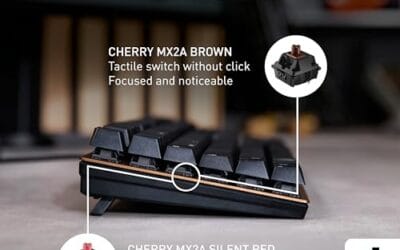
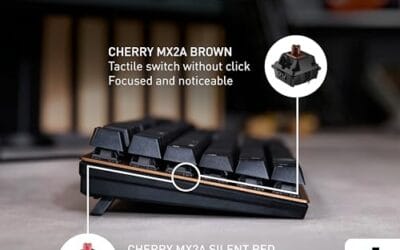
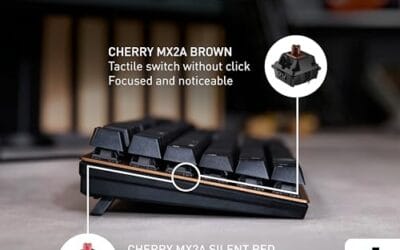
For the enthusiast crowd there are options too. Cherry MX Black/Brown/Red switches still dominate, Gateron makes excellent budget linears, and the HE (Hall Effect) crowd has analog options that let you adjust actuation depth per key. Some TKLs ship with three or four switch profiles loadable in software. The form factor’s mature enough that you can get exactly what you want.

Pros
- Adjustable Hall Effect actuation from feather-light to deliberate, tuned per key via GG software
- Rapid Trigger implementation targets competitive Valorant, CS2, and Apex Legends counter-strafe timing
- PBT keycaps resist shine and legend fade better than ABS at this tier
- OLED display surfaces macros, CPI, and profile info without opening desktop software
Cons
- Limited owner fedback at time of writing, real-world QC signal is thin
- Hall Effect switches are not hot-swappable, so switch fel is locked to OmniPoint 3.0
- SteelSeries GG software footprint is heavier than competitors like VIA or QMK
The Apex Pro TKL Gen 3 is a high-end tenkyless gaming keyboard built around SteelSeries OmniPoint 3.0 HyperMagnetic (Hall Effect) switches with 40 levels of adjustable actuation. It targets competitive FPS players and tournament travelers who want per-key actuation tuning, Rapid Trigger, and PBT keycaps in a TKL footprint.
The defining feature is OmniPoint 3.0 with Rapid Trigger and Rapid Tap. Hall Effect keyboards in this tier typically resolve actuation in the 0.1 to 0.4m range, which translates to faster counter-strafe stops in CS2 and quicker AD peks in Valorant. Protection Mode desensitizes neighbors of an actively held key to reduce ghost inputs during fast WASD transitions.
Trade-offs at this tier are real. Hall Effect switches are soldered, so hot-swap enthusiasts lose flexibility, and the SOCD and Rapid Tap behavior may run afoul of specific tournament rulesets, so verify league policy before matches. Owner feedback is limited at time of writing, so long-term OLED and stabilizer wear reports are not yet established.
Buy this if you play competitive FPS at high refresh, want tunable actuation per key, and value a TKL footprint for low-sens mouse arcs. Skip this if you prefer hot-swap tactile or clicky switches, run a keyboard-agnostic firmware like QMK, or need a full-size numpad for spreadsheet or CAD work.
Switches: OmniPoint 3.0 HyperMagnetic Hall Effect, linear by design, with 40 discrete actuation levels advertised. SteelSeries cites 20x faster actuation and 11x quicker response versus prior generation, though absolute millisecond figures are not specified in source and should be verified against third-party latency benches.
Layout and build: Tenkeyless (TKL) form factor retaining F-row, arrow cluster, and nav block while dropping the numpad. PBT keycaps are included, which resist shine longer than ABS under sustained gaming loads. Frame material, plate material, and total weight are not specified in source.
Gaming features: Rapid Trigger for immediate reset on release, Rapid Tap and SOCD handling for oposing-key resolution, and Protection Mode to reduce accidental neighbor actuation. Game-Ready Presets in GG QuickSetship per-title actuation profiles for titles like CS2, Valorant, and Fortnite.
Connectivity and display: USB-C wired connection, no wireless mode listed in source. The OLED Smart Display surfaces active profile, actuation depth, and macro state on-device, reducing alt-tabs to GG. Polling rate and NKRO specifics are not specified in source.
Common misconceptions
“You’ll miss the numpad immediately.” Not really. Most people adapt in about three days. The number row’s right there. If you genuinely need a numpad for data entry work, you’ll know within a week, and you can buy an external Bluetooth numpad for $20 that lives on the left side of your desk or in a drawer. Best of both worlds, honestly.
“TKL means cheap.” False. The SteelSeries Apex Pro TKL Gen 3 retails at $180. The Razer Huntsman V3 Pro TKL is also around $180. Premium TKLs exist at every price tier, with analog switches, OLED screens, and aluminum cases. The form factor isn’t a budget tier. It’s a layout.
“All TKLs are gaming boards.” Also false. Cherry makes a Stream TKL aimed at office workers. Filco’s Majestouch is a classic office TKL. There are quiet, professional, RGB-free TKLs built for typing. Gaming just markets harder.
“Smaller means worse typing feel.” Couldn’t be more wrong. Typing quality has nothing to do with size. It depends on switch quality, keycap material (PBT vs ABS), and stabilizer tuning on the longer keys. A well-built TKL types better than a poorly built full-size. Always.

Pros
- Adjustable 0.1 to 4.0 mm actuation covers both fast FPS taps and normal typing.
- Rapid Trigger and Snap Tap give measurable advantages in counter-strafe heavy titles like CS2.
- Onboard controls plus dial and media keys mean no software needed for live tuning.
- Doubleshot PBT keycaps rated for 100 million keystrokes per switch resist shine long term.
Cons
- TKL layout drops the numpad, por fit for spreadsheet, accounting, or data entry work.
- Snap Tap requires latest firmware, and some tournament rulesets restrict this input behavior.
The Razer Huntsman V3 Pro TKL is a high-end tenkeyless esports keyboard built around Analog Optical Gen-2 switches with a 0.1 to 4.0 mm adjustable actuation range. It targets competitive FPS players in CS2, Valorant, and Apex who want per-key tuning, Rapid Trigger, and a compact deck that clears space for wide mouse sweeps.
The defining feature is the analog stack paired with Rapid Trigger, which resets a key the moment your finger lifts rather than waiting on a fixed reset point. In practice, this tightens counter-strafing and directional changes, and Snap Tap prioritizes the newer of two oposing inputs so A and D swaps register without releasing the prior key.
Trade-offs are typical at this tier. Analog optical boards remain pricier than standard mechanical, TKL sacrifices the numpad, and Snap Tap style behavior is banned or restricted in some competitive rulesets, so verify league rules before relying on it. The onboard LED tuning is useful, though granular per-key profiles still benefit from Synapse on a PC.
Buy this if you play FPS at a serious level and want Rapid Trigger plus adjustable actuation without hunting for niche Hall Effect brands. Skip this if you need a numpad for productivity, prefer traditional tactile mechanical fel, or play in leagues that disallow Snap Tap style rebinds.
Switches: Analog Optical Gen-2 with a 0.1 to 4.0 mm adjustable actuation window and a rated 100 million keystroke lifespan. Seting actuation around 1.0 to 1.5 mm suits FPS tap-strafing, while 2.5 to 3.0 mm reduces accidental preses during chat or productivity work.
Rapid Trigger and Snap Tap: Rapid Trigger resets on the slightest upward movement, useful for CS2 pek and stop mechanics. Snap Tap requires the latest firmware and prioritizes the most recent input between two bound keys, targeting instant A to D direction flips without a manual release.
Build and keycaps: Textured Doubleshot PBT keycaps resist finger shine and legend fade better than ABS. The TKL footprint removes the numpad for more mouse room, and a magnetic leatherette wrist rest snaps to the front edge for palm support during long sessions.
Controls: A dedicated digital dial handles volume and analog switch settings, backed by three buttons for media and custom macros. An onboard LED array shows actuation and Rapid Trigger values so you can tune per-key behavior at the board without launching software.
Frequently asked
Will I regret losing the numpad?
Probably not, unless you do daily data entry. Most people use numbers from the top row anyway. Give it three days. If you still reach for a phantom numpad after a week, grab an external Bluetooth numpad for around $20. It pairs over Bluetooth, sits wherever you want on the desk, and you’ve got the best of both layouts without the wrist strain.
Are TKL keyboards better for gaming?
For FPS and MOBA titles, yes. Your mouse hand sits closer to your body, big aim sweeps don’t hit the keyboard, and your shoulder stays relaxed during long sessions. For MMOs and sims that use numpad macros, no. You’d lose hotkeys you actively use. Match the layout to the game. Don’t just follow what your favorite streamer’s running.
What’s the difference between TKL and 80% / 75%?
TKL keeps a gap between the alphas and the nav cluster. 80% boards are similar but slightly tighter. A 75% layout smushes the function row and arrows together with no gaps, saving another inch or two. 65% goes further and drops the function row entirely. TKL’s the most beginner-friendly compact because nothing’s hidden behind a function layer.
Can I add a separate numpad later?
Yes, easily. Standalone numpads from brands like Keychron, Royal Kludge, and Epomaker run $20-50, ship in wired or wireless flavors, and many are hot-swappable. You can match the switch type to your main board for a consistent feel. They’re tiny, easy to stash, and worth grabbing if data entry sneaks into your workflow.