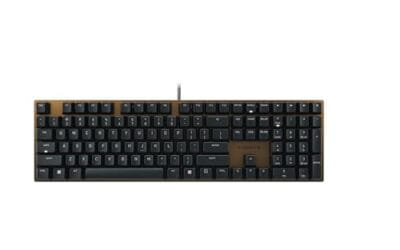
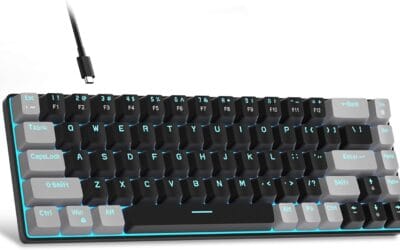
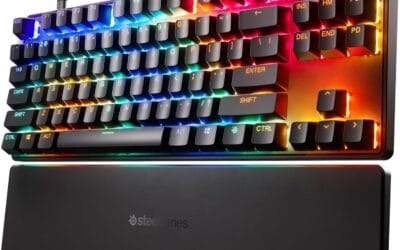
A Bluetooth keyboard cuts the cord between your fingers and your screen. It uses the same short-range radio standard that connects your AirPods, your fitness tracker, and your wireless mouse – a 2.4 GHz signal pairing two devices for sustained back-and-forth communication. No dongle sticking out of your laptop’s USB port. No tangled cable across your desk. You type, it transmits, your computer receives. That’s the whole pitch, and it’s worth understanding before you spend $40 or $400 on one.
The short answer
A Bluetooth keyboard pairs wirelessly with your phone, tablet, laptop, or desktop using Bluetooth radio instead of a USB cable or 2.4 GHz dongle. Battery life ranges from a few weeks on rechargeables to over a year on AAs. Latency is good enough for everyday typing but slightly worse than wired or dongle-based wireless. Pick one if you want to switch between multiple devices, work from your couch, or just clean up your desk.
The longer explanation
Bluetooth keyboards work by establishing a pairing with your computer or mobile device. You put the keyboard into pairing mode, your device scans for nearby Bluetooth signals, and a handshake exchange happens that authenticates the two ends and stores a shared key. After that initial pairing, the keyboard reconnects automatically whenever it’s powered on and within range, usually about 30 feet indoors. Pretty seamless once it’s set up.
The signal itself uses Bluetooth Low Energy (BLE) on most modern keyboards, which sips battery power and keeps the connection alive without burning through your batteries. Older Bluetooth Classic keyboards used more power but had marginally better range. Both versions still get sold today.
Multi-device pairing is where Bluetooth pulls ahead of 2.4 GHz wireless. Many Bluetooth keyboards remember 2 to 3 paired devices simultaneously. You hit a function key combo and the keyboard switches from your laptop to your iPad to your phone without any new pairing dance. That’s genuinely useful if your workflow spans devices, and 2.4 GHz dongles can’t match it without buying multiple dongles.
Why it works this way
Bluetooth radio operates in the 2.4 GHz band, which is the same crowded spectrum your Wi-Fi router, microwave oven, baby monitors, and wireless game controllers also use. To avoid stepping on each other, Bluetooth uses adaptive frequency hopping – it jumps across 79 narrow channels up to 1,600 times per second, dodging interference in real time. That’s why your keyboard usually works fine even when your Wi-Fi is busy.
Latency on Bluetooth typically sits in the 15-30ms range, depending on the keyboard chipset and host device. For typing email or coding, that’s invisible. For competitive gaming, it adds enough delay that pros stick to wired keyboards or proprietary 2.4 GHz wireless solutions which run closer to 1-2ms. We’re talking about the difference between feeling laggy in Counter-Strike versus not noticing anything during a Slack thread.
Power management is the real trick. A keyboard scanning for keypresses 1,000 times a second would drain a battery in days. Modern Bluetooth keyboards run the wireless chip in deep sleep most of the time, waking only when a key gets pressed. Some claim two years of battery life on a pair of AAs because of this aggressive sleep strategy. Real-world numbers come in lower (six to twelve months for heavy use) but still beat what 2.4 GHz wireless typically delivers.
When you would want this
Pick a Bluetooth keyboard if you work across multiple devices. Switching between a Windows laptop, an iPad, and an Android phone is where Bluetooth shines. One keyboard, three devices, zero cables. That’s a setup the dongle crowd can’t easily replicate.
It’s also the move if you care about desk aesthetics or you’re tight on USB ports. No dongle taking up a port means more room for external drives, a webcam, or audio gear. Travel-friendly Bluetooth keyboards like the Logitech K380 fit in a backpack pocket and pair to whatever device you’ve got with you at the cafe.
Tablet users especially benefit because most tablets only have one or two USB-C ports and proprietary keyboard cases lock you into one device. A Bluetooth keyboard sets you free.
You probably don’t want a Bluetooth keyboard if you’re a competitive gamer (latency adds up), if you sit at a single desktop all day (a wired keyboard never needs charging), or if you’ve had bad luck with Bluetooth pairing on your specific OS. Linux users in particular sometimes face Bluetooth driver headaches that just don’t exist with a USB cable.
Common misconceptions
“Bluetooth keyboards have terrible latency.” Mostly outdated. Bluetooth 5.0 and later are fast enough for everything except competitive gaming. The 15-30ms range is well below the typing speed threshold where you’d actually feel a lag. Even fast touch typists doing 100+ WPM see characters appear in real time.
“Bluetooth uses way more battery than 2.4 GHz wireless.” This was true a decade ago. Modern Bluetooth LE keyboards often match or beat their 2.4 GHz cousins for battery life. Some Bluetooth keyboards now claim 24-month battery life on coin cells. The difference is no longer meaningful for most users.
“You can’t game on Bluetooth.” You can game on Bluetooth – just not competitive FPS or rhythm games. RPGs, strategy, simulation, indie games, and most multiplayer titles are perfectly playable. Genres where reaction time at the millisecond level decides outcomes are the only ones where Bluetooth penalizes you.
“All Bluetooth keyboards are slow to wake from sleep.” This depends on the keyboard. Cheaper models can take 2-3 seconds to reconnect after sitting idle. Premium models from Logitech, Keychron, and Apple wake instantly. If quick wake matters, read reviews for that specific complaint before buying.
Frequently asked
Bluetooth vs 2.4 GHz dongle – which is better?
Depends on your setup. Bluetooth wins for multi-device switching, no-dongle cleanliness, and tablet use. 2.4 GHz wins for slightly lower latency, no pairing hassle, and reliability in heavy radio interference. If you’re typing on one computer all day, the dongle approach is foolproof. If you bounce between devices, Bluetooth is the obvious pick.
How long does battery last?
Anywhere from a few weeks to over two years, depending on the keyboard. Rechargeable mechanical keyboards with RGB lighting often need a top-up every 2-4 weeks. Membrane keyboards with AA batteries and no backlight can last 18-24 months. Backlight burns the most power by far – if you don’t need it, turning it off can multiply your battery life by 5x or more.
Is Bluetooth keyboard good for gaming?
For casual gaming yes, for competitive FPS no. The 15-30ms latency on Bluetooth is fine for RPGs, strategy games, MMOs, and single-player titles. It’s a real handicap in CS, Valorant, Apex, or any twitch-reflex multiplayer game where you need every millisecond. Serious gamers go wired or use 2.4 GHz wireless with sub-2ms latency.
Can I use one keyboard with multiple computers?
Yes, that’s one of Bluetooth’s biggest strengths. Most modern Bluetooth keyboards support 2-3 paired device profiles you can switch between via function keys. Hit Fn+1 for your laptop, Fn+2 for your iPad, Fn+3 for your desktop. Switching takes 1-2 seconds and works across operating systems. Logitech’s “Easy-Switch” feature is one of the more polished implementations.