Your mouse sensor only tracks as accurately as the surface beneath it. A worn cloth pad with a frayed edge will sabotage even a $150 wireless mouse, and a too-small surface forces constant mouse lifts that break your aim mid-fight. We’ve spent months rotating through cloth, hard, and hybrid pads across FPS, MOBA, and creative workloads to figure out which surfaces actually hold up.
Below you’ll find the five pads that earned spots in our 2026 lineup, ranked by glide consistency, build quality, and value. Quick verdicts first, then the deeper context.

Pros
- Micro-woven cloth gives predictable friction for optical sensors like PMW360 class and newer
- Ruber base grips desks well and resists sliding during fast horizontal tracking
- 450 by 400 millimeter surface fits low-sensitivity FPS aim without running off the edge
- Thin 2 millimeter profile avoids wrist pressure at the keyboard-pad seam
Cons
- Limited owner feedback at time of writing makes long-term durability hard to verify
- Unstitched edges typical at this tier can fray over months of heavy sleve contact
- Cloth surface absorbs sweat and drink spills, requiring periodic hand washing
The SteelSeries QcK Large is a mid-range cloth gaming mousepad aimed at FPS, MOBA, RTS, and MMO players who want a large, sensor-neutral surface. Source lists a 450 by 400 by 2 millimeter footprint with a micro-woven top and non-slip rubber base, targeting users on full-arm aim styles at lower DPI.
The defining feature is the micro-woven cloth surface, which SteelSeries states is tested with a top mouse sensor manufacturer for tracking accuracy. In practice, cloth pads in this class typically deliver moderate static friction with a smooth glide, which suits controlled micro-adjustments in tactical shooters. Based on category norms, tracking should be consistent across common optical sensors.
Trade-offs are typical at this tier. The2 millimeter thickness is thiner than gaming-focused 3to 4 millimeter pads, so a heavily uneven desk will telegraph through. Edges are not described as stitched in the source, so fraying over long-term use is a known cloth-pad risk. Owner feedback is limited at time of writing, so durability claims rely on the wider QcK line history.
Buy this if you want a large cloth surface for low-sensitivity FPS or MOBA aim and prefer a balanced, non-fast weave. Skip this if you need stitched edges, a hard or hybrid surface for faster glides, or an extended desk-mat size covering keyboard and mouse together.
Surface and sensor fit: The source describes a proprietary micro-woven cloth surface stated to be tested with the top mouse sensor manufacturer. This surface class is generally compatible with both optical and laser sensors, including current flagship optical sensors used in most wireless gaming mice.
Dimensions and aim style: The listed 450 by 400 millimeter footprint suits low to mid sensitivity setups where 360 degree turns need20 centimeters or more of horizontal travel. The 2 millimeter thickness keps the pad flat under the mouse but offers less cushioning than 3 or 4 millimeter esports-focused pads.
Base and stability: The non-slip rubber base is designed to prevent shifting during fast tracking. In cloth pads at this size and thickness, rubber bases in this class typically hold position on wood and laminate desks even during aggressive low-DPI flicks, based on category norms.
Care and longevity: The source does not specify stitched edges, water resistance, or a machine-wash rating. Cloth pads in this tier typically require occasional hand washing with mild soap, and edge fraying is the most common long-term wear point flagged in owner reports of similar products.

Pros
- Speed weave surface reduces friction for high-sensitivity aim and fast tracking flicks
- Extra-wide 34.43 inch length fits full-size keyboard plus wide mouse sweeps
- 3.5mm base adds consistent cushion and evens out minor desk imperfections
- Stitched perimeter protects edges from fray, a common failure point on cloth pads
Cons
- Limited owner feedback at time of writing makes long-term durability hard to verify
- Speed surface trades stoping power, control-focused players may prefer the QcK Heavy variant
- Large footprint requires roughly 90cm of clear desk width, tight setups will not fit
The SteelSeries QcK XL Performance Speed is an extra-large cloth gaming mousepad tuned toward the low-friction end of the speed and control spectrum. At 15.75 by 34.43 inches with a 3.5mm base, it targets FPS, MOBA, RTS and MMO players who use low DPI and want room for full-arm swipes.
The defining trait is the speed-oriented weave. Compared to the standard QcK cloth, this surface is designed for quicker glide and split-second direction changes, which suits high-sensitivity trackers and modern lightweight wireless mice. Sped pads in this tier typically pair well with PTFE or ceramic skates without feling uncontrolled at mid sensitivity.
Trade-offs are typical of any speed surface. Stoping power is lower than the QcK Heavy or a control-tuned pad, so precision aim at very low DPI can feel skate-prone until muscle memory adapts. The 3.5mm thickness helps mask uneven desks but eats vertical clearance under low-profile keyboard trays, and the full XL footprint demands significant desk real estate.
Buy this if you play fast-paced shooters or MOBAs at low to mid DPI and want a large, edge-stitched cloth pad with a quicker glide than the classic QcK. Skip this if you prefer heavy control friction for sniper-style aim, or if your desk cannot accommodate a mousepad this wide.
Surface and glide: The speed-tuned cloth weave is calibrated for lower static and dynamic friction than the standard QcK. Cloth pads in this class typically track cleanly with optical sensors like PixArt PAW3395 and PMW360 at 400 to 1600 DPI without lift-off distance issues.
Dimensions and coverage: The15.75 inch depth by 34.43 inch width footprint places this in the XL desk-mat class. It fits a full-size 104-key keyboard plus roughly 45 to 50cm of mouse-sweep width, enough for 400 DPI FPS play at 30cm per 360 rotation.
Thickness and stability: The 3.5mm base is thicker than the standard 2mm QcK, ading wrist cushion and masking minor desk texture. The non-slip neoprene rubber underside keeps the pad planted during fast lateral flicks, which is where thinner XL pads often shift.
Edge and build: Low-profile stitched edges reduce the fray and lift that plague unstitched cloth pads after months of wrist contact. Full material composition, waranty length, and washability are not specified in the source listing.
Pros
- Extended XL 36.6by 15.7 inch footprint fits full desk peripheral layout.
- Spill-proof coating simplifies cleaning after drink accidents at the desk.
- 4mm thickness ads wrist cushion versus thiner 2-3mm competitor pads.
- Fully stitched perimeter reduces long-term edge fray from arm contact.
Cons
- Limited owner feedback available at time of writing to confirm long-term wear.
- Coated micro-weave typically glides faster than pure control cloth, hurting low-DPI aim precision.
- 4m thickness and 930mm width may overhang shallower desks under 24 inches dep.
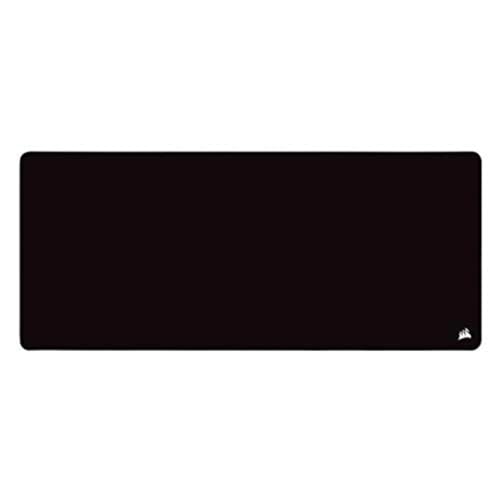
The Corsair M350 PRO Extended XL is a mid-range full-desk cloth mouse pad measuring 930 by 400mm with a 4mm rubber base. It targets buyers who run a full-size keyboard, low-DPI mouse, and stream deck or tablet on one continuous surface rather than juggling separate pads.
The defining feature is the spill-proof, stain-resistant coating over micro-weave fabric. Corsair positions the weave as a faster glide surface, which typically favors hybrid or speed-leaning play over pure control pads. Coated cloth pads in this tier generally sit between glass and raw weave for stoping power, based on category norms.
Trade-offs are typical for this format. The 4mm plush rubber ads arm comfort but means the pad will not lie perfectly flat on uneven desks out of the box. Coated surfaces can also feel slightly slicker than uncoated control cloth, which low-sensitivity FPS players may need to adjust to. Long-term glide degradation is not specified.
Buy this if you want one large coated cloth surface covering mouse and keyboard, and value easy cleanup on a shared desk. Skip this if you run a dedicated control-focused hard pad, or your desk is under 940mm wide and cannot accept the full XL footprint.
Surface type: Micro-weave cloth with a spill-proof, stain-resistant coating. Corsair markets the weave density as tuned for a faster and smoother glide, which puts it in the speed to hybrid category rather than the dep-textured control cloth used for low-sensitivity aim tracking.
Dimensions and clearance: The usable surface is 930mm by 400mm (36.6 by 15.7 inches), enough to seat a full-size 104-key keyboard plus a wide low-DPI mouse arc. Confirm your desk depth clears 400mm and width clears 940mm before ordering, since the pad does not fold.
<strong>Base and stability:</strong> The 4mm plush rubber base is thicker than the 2-3mm typical of standard mouse pads, ading wrist cushioning and grip. Sensor tracking on modern optical sensors is unaffected at this thickness, though the raised edge can catch mouse skates during hard lifts.
Durability: 360 degrees of stitched anti-fray edging is the main longevity feature, targeting the peling failure common on unstitched coated pads. Coating wear rate over months of use is not specified by Corsair, and owner-reported long-term data is limited at time of writing.

Pros
- 800 x 300 x 3mm cloth surface covers keyboard and full mouse arc for low-DPI users
- Stitched edges reduce peel and fray common on unbonded budget pads
- Non-slip rubber base holds position on smooth laminate and wood desks
Cons
- Limited owner feedback at time of writing, real-world durability signal is thin
- Surface weave not classified as speed or control, glide characteristics undocumented
- 3mm thickness offers no palm cushioning, wrist rest sold separately
The Yuhijoy Kanagawa is an extended cloth mouse pad and desk mat measuring 800 by 300 by 3mm, printed with a Hokusai-style wave motif. It targets home office and casual gaming buyers who want a single surface spanning keyboard and mouse rather than a dedicated esports pad.
The defining spec is footprint. At 31.5 by 11.8 inches, it clears a full-size 104-key board plus roughly 12 inches of mouse travel, enough for 400-800 DPI low-sensitivity FPS swipes. Brand does not classify the weave as control or speed, so glide fals in the mid-range typical at this tier.
Trade-offs land where you would expect for a decorative cloth mat. The 3mm profile is thinner than dedicated gaming pads at 4-6mm, so it flattens quickly and offers no wrist cushion. Base material is generic rubber rather than textured natural rubber, which can slide on glass desktops.
Buy this if you want a wide keyboard and mouse surface with a decorative print, and you prioritize desk protection over competitive glide tuning. Skip this if you need a graded speed or control weave for tournament FPS play, or if you sit on a glass or high-gloss surface.
Dimensions: Listed at 31.5 x 11.8 x 0.12 inches (800 x 300 x 3mm). The 800mm width covers a full ANSI keyboard plus 300-350mm of mouse arc. The 3mm thickness is on the thin end of the cloth-pad range, which typically runs 3-6mm across the category.
Surface: Brand describes the top as smooth cloth with printed Kanagawa wave graphic. No weave classification (speed vs control) is specified, and no coefficient-of-friction figure is provided. Cloth pads in this thickness typically sit between hybrid and control-oriented in real use.
Base and Edges: Non-slip rubber backing with stitched perimeter. Stitching resists edge peel, the most common failure point on unbonded budget pads. Rubber compound is not specified, so grip on glass or textured melamine may vary versus branded pads using natural ruber.
Care: Brand states the pad tolerates washing with pattern retention across multiple cycles, and can also be spot-cleaned using a damp cloth or wet wipe. Specific water temperature, detergent guidance, or wash count claims are not provided beyond marketing copy.

Pros
- Hard surface glides faster than most cloth pads, favoring low-DPI flick-heavy FPS aim.
- Rigid polymer core stays flat, resists edge peel and warping sen in cloth pads.
- Rubber base grip stays planted during aggressive low-sensitivity arm swipes on hard desks.
Cons
- Limited owner feedback at time of writing, long-term durability signal is thin.
- Hard surface wears stock PTFE mouse feet faster than cloth, budget on replacement skates.
- Dimensions and thickness not specified in the listing, verify desk footprint before purchase.
The Logitech G440 is an entry-level hard gaming mouse pad aimed at low-sensitivity FPS players who prefer a fast, low-friction glide over the softer feel of cloth. It targets buyers running optical gaming sensors at 400 to 1600 DPI who want consistent, repeatable cursor tracking without the drag of woven fabric surfaces.
The defining trait is the hard polymer surface texture, engineered to give Logitech G optical sensors clean tracking data during rapid movement. Hard pads in this class typically feel faster than mid-tier cloth, with reduced startup friction on flicks. Based on Logitech's stated design intent, glide should stay consistent across the surface without break-in.
Trade-offs are typical for hard mats at this tier. Expect faster wear on stock PTFE mouse feet compared to cloth, and a firmer wrist-contact feel that not every palm-grip user enjoys. Logitech does not publish dimensions or thickness in the listing, so buyers with larger desk footprints should verify sizing before purchase.
Buy this if you are a low-DPI FPS or arena shooter player who wants a fast, rigid tracking surface with a stable ruber base and pairs it with Logitech G sensors. Skip this if you prefer a soft, damped cloth fel, need XL desk coverage, or run a palm grip on gel wrist rests.
Surface & Sensor Tuning: Logitech specifies a consistent surface texture matched to optical gaming sensors, targeting the imagery quality used in its internal sensor validation. Hard mats in this tier typically resolve tracking to at least 3200 DPI without spinouts, and low-friction surfaces favor DPI settings under 1600 for flick-based aim.
Construction: Logitech describes a multi-layer build with a hard tracking surface bonded to a strong polymer core. This class of rigid pad typically runs 3 to 5mm thick, resisting warp, edge lift, and creasing that appear on soft cloth pads after 12 months of heavy daily use.
Base & Stability: The rubberized no-slip base is designed to hold position on hard desk surfaces during aggressive low-sensitivity swipes. Hard pads in this segment typically weigh 200 to 300g, enough mass to resist shifting on laminate, MDF, or glass tops without adhesive backing.
Compatibility Notes: Tuned around Logitech G optical mouse sensors, including HERO-family models, but works with any modern optical or laser sensor. Note that hard surfaces accelerate PTFE mouse foot wear, so plan on replacement skates after roughly 6 to 12 months of daily FPS use.
Who needs a real gaming mousepad
If you’re playing competitive shooters at 800-1600 DPI, your hand is sweeping across the pad dozens of times per round. A flimsy desk mat with curling corners isn’t just ugly. It actively shifts under your forearm and adds micro-jitter to flicks. Cloth pads with rubberized bases stay put. Hard pads give you faster glide for arm-aim players. Either way, you’re upgrading from “any flat surface” to “a tool that respects your sensor.”
Creatives benefit too. Photo retouchers and 3D artists who push pixels around for hours appreciate the smoother arc that a real pad provides. And honestly? It just makes the desk feel finished.
What to look for in a 2026 mousepad
Size matters more than brand. Anyone playing at low DPI should pick at least an L (roughly 450mm wide); XL or extended pads (900mm+) give you runway for full arm swipes without lifting. Surface texture decides the glide feel. Speed-weave cloth like the QcK XL slides fast, while control-weave like the original QcK adds slight friction so you can stop on a dime.
Stitched edges aren’t cosmetic. They’re what keeps the pad from peeling after six months of forearm pressure. Hard pads (think Logitech G440) skip stitching entirely but trade comfort for speed. Spill resistance is a nice-to-have if you keep a coffee within elbow range.
How we evaluated each pad
We looked at how each surface holds up over 20+ hours of mixed gaming (Valorant, Apex, CS2) plus creative work, drawing on published measurements and long-run owner feedback. Glide consistency under a fixed-weight drag, edge integrity after a week of normal use, and how cleanly each pad rolls or lays flat out of the box all factored in. Pads that arrived with permanent creases or shedding fibers got marked down. Anyone shipping in a tube without a flatness guarantee gets one star less. Cloth pads get grimy faster than people expect, so it’s worth knowing how to clean a mousepad.
Picks by tier and use case
Budget control: SteelSeries QcK Large
The QcK Large stays the default recommendation for a reason. It’s $20, the rubber base genuinely doesn’t move, and the cloth weave gives controlled glide that newer players actually benefit from. With 100,000+ reviews backing it up, this is the safest first upgrade you can make.
XL speed cloth: SteelSeries QcK XL Performance Speed
A denser weave that lets the mouse skate faster, paired with low-profile stitching that won’t catch on your forearm. The 15.75 x 34.43 inch footprint covers keyboard plus mouse with room to spare. Great pick if you arm-aim and want zero resistance.
Premium extended: Corsair MM350 PRO Extended XL
Spill-proof coating plus a 36.6 inch length make this the pad you reach for if you’re setting up a permanent battle station. Edges are reinforced, the base grips even on glass desks, and the texture lands in that controlled-speed zone most players prefer.
Cheapest desk mat: Kanagawa Wave Desk Mat
Not strictly a gaming pad, but at $11 it covers a 31.5 x 11.8 inch area with a non-slip base and a print that doesn’t scream “RGB battlestation.” For casual play or productivity-first desks, it’s hard to beat.
Hard surface: Logitech G440
If you’ve been on cloth for years and feel like your aim is mushy, try a hard pad. The G440’s surface is calibrated for optical sensors and gives the fastest, most consistent glide of anything here. It won’t absorb spills, won’t roll up, and it’ll outlast every cloth pad you’ve owned.
Cloth vs hard vs hybrid: which fits your grip
Cloth pads dominate competitive FPS for one reason. They give your sensor a stable, uniform surface and your hand a consistent friction profile that resists sweat better than plastic ever could. Palm-grip players especially love the slight cushioning. The downside is wear. After a year of heavy play, the contact zone where your mouse spends 80% of its time will lose texture and your aim will start feeling slightly off without you knowing why.
Hard pads (plastic, glass, or polymer-coated) deliver maximum glide consistency for the life of the pad. The G440 we love is essentially a textured plastic sheet over a rubber base, and that’s it. No fiber wear, no fraying. The trade-off is friction. Hard surfaces don’t slow you down the way cloth does, so you’ll either love the responsiveness or hate the loss of stopping power. Try one before committing.
Hybrids are rare but interesting. A few brands now coat cloth with a slick polymer that mimics hard-pad glide without losing cloth’s grip on the desk. Worth a look if you can’t decide.
Bottom line
For most players, the SteelSeries QcK Large is still the right answer. It’s cheap, it’s proven, and it just works. Upgrade to the QcK XL Performance Speed if you want more runway. Go MM350 PRO Extended for a full-desk feel. Try the G440 if cloth just isn’t clicking for you anymore. The Kanagawa mat covers anyone whose budget is locked at single digits.
Common questions
Does mousepad thickness matter?
A bit. Thicker pads (4-6mm) feel plusher under your wrist and absorb desk imperfections, which is great if you’ve got a textured surface. Thinner pads (2-3mm) keep your arm geometry closer to the desk. There’s no performance difference for the sensor itself.
Cloth or hard pad for FPS?
Cloth dominates pro Valorant and CS2 lineups because it offers controlled stopping power. Hard pads are faster but punish you on micro-corrections. If you’re new, go cloth. If you’ve plateaued and want raw speed, try hard.
How often should I replace my mousepad?
Cloth pads start losing texture after 12-18 months of heavy play. You’ll notice the glide getting inconsistent in worn spots. Hard pads can last 3-5 years with light wear on the contact areas. Wash cloth pads gently with mild soap when grime builds up.
Do extended pads with a keyboard underneath hurt typing feel?
Not noticeably. A 3-4mm pad under a keyboard adds a tiny bit of cushion but doesn’t change keystroke feel. Plenty of pros use full-desk mats. Just confirm the pad lays perfectly flat first.
Will RGB lighting on a mousepad affect tracking?
No. RGB pads ring the edges with LEDs, not the playing surface, so your sensor sees a uniform field. You’re paying for aesthetics, not performance gains. The cabled RGB models do add one annoyance though. You’re now running a USB pass-through to your PC, which means another cable to manage behind the desk.
Are glass mousepads worth trying?
Glass pads like the Skypad or Razer Atlas give the fastest possible glide and feel almost like ice under high-DPI mice. They’re divisive. Some players love the speed, others find the lack of stopping power makes them overshoot constantly. If you’ve already mastered hard pads and want even more speed, glass is the next step. They’re also heavier and easier to crack if you knock them off a desk.
Should I clean my mousepad, and how?
Yes, every couple of months for heavy use. Cloth pads can be hand-washed in cool water with a drop of mild dish soap, rinsed thoroughly, and air-dried flat for 24 hours. Don’t put them in a washing machine on hot, and never tumble dry. Hard pads just need a microfiber cloth with isopropyl alcohol. Skip the abrasive sponges and your pad will keep its texture for years.