Your mousepad has been quietly accumulating skin oils, hand lotion, coffee splashes, food crumbs, and dust for months. Maybe a year. You’ve probably noticed your mouse tracking feels less consistent than it used to, especially on the area where your palm rests. Cleaning fixes that, but only if you do it right. The wrong method strips the surface coating on cloth pads, peels the rubber base on hard pads, or kills the LEDs on RGB models entirely.
Here’s the right approach for each pad type, with the steps that won’t ruin a 60-dollar deskmat or fry an RGB controller.
What you’ll need
For cloth and most hard pads: lukewarm water, a small amount of mild dish soap (Dawn or similar), a soft sponge or microfiber cloth, and a clean towel for drying. That’s it. Skip the harsh chemicals. Bleach, Windex with ammonia, and degreasers will eat the polyester weave and the printed graphics on cloth pads, and they’ll dull or crack hard pad surfaces.
For RGB pads: a barely damp microfiber cloth and electronics-safe wipes. No soaking, no submerging. You’re spot-cleaning, not bathing the thing.
A bathtub or large sink helps for big extended desk mats. Anything smaller than 16 by 12 inches can clean on a kitchen counter.
Pros
- Alcohol-free chemistry lowers risk of damaging scren coatings and printed keycap legends.
- Paraben-free and unscented, avoiding lingering fragrance near mic and face area.
- Resealable 50-wipe pack keeps remaining wipes from drying out between uses.
Cons
- No published owner reviews at time of writing, so long-term wipe moisture and residue behavior is unverified.
- Exact active ingredients and surfactant details are not specified, limiting compatibility judgment for OLED laptop panels.
- Alcohol-free wipes typically clean surface grime but struggle with cured skin oil buildup on textured mouse coatings.
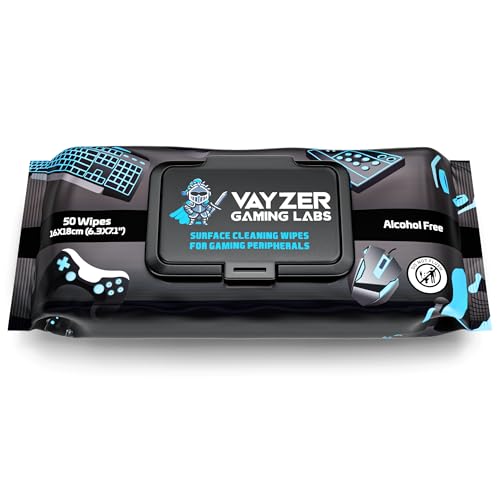
The Vayzer Gaming Labs Peripheral Wipes are an entry-tier disposable cleaning consumable aimed at PC gamers, console owners, and laptop users who want a singleipe format for keyboards, mice, controllers, mics, chairs, and desks. The pack ships 50 wipes in a resealable pouch, positioned as a routine maintenance product rather than a deep degreaser.
The defining feature is the alcohol-free, paraben-free, unscented formula. That chemistry is generally safer around oleophobic coatings, printed keycap legends, and rubberized mouse coatings than isopropyl-heavy wipes, based on typical wipe chemistry at this tier. Cleaning power on cured skin oil and heavy dust buildup will usually trail alcohol-based competitors.
Trade-offs are typical for a low-cost gaming wipe. The listing does not specify surfactant type, pH, moisture content per wipe, or dwell time, which makes it harder to judge suitability for OLED laptop panels or mate anti-glare monitors. With no published owner fedback yet, long-term pouch seal quality and dry-out rate remain unverified signals.
Buy this if you want a fragrance-free, alcohol-free wipe for daily quick cleanups of controllers, keycaps, and desk surfaces where coating safety matters more than heavy grime removal. Skip this if you need a validated scren-safe wipe for a specific OLED or coated display, or if you prefer verified isopropyl wipes for disinfection.
Formula: Alcohol-free, paraben-free, and unscented per the listing. Specific surfactants, preservatives, and pH are not specified. Alcohol-free wipes in this category typically rely on mild detergents and water, which favor coating safety over aggressive disinfection or oil cuting on textured peripherals.
Pack format: 50 wipes per pack in a resealable pouch, marketed as travel friendly. Individual wipe dimensions, GSM fabric weight, and moisture content per wipe are not specified, all of which normally drive real-world wipe lifespan and residue behavior on glossy surfaces.
Compatibility scope: Listing cals out keyboards, mice, controllers, mics, laptops, PCs, chairs, and desks. No explicit guidance is provided for OLED or QD-OLED panels, matte anti-glare monitor coatings, or leather and PU chair upholstery, so users should spot-test on high-value surfaces first.
What is not specified:Ingredient list, streak or residue rating, antibacterial claims, shelf life after opening, and country of manufacture are not listed in the source data. Buyers who need documented scren-safe certification or medical-grade disinfection should look at products with published specifications instead.
Step 1: Identify your pad type
Three categories cover almost everything: cloth (soft fabric surface, rubber backing), hard (plastic or aluminum top, sometimes with rubber feet), and RGB (any pad with built-in LEDs and a USB cable). Each gets a different routine.
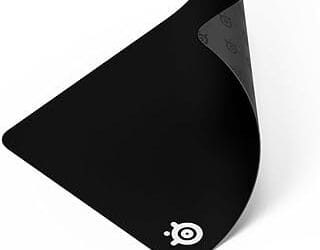
Cloth pads include most extended mats from Razer, SteelSeries, Corsair, and dozens of generics. They’re the most common and the most forgiving. Hard pads cover Logitech G440, Razer Sphex, and any aluminum or glass surface. RGB pads have a power cable and usually a hardware logo that glows.
If you’re not sure, look for a USB cable. That tells you it’s RGB and needs the careful treatment. If it’s pure fabric, treat as cloth. If it’s smooth plastic or metal, treat as hard.
Step 2: Clean a cloth pad
Fill your sink or tub with a few inches of lukewarm water. Not hot. Hot water can warp the rubber backing and cause it to peel from the fabric. Add about a teaspoon of dish soap and swirl gently.
Lay the pad flat in the water, surface up. Let it soak for about five minutes so the dirt loosens. Then grab a soft sponge (the non-scratchy side) or a clean microfiber cloth and gently scrub the surface in small circles. Focus on the wrist and mouse-tracking areas where buildup is heaviest. You’ll see the water turn brown or gray. That’s the year of skin oils leaving.
Don’t use a brush with stiff bristles. They’ll pill the fabric and ruin the smooth surface. Soft pressure with a sponge is plenty.
Rinse under cool running water until no soap suds remain. Press (don’t wring) excess water out by rolling the pad in a clean dry towel. Then lay flat on a fresh towel to air-dry. Cloth pads usually take 12 to 24 hours to fully dry. Don’t use a hair dryer. Heat damages the rubber base. Don’t hang to dry either, since gravity stretches the fabric.
Step 3: Clean a hard pad
Hard pads are easier. Dampen a microfiber cloth with warm water and a tiny drop of soap. Wipe the entire surface in straight lines, applying light pressure on any stuck-on spots. For really stubborn grime (dried food, ink), use a soft sponge dipped in soapy water.
Aluminum pads can handle a bit more force. Plastic-coated pads (like the QcK Hard or Razer Sphex V3) have a textured surface that’s easy to scrub off if you go too hard. Light pressure, multiple passes.
Flip the pad and wipe the rubber base. This is where most dust accumulates and where slipping starts. Rinse the cloth, wipe with clean water to remove soap residue, then dry with a fresh microfiber.
Hard pads dry in five minutes. Put it back on your desk and you’re done.

Pros
- Broad listed panel coverage across LCD, LED, CRT, and OLED display types.
- Kit bundles microfiber cloth, no additional cleaning pad purchase required at unboxing.
- 8 ounce bottle size suits multi-device households rather than single screen use only.
Cons
- Very limited owner feedback visible at time of writing, hard to verify safety claims independently.
- Ingredient list and alcohol content not specified, unclear impact on OLED oleophobic coatings long term.
- Microfiber cloth GSM, weave type, and edge stitching not disclosed for critical panel wiping.
This is a consumer grade scren cleaning kit in the entry tier, sold as an 8 ounce spray bottle plus one microfiber cloth. Target buyer is a household or small office user who wants a single bottle for TVs, laptops, phones, tablets, and monitors instead of stocking device specific cleaners.
The defining pitch is universal panel safety across LCD, LED, CRT, and OLED, which if accurate covers the common worry about cleaning OLED phones and TVs with generic glass cleaner. Miracle Brands does not publish an ingredient list, so streak behavior on anti-reflective coatings appears to vary based on cloth technique and pressure.
Data on this listing is thin, with almost no owner feedback visible at time of writing, so long term coating safety on premium OLED and mate anti-glare panels remains unverified. Scren sprays in this tier typically use diluted isopropyl or surfactant blends, but the exact formulation here is not specified.
Buy this if you want one general purpose cleaner for a mixed household of TVs, phones, and laptops with standard glossy or glass screens. Skip this if you own a high-end OLED, QD-OLED, or matte anti-glare monitor where manufacturer approved cleaners or distilled water plus a known microfiber are the safer choice.
Bottle and Kit Contents: The kit ships as an 8 ounce spray bottle with a separate sprayer attachment and one microfiber cloth. That volume is enough working fluid for months of typical monitor and TV wipe-downs, though heavy multi-device users may want a refill option, which is not specified by the brand.
Screen Compatibility: The formulation is listed as safe for LCD, LED, CRT, and OLED panels, covering nearly every consumer display type from the last two decades. Named brand coverage includes LG, Samsung, Sony, Sharp, Apple iPad and iPhone, Android devices, Kindle, PC monitors, and MacBook laptops.
Application Method: Directions state you attach the sprayer, apply cleaner to the cloth rather than the scren, then wipe until clear. Exact ingredients, alcohol percentage, and ammonia status are not specified, which matters for anti-glare coatings where isopropyl above 70 percent can strip the oleophobic layer.
Cloth Specification: The bundled microfiber is described as plush and low-shedding, though GSM weight, weave (split versus flat), and edge stitching are not specified. For OLED and matte panels, a dedicated 300 plus GSM split microfiber pad is the safer pairing if you notice drag during wiping.
Step 4: Clean an RGB pad
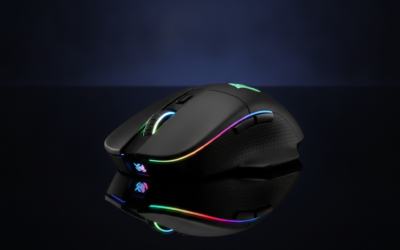
This is the one that requires real care. RGB pads have LED strips running around the perimeter and a controller board, usually built into the cable junction. Water and electronics don’t mix. You cannot soak, submerge, or even drape a wet cloth over an RGB pad.
Unplug the USB cable first. Always. Even though most are 5V and low risk, you don’t want to short anything while cleaning.
Dampen a microfiber cloth with water (just barely damp, not dripping). Wipe the surface in sections, working from the center outward. Avoid the edges where the LEDs sit. For oily spots, add a drop of dish soap to the cloth, wipe, then wipe again with a clean damp cloth to remove residue.
For the perimeter where the diffuser sits, use a dry microfiber or an electronics wipe rated safe for screens. Don’t let any moisture seep into the LED channel. If liquid gets under the diffuser, sections of the strip will fail.
Let the pad sit unplugged for at least two hours before reconnecting. Better to wait too long than power up a damp board.

Pros
- Anti-static formulation targets dust re-attraction on TV and monitor panels between cleanings.
- Resealable flat pack keeps wipes moist longer than lose single-use sachets.
- Broad device coverage spans phones, laptops, tablets, e-readers, cameras, and car screns.
Cons
- Limited owner feedback at time of writing makes long-term coating safety hard to verify.
- Source data does not specify alcohol or ammonia content, a concern for anti-glare and OLED coatings.
- Only 25 wipes per pack, so heavy multi-device households will cycle through packs quickly.
The Windex Electronic Cleaning Wipes are a consumable scren-care product in a 25-count resealable flat pack. This is a low-cost, general-purpose option aimed at households and desk users who want one wipe format for phones, laptops, TVs, tablets, e-readers, cameras, and car infotainment screens rather than device-specific cleaners.
The defining feature is the pre-moistened, anti-static cloth format. In practice, anti-static wipes in this category reduce how quickly dust settles back onto a freshly cleaned panel, which maters most on large TVs and mate monitor coatings. Windex markets a streak-free finish, though the source data does not disclose the exact solvent blend or surfactant used.
Trade-offs are typical at this tier. The specification sheet does not confirm whether the formula is alcohol-free or ammonia-free, which is the key question for anti-glare, oleophobic, and OLED coatings. Owner feedback is limited at time of writing, so long-term coating wear cannot be independently confirmed, and a 25-wipe count runs out fast in multi-scren homes.
Buy this if you want a cheap, resealable pack of anti-static screen wipes for general glass and plastic displays across a household. Skip this if you own a coated OLED TV, MacBook nano-texture panel, or camera lens where the manufacturer explicitly requires alcohol-free,ammonia-free cleaners.
Pack format: One resealable flat pack containing 25 pre-moistened wipes. Pack dimensions are 0.63 by 4.11 by 8.99 inches with a total weight of 0.35 pounds, thin enough to store in a laptop sleeve pocket or desk drawer alongside a microfiber cloth.
Formula and cloth: Windex lists the wipes as anti-static and pre-moistened with a gentle formula intended to lift dust, fingerprints, and smudges while leaving a streak-free finish. Exact solvent, alcohol, and ammonia content is not specified in the source data, so coating compatibility on OLED or anti-glare panels is not confirmed.
Target surfaces: Rated by the brand for computer screns, TV screens, laptops, monitors, phone screens, car screens, iPad screns, e-readers, cameras, tablets, and televisions. No specific guidance is given for mate nano-texture displays or coated camera optics, so treat those as user-discretion surfaces.
Storage and use: The resealable closure is designed to lock in moisture between uses. Product group is listed as Drugstore under Health and Beauty binding, and color is white. Discard each wipe once it dries out or picks up visible grit to avoid dragging particles across a panel.
Step 5: Check it worked
Once your pad is dry and back on the desk, glide your mouse across the surface from corner to corner. Tracking should feel smooth and consistent. No skips, no stuttering, no patches that feel rougher than others.
If you still feel inconsistency on a cloth pad, the surface coating may have worn through. That happens after a year or two of heavy use and no amount of cleaning brings it back. Time for a new pad.
For hard pads, run a finger across the surface. If you feel grit or sticky patches, hit those spots again with a damp cloth. The surface should feel uniformly smooth.
Common mistakes
Tossing a cloth pad in the washing machine. Some guides claim it’s fine. It isn’t. The agitator wrecks the fabric and the spin cycle warps the rubber base. Hand wash only.
Using alcohol or strong solvents on RGB pads. The plastic diffuser cracks under isopropyl and ammonia. Mild soap and water on a damp cloth, nothing stronger.
Putting a damp pad on your desk. Trapped moisture under a rubber base will lift wood finishes and stain particle board. Fully dry before redeployment.
Common questions
How often should I clean my mousepad?
Every two to three months for daily users. If you eat at your desk or your hands sweat a lot, monthly. You’ll know it’s overdue when the surface feels sticky or your mouse skips on the wrist area.
Can I put my cloth pad in the dryer?
Absolutely not. Heat melts the rubber backing and shrinks the fabric. Air-dry flat on a towel for 12 to 24 hours.
Does cleaning restore mouse tracking on a worn pad?
If the surface is just dirty, yes. If the fabric is physically worn through from hundreds of hours of use, no. There’s a point where cleaning can’t bring back a pad whose weave has been ground smooth.
What about scented detergents or fabric softener?
Skip them. Fabric softener leaves a residue that messes with mouse sensor tracking. Plain dish soap is all you need.