

Ray tracing is one of those graphics terms that gets stamped on every new GPU box, yet almost nobody stops to explain what it actually does once the game loads. You flip a setting, your frame rate drops, and reflections in a puddle suddenly look real. That’s the short version. The longer version is more interesting, because it changes how you shop for a card and how much you should spend to get a result you’ll actually notice.
If you’re weighing a new graphics card partly for this feature, it helps to know where ray tracing pays off and where it barely registers. We’ve folded that into this explainer, and if you’re mid-purchase you can cross-reference current best GPU deals or a focused list like the best GPU for 4K gaming once you understand what the hardware is doing. Let’s break it down without the marketing gloss.
The short answer
Ray tracing is a rendering technique that simulates how individual light rays travel, bounce, and scatter through a scene, instead of faking those effects with pre-baked tricks. Traditional real-time graphics use rasterization, which is fast but guesses at reflections, shadows, and bounced light. Ray tracing traces the actual path of light to a surface and back toward your eye, so reflections show what’s genuinely behind you and shadows soften the way real ones do.
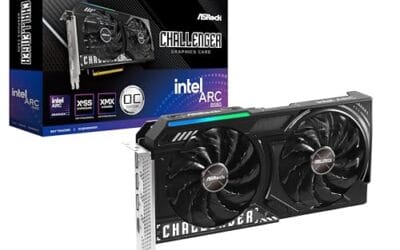
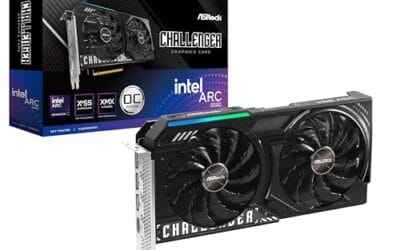
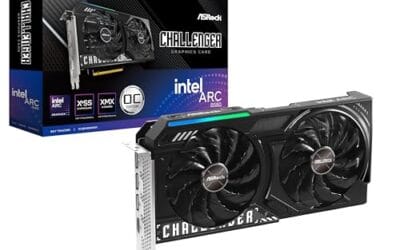
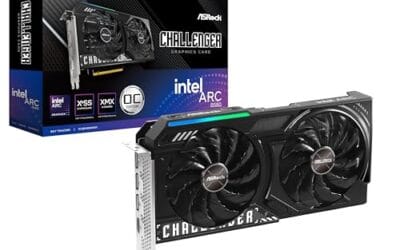
The catch is cost. Following millions of light rays per frame is brutally heavy math, so it needs dedicated hardware to run at playable speeds. That’s the whole reason it stayed out of games for so long. That’s why modern GPUs ship with special ray-tracing cores. An entry-level card like the ASRock Intel Arc B580, a 12GB GDDR6 card at $309.99 with a 4.3 rating, can handle lighter ray-traced effects at 1080p, which makes it a reasonable first taste without a flagship budget.

Pros
- 12GB VRAM on 192-bit bus gives headroom over8GB rivals at 1440p.
- Single 8-pin connector and 650W PSU target means broad build compatibility.
- DisplayPort 2.1 with UHBR13.5 suports high-refresh QHD and 4K panels natively.
- 2-slot 249mm length fits compact ATX and many mATX chassis without clearance issues.
Cons
- Limited owner feedback at time of writing makes long-term reliability signals thin.
- PCIe 4.0 x8 interface can bottleneck slightly on older PCIe 3.0 platforms.
- Intel Arc driver maturity in older DX9/DX11 titles still trails NVIDIA and AMD.
The ASRock Arc B580 Challenger 12GB OC is a mid-range 1440p GPU built on Intel's Xe2-HPG architecture with 20 Xe cores, 160 XMX engines, and a 2740MHz boost clock. It targets QHD gamers and content creators who want more VRAM than 8GB competitors offer at this bracket, without moving up to a 200W-plus card.
The defining feature is the 12GB GDDR6 pool on a 192-bit bus running at 19 Gbps, which gives real texture and framebuffer headroom at1440p. Combined with XeSS 2 AI upscaling and DirectX 12 Ultimate support, Arc B580 cards in this tier typically handle modern raster titles at high settings QHD, based on Intel's reference silicon behavior.
Trade-offs are typical for Intel Arc at this stage. The PCIe 4.0 x8 interface can shave frames on PCIe 3.0 boards, and driver polish on legacy DX9/DX11 games still lags competing vendors. The card requires a single 8-pin, 650W recommended PSU, and 249mm length, so verify chassis clearance and rail headroom before pairing with older bronze-tier supplies.
Buy this if you want a 1440p card with 12GB VRAM, DP 2.1 outputs, and XeSS 2 support on a modern PCIe 4.0 platform. Skip this if your library leans heavily on older DirectX 9 or 11 titles, or your motherboard is PCIe 3.0.
Resolution target: With 12GB GDDR6 on a 192-bit bus at 19 Gbps, this card is positioned for 1440p high settings in modern raster titles, with XeSS 2 upscaling extending playable framerates in heavier ray-traced workloads. 1080p esports at high refresh is well within scope.
Power and PSU pairing: ASRock lists a 650W recommended PSU and a single 8-pin connector. GPUs in this class typically draw around 190W board power, so pair with a quality 650W to 750W unit to leave transient headroom on ATX 3.0 or olderATX 2.x rails.
Build clearance: The2-slot cooler measures 249mm long, 132mm wide, and 41mm high. That fits most mid-towers and many mATX cases, but confirm front-radiator or HDD-cage clearance in compact builds beforeordering, especially SFF chassis rated under 250mm GPU length.
Display outputs: Three DisplayPort 2.1 ports (one primary up to UHBR13.5) plus one HDMI 2.1a drive up to four displays with resolutions up to 8K. UHBR13.5 suports high-refresh 4K and 1440p panels natively without DSC compromises.
The longer explanation
Picture a scene as a room full of objects. With rasterization, the GPU projects triangles onto your screen and shades each pixel using shortcuts. A shiny floor might get a reflection that’s really just a flipped copy of the geometry, drawn with a mirror trick that breaks the moment something moves off-screen. It looks fine at a glance. It falls apart under scrutiny.
Ray tracing works backward from your camera. For each pixel, the GPU shoots a ray into the scene, finds the first surface it hits, then spawns more rays to ask further questions. Is this point in shadow? What color light is bouncing onto it from nearby walls? Is the surface reflective, and if so, what does it actually reflect? Each answer feeds the final pixel color. Do that for every pixel, several bounces deep, at 60 frames a second, and you understand why it took decades to reach home PCs.
Most games don’t ray-trace everything. They use a hybrid approach, rasterizing the bulk of the frame for speed and applying ray tracing only to specific effects like reflections, global illumination, or shadows. That selective use is deliberate. Full-scene tracing would tank frame rates, so developers pick the effects where the visual gain justifies the cost and leave the rest to fast rasterization. Full path tracing, which traces nearly all lighting, exists in a handful of titles and still hammers even top-tier cards.
How we got here
Ray tracing isn’t new. Film studios have used it for decades to render animated movies, except a single Pixar frame could take hours on a render farm. That’s fine for cinema, useless for a game that needs a fresh frame every 16 milliseconds. The technique sat firmly in the offline-rendering world for a long time.
The shift came in 2018, when NVIDIA launched consumer GPUs with dedicated RT cores and paired them with AI upscaling. Suddenly real-time ray tracing was possible, if you accepted a heavy performance hit and leaned on upscaling to claw frames back. AMD and Intel followed with their own ray-tracing hardware. Each generation since has widened the gap between what’s technically possible and what runs smoothly, and buyers shopping for a best RTX 5060 Ti prebuilt PC or a step up like a best RTX 5070 Ti prebuilt PC are really paying, in part, for stronger ray-tracing silicon.
Why it works this way
The reason ray tracing looks convincing is that it models physics rather than mimicking results. Real light doesn’t care about your camera angle. It bounces off a red wall, picks up a faint red tint, and spills onto the white ceiling nearby. Rasterization has no built-in concept of that bounce, so artists fake it with hand-placed lights and baked textures. It works until the scene changes in a way the artist didn’t anticipate.
Because ray tracing computes lighting on the fly, it stays correct when things move. Blow up a wall and the room relights itself. Walk past a window and your reflection tracks you across a car’s paint. The trade is raw compute. Every extra bounce multiplies the ray count, and that’s before shadows and transparency pile on. Dedicated RT cores exist precisely to handle the geometry-intersection math that would otherwise choke the general shader units.
When you’d want this
Ray tracing earns its keep in slower, atmospheric games where you have time to notice lighting. Story-driven titles, open worlds at night, anything with wet streets and neon. In those, the difference is obvious and it pulls you in. A shaft of light through a dusty window or a reflection creeping across a puddle sells the mood in a way baked lighting rarely matches. In a fast competitive shooter, you’ll never see it, and most players switch it off to chase frame rate instead. So the honest answer is: it depends on what you play and how much you’ll stop to look.
If ray tracing matters to you at 1440p and above, aim for a card with strong RT cores and enough memory bandwidth. The ASUS TUF Gaming GeForce RTX 5070, a 12GB GDDR7 card at $749.99 rated 4 stars with PCIe 5.0 and a 3-year warranty, is built for exactly this kind of workload and pairs well with a modern CPU. Gamers matching a card to a strong chip often check a guide like the best GPU for 9800X3D so nothing bottlenecks the ray-tracing headroom, and anyone who records gameplay should skim the best GPU for gaming and streaming notes too.

Pros
- GDDR7 memory on a 12GB frame suits 1440p high-refresh and early 4K workloads without hitting VRAM ceiling quickly.
- 0dB fan-stop below 50C keeps the card silent during desktop use, browsing, and light gaming sessions.
- Dual-ball bearing fans rated for roughly twice the lifespan of sleeve-bearing alternatives, reducing long-term maintenance concerns.
- NVIDIA DLSS 4 support enables frame generation and upscaling, recovering performance in ray-tracing-heavy titles.
Cons
- 3.125-slot footprint requires verifying case GPU clearance before ordering, particularly in mid-tower and mATX builds.
- TGP not explicitly listed in source data; pair with a PSU rated at least 150W above GPU draw for transient headroom, typical recommendation at this tier is 850W or above.
The ASUS TUF Gaming RTX 5070 OC is a high-end discrete GPU built on NVIDIA's Blackwell architecture. With 12GB GDDR7 memory and PCIe 5.0 interface, it targets enthusiast builders running 1440p high-refresh or early 4K setups who want a card that can sustain load without thermal throttling.
The standout feature is the thermal stack. ASUS combines a phase-change GPU thermal pad, MaxContact heat spreader with 5% increased surface area, and three Axial-tech fans spinning on dual-ball bearings. Based on the design specs, the phase-change pad should outperform traditional paste under extended gaming or GPU-compute sessions where die temperatures stabilize near TDP ceiling.
The 3.125-slot width is a real consideration, not a marketing point. Builders in tighter mATX or ITX cases need to confirm GPU slot clearance before purchasing. TGP figures are not listed in source data, but GPUs at this tier typically land between 200W and 250W, so a quality 850W PSU is the minimum sensible pairing. The conformal PCB coating and military-grade capacitors address durability concerns but do not offset the need for adequate airflow in the host case.
Buy this if you are building a dedicated 1440p or 4K gaming rig on PCIe 5.0 and want a card with above-average long-term component reliability. Skip this if your case has less than 3.125 slots of GPU clearance or your PSU is below 750W, as headroom for transient power spikes becomes a real stability risk.
VRAM and Resolution Fit: The 12GB GDDR7 frame is well-positioned for 1440p at maximum settings and 4K at medium-to-high presets in current titles. GDDR7 bandwidth reduces memory bottlenecks compared to GDDR6X at equivalent capacity, which matters in texture-heavy and ray-traced workloads.
Upscaling and Frame Generation: DLSS 4 support includes multi-frame generation, which is significant for GPU-limited scenarios at 4K with ray tracing enabled. Buyers targeting high-refresh 1440p esports titles will find DLSS 4 largely unnecessary at this GPU tier, but ray-tracing users benefit directly.
Slot and Clearance Requirements: The 3.125-slot design requires a minimum of four physical PCIe slot spaces free in the case. Card length is not specified in source data; confirm chassis GPU length clearance against ASUS product page measurements before purchasing.
Power and Connector: Connector type is not specified in source data. GPUs at this tier typically use a 16-pin 12VHPWR or 12V-2x6 connector. Verify PSU connector availability and target a PSU with at least 150W above measured GPU TGP for safe transient headroom.
What to look for in a ray-tracing GPU
Three things carry most of the weight. First, the generation and count of the ray-tracing cores, since newer RT hardware handles more rays per clock. Second, memory: ray-traced effects eat VRAM, and 12GB is a comfortable floor for 1440p, with more welcome at 4K. Third, upscaling support, because AI upscaling is what makes heavy ray tracing playable in the first place. A card that’s strong on paper but weak at upscaling will feel worse than its specs suggest.
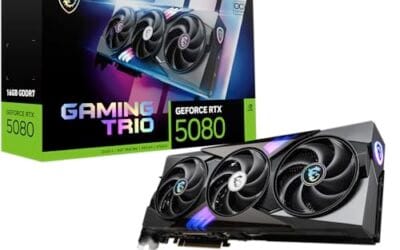
Don’t ignore the boring stuff either. Cooling design, slot width, and warranty length all shape the ownership experience over years. A quieter cooler and a longer warranty matter more day to day than a few extra ray-traced frames you’ll rarely count. If you’re eyeing a bigger build, a best RTX 5080 prebuilt PC gives you more ray-tracing headroom for demanding path-traced titles, though you’ll pay for the privilege. Match the card to your monitor’s resolution first. There’s no point buying flagship RT muscle to feed a 1080p 60Hz panel.
Common misconceptions
The biggest myth is that ray tracing always makes games look dramatically better. Sometimes it’s subtle to the point of invisible, especially in bright daytime scenes where the lighting was already well faked. Another myth is that any GPU with the feature runs it well. Support and smooth performance are different things. A budget card can enable ray tracing and still crawl.
People also confuse ray tracing with upscaling, treating them as the same toggle. They’re separate. One computes lighting, the other reconstructs resolution to recover speed. You’ll often run both at once, and the upscaler is doing the quiet work of giving those extra rays room to breathe. And no, turning ray tracing on won’t magically fix a game with weak art direction. Good lighting helps good art. It can’t rescue bad art.
Frequently asked
Does ray tracing hurt frame rate?
Yes, often significantly. Ray tracing is compute-heavy, so enabling it can cut frame rates by a third or more depending on the game and card. AI upscaling offsets much of that loss, which is why the two features are usually promoted together. On weaker GPUs the hit is harsher.
Do I need ray tracing to enjoy modern games?
No. Plenty of great-looking games either don’t use it or look nearly identical with it off. It’s a visual enhancement, not a requirement. If your budget is tight, prioritize raw performance and VRAM first, then treat ray tracing as a bonus you can toggle.
Can budget GPUs run ray tracing?
They can enable it, but expect to keep resolution lower and lean on upscaling. A card like the ASRock Arc B580 handles lighter ray-traced effects at 1080p reasonably, while heavier path-traced titles will stay out of reach. It’s a feature you dial in, not one you max out on entry hardware.
What’s the difference between ray tracing and path tracing?
Path tracing is a fuller, more accurate form of ray tracing that simulates nearly all light bounces across a scene rather than just select effects. It looks stunning and it’s extremely demanding, so only a few games offer it and only powerful GPUs run it smoothly. Regular ray tracing is the lighter, hybrid approach most titles use.
Is ray tracing worth the extra money on a GPU?
It depends on what you play. For atmospheric single-player games, the visual payoff is real and it’s worth prioritizing. For competitive multiplayer, you’ll likely disable it anyway, so spend on frame rate instead. Decide by your library, not by the spec sheet, and you’ll spend smarter.



























Write Your Review
No reviews yet. Be the first to share your experience!