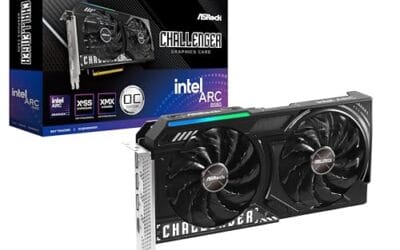
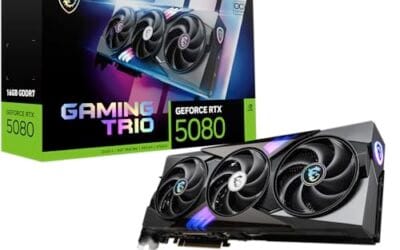
You just dropped $800 on a shiny new GPU, slot it in, fire up your favorite game, and hear a high-pitched buzz coming from inside the case. That’s coil whine. It’s one of the most universally hated PC noises and one of the most misunderstood. Some people RMA cards over it. Others ignore it for years. Here’s what’s actually causing that sound, when it signals a real problem, and the small fixes that actually quiet it down.
The short answer
Coil whine is the audible vibration of inductor coils on a circuit board when electrical current flows through them at certain frequencies. Inductors are wound copper wire wrapped around a ferrite core, and when current changes rapidly, the magnetic field makes the wire physically wiggle. If that wiggle lands between 1 kHz and 20 kHz, your ears pick it up as a buzz, hiss, or whine.
It’s not a sign of damage. It’s not dangerous. It doesn’t shorten the card’s life. It’s just annoying, and on some units it’s loud enough to be a deal-breaker.
The longer explanation
Every PC component that handles serious power has voltage regulator modules, or VRMs. These convert the 12V coming from your PSU down to the 1.0-1.3V the GPU core or CPU actually uses. The conversion happens through a switching circuit that flicks on and off thousands of times per second. Each flick pushes current through an inductor, and the inductor’s magnetic field tugs the copper windings.
In a perfectly built VRM, those windings are potted in epoxy or shielded so they can’t move. In a real-world board built to a price point, they’re often bare. The faster the switching frequency drifts, the more the windings flex, and the louder the whine. That’s why coil whine gets worse under high frame rates. A GPU pushing 400 FPS in a menu screen makes the VRM switch harder than the same GPU doing 60 FPS in a heavy game scene.
PSUs do it too. The 12V rail uses the same switching topology, just at higher current. Cheap PSUs with skimpy filtering will buzz when a connected GPU pulls bursts of 200-400 watts. That’s why some coil whine actually comes from the PSU, not the card you blamed.
Why it works this way
The physics is called magnetostriction. When current flows through a coil, the magnetic field aligns the iron atoms in the ferrite core. When the current changes direction, those atoms flip. The flipping happens fast, but it’s not instantaneous, and the tiny dimensional change in the core makes the whole assembly vibrate. Pair that with copper windings that aren’t rigidly glued down, and you get a miniature speaker driven by your GPU’s power demand.
Modern switching regulators operate in the 100 kHz to 1 MHz range. Most of that is above human hearing. But the harmonics, the secondary vibration modes, fall right into the 2-12 kHz range where ears are most sensitive. That’s the band where a baby’s cry and a smoke alarm live, so even faint coil whine reads as piercing.
Manufacturing variance is the reason one card whines and the identical SKU next to it stays silent. Differences in winding tension, epoxy coverage, and core material all matter. Two cards off the same line can sound completely different.
When you would want to act on it
Most coil whine isn’t worth chasing. It’s masked by case fans, ambient room noise, or headphones. But there are cases where it’s worth addressing. If you can hear it from across the room, if it gets worse over weeks (which sometimes happens as epoxy bonds weaken), or if it’s accompanied by visible smoke or burning smell (that’s not coil whine anymore, that’s a dying VRM), you have a real issue.
Quick fixes that actually help: cap your frame rate. A GPU rendering 800 FPS in a menu is the worst case for whine. Lock it to 144 or 165, and the whine often disappears. Enable V-Sync or your monitor’s variable refresh. Both reduce the wild current swings that drive the noise. If the PSU is the culprit, swapping to a unit with better filtering, like a Seasonic Focus or Corsair RM series, can completely eliminate the buzz.

Pros
- 75.5mm coil diameter fits common large woofer formers used in stage subs.
- Dual-layer aluminum round wire trades peak power for cleaner bass response.
- Low mass former helps preserve original driver transient behavior after repair.
Cons
- Limited owner feedback at time of writing, so long-term reliability is unverified.
- No impedance, DC resistance, or power handling rating specified in source data.
- Aluminum wire construction is less forgiving of sustained high-power input than coper-clad equivalents.
The Cuifati 75.5mm voice coil is a budget speaker repair part aimed at DIY audio hobbyists and stage sound technicians rebuilding blown low-frequency drivers. It uses a dual-layer black aluminum round wire winding on a 75.5mm former, marketed specifically for wofer and bass driver refurb rather than full-range or compression driver work.
The defining feature is the dual-layer aluminum round wire construction, which the manufacturer positions as tuned for bass performance over sher power handling. Aluminum voice coils in this class typically favor lower moving mass and cleaner low-frequency articulation, though without published impedance, Re, or Xmax figures, buyers should treat powerratings as unverified and match to the original driver spec sheet.
Trade-offs are meaningful at this tier. The source lists no impedance, wattage, height, or winding length, so matching to an existing gap and magnet structure requires measuring the failed coil first. Aluminum wire is also less tolerant of sustained thermal load than copper equivalents, so heavy stage duty may shorten service life compared to a like-for-like OEM replacement.
Buy this if you are re-coning a 75.5mm former wofer for occasional stage or DIY use and can verify impedance and coil height against your original driver. Skip this if you need a documented power rating, Re value, or a coil for high-continuous-output professional bass cabinets.
Coil Diameter: Listed at 75.5mm, sized for larger wofer and subwoofer formers rather than mid or tweeter applications. Buyers should caliper-measure the original burnt coil former beforeordering, since even a 0.5mm mismatch against the magnet gap will bind the cone or cause rubing on excursion.
Winding Construction: Two layers of black aluminum round wire. Round wire fills the gap less densely than flat ribon wire, typical of budget bass coils in this tier, and the aluminum choice reduces moving mass at the cost of thermal headroom versus copper.
Application Target: Stage speaker repair and DIY bass driver rebuilds. The manufacturer explicitly positions this as a low-frequency coil, not a high-power PA replacement, so pair it with drivers used at moderate continuous power rather than sustained full-tilt subwoofer duty.
Missing Data: Impedance, DC resistance (Re), winding height, former material, and rated power are not specified in the source listing. Match these parameters to your original driver's service documentation before purchase, since incorrect Re will shift crossover behavior and amplifier load.
Common misconceptions
First myth: coil whine means the card is dying. It doesn’t. A whining card can run for a decade without issue. The noise is mechanical vibration of healthy components.
Second myth: expensive cards don’t whine. Flagship cards whine plenty. RTX 4090s and 5090s are notorious for it because they pull 400-600W under load, and that much current makes any inductor sing. Some of the worst-whining cards on record were halo SKUs.
Third myth: undervolting silences it. Sometimes, sometimes not. Undervolting reduces total current draw, which can quiet the coil, but it can also shift the switching frequency into a more audible band and make it worse. It’s worth trying, but don’t count on it as a fix.
Fourth myth: PSU quality doesn’t matter for coil whine. It absolutely does. A 12V rail with poor filtering passes voltage ripple straight into the GPU’s input stage, where it amplifies coil vibration. Cheap PSUs are a top cause of card whine that wasn’t there with a better unit.
Frequently asked
Can I fix coil whine with hot glue?
In theory, yes. A dab of hot glue or nail polish on the offending inductor can damp the vibration. In practice, you’ll void your warranty, you risk shorting nearby components, and the GPU’s inductor is on a board behind a heatsink that’s a pain to remove. Not recommended unless the card’s out of warranty and you’ve exhausted other options.
Does coil whine break in over time?
Sometimes. A few weeks of regular load can settle the windings into the epoxy and quiet things down. Don’t bet on it though. Plenty of cards whine on day one and still whine three years later.
Should I RMA a whining GPU?
If it’s audible at idle or from outside the case, yes. Most manufacturers will accept the return, though some explicitly say coil whine isn’t a defect. Check the warranty terms before you ship. EVGA and ASUS have historically been more accommodating than others.
Why does it change with frame rate?
Because frame rate drives current draw. Higher FPS means more switching activity in the VRM, more current swings, and more vibration. That’s also why menu screens at 1000+ FPS are often the worst offenders. Cap your frames, and you’ll often cap the noise.