

The difference between GDDR6 and GDDR7 is mostly about bandwidth, signaling, and power behavior, not some magic setting that makes every game faster. Both are graphics memory standards used on modern GPUs, and both store the textures, frame buffers, geometry data, and working assets your graphics card needs while it renders a scene. If the GPU is the engine, the memory system is the road feeding it.
If you’re comparing cards in current GPU deals or sizing up a build for 4K gaming, memory type matters most after you’ve already checked the GPU chip, VRAM capacity, price, and power needs. GDDR7 can move more data per pin than GDDR6, but a fast memory label doesn’t automatically beat a stronger graphics processor with enough GDDR6. Context matters. A lot. Related buying context: best GPU for 9800X3D, and best GPU for gaming and streaming.
The short answer
GDDR6 is the older, widely used graphics memory standard found on many mainstream and previous-generation cards. GDDR7 is the newer standard designed for much higher memory bandwidth, better efficiency per bit moved, and more headroom for high-resolution textures, ray tracing workloads, AI-assisted rendering, and future GPU designs.
In plain English, GDDR7 lets a graphics card feed its GPU more data without needing an absurdly wide memory bus. That’s why you can see cards with 12GB of GDDR7 positioned for serious 1440p and entry-level 4K play, while a 12GB GDDR6 card can still make sense for value-focused gaming if the GPU core, price, and drivers line up well. It’s not old versus good. It’s cost, bandwidth, and the card around it.

Pros
- 12GB VRAM on 192-bit bus gives headroom over8GB rivals at 1440p.
- Single 8-pin connector and 650W PSU target means broad build compatibility.
- DisplayPort 2.1 with UHBR13.5 suports high-refresh QHD and 4K panels natively.
- 2-slot 249mm length fits compact ATX and many mATX chassis without clearance issues.
Cons
- Limited owner feedback at time of writing makes long-term reliability signals thin.
- PCIe 4.0 x8 interface can bottleneck slightly on older PCIe 3.0 platforms.
- Intel Arc driver maturity in older DX9/DX11 titles still trails NVIDIA and AMD.
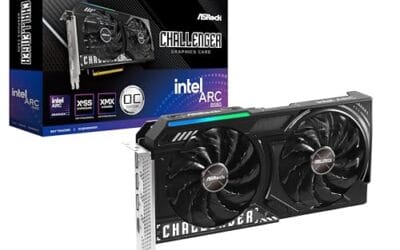
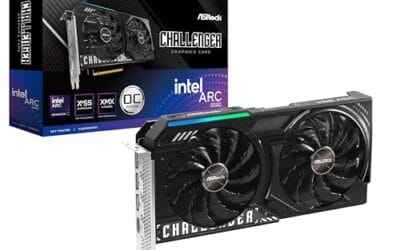
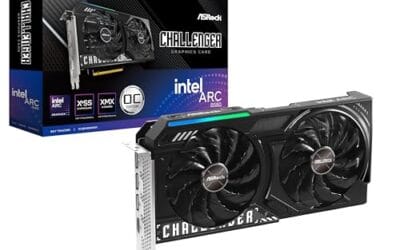
The ASRock Arc B580 Challenger 12GB OC is a mid-range 1440p GPU built on Intel's Xe2-HPG architecture with 20 Xe cores, 160 XMX engines, and a 2740MHz boost clock. It targets QHD gamers and content creators who want more VRAM than 8GB competitors offer at this bracket, without moving up to a 200W-plus card.
The defining feature is the 12GB GDDR6 pool on a 192-bit bus running at 19 Gbps, which gives real texture and framebuffer headroom at1440p. Combined with XeSS 2 AI upscaling and DirectX 12 Ultimate support, Arc B580 cards in this tier typically handle modern raster titles at high settings QHD, based on Intel's reference silicon behavior.
Trade-offs are typical for Intel Arc at this stage. The PCIe 4.0 x8 interface can shave frames on PCIe 3.0 boards, and driver polish on legacy DX9/DX11 games still lags competing vendors. The card requires a single 8-pin, 650W recommended PSU, and 249mm length, so verify chassis clearance and rail headroom before pairing with older bronze-tier supplies.
Buy this if you want a 1440p card with 12GB VRAM, DP 2.1 outputs, and XeSS 2 support on a modern PCIe 4.0 platform. Skip this if your library leans heavily on older DirectX 9 or 11 titles, or your motherboard is PCIe 3.0.
Resolution target: With 12GB GDDR6 on a 192-bit bus at 19 Gbps, this card is positioned for 1440p high settings in modern raster titles, with XeSS 2 upscaling extending playable framerates in heavier ray-traced workloads. 1080p esports at high refresh is well within scope.
Power and PSU pairing: ASRock lists a 650W recommended PSU and a single 8-pin connector. GPUs in this class typically draw around 190W board power, so pair with a quality 650W to 750W unit to leave transient headroom on ATX 3.0 or olderATX 2.x rails.
Build clearance: The2-slot cooler measures 249mm long, 132mm wide, and 41mm high. That fits most mid-towers and many mATX cases, but confirm front-radiator or HDD-cage clearance in compact builds beforeordering, especially SFF chassis rated under 250mm GPU length.
Display outputs: Three DisplayPort 2.1 ports (one primary up to UHBR13.5) plus one HDMI 2.1a drive up to four displays with resolutions up to 8K. UHBR13.5 suports high-refresh 4K and 1440p panels natively without DSC compromises.
The longer explanation
Graphics memory is not the same as your system RAM. Your PC’s DDR5 memory feeds the CPU, while GDDR memory sits on the graphics card PCB and talks directly to the GPU over a dedicated memory bus. That bus might be 128-bit, 192-bit, 256-bit, or wider, and the memory chips attached to it run at very high effective data rates. Multiply the bus width by the memory speed and you get memory bandwidth, usually shown in GB/s.
GDDR6 has been the dependable workhorse for years. It supports high effective speeds, reasonable power draw, and mature board designs. GDDR7 raises the ceiling by changing how data is signaled across each pin, allowing more bits to move per clock cycle. So two cards with the same 192-bit memory bus can behave very differently if one uses GDDR6 and the other uses faster GDDR7. You’ll usually feel that difference more in bandwidth-hungry situations: higher resolutions, large texture packs, heavy anti-aliasing, ray tracing, and some creator workloads.
There’s also a latency angle, but it’s easy to overstate it for gaming. GPUs hide memory latency by running many operations in parallel, so raw bandwidth often gets more attention than nanosecond-level access time. That’s different from CPU memory, where latency can be more visible in certain apps. For graphics cards, the big question is usually simple: can the memory subsystem keep the GPU fed at the resolution and settings you’re using?
History / how we got here
GDDR6 arrived as the successor to GDDR5 and GDDR5X, giving GPUs a strong bump in bandwidth without forcing every card into huge, expensive memory buses. It became common across Radeon, GeForce, and Intel Arc cards because it hit a useful balance of speed, cost, heat, and board complexity. That’s why plenty of capable GPUs still use it. The ASRock Intel Arc B580 Challenger, for example, pairs 12GB of GDDR6 on a 192-bit bus with PCIe 4.0 and display outputs including DP 2.1 and HDMI 2.1a at a $309.99 listed price.
GDDR7 is the next step for cards that need more bandwidth without ballooning the bus width. Instead of simply pushing old signaling harder, it uses newer signaling methods to increase throughput. That helps explain products like the ASUS TUF Gaming NVIDIA GeForce RTX 5070 12GB GDDR7 OC Edition, listed at $749.99 with PCIe 5.0, HDMI/DP 2.1, a 3.125-slot cooler, axial-tech fans, and a 3-year warranty. Same 12GB capacity as some GDDR6 cards, but a very different performance class and platform design.
That transition won’t happen all at once. Memory standards move through the market by tier. Premium and newer-generation cards usually adopt the faster memory first because the extra bandwidth supports the price and board design. Value cards often stay with the older standard longer because mature chips, known layouts, and lower costs matter more. That’s normal. It’s how GPU memory has changed for decades.
Why it works this way
A GPU is extremely parallel. Thousands of shader units can be waiting for texture samples, lighting data, geometry, cache fills, and frame-buffer operations at once. If the memory subsystem can’t keep up, the GPU may sit partly underfed even though its raw compute specs look impressive. That’s the bottleneck memory bandwidth is meant to avoid.
GDDR7 improves the pipe between memory and GPU by sending more information per signal transition than GDDR6. More throughput per pin means board makers can reach higher bandwidth with the same bus width, or similar bandwidth with less strain. It doesn’t remove the need for cache, good drivers, or enough VRAM capacity. It just gives the GPU a wider effective highway. Cleaner lane math, if you like.
Caches are the other part of the story. Modern GPUs try to keep frequently used data close to the chip so they don’t have to hit external memory every time. A bigger or smarter cache can reduce pressure on GDDR, while faster GDDR can help when the cache misses. That’s why two cards with similar memory specs may still perform differently. Architecture counts. Drivers count. The game engine counts too.
When you’d want this
You’d care about GDDR7 most when buying a newer midrange-to-high-end GPU for a system you expect to keep for several years. If you’re chasing high-refresh 1440p, trying ray tracing with upscaling, editing GPU-accelerated video, or planning around newer games with larger asset sets, the extra bandwidth can help the card age more gracefully. It can also matter if you’re comparing a prebuilt around a current GeForce card, especially when looking at systems like an RTX 5070 Ti prebuilt PC or faster options.
You don’t need GDDR7 just to make a PC feel modern, though. A well-priced GDDR6 card with 12GB can still be a smart pick for 1080p, mainstream 1440p, esports, and budget builds. The ASRock card’s 4.3 rating and $309.99 price put it in a very different buying conversation than a $749.99 ASUS TUF RTX 5070 card with a 4-star rating and GDDR7. They’re not trying to solve the same problem.
The clearest reason to pay more for a GDDR7 card is if the whole GPU package is stronger: newer architecture, higher raster performance, better ray tracing, stronger upscaling support, and the display outputs you need. If the card also has 12GB or more of VRAM, the faster memory can make more sense. If you’re mostly playing lightweight games on a 1080p monitor, you’ll probably notice the GPU tier and cooler noise before you notice the memory standard.

Pros
- GDDR7 memory on a 12GB frame suits 1440p high-refresh and early 4K workloads without hitting VRAM ceiling quickly.
- 0dB fan-stop below 50C keeps the card silent during desktop use, browsing, and light gaming sessions.
- Dual-ball bearing fans rated for roughly twice the lifespan of sleeve-bearing alternatives, reducing long-term maintenance concerns.
- NVIDIA DLSS 4 support enables frame generation and upscaling, recovering performance in ray-tracing-heavy titles.
Cons
- 3.125-slot footprint requires verifying case GPU clearance before ordering, particularly in mid-tower and mATX builds.
- TGP not explicitly listed in source data; pair with a PSU rated at least 150W above GPU draw for transient headroom, typical recommendation at this tier is 850W or above.
The ASUS TUF Gaming RTX 5070 OC is a high-end discrete GPU built on NVIDIA's Blackwell architecture. With 12GB GDDR7 memory and PCIe 5.0 interface, it targets enthusiast builders running 1440p high-refresh or early 4K setups who want a card that can sustain load without thermal throttling.
The standout feature is the thermal stack. ASUS combines a phase-change GPU thermal pad, MaxContact heat spreader with 5% increased surface area, and three Axial-tech fans spinning on dual-ball bearings. Based on the design specs, the phase-change pad should outperform traditional paste under extended gaming or GPU-compute sessions where die temperatures stabilize near TDP ceiling.
The 3.125-slot width is a real consideration, not a marketing point. Builders in tighter mATX or ITX cases need to confirm GPU slot clearance before purchasing. TGP figures are not listed in source data, but GPUs at this tier typically land between 200W and 250W, so a quality 850W PSU is the minimum sensible pairing. The conformal PCB coating and military-grade capacitors address durability concerns but do not offset the need for adequate airflow in the host case.
Buy this if you are building a dedicated 1440p or 4K gaming rig on PCIe 5.0 and want a card with above-average long-term component reliability. Skip this if your case has less than 3.125 slots of GPU clearance or your PSU is below 750W, as headroom for transient power spikes becomes a real stability risk.
VRAM and Resolution Fit: The 12GB GDDR7 frame is well-positioned for 1440p at maximum settings and 4K at medium-to-high presets in current titles. GDDR7 bandwidth reduces memory bottlenecks compared to GDDR6X at equivalent capacity, which matters in texture-heavy and ray-traced workloads.
Upscaling and Frame Generation: DLSS 4 support includes multi-frame generation, which is significant for GPU-limited scenarios at 4K with ray tracing enabled. Buyers targeting high-refresh 1440p esports titles will find DLSS 4 largely unnecessary at this GPU tier, but ray-tracing users benefit directly.
Slot and Clearance Requirements: The 3.125-slot design requires a minimum of four physical PCIe slot spaces free in the case. Card length is not specified in source data; confirm chassis GPU length clearance against ASUS product page measurements before purchasing.
Power and Connector: Connector type is not specified in source data. GPUs at this tier typically use a 16-pin 12VHPWR or 12V-2x6 connector. Verify PSU connector availability and target a PSU with at least 150W above measured GPU TGP for safe transient headroom.
What to look for in a GDDR6 or GDDR7 GPU
Start with the GPU model, not the memory label. A faster graphics chip with decent GDDR6 can beat a weaker chip with newer memory. Then check VRAM capacity. For current gaming, 8GB can still work for lighter 1080p settings, but 12GB is a much nicer baseline for new cards because it gives textures, frame buffers, and background apps more breathing room. Both products in this assignment list 12GB, which is why the memory standard and GPU tier become easier to compare.
Next, look at bus width, display outputs, cooler size, and platform fit. A 192-bit GDDR6 card can be attractive if the price is right, while a GDDR7 card with PCIe 5.0 and HDMI/DP 2.1 may be better aligned with a newer build. Don’t ignore physical size, either. A 3.125-slot cooler can run quiet and controlled, but it needs case clearance. Small case? Measure twice.
Also check power supply headroom and monitor plans. If you’re keeping a 1080p 144Hz display, spending extra just to get GDDR7 may not change your daily experience much. If you’re moving to 1440p high refresh or 4K, then bandwidth, VRAM, and GPU horsepower start working together. We’ve seen many buyers focus on one spec line and miss the bigger fit. Don’t do that.
Common misconceptions
The first misconception is that GDDR7 always means more VRAM. It doesn’t. GDDR6 and GDDR7 describe the memory technology, while 8GB, 12GB, 16GB, or 24GB describe capacity. A 12GB GDDR7 card may have more bandwidth than a 12GB GDDR6 card, but both still hold 12GB of assets before spilling into slower system memory paths.
The second misconception is that memory type decides the whole GPU. It doesn’t do that either. The graphics processor, shader count, clocks, cache, drivers, power limit, cooler, and game engine all matter. GDDR7 helps most when the GPU is fast enough to use the extra bandwidth. On a value card, GDDR6 can be the better deal because the saved cost goes toward a lower price instead of chasing specs you won’t always feel.
Another misconception is that GDDR6 is suddenly obsolete. It isn’t. Plenty of gaming PCs will keep using GDDR6 cards for years, especially where price matters and resolution demands are modest. GDDR7 is the forward-looking standard, but a good GPU deal doesn’t become bad just because a newer memory type exists. Buy the card, not the acronym.
Frequently asked
Is GDDR7 faster than GDDR6?
Yes, as a memory technology, GDDR7 is designed for higher data rates and better bandwidth scaling than GDDR6. That doesn’t mean every GDDR7 graphics card is faster than every GDDR6 graphics card. The GPU chip still matters most. Memory is one part of the whole card.
Does GDDR7 improve FPS?
It can, but only when memory bandwidth is part of the limit. You’ll see the most benefit in high-resolution gaming, large textures, ray tracing, and workloads that move a lot of data through the GPU. In CPU-limited esports games or lighter 1080p titles, the difference may be small. Sometimes you won’t notice it at all.
Is 12GB of GDDR6 better than 8GB of GDDR7?
For many modern games, 12GB of VRAM can be more useful than 8GB if texture settings and resolution are pushing capacity. GDDR7 has more bandwidth, but it can’t store more assets than its capacity allows. If a game needs more than 8GB, fast memory won’t fully hide that. Capacity and bandwidth work together.
Should I avoid GDDR6 cards now?
No. GDDR6 cards can still be good buys when the price, GPU tier, VRAM amount, and driver support make sense. A $309.99 12GB GDDR6 card is aimed at a different buyer than a $749.99 12GB GDDR7 card. If you’re building for 1080p or value-minded 1440p, GDDR6 can still be perfectly reasonable.
What matters more, memory type or memory bus width?
Both matter because bandwidth depends on memory speed and bus width together. GDDR7 can do more per pin, which helps narrower buses deliver stronger bandwidth than before. A wider bus with slower memory can still be competitive, depending on the exact speeds. That’s why spec sheets need to be read as a system, not one line at a time.



























Write Your Review
No reviews yet. Be the first to share your experience!