

A $2,000 ceiling gives you access to genuinely capable gaming desktops, but the badge on the graphics card doesn’t tell the whole story. Two PCs with an RTX 5070 can differ in memory, cooling, storage, wireless networking, and the parts you’ll need to replace later. At this price, those differences are worth reading before you order.
We checked new, in-stock Amazon Creators API offers on November 25, 2026 and selected five distinct configurations listed below $2,000. The Skytech Azure 3 is our balanced starting point, while the MSI Codex R2 trades some processor headroom for more memory. ASUS offers a branded ROG chassis, iBUYPOWER offers a different CPU and GPU pairing, and the CyberPowerPC leaves considerably more of the budget unspent. Prices and sellers move; confirm the exact specification at checkout. If your ceiling is lower, start with our gaming PCs under $1,500.


Pros
- RTX 5060 Ti GDDR7 offers a generational VRAM bandwidth jump over GDDR6 cards
- AM5 platform allows CPU upgrades without swapping the motherboard
- WiFi 6 + Bluetooth 5.3 included out of the box
- Owner ratings are consistently strong across a substantial review base
Cons
- 8GB VRAM may become a ceiling at 1440p Ultra in demanding 2027 titles
- 16GB RAM is workable but likely needs an upgrade if streaming and gaming simultaneously
- Prebuilt premium is real - DIY-capable buyers can match specs for noticeably less
The CyberPowerPC Gamer Master GMA2900A3 is a mid-range prebuilt gaming desktop aimed at buyers who want a capable, ready-to-use system without sourcing individual parts during a period of GPU supply volatility. Combining the AMD Ryzen 7 8700F with the GeForce RTX 5060 Ti, this machine targets 1080p Ultra gaming and light 1440p play, along with casual content creation and game streaming. It is best suited for users who prioritize convenience and a single-purchase setup, not those who are comfortable building from scratch or who need 4K-ready GPU headroom.
The RTX 5060 Ti 8GB is the headline component here. Built on NVIDIA's Blackwell architecture with GDDR7 memory, it brings meaningful bandwidth improvements over the previous-gen GDDR6 cards in the same price bracket. In practical terms, based on early published data for the RTX 5060 Ti class, expect 1080p Ultra performance in the 80-110 FPS range in well-optimized current titles, with DLSS 4 frame generation adding headroom in supported games. Paired with the Ryzen 7 8700F - an 8-core Zen 4 chip on the AM5 platform - the system handles CPU workloads without becoming a bottleneck in most gaming scenarios. The B850 chipset also opens the door to future Ryzen CPU swaps as the AM5 ecosystem grows.
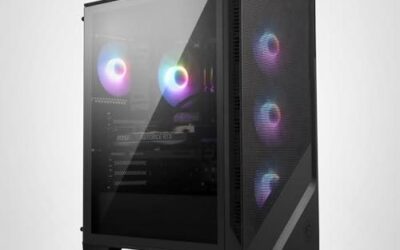
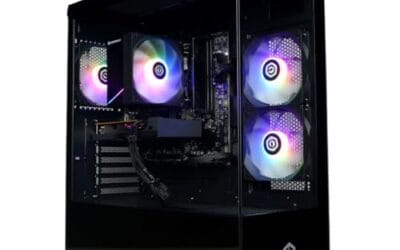
CyberPowerPC has included a tempered glass side panel and custom RGB lighting, which is standard for the category. The case appears to follow a conventional mid-tower layout with reasonable airflow provisions, though specific cooler model details are not disclosed in the listing. Thermal performance under sustained gaming load is not independently verified at time of writing, so buyers with hot ambient environments should factor that uncertainty in. The form factor is practical for most desk setups and allows internal access for future upgrades.
There are a few considerations worth noting before committing. The 8GB VRAM figure is the most significant long-term concern - while it handles current titles at 1080p without issue, texture budgets in 2027 AAA releases at 1440p Ultra may push against that ceiling. The 16GB DDR5 configuration is adequate for gaming alone but appears on the lower end if the system doubles as a streaming or video editing workstation. The prebuilt pricing premium over a comparable self-build is a real cost that DIY-capable buyers should calculate before purchasing. Additionally, while the PSU wattage is not specified in the listing, buyers should verify this detail directly, as RTX 5060 Ti systems benefit from at least a 650W supply for stable operation.
Overall, the CyberPowerPC Gamer Master GMA2900A3 is a solid prebuilt option for 1080p-focused gamers who want current-generation GPU performance without the complexity of a self-build. Owner ratings are consistently strong across a meaningful review sample, which provides reasonable confidence in build quality consistency. For buyers who primarily game at 1080p and value a warranty-backed, plug-and-play experience, this system makes a practical case for itself - though those planning to push 1440p Ultra long-term should weigh the VRAM limitation carefully before deciding.
Quick Look: Gaming PCs Under $2,000
| Pick | Desktop | Listed CPU and GPU | Best for | Main drawback |
|---|---|---|---|---|
| Best overall balance | Skytech Azure 3 | Core i7-14700F, RTX 5070 | High-refresh 1440p shopping shortlist | 16GB DDR4 and Wi-Fi 5 |
| Best included memory | MSI Codex R2 | Core i5-14400F, RTX 5070 | Buyers who want 32GB DDR5 immediately | Less CPU headroom for the price |
| AMD alternative | iBUYPOWER Element | Ryzen 9 9900X, RX 9070 GRE | CPU-heavy work alongside gaming | Confirm the exact GPU and 16GB RAM layout |
| Branded premium tower | ASUS ROG G700 | Core Ultra 7 265F, RTX 5070 | Buyers who value a named system model | Only 16GB RAM listed at a higher price |
| Lower-cost choice | CyberPowerPC Gamer Master | Ryzen 7 8700F, RTX 5060 Ti 8GB | Keeping money for a monitor or upgrades | Lower graphics tier and 8GB VRAM |
1. Skytech Azure 3: Best Overall Balance
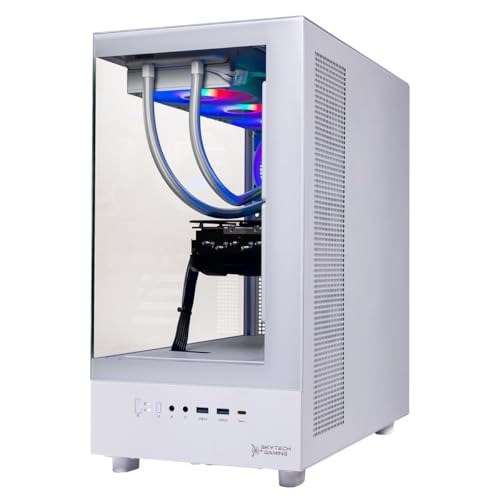
Skytech pairs a Core i7-14700F with an RTX 5070, 16GB DDR4 memory, and a 1TB NVMe SSD in this Azure 3 listing. The new-item offer was $1,699.99 when checked, leaving about $300 below the cap before tax. That margin is useful: you could keep it, put it toward a better display, or plan a memory upgrade after confirming what the motherboard supports. The named CPU and GPU make this configuration easier to evaluate than a desktop advertised simply as an “i7 gaming PC.”
The Core i7-14700F is a high-core-count Intel desktop processor, and the RTX 5070 belongs to Nvidia’s current GeForce 50 family. Their combination makes sense for someone comparing 1440p gaming systems or balancing gaming with heavier desktop work. That is a component-level judgment, not a measured result for this particular Skytech. Game performance still depends on the title, settings, memory arrangement, cooling, and display. Read independent results for the exact card and processor if a specific game is driving the purchase.
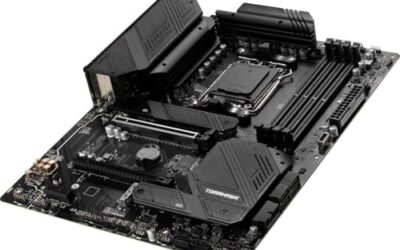
Skytech specifies an 850W Gold ATX 3 power supply and a 360mm liquid cooler. Those are promising listing details, but the title doesn’t identify every part’s manufacturer or model. Ask for the PSU make and model, motherboard, memory configuration, and cooler warranty if you expect to keep this machine for years. The listing says DDR4-3200 rather than DDR5. That’s not a reason to reject a PC outright, but it is a platform difference to weigh against newer DDR5-equipped competitors.
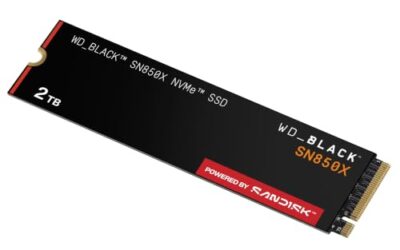
Wi-Fi 5 is another compromise. If the desktop will use Ethernet, it may barely matter. If your router and home setup support newer wireless standards, compare the cost of a suitable adapter with the MSI’s included Wi-Fi 6E. The 1TB SSD is a practical starting size, though a large game library can still fill it quickly. Check free M.2 or SATA connections before assuming that a second drive will be easy to add.
2. MSI Codex R2: Best Included Memory
The MSI Codex R2 listing gives you an RTX 5070 12GB, Core i5-14400F, 32GB DDR5, 1TB NVMe SSD, air cooling, and Wi-Fi 6E. Its verified new offer was $1,783. That’s roughly $83 above the Skytech at the time of our check. In return, the memory capacity is doubled, the listed memory generation is newer, and wireless connectivity is stronger on paper. Those are real conveniences if you don’t want to open the case soon after delivery.
For someone who streams, leaves a browser and voice chat open, edits photos, or works in several applications while gaming, 32GB can be more comfortable than 16GB. It also removes the immediate question of how much an upgrade will cost. Confirm whether the supplied memory occupies two slots and what speed the actual system supports. A capacity number alone does not describe the memory layout, and a future upgrade can depend on available slots.
The Core i5-14400F is a different class of processor from the Skytech’s Core i7-14700F. That doesn’t mean every game will show a large gap. GPU limits, resolution, and frame-rate targets change the balance. For a buyer focused on the same RTX 5070 and wanting 32GB straight from the box, the MSI remains compelling. For CPU-intensive workloads, compare independent results for the exact processors rather than assuming the larger memory kit compensates for every difference.
MSI’s gallery includes promotional graphics that depict other component combinations, so use the current written listing and model number D14NVP5-613US as your purchase reference. Confirm the graphics card, CPU, memory, and seller in the cart. Don’t infer that every product image describes this exact configuration. Also ask about the power supply model and case clearance if a later GPU replacement matters to you.
3. iBUYPOWER Element: CPU-Heavy AMD Alternative
iBUYPOWER’s Element listing combines a Ryzen 9 9900X, Radeon RX 9070 GRE 12GB, 16GB DDR5, and a 1TB NVMe SSD. Its checked new-item offer was $1,719.99. The Ryzen 9 is the distinguishing feature. If you render, compile, or run other CPU-heavy work alongside gaming, it deserves a place on the shortlist. AMD’s processor documentation identifies the Ryzen 9 9900X as a 12-core, 24-thread desktop chip on the AM5 platform. That’s a concrete platform detail, not a forecast of this PC’s measured behavior.
The Radeon card makes this the only AMD graphics option in the group. The listing calls it an RX 9070 GRE with 12GB of memory. Because regional graphics SKUs and seller titles can be confusing, confirm the exact card model, memory, and warranty with the seller before treating it as equivalent to a different RX 9070-family product. Check the graphics features and game support you care about. If a particular creator app depends on a Nvidia-specific workflow, this is a significant purchasing question.
Sixteen gigabytes of DDR5 is adequate as a starting point for many gaming systems, but it can feel light next to this CPU. Ask whether the memory is one module or a matched pair, how many slots are open, and what speed is enabled. A high-end CPU also makes cooling worth checking. “Liquid cooled” in a title doesn’t identify the radiator size, pump warranty, or case airflow. The product photographs can show a configuration, but only the seller’s written specification should settle the purchase.
4. ASUS ROG G700: Branded Premium Tower
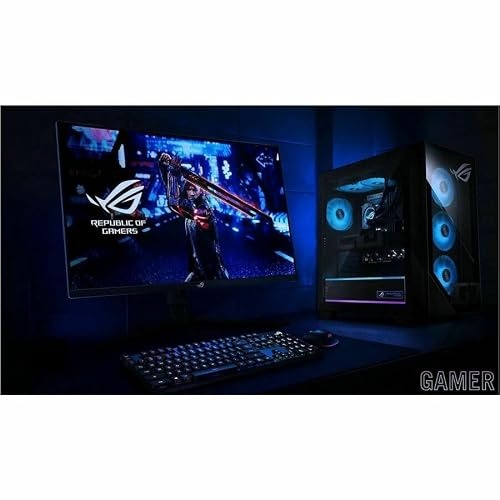
The ASUS ROG G700 listing specifies the G700TF-DS774 system, a Core Ultra 7 265F, RTX 5070, 16GB DDR5, and a 1TB PCIe 4.0 SSD. We found a new-item offer at $1,849.99. That makes it the most expensive of these five, while offering the same listed GPU tier as the Skytech and MSI. The appeal is the named ASUS system model and its distinctive ROG chassis. A named model can make it easier to locate support information, but you should still check the precise retail configuration and service terms.
The Core Ultra 7 265F belongs to Intel’s newer desktop family and uses a different platform from the Core i7-14700F. Clock speed or the “7” in each name isn’t enough to compare them. Look at independent results for your applications and games, then factor in the motherboard and memory that come with the complete system. The ASUS includes DDR5, unlike the Skytech’s listed DDR4, but only 16GB capacity. Plan to confirm the module arrangement if you expect to move to 32GB.
ASUS advertises this G700 as a gaming desktop with an RTX 5070. The product gallery includes lifestyle and promotional imagery; it isn’t proof that your unit includes a monitor, keyboard, or every pictured accessory. Read the contents list and return conditions before ordering. Ask about the PSU, cooling configuration, and expansion bays if you want to change the graphics card or add storage later. A premium chassis is useful when it is also practical to maintain.
5. CyberPowerPC Gamer Master: Keep More of the Budget
CyberPowerPC’s Gamer Master pairs a Ryzen 7 8700F with an RTX 5060 Ti 8GB, 16GB DDR5, and a 1TB PCIe 4.0 SSD. Its verified new-item offer was $1,279.99, more than $700 below the $2,000 ceiling before tax. It isn’t trying to match the RTX 5070 systems above. It gives a buyer a way to reserve money for a monitor, peripherals, or another planned expense instead of spending up to an arbitrary cap.
The RTX 5060 Ti 8GB is a lower graphics tier and has less listed video memory than the RTX 5070 and Radeon option in this group. For an exact game at an exact resolution, look up independent results and consider texture and frame-rate goals. Don’t assume that the money saved automatically translates into the same gaming experience. If your target is a demanding 1440p or higher-resolution setup, a stronger GPU may be the better use of the budget. Our graphics card guide explains the broader buying tradeoffs.
How We Evaluated These Desktops
We compared five new, in-stock item offers returned through the Amazon Creators API on November 25, 2026. We checked the actual product titles, price caps, and gallery associated with each product, then weighed the named CPU and GPU, memory, SSD, networking, and unanswered specification questions. We consulted official processor and graphics documentation for platform-level facts. Tech Guided’s under-$2,000 guide informed the quick-look and pick-by-pick format; the product selection and wording here are original.
We haven’t used these assembled systems or measured their frame rates, temperatures, acoustics, or reliability. A component name can suggest a sensible use case, but it doesn’t establish the performance of a complete tower. Seller stock, pricing, and even configuration details can change. Recheck the CPU, GPU, RAM, condition, shipping, and return terms on the final offer. If one specification is missing, get it in writing before paying.
How to Choose a Prebuilt Gaming PC Under $2,000
Start with the display and the games
A 1080p competitive game on a high-refresh monitor, a visually demanding 1440p single-player game, and 4K gaming ask different things of a PC. Write down your actual games and screen resolution. Check each publisher’s requirements, then independent results for the exact GPU and CPU pairing. A GPU family name alone isn’t a frame-rate guarantee. If you already own a capable display, put more of the budget toward the desktop component that limits your target games.
Read the memory and storage specification closely
Sixteen gigabytes is a workable starting point, while 32GB gives more room for multitasking and heavier workloads. Capacity isn’t the only detail. Find out how many modules are installed, their speed, and whether slots are free. The listed 1TB SSD in each of these towers is a useful baseline, but a large library can consume it. Check the number of M.2 slots and any spare drive bays if you plan to expand. Our prebuilt gaming PC guide covers the larger decision beyond this price cap.
Ask about the parts that product titles skip
Power supplies, motherboards, and coolers often disappear from a short retail title. Those parts affect noise, service, and upgrades. Ask for exact models, not just a wattage or the word “liquid.” Confirm GPU clearance, power connectors, and whether the warranty changes after a routine upgrade. A case can look roomy in a gallery and still have constraints you only discover after purchase. No shortcut here. Get the specification first.
Compare total cost, not just the tower price
Frequently Asked Questions
Is an RTX 5070 enough for 1440p gaming?
It’s a sensible card to research for 1440p, but the answer depends on the game, graphics settings, target frame rate, and features you enable. Look at independent results for your titles and the exact 5070 variant. The PC’s CPU, memory, and cooling can also affect the complete experience. Don’t buy from a generic “1440p ready” slogan alone.
Should I choose 32GB RAM or a stronger CPU?
Choose based on what limits your work and games. If you keep several demanding applications open or your workload needs more memory, the MSI’s 32GB is attractive. If CPU-heavy tasks matter more, compare the Skytech and iBUYPOWER processors. You may also be able to upgrade RAM later, but first confirm the motherboard and installed module layout. A processor replacement is usually a larger decision.
Can I upgrade a prebuilt PC later?
Often, yes, but don’t assume every component is standard or that the included PSU supports a future graphics card. Confirm motherboard form factor, available slots, power connectors, case clearance, and warranty terms for the exact model. If a future upgrade is central to your plan, ask the manufacturer or seller for written confirmation before buying. Our prebuilt upgrade guide walks through the practical checks.
Bottom Line
The Skytech Azure 3 is our starting pick because its Core i7-14700F and RTX 5070 come in comfortably below $2,000. The MSI Codex R2 is attractive if 32GB DDR5 and Wi-Fi 6E matter more than the Skytech’s CPU advantage. iBUYPOWER is the AMD and CPU-heavy option, provided you confirm its graphics SKU; ASUS serves buyers who specifically want the ROG G700; CyberPowerPC is the sensible lower-spend route when its RTX 5060 Ti fits your game list.
Don’t spend the whole ceiling just because it’s available. Verify the exact configuration, seller, warranty, and cart price, then choose the machine that matches the monitor and games you’ll actually use.

























Write Your Review
No reviews yet. Be the first to share your experience!