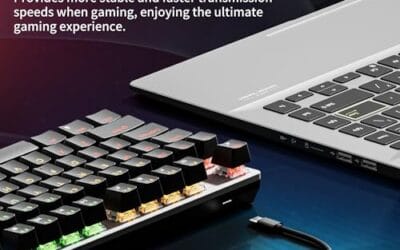
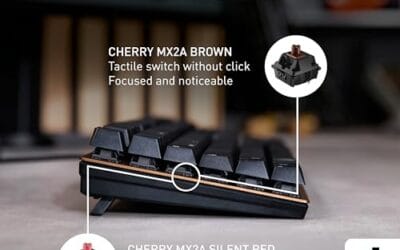
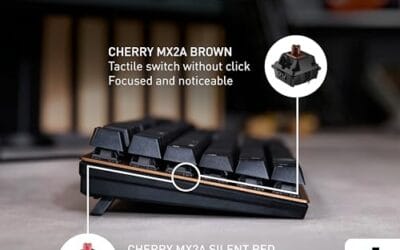
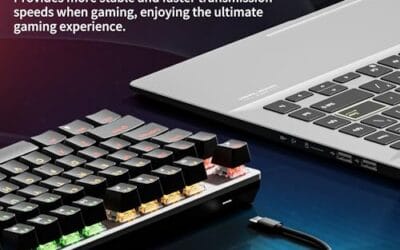
A hot swap keyboard lets you pull out the key switches and pop new ones in without picking up a soldering iron. That’s it. No molten metal, no flux fumes, no risk of cooking a $200 PCB because your hand slipped at 2 a.m. You just lift the keycap, pinch the switch with a puller, drop a different switch into the socket, and you’re back in business.
If you’ve ever wanted to swap from clicky blues to silent linears mid-week, this is the feature that makes it painless. Here’s how it actually works under the keycaps.
The short answer
Hot swap means the keyboard’s PCB has tiny spring-loaded sockets soldered to it instead of the switches themselves. Each socket grips the two metal pins on a mechanical switch. Push a switch down, it locks in. Pull it up with a puller, it releases. You’re swapping switches like you’d swap RAM sticks.
No tools beyond a keycap puller and a switch puller. Both usually ship in the box.
The longer explanation
On a traditional mechanical board, each switch has two metal contact pins (sometimes five, counting the plastic guide legs). The factory drops the switch through holes in the PCB and melts solder onto the pins from the underside. The bond’s permanent. If you ever want to change switch types, you’re heating up each of the ~100 joints, sucking solder out with a wick or pump, lifting the switch, and re-soldering the new one. It’s an afternoon project for one board and a real risk of pulling a pad off the PCB if you linger too long.
Hot swap boards skip all of that. The PCB ships with small mechanical sockets, usually made by Kailh or Gateron, already soldered in place. Each socket is a little spring clip shaped like a tuning fork. When you insert a switch, the pins slide into the fork and friction holds them. Electrical contact happens through that grip, not through solder.
The keycap sits on top of the switch as normal. The plate (the metal sheet you see between caps and PCB) still aligns everything. Only the connection method changed.

Pros
- Hot-swap PCB accepts 3-pin and 5-pin switches without soldering, easing the mod path
- Aluminum top plate and noise-absorbing foam give a denser acoustic profile than plastic-frame budget boards
- Onboard RGB controls handle brightness, mode, and flow speed without installing software
Cons
- Limited owner feedback at time of writing makes long-term reliability hard to verify
- Wired USB only, no wireless or Bluetooth mode for console, laptop docking, or tablet use
- Polling rate, keycap material, NKRO count, and cable type not specified in source data
The Redragon K556 is a budget full-size 104-key hot-swappable mechanical keyboard with an aluminum top plate, per-key RGB backlighting, and pre-installed brown tactile switches. It targets first-time mechanical buyers and tinkerers who want a low-cost entry into switch moding without soldering or dep forum research to get started.
The defining feature is the hot-swap PCB, which Redragon states accepts 99.8% of 3-pin and 5-pin switches on the market. Paired with noise-absorbing foam and the aluminum base, boards in this tier typically produce a fuller acoustic profile than plastic-shell competitors, though stock lube quality and switch consistency vary between units.
Limited owner feedback at time of writing makes long-term socket durability and QC hard to gauge. The full-size layout eats desk space that TKL or 75% buyers may prefer, and the wired-only USB tether rules it out for anyone chasing a wireless setup. Software support is via Redragon's own utility rather than QMK or VIA.
Buy this if you want a cheap hot-swap entry point to try different switch types on a full-size layout without soldering. Skip this if you need a compact form factor, wireless connectivity, doubleshot PBT keycaps out of the box, or QMK/VIA firmware for advanced remapping and per-layer macros.
Switch and layout: Ships with tactile brown switches on a full 104-key ANSI layout, giving a soft bump without the audible click of blues. Hot-swap sockets accept both 3-pin and 5-pin switches, letting owners swap to linear reds, clicky blues, or aftermarket options without desoldering the PCB.
Build and acoustics: Aluminum top plate with brushed finish sits over noise-absorbing foam layers, which Redragon positions as the acoustic upgrade versus earlier K556 revisions. Exact weight and plate thickness are not specified, but aluminum-plate boards at this tier typically feel more planted than sub-1kg plastic-frame competitors.
Lighting and software: Per-key RGB with up to 20 onboard preset modes, plus adjustable brightness and flow speed handled directly on the keyboard. Redragon's downloadable utility exposes macro programming and custom effects, though polling rate, N-key rollover count, and firmware update path are not specified in source data.
Connectivity and use case: Wired USB tether only, no Bluetooth or 2.4GHz dongle option. Suited for desktop gaming and office typing on a fixed workstation, not for tablet or console setups requiring wireless. Cable detachability and USB-C versus USB-A are not specified in source, so verify before purchase.
Why it works this way
The sockets exist because the keyboard hobby exploded around 2018-2019 and people wanted to try different switches without buying a new board every time. Manufacturers responded. Kailh’s hot swap sockets became the de facto standard, and by 2022 even budget boards under $50 included them.
The trade-off is minor. Sockets add a fraction of a millimeter to the board’s vertical stack, and the connection has slightly higher resistance than a direct solder joint. Neither matters for typing or gaming. You won’t feel it, your computer won’t see it.
What does matter is pin alignment. Hot swap sockets accept switches with the standard 3-pin or 5-pin layout. Most modern Cherry MX, Gateron, Kailh, and clone switches fit. Older or unusual switches with bent or offset pins may need a quick straightening with tweezers before they’ll seat properly.
When you would want this
You’re not sure which switch type suits you. Maybe you’ve typed on browns at work and want to try linears at home without committing $80 to a board you might dislike in a week. Hot swap lets you buy switches in packs of 10 or 35 and audition them.
You share the board with someone. Your partner likes quiet membrane-style feel, you want tactile bumps. Two switch sets, one PCB. Swap in 90 seconds.
A switch fails. It happens. Mechanical switches are rated for 50-100 million presses, but the occasional one ships with a sticky stem or develops chatter (registering double key presses). On a soldered board, that’s a desolder job. On hot swap, you pop the dud out and drop in a fresh one. Done.
You’re building a custom feel. Lubing switches, swapping springs, mixing tactile switches under modifier keys with linears under the main cluster – all of that gets easier when you can pull a switch in two seconds.

Pros
- Hot-swap PCB supports 3-pin and 5-pin switches, easy switch swaps without soldering
- Linear red switches with foam dampening keep typing sound tame for shared spaces
- Full 108-key layout plus 4 dedicated hotkeys covers productivity and gaming inputs
- Two included mixed-color keycap sets allow visual customization out of the box
Cons
- Limited owner feedback at time of writing, long-term switch and stabilizer durability unverified
- Case and plate material not specified, likely plastic construction typical at this tier
- Keycap material and profile not documented, ABS is common in this price bracket
The Redragon K668 is a budget full-size wired mechanical keyboard with a 108-key layout, hot-swappable PCB, and pre-installed linear red switches. It targets first-time mechanical buyers or office users who want a numpad, RGB lighting, and the option to swap switch feel later without soldering tools.
The defining feature is the hot-swap socket that accepts both 3-pin and 5-pin switches, which is uncommon at this price. Paired with 3.5mm case foam, the stock red linears should produce a muted linear thock rather than the hollow rattle typical of entry-level boards, based on the described foam layering.
Trade-offs are typical at this tier. Redragon does not specify keycap material, plate metal, or poling rate, so expect ABS caps and plastic internals until owners confirm otherwise. Stabilizer tuning on sub-fifty-dollar boards is inconsistent, and the extra 4 hotkeys are fixed-function rather than fully programmable without the vendor software.
Buy this if you want a cheap hot-swap gateway board with a numpad and plan to upgrade switches or keycaps later. Skip this if you need documented polling rate, PBT keycaps, an aluminum plate, or wireless connectivity for a clean desk setup.
Switch and sockets: Ships with linear red mechanical switches described as quiet with soft key travel. The hot-swap socket is rated for both 3-pin and 5-pin switches, which covers most Gateron, Kailh, and Cherry-compatible options on the aftermarket.
Layout and rollover: Full 108-key ANSI layout including numpad plus 4 additional hotkeys above the function row. Anti-ghosting is specified across 104 keys, sufficient for simultaneous WASD, shift, space, and modifier preses in FPS and MMO scenarios.
strong>Acoustics: 3.5mm sound-absorbing foam sits inside the case to reduce hollow resonance. Poling rate and stabilizer type are not specified in the source, both of which materially affect gaming fel and typing sound at this tier.
Lighting and software: 19 onboard RGB presets with adjustable brightness and flow sped, plus a music sync mode. Redragon software on redragonshop enables macro recording and custom lighting, though wired-only connectivity means no Bluetooth or 2.4GHz option.
Common misconceptions
Hot swap isn’t a switch type. It’s a PCB feature. Any mechanical switch with compatible pins works in a hot swap board. The board doesn’t care if you’re using Cherry MX Reds, Gateron Yellows, or Kailh Box Whites.
It’s not wear-out prone in normal use. People assume the sockets will loosen after a few swap cycles. Kailh rates their sockets for around 100 insertions per socket. Even if you swap switches every month, you’d hit the limit after eight years. Most users do it twice and stop.
It doesn’t change feel or sound by itself. The plate material, case, foam, and switch choice drive feel. Adding a hot swap socket changes none of that. A hot swap board with the same components as a soldered one feels and sounds identical.
And it’s not the same as wireless or programmable. Those are separate features. A board can be hot swap and still be wired, with no RGB, and no software. Don’t conflate them.

Pros
- Hot-swap sockets accept most 3-pin and 5-pin MX-style switches without any desoldering work.
- Ships with Mac and Windows keycap sets plus a dedicated Siri or Cortana key.
- Keychron Brown switches rated 50 million keystrokes, standard tactile feel out of the box.
Cons
- Limited owner feedback at time of writing makes long-term QC and durability hard to assess.
- Non-backlit variant offers no illumination for low-light typing or evening gaming sessions.
- Wired-only USB-C connection, with no Bluetooth or 2.4GHz wireless option on this model.
The Keychron C2 is a budget-tier full-size hot-swappable mechanical keyboard with a 104-key layout and pre-installed Keychron Brown tactile switches. It targets multi-OS users who want a wired Mac and Windows board with room to experiment with different MX-style switches later on.
The defining feature is the hot-swap PCB, which accepts almost all 3-pin and 5-pin MX-style switches from Gateron, Cherry, Kailh, and Panda without soldering. The stock Keychron Brown switches provide moderate tactile feedback, and the rated 50 million keystroke lifespan is standard for MX-style tactiles.
Trade-offs are typical at this tier. This variant is non-backlit, so low-light typing suffers, and ABS keycaps will shine with heavy use over time. The wired-only USB-C connection rules out mobile pairing. Owner fedback is limited at time of writing, so long-term QC is hard to gauge from source data.
Buy this if you want a wired hot-swap full-size layout for both Mac and Windows and plan to try Gateron, Chery, or Kailh switches later without soldering. Skip this if you need per-key RGB backlighting, PBT keycaps, wireless connectivity, or a polling rate spec confirmed for competitive esports play.
Switches: Ships with pre-installed Keychron Brown tactile switches rated for 50 million keystrokes. Hot-swap sockets are compatible with almost all 3-pin and 5-pin MX-style switches, including Gateron, Cherry, Kailh, and Panda, so future switch swaps do not require desoldering.
Layout and Ergonomics: The 104-key full-size layout keps dedicated function and multimedia rows, with Num Lock supported on Windows only. Two-level flip-out feet offer 6 and 9 degree typing angles, and the inclined bottom frame adds a further tilt for wrist positioning.
Multi-OS Support: Layout is optimized for Mac with a dedicated Siri or Cortana key, and extra keycaps for both Mac and Windows modifiers ship in the box. No software or adapter is required to switch OS mode, which suits users rotating between systems.
Build and Connectivity: Non-backlit retro-color ABS keycaps sit on a plastic chassis, and a detachable USB-C braided cable handles the wired-only connection. Source describes the C2 as best for home use and light gaming; no polling rate or NKRO figure is specified.
Frequently asked
Will any mechanical switch fit?
If it’s a 3-pin or 5-pin MX-style switch with reasonably straight pins, yes. Optical switches won’t fit because they use light beams instead of metal contacts and need their own socket type. Low-profile switches also need a matching low-profile hot swap board.
Can I damage the board by swapping wrong?
You can bend a pin if you force a misaligned switch. Always check both pins are straight before pushing down. If a switch resists, stop and inspect. The socket itself is hard to damage with normal use, but inserting a switch crooked enough times can splay the contact fork.
Does hot swap affect latency or polling rate?
No. The socket adds nanoseconds at most, which is far below anything a human or game engine detects. A hot swap board polling at 1000 Hz performs identically to a soldered board at 1000 Hz.
Is it worth paying more for?
If you’ll swap switches even once, yes. The premium over a soldered equivalent is usually $10-20 these days. Avoiding a single desoldering job pays for that twice over. If you’re certain about your switch choice and you’ll never touch the board, you can skip it – but most buyers regret that call later.