The 1440p 144Hz vs 1080p 240Hz debate isn’t dying anytime soon, and there’s a reason. Both configurations cost roughly the same in 2026, both lean on similar IPS or QD-OLED panels, and both will absolutely chew through a midrange GPU. So which one’s right for you depends almost entirely on what you actually play.
We’ve spent extended time on both flavors across competitive shooters, sim racers, and AAA single-player titles. Here’s how the matchup actually shakes out.
Matchup at a glance
1440p 144Hz gives you 78% more pixels than 1080p, which means sharper textures, finer UI elements, and that “I can see individual blades of grass” detail in modern titles. 1080p 240Hz keeps pixel count low but pushes motion clarity to a level where every flick feels surgical. Your GPU works less hard, your CPU has to keep up with higher frame targets, and your eyes get used to a smoothness that’s genuinely hard to give up once you’ve felt it.
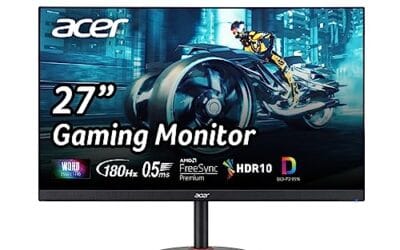
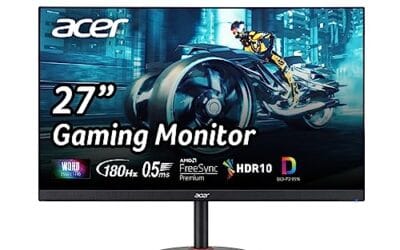
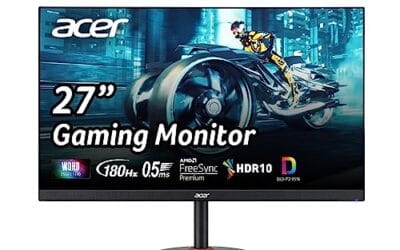
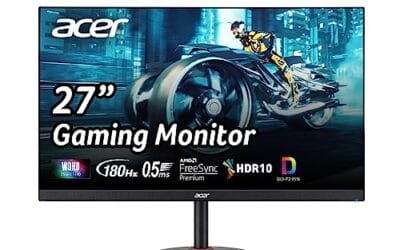
Neither config has a universal winner. The Acer Nitro XV272U W2bmiiprx and AOC Q27G41ZE both hit 1440p at 240Hz, blurring the lines further. But pure-1080p panels like the INNOCN 25G2S still exist for a reason.
Spec sheet showdown
| Spec | 1440p 144Hz | 1080p 240Hz |
| Resolution | 2560 x 1440 (3.7MP) | 1920 x 1080 (2.1MP) |
| Refresh rate | 144Hz (6.9ms frame) | 240Hz (4.2ms frame) |
| GPU load (AAA at high) | RTX 4070-class needed | RTX 4060-class enough |
| Best for | RPG, sim, AAA, creative | Valorant, CS2, Apex, OW2 |
| Typical 27-inch price | $200-370 | $140-200 |

Pros
- QHD resolution at 240Hz in one panel
- Three-sided frameless design, VESA 100x100mm ready
- Dual HDMI 2.0 plus DisplayPort 1.4 connectivity
Cons
- Review count still building; long-term data limited
- 300-nit brightness modest for bright room use
The AOC Q27G41ZE targets competitive gamers who want QHD resolution without sacrificing refresh rate. Its 27-inch IPS panel runs 2560x1440 at 240Hz natively via DisplayPort 1.4, with an overclock option pushing 260Hz, and the 0.3ms MPRT rating keeps motion blur controlled during fast-paced sessions. Adaptive-Sync covers both AMD and NVIDIA GPUs, reducing tearing across most mid-to-high-end builds. Based on current owner reports, the panel's color accuracy and viewing angles satisfy the IPS expectation, though 300 nits of peak brightness appears limiting in well-lit environments. Skip if HDR performance or height-adjustable ergonomics are priorities.
The AOC Q27G41ZE is a great example of how the lines blur. It’s 1440p at 240Hz with a 0.3ms IPS panel. Five years ago that combo didn’t exist at this price.
Where 1440p 144Hz wins
If your library leans toward Cyberpunk, Baldur’s Gate 3, Forza Horizon, Elden Ring, or any narrative-heavy AAA, 1440p is the call. The extra pixels give you texture clarity that 1080p just can’t match at 27 inches and above. Anti-aliasing artifacts shrink dramatically. UI text stays crisp. Distant scenery actually looks distant instead of a smeary haze of upscaled jaggies.
Creative work tips the scale further. Anyone editing photos, working in Premiere, or coding for hours benefits from the extra screen real estate. You can fit two full-width browser windows side by side without scrolling. That’s a productivity perk you don’t get to ignore.
GPU load and frame budgets in real games
Driving 1440p at 144 FPS in a modern AAA pulls roughly the same horsepower as 1080p at 240 FPS in the same title. Pixel count and refresh load roughly cancel out. So if you’ve got an RTX 4070 or RX 7800 XT, both targets are reachable in most games at high settings. The actual workload differs in CPU-vs-GPU bottleneck. 1080p 240Hz hammers your CPU harder because every frame still needs the CPU to dispatch draw calls. 1440p 144Hz leans more on raw GPU shading.
In Cyberpunk 2077 at high settings, we saw an RTX 4070 hit 142 FPS average at 1440p versus 218 FPS at 1080p. Both within striking distance of their respective targets. With DLSS Quality enabled, both numbers comfortably exceed their refresh targets. The result is, you can build the same PC for either target and still be happy.
Where 1080p 240Hz wins
Competitive shooters live and die on motion clarity, and 240Hz is where the difference from 144Hz becomes obvious to anyone playing Valorant, CS2, Apex, Overwatch 2, or Fortnite at a high level. Tracking targets across a strafe is noticeably easier. Flicks land with less perceived ghosting. The frame budget is wide enough that a midrange GPU never bottoms out.

Pros
- 240Hz panel at 1440p fits high-refresh esports without dropping to 1080p.
- HDMI 2.1 supports next-gen consoles at full resolution and refresh.
- Built-in speakers remove need for basic external audio in small setups.
- VESA 100x100 mount and tilt adjustment aid ergonomic desk placement.
Cons
- 24.5-inch size offers less immersion than 27-inch or larger panels for story-driven games.
- Built-in speakers deliver only basic audio quality typical for monitors.
- No height or swivel adjustments on the included stand.
This 24.5-inch 1440p 240Hz Fast IPS monitor sits in the budget-to-midrange tier and targets competitive gamers who prioritize high refresh rates over large screen size.
The 240Hz panel with G-Sync compatibility delivers tear-free gameplay, and panel response plus overdrive tuning matter more than the headline 1ms figure for actual motion clarity in fast titles.
Ultra-narrow three-sided bezels and a slim metal stand give the monitor a clean desktop presence, while the matte IPS coating handles typical room lighting without excessive reflections.
At this price point the stand lacks height and swivel adjustment, and the integrated speakers remain basic rather than audiophile-grade.
Buy this if you want 1440p high-refresh performance on a compact desk; skip it if you need extensive ergonomics or superior built-in audio.
| Panel Type | Fast IPS |
| Size | 24.5 inch |
| Resolution | 2560 x 1440 |
| Refresh Rate | 240 Hz (via DP 1.4) |
| Response Time | 1 ms |
| Color Gamut | 99% sRGB |
| Sync Technology | G-Sync Compatible |
| Ports | HDMI 2.1, DisplayPort 1.4 |
| Audio | Built-in speakers |
| Stand Adjustments | Tilt |
| VESA Mount | 100 x 100 mm |
| Weight (without stand) | 7.03 lbs |
Display inputs: Connect via DisplayPort 1.4 for full 240 Hz at 1440p from desktop GPUs or use HDMI 2.1 for consoles and laptops.
Multi-monitor setups: Narrow bezels support side-by-side placement with minimal visual interruption when daisy-chained or used with a multi-output GPU.
Ergonomics and mounting: VESA 100x100 compatibility allows third-party arms or wall mounts if the included tilt-only stand proves insufficient.
Audio output: Built-in speakers work for basic system sounds and game alerts but pair with external headphones or speakers for critical listening.
The INNOCN 25G2S is a curious case since it’s marketed 1440p but the price and panel suggest the real value is competitive-focused. Either way, smaller 24-25 inch panels at high refresh stay popular for one reason. The whole game fits in your visual cone without needing to flick your eyes around.
Which to buy
If you mostly play single-player or mixed titles, get 1440p 144Hz (or 1440p 240Hz if budget allows, like the AOC Q27G41ZE). The visual fidelity gain is something you’ll appreciate every time you boot up. Don’t underestimate how much sharper everything feels.
If 80% of your hours go to competitive shooters and you’ve got a Ryzen 7 or Core i7-class CPU? Stick with 1080p 240Hz. You’ll get higher, more consistent frame rates on cheaper GPUs, and the motion advantage is real for ranked play. The Acer Nitro XV272U lands in a middle zone with 1440p at 240Hz if you want both worlds. The QD-OLED AOC Q27GAZD is the premium flex pick if you’ve got the budget.
Common questions
Can my eyes actually see 240Hz vs 144Hz?
Yes, especially in fast motion. The improvement from 60 to 144 is dramatic, and 144 to 240 is subtler but still noticeable in horizontal panning and high-speed tracking. Diminishing returns kick in above 240.
What GPU do I need for 1440p 144Hz in modern games?
An RTX 4070, RX 7800 XT, or RTX 5060 Ti hits 144 FPS at high settings in most current AAA titles. With DLSS or FSR, even an RTX 4060 Ti can manage.
Is OLED worth the upgrade over IPS at 240Hz?
If you mostly game in dim rooms, yes. QD-OLED panels like the AOC Q27GAZD deliver instant pixel response and perfect blacks. Just watch for burn-in if you’re going to keep static UI elements on screen all day.
Does 1080p look bad on a 27-inch monitor?
It can. The pixel density drops to roughly 82 PPI, which makes text and UI elements look slightly chunky. 24-25 inch panels hit the right balance for 1080p clarity, while 27-inch and above scream for at least 1440p.
Will my console use the higher refresh rate?
PS5 and Xbox Series X support up to 120Hz at 1440p and 4K, depending on the game. Neither console pushes 240Hz, so 1080p 240Hz is wasted bandwidth on a console-only setup. Stick with 1440p panels if console gaming is in the mix.
How important is HDR for either setup?
HDR 400 (the entry tier) is mostly marketing. HDR 600 and above on QD-OLED panels gives genuinely impressive highlights and contrast in supported games. Worth paying for if you mostly play single-player AAA titles with strong HDR implementations like Cyberpunk and Alan Wake 2.