Ray tracing turns lighting in games from a clever fake into actual physics simulation. Reflections that match what’s in the room. Shadows that soften correctly with distance. Global illumination that bounces light around corners. It also tanks frame rates if your GPU isn’t up to the job. Here’s how it works and what the cost really looks like in 2026.
The short answer
Ray tracing simulates light by casting virtual rays from the camera into the scene. Each ray bounces off surfaces, picks up color, and reports what hit it. The result is realistic lighting, reflections, and shadows that don’t need pre-baked tricks.
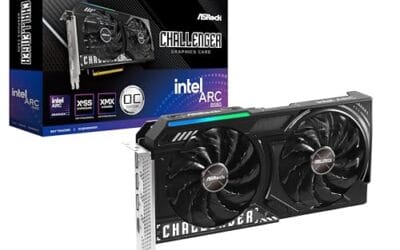
The catch is math. A 4K frame at 60 fps means roughly 500 million rays per second at minimum. That workload runs on dedicated RT cores in NVIDIA cards, ray accelerators in AMD cards, and similar hardware on Intel Arc. Without those units, ray tracing crawls.
The longer explanation
Classic rasterization, which has powered games since the 90s, projects 3D triangles onto a 2D screen and uses tricks to fake lighting. Cubemaps for reflections. Shadow maps for shadows. Screen-space ambient occlusion for contact darkening. Each trick works in a narrow case and falls apart in others. Reflections show the wrong room. Shadows clip through walls. Global illumination is baked into the level at design time and can’t react to player flashlights.
Ray tracing fixes all of that by running actual light transport. From each pixel on your screen, the GPU traces a ray backward into the scene. It hits a surface, samples the material, then casts secondary rays toward lights, reflections, and bounce surfaces. Each bounce is a real physical interaction, so the result matches what real light would do.

Pros
- Demystifies GPU architecture and rendering concepts without requiring programming or engineering knowledge
- Covers current-generation technologies relevant to RTX 4000 and RDNA 3 era hardware
- Bridges gap between settings menus and actual GPU workload for informed tweaking
Cons
- No verified owner feedback at time of writing limits assessment of technical accuracy and depth
- Digital-only format at this price point lacks illustrations that would clarify complex rendering concepts
- Rapidly evolving GPU technology may date content faster than traditional hardware books
This is an educational book from the How It Works series targeting PC gamers and hardware enthusiasts who want to understand the technology behind graphics settings and GPU performance. It covers GPU architecture fundamentals, Ray Tracing implementation, DLSS upscaling technology, and the rendering pipeline. The audience is users who adjust graphics settings but lack formal computer science background.
The core value proposition is translating GPU jargon into practical knowledge. Instead of accepting that Ray Tracing tanks FPS or DLSS improves performance, readers learn why rasterization differs from path tracing, how temporal upscaling reconstructs detail, and what GPU silicon actually does when rendering a frame. This knowledge enables informed tweaking of settings based on workload understanding rather than trial and error.
The format presents inherent limitations. Books covering GPU technology face obsolescence risk as architectures evolve. NVIDIA's Ada Lovelace and AMD's RDNA 3 introduced hardware changes that affect how Ray Tracing and upscaling perform compared to prior generations. Without owner reviews confirming technical depth and accuracy, it is difficult to assess whether explanations oversimplify or provide genuine insight into modern rendering techniques.
Buy this if you tweak graphics settings in demanding titles and want to understand why Ultra textures use 8GB VRAM or why DLSS Quality mode looks sharper than native at 1440p. Skip this if you need GPU architecture documentation for development work, as the How It Works series targets general enthusiasts rather than engineers requiring ISA-level detail.
GPU Architecture: Covers rendering pipeline stages including vertex processing, rasterization, and pixel shading. Explains how compute units execute shader instructions and why different GPU architectures handle workloads differently. Discusses memory hierarchy from registers through L2 cache to VRAM and bandwidth impact on resolution scaling.
Ray Tracing Implementation: Breaks down how hardware-accelerated Ray Tracing differs from rasterization. Covers BVH traversal, intersection testing, and why Ray Traced reflections or global illumination carry heavier performance costs than shadows. Explains hybrid rendering where rasterization handles primary visibility and Ray Tracing adds lighting effects.
Upscaling Technology: Details temporal reconstruction techniques used by DLSS, FSR, and XeSS. Explains how AI training enables DLSS quality advantages, why frame generation introduces latency, and trade-offs between performance gain and image quality at different internal render resolutions. Covers when upscaling makes sense versus native rendering for 1080p through 4K displays.
Modern engines don’t trace every pixel fully. They use hybrid pipelines. Rasterization handles the base image, ray tracing handles only the effects that benefit most: reflections, ambient occlusion, shadows, and global illumination. That’s why a game like Cyberpunk 2077 can run path-traced lighting at all without melting the card.
Why it works this way
RT cores on the GPU are purpose-built for one math operation: bounding volume hierarchy traversal. That’s the algorithm that figures out which triangle a ray hits without checking every triangle in the scene. On older cards without RT cores, that work falls back to the shader cores, which weren’t designed for it and take roughly 10x longer.
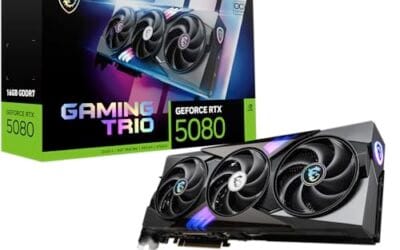
The newest Blackwell architecture in the RTX 5090 and 5080 pushes RT throughput further. Fourth-generation RT cores handle more rays per clock and add hardware support for opacity micromaps, which cut waste on transparent surfaces like foliage. Real-world impact: heavy ray-traced scenes that ran at 35 fps on a 4080 now hit 55-60 fps on a 5080.
Denoisers do the rest of the heavy lifting. Tracing enough rays per pixel for a clean image would need thousands per frame. Instead, engines trace just a few and use AI-trained denoisers to fill in the noise. The result looks clean even though the underlying ray count is tiny.

Pros
- DXR-focused chapters provide concrete shader code and pipeline integration examples
- Covers performance optimization including BVH tuning and hybrid rendering strategies
- Explains denoising, light sampling, and temporal accumulation for real-time constraints
Cons
- Zero customer reviews at time of writing limits feedback on clarity and code accuracy
- Requires existing knowledge of GPU programming and rasterization pipelines
- API landscape evolved since publication with newer extensions and vendor features
Ray Tracing Gems is a technical reference for graphics programmers implementing hardware-accelerated ray tracing through DXR and related APIs. Published by Apress, it targets engine developers and rendering engineers with existing GPU programming experience who need concrete implementation guidance for real-time ray tracing integration.
The book emphasizes practical DXR shader code, acceleration structure optimization, and hybrid rendering workflows that combine rasterization with ray-traced effects. Chapters cover BVH construction, light sampling strategies, denoising techniques, and performance profiling specific to real-time constraints. Material assumes familiarity with shader languages and rendering pipelines rather than introductory GPU concepts.
The zero-review status means potential code errors or outdated API patterns lack crowd validation. Ray tracing APIs evolved significantly post-publication with vendor extensions like Nvidia Shader Execution Reordering and AMD ray tracing improvements. Readers need to cross-reference current driver documentation for production codebases.
Buy this if you are implementing DXR-based ray tracing in a game engine or renderer and need architectural patterns beyond vendor sample code. Skip this if you lack GPU programming background or need coverage of post-2019 ray tracing features like inline ray tracing or hardware ray queries.
API Coverage: Focuses on DirectX Raytracing with architectural patterns applicable to Vulkan ray tracing extensions. Code samples use HLSL shader language with DXR-specific ray generation, closest hit, and miss shader types.
Technical Depth: Assumes working knowledge of GPU pipelines, shader programming, and linear algebra. Chapters require understanding of rasterization stages, texture sampling, and compute shader dispatch models before tackling ray tracing integration.
Implementation Topics: Covers BVH acceleration structure building, instance management, shader binding tables, and ray-triangle intersection optimization. Includes denoising via temporal accumulation and spatial filtering for real-time frame budgets under 16ms.
When you would want this
Single-player narrative games benefit most. Cyberpunk 2077, Alan Wake 2, Hellblade II, and Indiana Jones and the Great Circle all use ray tracing in ways that change how the scene reads. Wet streets reflecting neon signs. Light pouring through stained glass. Caves where your torch is the only source. Those moments don’t work without it.
Competitive multiplayer is the opposite case. In Valorant or CS2, you want 240+ fps and zero distractions. Ray tracing costs frames and adds visual noise. Most pros leave it off.
The middle ground is creator and modder content. Path-tracing mods for older games, like RTX Remix for Half-Life 2 RTX or Portal RTX, take legacy titles and rebuild them around full ray tracing. The visual jump is dramatic when the original art holds up.

Pros
- Focuses on ground-up implementation rather than API-specific approaches for engine developers
- CRC Press technical publishing standards ensure peer-reviewed graphics content
- New condition guarantees unmarked pages and intact binding for long-term reference use
Cons
- Zero customer reviews at time of writing limits real-world feedback on content accuracy
- Price point above $100 positions this as academic or professional reference, not casual learning
- Publication date not specified in source data, cannot verify currency of GPU acceleration coverage
This is a technical textbook on ray tracing implementation published by CRC Press. It targets graphics programmers, rendering engineers, and computer science students building 3D rendering systems from foundational algorithms. The title indicates ground-up coverage, suggesting mathematical derivations and pseudocode over high-level API tutorials. CRC Press publishes peer-reviewed technical content in engineering and computer science.
The core focus appears to be ray tracing theory and implementation details. For graphics programmers writing custom renderers or learning physically-based path tracing, this covers the mathematics behind intersection tests, BRDF sampling, and light transport. Books at this level typically include pseudocode, algorithm explanations, and derivations rather than framework-specific code. New condition ensures clean pages for margin notes during implementation work.
At this price point, this sits in the academic reference tier, not casual tutorial material. The lack of customer reviews means no signal on code quality, errata frequency, or real-world implementation clarity. Publication date is not specified in source data, so currency of GPU acceleration coverage (CUDA, OptiX, DXR) cannot be verified. Technical publishers sometimes keep older editions in print alongside newer revisions.
Buy this if you are implementing a ray tracer from scratch, need mathematical foundations for rendering research, or require a desk reference for path tracing algorithms. Skip this if you need API-specific tutorials (Unity, Unreal, Blender Cycles), are learning 3D graphics basics, or want code-first examples over theory.
Publisher and Format: Published by CRC Press, a Taylor & Francis imprint known for engineering and computer science textbooks. Ships in new mint condition with guaranteed packaging. Same-day dispatch for orders received before 12 noon. No quibbles return policy indicates confidence in condition accuracy.
Content Scope: Title indicates ground-up coverage of ray tracing fundamentals. Typical books in this category cover recursive ray tracing, distributed ray tracing, path tracing, photon mapping, and Monte Carlo integration. Without table of contents in source data, specific chapter breakdown cannot be verified.
Target Audience: Positioned for graphics programmers and students with linear algebra and calculus background. Books at this price tier from CRC Press typically assume familiarity with vectors, matrices, and coordinate systems. Not introductory-level material based on publisher positioning and price point.
Common misconceptions
“Ray tracing means every game looks photorealistic.” Not really. The art direction still matters more than the lighting tech. A flat-shaded indie game with ray tracing still looks flat-shaded. What changes is how light behaves, not the underlying assets.
“You need a 5090 to run ray tracing.” False. An RTX 4070 or 5070 runs ray tracing comfortably at 1440p with DLSS. AMD cards from the RX 7000 and 9000 series handle it too, though with a bigger performance hit than NVIDIA in heavy scenes. The 5090 only matters if you want full path tracing at native 4K.
“DLSS is the same as ray tracing.” They work together but they’re separate. DLSS is upscaling. It renders the game at lower resolution and uses AI to fill in the rest. Ray tracing is the lighting model. Most modern setups use both, with DLSS clawing back the frames ray tracing costs.
Frequently asked
How much fps do you lose with ray tracing on?
It depends on the game and the level. Light RT effects like RT shadows in Resident Evil 4 cost around 10-15%. Full RT reflections plus global illumination in Cyberpunk drop frames by 40-50% native. Path tracing without DLSS can cut frame rate by 70%.
Do I need DLSS or FSR to make ray tracing playable?
On most cards, yes. DLSS Quality or FSR 3 Quality typically restores enough headroom to hit 60+ fps at 1440p with heavy RT on. Without upscaling, only flagship cards run heavy ray tracing at native resolution.
Why does ray tracing look noisy in some games?
Bad denoising. If a game traces too few rays and the denoiser is undertuned, you’ll see grain in shadows and reflections, especially during fast camera motion. Patches usually clean this up, but it’s a common launch-window complaint.
Will ray tracing become mandatory?
It’s starting to. Doom: The Dark Ages, Indiana Jones, and Star Wars Outlaws all require ray tracing hardware on PC. Older GTX 10 and 16 series cards can’t even launch them. Expect more required-RT titles through 2026 and 2027 as developers stop maintaining the rasterization-only path.