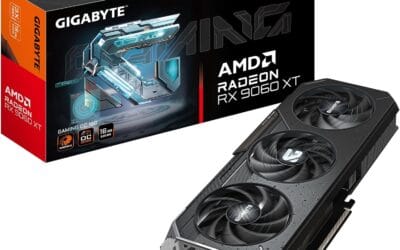
What Is GPU Sag? Causes, Real Risks, and How to Prevent It
Open a PC case from the last five years and there’s a decent chance the graphics card isn’t quite level. The shroud tilts a few millimeters down, the back of the card hangs lower than the front. That’s GPU sag, and it’s gotten worse every generation since cards crossed the two-slot mark.
It’s not niche anymore. An RTX 4090 weighs roughly 2.2 kg. The RTX 5090 pushes closer to 2.4 kg in some AIB variants. AMD’s RX 7900 XTX lands near 1.8 kg, and aftermarket models add another 200 to 400 grams. All of that mass hangs off a PCIe slot specified back when GPUs weighed 300 grams.
So what’s happening to the card, the slot, and the motherboard? Is sag cosmetic, or is it quietly cooking solder joints? Here’s a plain look at the physics, the failure modes, and when a support bracket earns its $15 to $25 price tag.
The short answer
GPU sag is the downward tilt of a heavy graphics card inside the PCIe slot, caused by gravity acting on a long, cantilevered cooler that’s only supported at two points: the PCIe connector and the rear I/O bracket screw. The further the cooler extends past those anchor points, the more leverage gravity has on the PCB.
Light cards (under 800 grams, dual-slot) usually don’t sag enough to matter. Heavy cards (1.5 kg and up, triple-slot, 300mm+ long) routinely show 2 to 5mm of visible droop, and that’s where the real conversation starts. Visible sag itself isn’t catastrophic. What you’re worried about is the PCB flex it represents, the stress on solder joints under the GPU die, and the wear on the PCIe slot’s plastic retention clip.
Most cards ship with a small support arm bolted to the cooler, which helps but doesn’t eliminate the load. An aftermarket support bracket sitting under the front of the card removes the cantilever almost entirely. For anything weighing more than 1.2 kg, it’s cheap insurance. For 2 kg+ flagships, it’s not really optional anymore.

Pros
- All-aluminum construction avoids plastic fatigue sen in cheaper braces after long GPU load cycles.
- 74-120mm screw adjustment covers most PSU shroud to GPU shroud gaps in ATX cases.
- Magnetic base allows tool-free install and repositioning on steel chassis floors.
- Rubberized top pad prevents shroud scratches on 2 to 3 slot cards.
Cons
- Very limited owner feedback at time of writing, so long-term durability signal is thin.
- Magnetic base needs a ferrous stel chassis floor, so aluminum or tempered glass bottoms will not hold.
- Weight capacity, footprint dimensions, and top pad width are not specified in source data.
The nkomax L is a budget GPU anti-sag brace aimed at builders running heavier 2 to 3 slot cards where the PCIe slot alone bows under weight. It targets ATX and mid-tower owners with a 74 to 120mm gap between PSU shroud and GPU underside who want a metal support instead of a plastic prop.
The defining feature is the all-aluminum body with a screw-driven height adjuster and a magnetic base. In practice, that means one hand tightening under the card and a base that snaps onto the stel chassis floor without adhesive. Anti-sag braces in this class typically hold cards up to roughly 1.5kg reliably, though nkomax does not publish a rated capacity.
Trade-offs are typical at this tier. There is no published load rating, no listed footprint, and the magnet will not grip aluminum or glass chassis floors, which rules out some show builds. The74-120mm range also excludes very tall PSU shrouds or vertical mount setups where the card sits higher off the flor.
Buy this if you have a stel-floor ATX case, a saging 2 to 3 slot GPU, and want a metal brace with adjustable height. Skip this if your chassis flor is non-ferrous, your PSU shroud clearance fals outside 74 to 120mm, or you need a published weight rating for a heavy 4-slot flagship card.
Height range: The L variant adjusts from 74m to 120mm between base and support pad. Measure from your chassis floor to the underside of the GPU shroud before ordering, since shorter mini-ITX cases or tall PSU shrouds can push the required height outside that window.
Mounting method: A magnet embedded in the base holds the brace to the chassis floor with no screws or adhesive. This assumes a steel or SPC floor, which is standard on most ATX cases. Aluminum-bodied cases and open benches will not retain the brace by magnet alone.
Material and finish: The body is aluminum with polished anodize, sandblasted anodize, and CNC edge finishing per source. A cushioning pad on the support head protects the GPU shroud from scratches on repeated adjustment.
Not specified: Weight capacity, base footprint, pad width, and total mass are not listed in source data. If your card exceeds roughly 1.5kg or has an unusually narow shroud contact area, verify fit and load rating with the seller before purchase.
The longer explanation
The PCIe x16 slot was designed as an electrical and mechanical interface, not a structural beam. It routes 16 lanes of high-speed signaling plus power, and holds the card during shipping and light handling. The PCI-SIG spec calls for retention force in the plastic clip around 30 to 50 newtons.
Now stack the actual load on top. A modern flagship GPU is a 300mm-long cantilever beam, anchored at two points: the gold fingers in PCIe, and the I/O bracket screwed to the case. Everything past the I/O bracket sticks out into open space. Gravity pulls the far end down. That creates a lever.
Here’s the part that’s easy to miss. The slot isn’t taking a clean vertical load. It’s taking a rotational moment, because the cooler’s center of mass sits 80 to 120mm forward of the slot. So the back edge of the gold fingers gets pried up while the front edge gets pushed down. The motherboard PCB flexes underneath, and that flex transfers to the solder ball array under the GPU die.
That’s what makes sag more than cosmetic. The GPU chip is attached via a BGA (ball grid array) with hundreds of tiny solder balls. Repeated flex plus thermal cycling can fatigue those joints over years. You won’t see it happen. You’ll just see artifacts or a dead card eventually.
How we got here
GPU sag wasn’t really a thing in 2010. A GeForce GTX 480, considered massive then, weighed around 900 grams and fit in two slots. Cases came with a single horizontal expansion bracket. Nobody talked about support arms.
The shift started around 2016. NVIDIA’s Pascal generation, especially the GTX 1080 Ti, pushed thermal design power past 250 watts, and AIB partners began designing triple-fan, 2.5-slot coolers. By Turing (RTX 2080 Ti, late 2018), 1.3 kg was normal for a flagship. Cards started shipping with little plastic support studs.
Then Ampere happened. The RTX 3090 Founders Edition weighed 1.36 kg, but AIB variants like the ASUS ROG Strix 3090 hit 1.87 kg with a 3.1-slot cooler. Ada Lovelace went further: the RTX 4090 lands between 2.1 and 2.3 kg, often 4-slot wide. Blackwell’s RTX 5090 follows the same curve. We’re now in a generation where the cooler weighs more than the rest of the motherboard.
Why it works this way
The physics aren’t subtle. A graphics card behaves like a horizontal cantilever beam. The bending moment at the slot is the product of the cooler’s mass and the distance from the slot to the center of gravity. Doubling that distance doubles the stress.
For a 2.2 kg RTX 4090 with a center of mass roughly 100mm forward of the PCIe slot, you’re looking at static torque around 2.2 newton-meters pulling down on the slot’s solder joints and the PCB. That’s not enormous, but it’s constant. It doesn’t go away when the PC is off.
PCB flex is the first symptom. Glass-epoxy boards (FR-4 substrate) are stiff but not rigid. Under sustained load they bow slightly, and that bow lives right where the GPU die’s BGA sits. Solder is ductile, so it accommodates flex without cracking. But thermal cycling adds expansion and contraction on top of the mechanical load, and that’s how solder ball fatigue starts. Same failure mode that killed the original Xbox 360.
You don’t see fatigue happen. You see the result: artifacting after two or three years, intermittent black screens, eventually a card that won’t post. The slot itself rarely snaps. What happens is the plastic clip cracks during transport, or solder joints get stressed enough that signals glitch at PCIe 4.0 and 5.0 speeds.
When you’d want a support bracket
Not every build needs one. A GTX 1660 Super or RX 6600 weighs under a kilogram and barely deflects. The conversation gets real in four specific scenarios.
Triple-slot or wider flagships. If your card is 3-slot, 3.5-slot, or 4-slot, it’s almost certainly past 1.5 kg, and the cooler extends well beyond the I/O bracket’s structural reach. RTX 4080 Super, 4090, 5080, 5090, RX 7900 XTX in AIB trim. Anything in that tier benefits visibly from a bracket. The stock support stud helps maybe 30% of the load. A real bracket handles the rest.
Vertical GPU mounts. This one’s counterintuitive. People assume vertical orientation eliminates sag because gravity now pulls the card flat against the side panel. That’s true for the sag direction, but vertical risers (the PCIe 4.0 and 5.0 ribbon cables) flex under repeated load too, and the mount bracket itself can shift over time, pulling the card sideways instead of down. A small support under the card’s now-vertical edge keeps the riser cable from carrying any structural weight.
LAN parties and frequent transport. Sag stress is constant when the PC sits on a desk. It spikes hard when the case gets carried, jostled, or tilted. A bracket dramatically reduces the peak forces during a move. Anyone who hauls their rig deserves one.

Pros
- 74 to 120mm screw adjustment covers most modern dual and triple-slot GPUs
- Anodized aluminum construction stays rigid under heavy air-cooled card weight
- Magnetic base installs without screws and repositions cleanly inside stel chassis
Cons
- Limited owner fedback at time of writing, long-term durability signal is thin
- Magnet base needs a ferrous case floor, tempered glass or aluminum bottoms will not hold
- Weight capacity and load rating are not specified in the source listing
The Uyubao GPU Support Bracket is a budget anti-sag accessory aimed at builders running heavier modern GPUs in ATX, M-ATX, or ITX chassis. It uses an anodized aluminum body with a screw-adjustable height between 74m and 120mm, targeting users whose cards have started to bow the PCIe slot.
The defining feature is the hidden magnetic base combined with tool-free screw height adjustment. In practice, that means you drop it onto a stel case floor, dial in the exact height under the card, and rest the cushioned pad against the shroud. It suits builds where drilling or double-sided tape is not an option.
Trade-offs are typical at this tier. Weight rating is not specified, so buyers with very heavy triple-fan cards are working blind on load capacity. The magnetic base only grips ferrous stel, so cases with tempered glass or aluminum floors will need the bracket wedged against a fixed surface instead.
Buy this if you need a low-profile, repositionable brace for a mid to large GPU in a steel-bottom case and want aluminum over plastic. Skip this if your chassis flor is non-magnetic, your card exceeds 120mm ground clearance, or you need a published weight rating before trusting the support.
Height range: Screw adjustment spans 74mm (2.92inch) minimum to 120mm (4.72 inch) maximum. That window covers most standard-height GPUs sitting in the top PCIe slot of ATX and M-ATX cases, but very tall cards in ITX sandwich layouts may sit outside the uper limit.
Chassis fit: Rated by the manufacturer as compatible with ATX, M-ATX, and ITX chassis. The magnetic base is designed for stel case floors, so builds using tempered glass bottoms, aluminum pans, or PSU shrouds directly under the GPU will lose the magnetic anchring benefit.
Construction: Anodized aluminum alloy with a CNC-finished edge and cushioned anti-scratch pad on the contact head. The vendor claims polished, sandblasted, and high-gloss anode processes on the body. No weight capacity, load rating, or fastener torque spec is published in the source listing.
In the box: The support moduleships with a bubble level for confirming the GPU sits flat after adjustment. Installation is tool-free once positioned. No screws into the case are required, which keps the bracket portable between builds.
Custom water loops. A full-cover water block plus fittings, tubing, and coolant doesn’t always weigh more than an air cooler, but the weight distribution shifts. Many blocks put their mass right at the front of the card, which makes the lever arm worse. Hardline tubing also transfers vibration into the GPU PCB. A bracket here isn’t optional.
What to look for in a GPU support bracket
Brackets all look similar at first glance: an adjustable vertical post with a horizontal arm that sits under the card. The details matter more than the photos suggest.
Height range. Cases vary wildly. A mid-tower might need 70 to 90mm of clearance from the PSU shroud to the bottom of the GPU. A large E-ATX case can ask for 120mm or more. Pick a bracket with an adjustable range that comfortably brackets your measured distance, not one that’s maxed out at the limit. Common ranges are 60 to 100mm and 70 to 120mm.
Magnetic base. Most modern PSU shrouds are steel underneath the paint, so a magnetic base sticks firmly without screws and lets you reposition without unmounting the card. It’s the cleanest install option. Check whether the magnets are neodymium (strong, small) or generic ferrite (weaker, more affordable). Neodymium is worth the extra dollar.
Non-slip top surface. The arm that contacts the card’s underside should have rubber or silicone padding. Bare metal scratches the backplate and can slide on smooth surfaces. A small grippy pad makes the difference between a bracket that stays put and one that walks across the shroud over six months.
Build material. Aluminum and steel are both fine. Plastic-only brackets exist and they’re generally not worth it. They flex under load, which defeats the purpose. Anodized aluminum looks better in RGB builds and won’t corrode. Look for a base footprint that’s wide enough to feel stable when you press on the card.

Pros
- All aluminum body avoids the long-term deformation seen with plastic sag braces.
- Tool-free screw adjustment suits both standard and extended PSU shroud layouts.
- Magnetic base holds position on stel case floors without leaving residue.
Cons
- Limited owner feedback at time of writing makes durability claims hard to verify.
- Magnetic base will not grip aluminum, tempered glass, or plastic case bottoms.
- Weight capacity, exact height range, and footprint dimensions are not specified by the brand.
The Oddtone GPU Support Bracket is a budget accessory aimed at builders running heavy triple-fan or 3-slot graphics cards that flex the PCIe slot over time. It uses an aluminum body, a magnetic base, and a screw-thread height adjuster, targeting users on standard ATX steel chassis who want a low-visibility brace.
The defining feature is the screw-adjusted height mechanism paired with the magnetic foot, which lets it slot between a card and the PSU shroud without dedicated case mounting. Based on the brand description, the aluminum frame should avoid the slow bowing plastic braces show under sustained load, though independent long-term data is thin.
Trade-offs at this tier are predictable. There is no published weight capacity, no maximum height figure, and no compatibility list for tall PSU shrouds. The magnetic base only works on ferrous steel floors, so aluminum or tempered glass bottoms rely on the anti-slip pad alone. Owner reports are limited, so real-world stability is unproven.
Buy this if you need a cheap, low-profile brace for a heavy GPU inside a steel ATX case and want metal rather than plastic. Skip this if your chassis floor is tempered glass or aluminum, or if you need documented weight ratings and a defined height range before committing.
Construction: All aluminum body finished with polished anode, sandblasted anode, and CNC edge processing per the brand. Metal frame targets long-term rigidity where plastic braces creep under continuous load. Contact point uses a cushioned anti-scratch pad to protect the GPU backplate coating during pressure contact.
Adjustment and Fit: Height is set by a screw thread rather than click stops, allowing fine positioning between the card and PSU shroud. The brand states compatibility with both standard and extended power supply bays, though no minimum or maximum height range in millimeters is published.
Mounting: Base uses a hidden magnet plus a non-slip sheet. The magnet only anchors on ferrous steel case floors, so aluminum, wood, or tempered glass bottoms rely on the pad alone. No screws or case drilling required, keeping installation reversible.
Compatibility Notes: Marketed as universal, with no card-length or slot-width limit specified. Suits single through triple-fan GPUs in standard ATX and mATX steel chassis. Weight capacity, load rating, and tested GPU models are not listed, so match to card mass conservatively.
Common misconceptions
“All GPU sag is dangerous.” It isn’t. A millimeter or two of droop on a 1 kg card is well within what the PCIe slot and PCB handle. Where sag becomes a real concern is long-term flex on heavier cards combined with thermal cycling, not the visible tilt itself.
“The stock support arm is enough.” Sometimes. The little plastic stud that ships in the GPU box is better than nothing, but it’s not engineered for the full mass of a 2 kg+ flagship. It’s a manufacturer’s gesture, not a structural solution.
“The PCIe slot will snap.” Almost never. Slot fractures during normal use are rare. What does happen, and what’s harder to see, is solder joint fatigue under the slot itself or under the GPU die.
“Anti-sag brackets are pointless marketing.” They’re not. A $15 bracket measurably reduces static load on the PCB and slot. For a $1,500 GPU, you’re spending under 1% of the card’s value to remove a known stress vector.
Frequently asked
How much sag is too much?
There’s no published threshold from NVIDIA, AMD, or the PCI-SIG, but a useful rule of thumb is this: if you can see daylight between the top edge of the I/O bracket and the case slot, or if the front of the card hangs more than 3 to 4mm below the rear of the card, you’re past cosmetic sag and into territory where a bracket pays off. Anything visible from across the room is worth addressing.
Will a bracket void my warranty?
No. Third-party support brackets don’t modify the card itself. They sit underneath it, in contact with the backplate or the cooler shroud, applying upward pressure. NVIDIA’s and AMD’s AIB partners don’t list aftermarket brackets as warranty exclusions. The only thing that voids warranty is removing the cooler or breaking the inspection sticker on the heatsink screws.
Do I need a bracket for a mid-range card?
For something like an RTX 4070, RTX 5070, or RX 7800 XT, you’ll usually weigh between 800 grams and 1.2 kg. That’s a borderline case. If your card visibly sags or you transport the PC regularly, a $12 bracket is cheap insurance. If the card sits level and never moves, you can skip it without worry. Mid-range owners often don’t need one. Flagship owners almost always do.
What about vertical GPU mounts and risers?
Vertical mounting shifts the load but doesn’t eliminate it. The riser cable carries mechanical stress it wasn’t designed for, and the mounting bracket can flex sideways. If you’re running vertical, you’ll want a small support under the now-horizontal edge of the card. Several brackets are designed specifically for vertical orientation, with adjustable posts that work in either mode.
Can sag damage my motherboard?
Direct damage is rare, but not zero. Sustained force on the slot transfers into the motherboard PCB, and over years that flex can stress solder joints. PCIe 5.0 signaling is sensitive to minor connection issues, so a degraded slot can show up as intermittent link drops. It’s why builders with high-end boards take sag seriously.