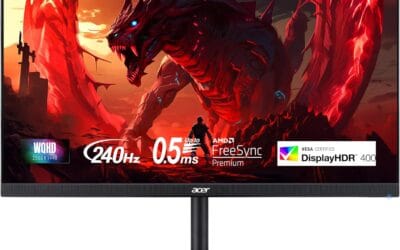
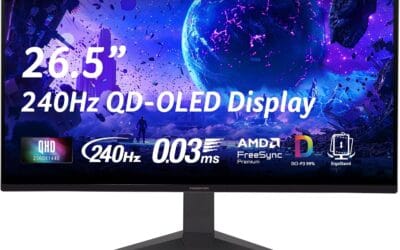
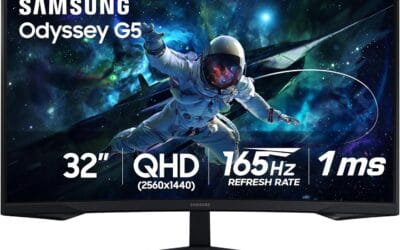
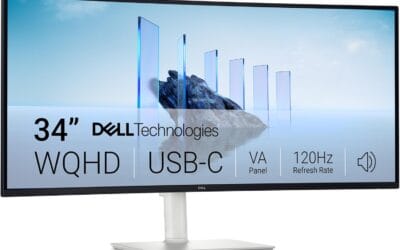
A 1440p gaming PC build is the modern best balance in 2026. Not entry-level enough to feel like a compromise, not so expensive you’re paying for resolution your eyes can’t fully appreciate at typical monitor distances. The 2560×1440 resolution gives you ~78% more pixels than 1080p without the GPU price tax that 4K demands. With current-gen hardware, you can hit 144+ FPS in most AAA titles and 240+ in competitive shooters, all from a build that comes in well under what a comparable prebuilt would cost.
The Cornerstone Component
The GPU does the heavy lifting in any 1440p build. For this build, the RTX 5070 Ti is the right pick. It handles every current game at high or ultra settings at 1440p, holds 100+ FPS in demanding titles like Cyberpunk 2077 with ray tracing on, and pushes past 200 FPS in esports titles like CS2, Valorant, and Apex Legends. Roughly $750 at launch pricing, it’s the cleanest balance of power and value in the lineup.
Other GPU options worth considering: the RX 9070 XT from AMD trades a bit of ray tracing performance for $80-100 in savings, which makes sense if you don’t play ray-traced titles. The RTX 5080 is 25-30% faster but costs $400+ more, which is hard to justify at 1440p unless you also plan to upgrade to 4K later.
The CPU That Won’t Hold You Back
At 1440p, the CPU matters less than it does at 1080p because the GPU becomes the bottleneck first. But you still want a CPU that won’t choke during multiplayer matches, streaming, or open-world games that spawn dozens of NPCs at once. The AMD Ryzen 7 9800X3D is the gaming chip of 2026, full stop. The 3D V-Cache architecture gives it a 15-25% edge over Intel and standard AMD chips in CPU-bound games.
Budget alternative: the Ryzen 5 9600X at $250 is fast enough for 1440p gaming without bottlenecking the 5070 Ti in 95% of games. The 9800X3D justifies its premium only if you play competitive multiplayer or simulation games that hammer CPU cycles.
Motherboard: B650 Does the Job
A B650 motherboard for AMD AM5 (or B760 for Intel LGA 1700, if you went Intel) handles everything a 1440p gaming build needs. PCIe 4.0 for the GPU, two NVMe slots for storage, decent VRMs for the 9800X3D, USB 3.2 Gen 2 on the back panel. X670 boards add features like extra PCIe lanes and beefier power delivery, but the $100-150 premium goes mostly to features you won’t use.
Pick a B650 board in the $150-200 range from a reputable brand like MSI, ASUS, Gigabyte, or ASRock. Avoid the cheapest options under $130 because the VRMs sometimes can’t sustain peak loads on the 9800X3D.
Memory: 32GB DDR5 is the New Floor
16GB used to be enough. Not anymore. Modern AAA games regularly use 12-14GB of system RAM, and once you factor in Chrome with 30 tabs, Discord, Spotify, and OBS for recording, 16GB hits hard limits. 32GB gives you headroom that lasts the full build lifespan.
Get DDR5-6000 CL30 specifically for AMD AM5 builds. That speed/latency combo is the best balance for the Ryzen memory controller. Faster kits like DDR5-7200 cost more but show diminishing returns in actual gaming. For Intel, DDR5-7200 or 7600 makes more sense because the Intel memory controller scales better with higher speeds.
Storage: 1TB NVMe Minimum
Modern games are huge. Call of Duty alone takes 200+ GB. Cyberpunk is 110+ GB. Hogwarts Legacy is 85 GB. A 500GB SSD fills up after three games. Start with 1TB and add a 2TB drive when prices drop.
PCIe Gen 4 NVMe is the right pick – Gen 5 drives exist but their real-world gaming benefit is negligible and they run hot enough to need their own heatsinks. The Samsung 990 Pro, WD Black SN850X, or Crucial T700 are all reliable options around $80-100 for 1TB.
Power Supply: Don’t Cheap Out Here
A bad PSU is the one component that can fry everything else. Buy from a reputable brand (Corsair, Seasonic, EVGA, MSI, be quiet!), get 80+ Gold or better, and size for at least 750W on a 5070 Ti build. The 5070 Ti pulls around 285W under load; add 200W for the CPU and remaining components and you’ve got around 500W system draw with peaks. 750W gives breathing room and lets you upgrade GPU one tier later without replacing the PSU.
Modular cables are worth the small premium because they make cable routing dramatically cleaner. Look for ATX 3.1 standard, which includes the 12V-2×6 connector for newer GPUs natively rather than relying on an adapter.
Cooling: AIO or Premium Air
The 9800X3D runs cool because it’s a 120W TDP chip with the cache above the cores. A solid air cooler like the Noctua NH-D15 or Thermalright Peerless Assassin handles it without breaking a sweat. AIO liquid coolers in the 240mm or 280mm range work too if you prefer the aesthetic, but they’re not necessary for cooling performance.
Avoid 360mm AIOs unless you have a case that supports them and you want the bling factor – they’re overkill for this CPU and add $40-60 over a 280mm option.
Case: Airflow Beats Aesthetics
Pick a case rated for good airflow. Mesh front panels move air better than glass fronts no matter what the marketing says. The Fractal Design Pop Air, Lian Li Lancool 216, or NZXT H7 Flow are all solid mid-tower options in the $90-130 range that fit a 5070 Ti, a 360mm radiator if you wanted one, and your motherboard without cable management headaches.
Avoid micro-ATX or mini-ITX cases unless space is genuinely tight. The smaller cases mean smaller coolers, less airflow, and higher temps. Full ATX gives you the most flexibility and best thermals for the money.
The Full Parts List
Putting it all together, a balanced 1440p gaming PC build in 2026 looks like:
CPU: AMD Ryzen 7 9800X3D ($479)
GPU: RTX 5070 Ti ($749)
Motherboard: B650 ATX board ($180)
RAM: 32GB DDR5-6000 CL30 ($120)
Storage: 1TB PCIe Gen 4 NVMe ($90)
PSU: 850W 80+ Gold ATX 3.1 ($130)
Cooler: Air tower or 280mm AIO ($90)
Case: Mid-tower ATX with mesh front ($110)
Total: approximately $1,950 before sales. Watch Newegg, Best Buy, and Micro Center for bundle deals – it’s common to save $150-250 across components when buying during sales events.
Expected Performance
At 1440p high/ultra settings, this build delivers:
Cyberpunk 2077 (no ray tracing): 130-150 FPS
Cyberpunk 2077 (RT Ultra, DLSS Quality): 90-110 FPS
Call of Duty Warzone: 200+ FPS
Counter-Strike 2: 350+ FPS
Valorant: 400+ FPS
Alan Wake 2: 80-100 FPS
The Last of Us Part II: 110-130 FPS
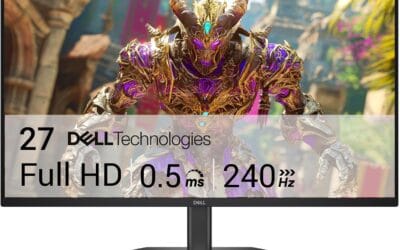
These are real numbers, not best-case scenarios. You’ll get the 240Hz refresh rate of your monitor in nearly every esports title and 144+ FPS in 95% of modern AAA games.
FAQ
Is a 1440p build worth it over 1080p?
Yes, in 2026 the GPU/CPU prices have come down enough that 1440p delivers a clearly better visual experience for a $200-300 total system premium. The pixel density gain is dramatic on 27-inch monitors, text is sharper, and game environments look more detailed. Most builders who try 1440p don’t go back.
Should I go Intel or AMD for 1440p gaming?
AMD wins for gaming-only builds because of the 9800X3D’s 3D V-Cache advantage. Intel’s strengths are in productivity workloads like video rendering and multitasking-heavy use. If you build PCs for gaming first and everything else second, AMD’s the call. If you split time between gaming and content creation work, Intel’s i9-14900K or 15900K might serve you better.
How long will this build last?
5-6 years at 1440p high settings before you’ll feel the need to upgrade the GPU. The CPU, RAM, motherboard, and storage should last 7-8 years easily. AM5 sockets get continued CPU support through 2027+, so you can drop in a future Ryzen chip without a full rebuild.
Can I run 4K on this build?
Yes, but with compromises. The RTX 5070 Ti handles 4K at medium-high settings in most games, hitting 60-90 FPS with DLSS Quality enabled. If 4K is your primary target, the RTX 5080 or 5090 is the better starting point. This build is optimized for 1440p where it shines hardest.