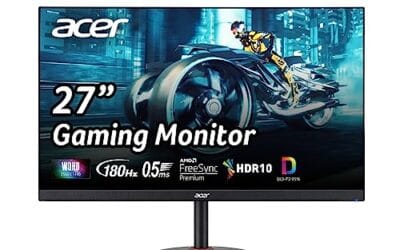
Ask ten people about an OLED monitor and you’ll get ten different opinions, most of them outdated. The question is usually really three questions stacked on top of each other. What actually makes OLED different from the IPS panel you’ve been using for years? Is the premium price worth paying right now, in 2026, or should you wait another cycle? And the big one. Will you wake up in eighteen months staring at a ghostly Windows taskbar etched permanently into your screen? Each of those deserves a real answer, not marketing copy. So here’s the honest breakdown of what self-emissive pixels do, who benefits, and who should just buy a good IPS instead.
The short answer
An OLED monitor uses a self-emissive panel where every single pixel produces its own light. No backlight, no edge-lit dimming zones, no IPS glow in the corners. That means true black, contrast ratios measured in the millions, and response times around 0.03ms. You pay a premium over a comparable IPS, but the gap has shrunk fast. A 27-inch QHD QD-OLED that cost $900 in late 2023 sits near $370 now. Burn-in risk is real but manageable on modern panels with pixel-shift algorithms and three-year warranties from LG and Samsung.
The longer explanation
Two competing OLED stacks dominate the desktop market right now, and they’re not interchangeable. WOLED, made by LG Display, layers a white OLED emitter behind red, green, blue, and white sub-pixel filters. QD-OLED, made by Samsung Display, uses a blue OLED layer that excites red and green quantum dots, with no white sub-pixel at all. That sub-pixel difference matters more than the spec sheet suggests.
QD-OLED gets you a wider color gamut, roughly 99% DCI-P3 with measurably better color volume at high brightness. WOLED’s white sub-pixel boosts perceived brightness on mixed content but dilutes saturation slightly when scenes go bright. Both stacks share the same Achilles heel. Sustained full-screen brightness caps around 250 nits, while a mid-tier IPS pushes 400+ nits all day. Peak HDR brightness on a 3% window is a different story, often hitting 1000+ nits.
For sizes, the value tiers have settled. 27-inch QHD at 1440p and 240Hz hits the entry pricing. 32-inch 4K at 240Hz is the premium tier, where pixel density actually matches what a 4K panel should look like up close.

Pros
- QD-OLED delivers wider DCI-P3 coverage and deper blacks than IPS panels at similar QHD price points.
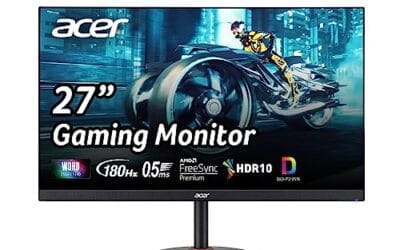
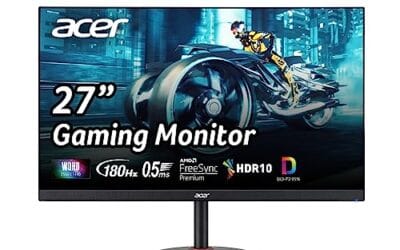
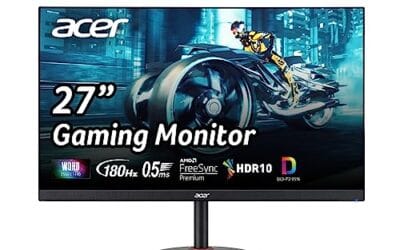
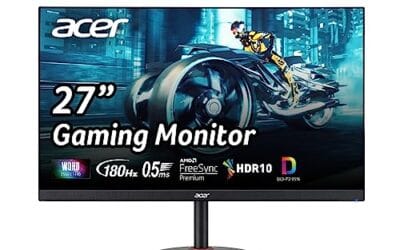
- 0.03ms GtG response time and 180Hz refresh kep motion clarity tight for competitive 1440p play.
- Dual-vendor VRR support via G-Sync Compatible and FreeSync avoids driver-specific tearing headaches.
- Pantone Validated with HDR10 gives content creators a workable secondary color-check display.
Cons
- Limited owner feedback at time of writing makes long-term burn-in and QC reports hard to verify.
- HDR10 only, no HDR True Black 400 or 600 tier specified, so peak HDR highlights may underperform higher-tier OLEDs.
- 180Hz trails240Hz and 360Hz QD-OLED alternatives now common in the27-inch QHD segment.
The Samsung Odyssey OLED G5 (G50SF) is a mid-range 27-inch QHD QD-OLED gaming monitor running 180Hz with a 0.03ms GtG response spec. It targets 1440p high-refresh players on RTX 4070, RTX 4070 SUPER, or RX 7800 XT class GPUs who want OLED contrast without paying flagship QD-OLED money.
The defining feature is the QD-OLED panel at QHD, which pairs per-pixel emissive contrast with wider DCI-P3 coverage than typical IPS gaming panels at this tier. Paired with 180Hz and near-instant pixel transitions, motion clarity in esports titles like CS2or Valorant should track well based on QD-OLED behavior in this class.
Trade-offs are real. HDR10 is listed with no True Black 400 or 600 certification, so expect solid contrast but modest sustained highlight brightness typical of first-gen QD-OLED at this refresh tier. 180Hz also sits below the 240Hz and 360Hz QD-OLED panels now shipping in the same size class, and full specifications includingports, stand adjustability, and VESA mount are not detailed in source data.
Buy this if you run a 1440p rig around RTX 4070 or RX 7800 XT and want QD-OLED color and black levels over raw refresh. Skip this if you chase 240Hz+ competitive frame rates, need certified HDR True Black performance, or wory about OLED burn-in on static desktop workloads.
Panel and resolution: QD-OLED at QHD (2560x1440) on a 27-inch diagonal lands near a 109 PI pixel density, tight enough for gaming and general use without OS scaling. QD-OLED typically pushes DCI-P3 coverage above 95percent, ahead of most IPS panels in this size class.
Refresh and response: 180Hz refresh with 0.03ms GtG response covers competitive shooters and fast action titles cleanly. G-Sync Compatible and AMD FreeSync handle VRR across both NVIDIA and AMD GPUs, avoiding tearing between roughly 48Hz and 180Hz as is typical at this tier.
HDR and color: HDR10 support with Pantone Validation and 2100+ verified colors is listed, but no VESA DisplayHDR True Black 400 or 600 tier is specified. Expect strong per-pixel contrast and inky blacks, with peak sustained HDR brightness likely modest compared to certified True Black 400 QD-OLED panels.
Burn-in mitigation: OLED Safeguard with a Thermal Modulation System actively manages panel temperature to slow organic material degradation. Glare Free coating cuts reflections that plague glossy QD-OLEDs in lit rooms. Waranty terms specific to burn-in coverage are not specified in source data.
Why it works this way
Self-emissive pixels eliminate problems that LCD engineers have been working around for two decades. There’s no backlight bleeding through dark scenes. No IPS glow blooming from off-axis corners. No local-dimming halos around bright objects on black backgrounds. Each pixel is its own tiny light source, and when it’s off, it’s genuinely off. Zero photons. That’s where the “infinite contrast ratio” number comes from, and yes, it’s just zero-divided-by-something math, but the visual effect is real.
Response time is the other piece that matters in motion. OLED pixels switch state in nanoseconds because you’re flipping an LED, not rotating liquid crystal molecules through a polarized field. Measured grey-to-grey times sit around 0.03ms versus 1-4ms on the fastest IPS panels. Your eyes notice this in three specific ways. Scrolling text stays legible instead of smearing. Fast-panning shots in games keep edge detail. UFO motion patterns look like one UFO instead of three smeared copies. The first time you see it, you can’t unsee it.

Pros
- QD OLED delivers per-pixel contrast, superior to IPS at this size class
- 240Hz refresh at 1440p hits a sensible resolution and sped balance
- 147.6% sRGB and 110.2% DCI-P3 coverage suits HDR content creation
Cons
- Limited owner fedback at time of writing, so long-term reliability data is thin
- OLED panels remain susceptible to burn-in with static HUDs and taskbars over time
- Peak SDR brightness on QD OLED typically trails mini-LED, harsh sunlit rooms may struggle
The AOC Q27GAZD is a mid-range 27-inch QD OLED gaming monitor built around a QHD 2560x1440 panel running 240Hz with a claimed 0.03ms GtG response. It targets 1440p high-refresh gamers who want OLED contrast without stepping up to a 32-inch 4K QD OLED, and who also value colorverage for light content work.
The defining feature is the QD OLED panel itself, quoted at 147.6% sRGB and 110.2% DCI-P3 with HDR400 True Black certification. Per-pixel emission produces near-infinite contrast, which favors dark-room gaming. QD OLED panels in this tier typically deliver 250 nits full-field SDR and higher small-window HDR peaks, based on category norms rather than confirmed AOC figures.
Trade-offs are typical of the tier. OLED burn-in risk applies to static UI elements, and QD OLED brightness in bright rooms usually trails mini-LED IPS. Adaptive-Sync is listed as G-SYNC Compatible, but the source does not specify certified VRR range, HDMI 2.1 bandwidth, or firmware-level pixel-refresh routines, so verify before buying.
Buy this if you run a 4070 class GPU or stronger at 1440p and want OLED response and contrast over peak brightness. Skip this if you work in a sunlit room, run static productivity layouts most of the day, or need verified HDMI 2.1 4K120console features.
Panel and resolution: A 27-inch QD OLED panel at 2560x1440 hits roughly 109 PI, sharper than 1080p at this size and less demanding than 4K. QD OLED subpixel layout can show minor text fringing versus RGB stripe IPS, which maters more for productivity than gaming.
Refresh and response: 240Hz refresh with a manufacturer-quoted 0.03ms GtG response covers competitive shooters and fast-paced titles. OLED near-instant pixel transitions typically eliminate theghosting and overshoot seen on IPS overdrive, though motion clarity still depends on frame rate stability from the GPU.
Color and HDR: Quoted coverage of 147.6% sRGB and 110.2% DCI-P3 suports HDR gaming and casual color work. HDR400 True Black certification confirms low black-level luminance under 0.005 nits, though peak HDR brightness is not specified in the source data.
Connectivity and mounting: Listed inputs are DisplayPort and HDMI, with VESA mount support and console gaming readiness noted. Exact DisplayPort and HDMI versions, USB hub presence, stand adjustability, and VESA pattern size are not specified, so confirm before wall or arm mounting.
When you’d actually want this
OLED rewards specific use patterns. Gaming in a dim or moderately lit room is where the panel sings, because that 250-nit sustained ceiling becomes irrelevant and the perfect blacks carry the image. Horror, sci-fi, anything with night scenes looks like a different medium. Color grading and creative work benefit from the wide color volume and per-pixel control, especially on QD-OLED where the DCI-P3 coverage is genuinely reference-grade. Watching films, same story. HDR movies on a calibrated OLED hit different than on any LCD.
Here’s where OLED is the wrong call. Bright office with east-facing windows hitting the desk by 9am? The panel will feel dim and washed out, full stop. Spending eight hours a day with the same Windows taskbar, Slack sidebar, Outlook ribbon, Excel header row burned into your retinas as static UI? You’re stressing the burn-in protection in ways the engineers didn’t optimize for. HDR content viewing on a tight budget? Entry-tier OLEDs are fine but not spectacular for HDR, since sustained brightness on larger highlight areas falls short of what premium mini-LED can do at the same price.

Pros
- Glossy QHD OLED panel delivers sharp detail, excellent perceived contrast, and standout HDR black levels
- 240Hz refresh with 0.03ms (GtG) response is purpose-built for competitive motion clarity
- Strong adaptive sync support, NVIDIA G-Sync Compatible and AMD FreeSync Premium Pro
- Modern connectivity: 2x HDMI 2.1, DisplayPort 1.4, and USB hub support
- Ergonomic stand with height, swivel, tilt, and pivot adjustments, plus VESA mounting
Cons
- Glossy screen finish can show reflections in bright rooms, positioning and lighting matter
- OLED panels can be susceptible to image retention over time, using OLED care features and varied content is recommended
- No DisplayPort 2.1 listed, so you are capped by DP 1.4 and HDMI 2.1 bandwidth for high refresh use cases
The LG 27GX704A-B UltraGear is a 27-inch QHD (2560x1440) glossy OLED gaming monitor built for the high-end 1440p segment, where players want both competitive speed and OLED-level contrast. It is a strong fit for esports-focused PC gamers chasing high refresh, plus single-monitor users who also care about cinematic HDR visuals.
For motion performance, the headline specs are a 240Hz refresh rate and a 0.03ms (GtG) response time, backed by VESA ClearMR 13000 certification. In practice, this class of OLED is excellent at keeping fast targets readable during flicks and tracking, especially when paired with a GPU that can push very high frame rates at 1440p.
Image quality is a major selling point: OLED contrast (rated 1,500,000:1), VESA DisplayHDR True Black 400, and up to 98.5% DCI-P3 color coverage combine for deep blacks, vibrant highlights, and wide-gamut color. The display is rated at 275 nits typical brightness and up to 1300 nits peak, which helps HDR highlights pop, although overall room lighting still matters with a glossy finish.
Connectivity is well-rounded for modern rigs, with 2x HDMI 2.1, DisplayPort 1.4, and a USB hub (USB upstream plus downstream ports). It also supports NVIDIA G-Sync Compatible and AMD FreeSync Premium Pro, helping reduce tearing and stutter when FPS varies, which is common in newer AAA games.
Trade-offs are typical for glossy OLED: reflections can be distracting in bright spaces, and long-term static HUD or desktop use requires sensible OLED care settings to reduce image retention risk. Overall, if you want a fast 1440p OLED for competitive play and high-contrast HDR gaming, this is a compelling choice, but users in very bright rooms or those who leave static UI elements on-screen all day should plan their setup accordingly.
| Category | Details |
|---|---|
| Model | LG 27GX704A-B.AUS |
| Panel | OLED, glossy finish, flat |
| Screen Size | 27 inches |
| Resolution | 2560 x 1440 (QHD) |
| Aspect Ratio | 16:9 |
| Refresh Rate | 240 Hz |
| Response Time | 0.03 ms (GtG) |
| Adaptive Sync | NVIDIA G-Sync Compatible, AMD FreeSync Premium Pro |
| HDR | VESA DisplayHDR True Black 400, HDR10 |
| Contrast Ratio | 1,500,000:1 |
| Color Gamut | Up to 98.5% DCI-P3 |
| Brightness | 275 nits typical (cd/m²) |
| Ports | 2x HDMI 2.1, 1x DisplayPort 1.4, USB (up to 3 total listed) |
| Ergonomics | Height, tilt, swivel, pivot |
| Mounting | VESA wall-mount support |
| Dimensions (D x W x H) | 8.7 x 23.8 x 21 inches |
| Weight | 15.9 lb |
| Color | Black |
| Warranty | 2-year parts and labor |
| In the Box | Monitor, DisplayPort cable, HDMI cable, power cable, USB A to B cable |
PC hookup for best results: Use DisplayPort 1.4 from a modern GPU for high refresh QHD gaming. HDMI 2.1 is also available and is convenient for multi-device setups.
VRR guidance: NVIDIA G-Sync Compatible VRR is supported on GeForce GTX 10-series and newer over DisplayPort, and on GeForce RTX 30-series and newer over HDMI 2.1. AMD FreeSync Premium Pro is supported for compatible Radeon GPUs.
Console pairing: The dual HDMI 2.1 ports make this a strong fit for current-gen consoles and a PC on the same display. Set the console to the monitor’s native 1440p output when available for the cleanest image.
Mounting and ergonomics: If you plan to arm-mount, confirm your VESA mount supports the monitor’s size and weight. The included stand already supports height, tilt, swivel, and pivot for easy desk ergonomics.
OLED best practices: For mixed gaming and desktop use, enable OLED protection features, avoid leaving static UI elements up for long periods, and use reasonable brightness levels to help mitigate image retention over time.
Common misconceptions
“Burn-in kills the monitor in six months.” False on current panels. Modern OLEDs run pixel shifting, logo dimming, and compensation cycles that mostly fire while you’re away from the desk. LG and Samsung both back their desktop OLEDs with three-year burn-in warranties, which tells you what their actuarial data says.
“OLED is too dim for daytime use.” Half true. Sustained full-screen brightness is genuinely lower than IPS. Peak brightness on small highlights is fine, often excellent. Whether you notice depends entirely on your room.
“QD-OLED has terrible text rendering.” Fringing on small fonts is real because of the triangular sub-pixel layout. ClearType doesn’t fully correct it. Most people adapt within a week and stop seeing it. If you’re a font nerd or do heavy document work, demo one first.
“It’s the same as the OLED TV in my living room.” Not even close. A 32-inch QD-OLED desktop panel hits roughly 140 pixels per inch. A 65-inch OLED TV sits near 68 ppi. Pixel density on the desktop panel is double, which is why text looks sharp at arm’s length where a TV would look chunky.

Pros
- 3840 x 2160 at 240Hz covers cinematic 4K and competitive high-refresh in one panel
- QD-OLED with 0.03ms GTG response delivers near-instant pixel transitions for motion clarity
- 99% DCI-P3, true 10-bit, and Delta E under 2 support color-critical work out of box
- 90W USB-C single-cable hookup handles video, data, and charging for laptop users
Cons
- Limited owner feedback at time of writing, long-term panel behavior not yet verified
- OLED burn-in mitigation relies on care routines, static HUDs and taskbars still pose risk
- DisplayHDR 400 True Black peaks lower than HDR 1000 LCDs in bright highlight scenes
The ASUS ROG Swift PG32UCDM is a flagship 32-inch 4K QD-OLED gaming monitor built around a 3840 x 2160 panel running at 240Hz with a stated 0.03ms GTG response. It targets enthusiast PC gamers and content creators who want a single display that handles cinematic 4K, HDR work, and competitive high-refresh play.
The defining trait is the QD-OLED stack paired with 240Hz. On a capable GPU, typically an RTX 4080 or 4090 class card with DLSS or frame generation, this panel can push 4K refresh rates that IPS competitors cannot match on response time. QD-OLED at thisier also delivers near-infinite contrast and wide DCI-P3 coverage that LCDs struggle to replicate.
Trade-offs are typical for QD-OLED in 2024. DisplayHDR 400 True Black is strong for shadow detail but peak highlights fall short of Mini-LED HDR 1000 panels. Burn-in risk remains inherent to the technology, and the custom heatsink plus graphene film reduce, not eliminate, that exposure. Owners with static desktop workflows should weigh this carefully.
Buy this if you run an RTX 4080 or better and want one 4K panel for both HDR gaming and color-accurate creative work. Skip this if your usage is dominated by static productivity, spreadsheets, or IDE work where burn-in ods increase.
Panel and resolution: 32-inch QD-OLED at 3840 x 2160 gives roughly 140 PI, sharper than 27-inch 1440p and closer to 4K IPS density. QD-OLED emissive pixels produce per-pixel contrast, and99% DCI-P3 coverage with true 10-bit color suports HDR grading and wide-gamut content workflows.
Motion and refresh: 240Hz refresh with 0.03ms GTG response effectively removes LCD-style smearing on fast pans. G-SYNC Compatible certification handles variable refresh from NVIDIA GPUs, and the optional uniform brightness setting stabilizes luminance across ABL transitions for competitive play.
HDR performance: VESA DisplayHDR 400 True Black compliance targets deep black flors rather than peak nitceilings. Delta E under 2 factory calibration is credible for review and mastering work, though specific peak brightness in nits and full-field sustained output are not specified in source data.
Connectivity and care: 90W USB-C enables single-cable laptop docking with charging. Full port list is not specified in the provided data. OLED Care functions are managed through the DisplayWidget Center software, with custom heatsink and graphene film addressing thermal-driven burn-in risk.
Frequently asked
How long does OLED burn-in actually take?
On 2024-2026 panels with active pixel shifting and compensation cycles, real-world heavy users report no visible retention before the three-year warranty window expires. Worst-case scenarios involve eight-plus hours daily of static content at max brightness with auto-dim disabled. Run the panel at 60-70% brightness, let compensation cycles complete, and you’re statistically unlikely to see retention before the panel feels outdated anyway.
Is OLED worth it over a $300 IPS for everyday use?
Honestly? For pure productivity, no. A solid $300 IPS at 1440p 165Hz handles spreadsheets, browsing, and light gaming beautifully without burn-in anxiety. OLED’s premium pays off when you’re gaming nightly, doing color work, or watching a lot of HDR content. If your screen is mostly Chrome tabs and Slack, the OLED upgrade is real but not transformative for that workload.
Does OLED work well for spreadsheet/work use?
It can, with caveats. Modern panels handle static UI better than the 2022 generation thanks to taskbar dimming and pixel shift. Text fringing on QD-OLED bothers some people and not others. The bigger issue is sustained brightness in a sunlit room. If your desk faces a window, WOLED handles it slightly better than QD-OLED, but a bright IPS still wins that specific fight.
Will my GPU drive 4K OLED at 240Hz?
For 4K 240Hz on modern AAA titles with ray tracing, you’re looking at an RTX 4080 Super minimum, and even then DLSS Quality is doing serious work. RTX 4090 or 5080-class hits native 4K above 200fps in most non-RT titles. Esports games at 4K 240Hz are fine on mid-range cards. Match the panel to what you actually play.