Every monitor spec sheet boasts a response time number. 1ms. 0.5ms. 0.03ms. The marketing makes it sound like the smaller, the better, and that’s mostly true, but the units are slippery. A 1ms GTG monitor and a 1ms MPRT monitor behave nothing alike in motion. Here’s what the number actually measures, why two competing specs exist, and which one matters for the kind of clarity you want during fast camera motion.
The short answer
Response time is how long a pixel takes to change from one color to another. It’s the lag between the GPU sending a new frame and the panel finishing the visual transition. Slow response times cause motion blur and ghosting because the pixel hasn’t finished updating before the next frame arrives.
There are two ways manufacturers report it. GTG, or gray-to-gray, measures the actual pixel transition speed. MPRT, or moving picture response time, measures how blurry a moving object looks to your eyes. They’re different metrics built on different assumptions, and confusing them is how marketing gets away with “1ms” claims on panels that visibly smear.
The longer explanation
Inside an LCD, each pixel is a tiny shutter controlled by a liquid crystal. The crystal twists to let light through or block it. Twisting isn’t instant. It takes time, anywhere from 1ms on a fast TN or modern IPS panel to 8-10ms on older VA panels. That twist time is what GTG measures.
But GTG isn’t the whole picture. Even if your pixel finishes its color change in 1ms, your eye still perceives motion blur if that pixel is held visible for the full frame duration. At 60Hz, each frame stays on screen for 16.67ms. Your eye tracks moving objects across the panel, but the pixel itself isn’t moving, so the held image smears across your retina. That’s the blur MPRT tries to capture.
MPRT can be reduced two ways. Higher refresh rate (a 240Hz panel holds each frame for only 4.17ms) or backlight strobing, where the backlight pulses off between frames to clear the held image. Strobing brings MPRT down dramatically, sometimes from 8ms to under 1ms, but at the cost of brightness and often with side-effects like double-image artifacts.
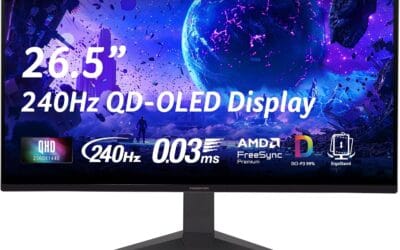
OLEDs cheat both metrics. Each pixel emits its own light, so the crystal twist delay doesn’t exist. OLED GTG hits 0.03ms, faster than anything LCD can manage. And because the pixel can blank itself instantly between frames, MPRT also drops without needing a strobe.
Why it works this way
The physics of liquid crystal limits LCD response time. The crystal molecules have inertia, and they resist twisting until enough voltage builds. To speed this up, manufacturers use overdrive, where a brief voltage spike forces the crystals to twist faster than they otherwise would. Overdrive is why modern IPS panels can hit 1ms GTG even though the underlying crystal would naturally take 4-5ms.
The catch is that overdrive can overshoot. Push too hard and the pixel zips past its target color, producing inverse ghosting, a kind of bright halo trailing moving objects. Most panels have an “overdrive” setting in the OSD with three or four levels. The middle setting is usually the right balance. Cranking it to maximum trades smear for halos.
MPRT, meanwhile, is fundamentally about how long your eye sees each frame. Sample-and-hold displays (every modern LCD and OLED) keep frames visible until replaced. CRTs didn’t have this problem because the phosphor decayed within microseconds, but they had their own flaws. The CRT motion clarity is what backlight strobing emulates on modern panels.
When you would want fast response time
Fast-paced games are where it shows. Counter-Strike, Valorant, Apex, anything where you’re flicking the camera quickly. A slow-response panel turns enemy outlines into smeared streaks during fast turns, which makes targeting harder. A 1ms GTG panel keeps the edges sharp.
Racing and flight sims benefit too, because the entire screen is moving constantly. Slow pixel transitions blur road signs and gauges into mush. Strategy games and turn-based titles don’t care. Neither do most productivity tasks, since you’re rarely scrolling fast enough to notice.
Movie watchers can ignore the spec entirely. Films are mastered at 24 FPS, so each frame is on screen for 41.67ms anyway. Pixel response time within that window is irrelevant.

Pros
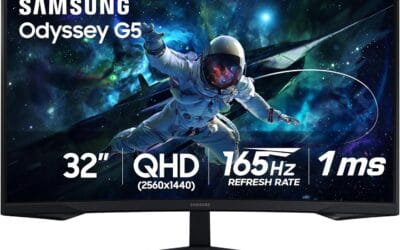
- QHD resolution at 32 inches hits a practical pixel density
- 165Hz refresh rate with 1ms MPRT reduces motion blur
- FreeSync support covers AMD and most NVIDIA GPU pairings
Cons
- VA panel limits viewing angles versus IPS alternatives
- No built-in speakers or USB hub on a mid-range unit
The Samsung Odyssey G55C is a 32-inch QHD curved gaming monitor for PC and console players wanting more screen than a typical 27-inch without jumping to ultrawide. The VA panel delivers 165Hz with 1ms MPRT and HDR10 support, though HDR performance is limited by the panel's brightness ceiling, based on owner reports. AMD FreeSync keeps frame pacing clean on compatible GPUs. VA technology means viewing angles are noticeably narrower than IPS options at this price tier. Skip if color-accurate work or wide-angle desk sharing matters to you.
Common misconceptions
First myth: 1ms means no motion blur. Wrong. A 1ms GTG panel can still show heavy blur if it’s a 60Hz sample-and-hold display. MPRT is what determines perceived blur, not GTG. Two panels with identical 1ms GTG can look completely different in motion if one is 60Hz and the other is 240Hz.
Second myth: faster response time means lower input lag. They’re unrelated. Input lag is the delay between your input and the screen updating. Response time is how long the pixel transition takes once the update arrives. A panel can have 0.5ms response and 30ms input lag if the scaler is slow.
Third myth: MPRT specs are honest. Often they’re not. Many MPRT claims assume backlight strobing is on, which the panel might not even support, or assume a specific overdrive setting that introduces overshoot. Read reviews with motion-blur photography (Blur Busters’ UFO chart is standard) instead of trusting the box.
Fourth myth: OLED has no motion blur. OLED has near-zero pixel response blur, but it still has sample-and-hold blur. A 120Hz OLED still holds each frame for 8.33ms, so fast camera motion will smear unless you push the refresh higher or use BFI (black frame insertion).
Frequently asked
Is 5ms response time too slow for gaming?
For competitive shooters, yes. For everything else, no. A 5ms GTG VA panel will smear slightly on dark scenes (VA black response is the slowest), but it’s fine for RPGs, strategy, and most single-player titles. Don’t pair a 5ms panel with a 240Hz refresh rate, though, because the pixel can’t keep up.
Does response time affect frame rate?
No. The GPU’s framerate output is independent of the panel’s pixel speed. A slow-response panel just shows smeared frames at whatever rate the GPU produces them.
Should I always enable maximum overdrive?
No. Max overdrive usually causes inverse ghosting on most panels. Start at the middle setting and step up only if you can see trailing smear. Step down if you see bright halos behind moving objects.
What’s a “real” 1ms panel?
A panel that hits 1ms average GTG across all transitions, not just the cherry-picked best case the marketing uses. RTINGS and TFTCentral publish full transition matrices. Look for ones where the average is under 5ms and the worst-case under 10ms. That’s a genuinely fast panel.