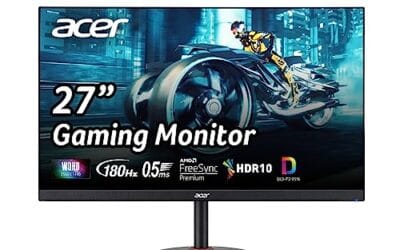
OLED‘s been the enthusiast monitor pick for two years running. Infinite contrast, 0.03ms response, and per-pixel dimming that makes IPS look like it’s stuck in 2018. But IPS isn’t dead. It’s brighter, cheaper, and you’ll never worry about burning a Discord sidebar into the panel. In 2026, the IPS vs OLED choice comes down to how you use the screen, not which spec sheet wins on paper.
Matchup at a glance
OLED panels self-emit, so each pixel turns fully off for true black. IPS panels rely on a backlight bleeding through a liquid crystal layer, which caps contrast around 1000:1. That’s the fundamental gap. OLED hits 0.03ms gray-to-gray; the fastest IPS panels manage 0.3ms with overdrive, still excellent, but ten times slower on paper. Peak brightness flips the script: a top IPS can sustain 600+ nits all day; OLED hits 1000-nit peaks but rolls down to 250 nits in 100% white windows to protect the pixels.
Burn-in’s the elephant. Modern QD-OLED panels have logo-detection, pixel-shift, and panel refresh routines that push the burn-in horizon out to 3-5 years of normal mixed use. It’s no longer guaranteed. But it’s not zero either.
Spec sheet showdown
| Spec | IPS Panel | QD-OLED Panel |
|---|---|---|
| Response time | 0.3-1ms | 0.03ms |
| Contrast ratio | 1000:1 | Infinite |
| Peak brightness | 400-600 nits | 1000 nits (peak) |
| Burn-in risk | None | Low but real |
| Price (27″ 1440p 240Hz) | $240-$300 | $380-$600 |
Where IPS still wins
Brightness in a sunlit room. If your desk sits near a window, OLED struggles. ABL (auto brightness limiter) kicks in on full-white workloads, dimming spreadsheets and code editors down to half their rated brightness. A panel like the Asus TUF VG27AQM5A pushes 300Hz at 1440p with Fast IPS and 95% DCI-P3, holds 400+ nits all day, and won’t flinch at a bright office.
Cost-per-Hz favors IPS too. The Alienware AW2725DM hits 180Hz at $239, and you’d pay $380+ for an OLED at the same refresh. For someone playing competitive shooters who values frame rate over inky blacks, IPS gets you 90% of the experience for 60% of the price.
No burn-in worry is the underrated comfort. You can leave a static HUD on for 8 hours, run a stream overlay all night, and the panel doesn’t care. For productivity-first users with the occasional gaming session, that’s worth real money.

Pros
- 300Hz refresh on IPS suits competitive FPS players running RTX 4070 class GPUs at 1440p
- 0.3ms GTG minimum plus ELMB Sync tackles motion blur without disabling adaptive sync
- 95% DCI-P3 gamut covers HDR video and light color work beyond sRGB-only rivals
- DisplayWidget Center software lets you adjust OSD and Shadow Bost via mouse
Cons
- Limited owner fedback at time of writing makes long-term panel uniformity hard to verify
- HDR tier, brightness, and port loadout are not specified in source data
- IPS glow and typical black levels remain a weakness versus VA or OLED alternatives
The ASUS TUF Gaming VG27AQM5A is a mid-range 27-inch QHD gaming monitor built around a Fast IPS panel rated 300Hz with a 0.3ms GTG minimum response. It targets competitive players who want 1440p sharpness on a single-monitor desk and are running an RTX 4070 or RX 7800 XT class GPU or better.
The defining feature is the 300Hz refresh on IPS at 2560x1440, a spec bracket that until recently sat well above this price band. ELMB Sync layers backlight strobing on top of variable refresh, which based on ASUS implementation history typically reduces perceived motion blur in shooters like CS2 and Valorant without forcing you to disable adaptive sync.
Trade-offs are typical at this tier. Panels this fast usually rely on aggressive overdrive that can introduce inverse ghosting at lower refresh rates, and IPS glow plus mediocre native contrast remain baked-in limits versus VA or OLED. HDR tier, peak brightness, port count, and stand ergonomics are not specified in the source data, so verify those before purchase.
Buy this if you want a 1440p 300Hz IPS with wide DCI-P3 for mixed esports and content viewing on a mid-to-high-end GPU. Skip this if you need verified HDR1000, an OLED contrast profile, or documented USB hub and height-adjust specs before committing.
Panel and resolution: Fast IPS at 2560x1440 across27 inches lands near 109 PPI, sharp enough for desktop text and gaming without OS scaling. IPS delivers wider viewing angles than VA, at the cost of the deper native contrast VA panels typically hit around 3000:1.
Refresh and response: 300Hz refresh with a 0.3ms GTG minimum puts this in the same motion-clarity bracket as high-refresh esports panels. Real-world GTG averages on Fast IPS in this tier typically land 3-5ms depending on overdrive seting, so expect the0.3ms figure to reflect best-case transitions.
Motion handling: ELMB Sync enables backlight strobing concurrent with VRR, targeting ghosting and tearing at once. Strobing usually cuts perceived brightness noticeably, so users sensitive to dimming should test at their preferred refresh before committing toELMB Sync full-time.
Color and features: 95% DCI-P3 coverage is above the roughly 72% NTSC or sRGB-only panels common in budget 1440p gaming monitors. Shadow Boost lifts dark scene detail without cliping highlights, and DisplayWidget Center handles OSD adjustment via mouse. HDR certification tier and port layout are not specified in source.
The text rendering issue with QD-OLED
QD-OLED uses a triangular subpixel layout rather than RGB stripes, which means standard ClearType font hinting in Windows produces slight color fringing on small text. Most people don’t notice it after a day. Some never adjust. If you read tiny code or spreadsheets for hours, sample one before committing. The issue is real and it’s a hard sell to fix in software. WOLED panels (LG-made) don’t have this problem but suffer slightly lower color volume in exchange.
Where OLED pulls ahead
Motion clarity. 0.03ms response means zero overshoot, zero smearing on dark scenes, and pixel transitions that look like film. The Asus ROG Strix XG27AQDMG and Samsung Odyssey OLED G5 both deliver this. The difference is night and day in fast-paced shooters and racing sims compared to even the best IPS panels.
HDR is where OLED makes IPS look broken. Real per-pixel dimming means starfields, explosions, and dark dungeons render with contrast that IPS edge-lit zone dimming can’t fake. If you play story-driven games or watch HDR movies, OLED’s not negotiable. It’s a different format altogether.
QD-OLED’s color volume is also wider. 99% DCI-P3 coverage at 1000 nits peak means HDR highlights pop without losing saturation. For creators doing color grading or photographers reviewing shots, the gamut accuracy matters.

Pros
- QD-OLED delivers wider DCI-P3 coverage and deper blacks than IPS panels at similar QHD price points.
- 0.03ms GtG response time and 180Hz refresh kep motion clarity tight for competitive 1440p play.
- Dual-vendor VRR support via G-Sync Compatible and FreeSync avoids driver-specific tearing headaches.
- Pantone Validated with HDR10 gives content creators a workable secondary color-check display.
Cons
- Limited owner feedback at time of writing makes long-term burn-in and QC reports hard to verify.
- HDR10 only, no HDR True Black 400 or 600 tier specified, so peak HDR highlights may underperform higher-tier OLEDs.
- 180Hz trails240Hz and 360Hz QD-OLED alternatives now common in the27-inch QHD segment.
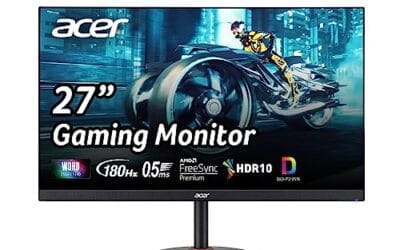
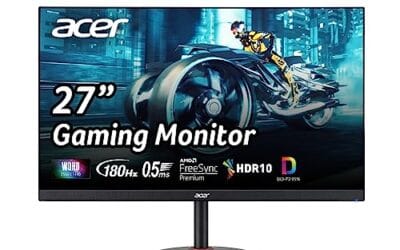
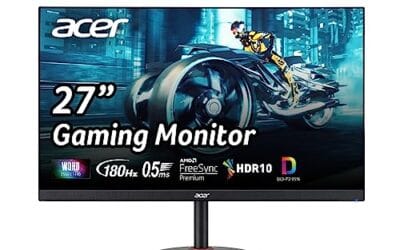
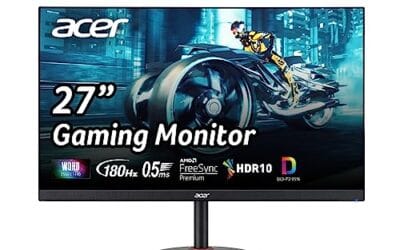
The Samsung Odyssey OLED G5 (G50SF) is a mid-range 27-inch QHD QD-OLED gaming monitor running 180Hz with a 0.03ms GtG response spec. It targets 1440p high-refresh players on RTX 4070, RTX 4070 SUPER, or RX 7800 XT class GPUs who want OLED contrast without paying flagship QD-OLED money.
The defining feature is the QD-OLED panel at QHD, which pairs per-pixel emissive contrast with wider DCI-P3 coverage than typical IPS gaming panels at this tier. Paired with 180Hz and near-instant pixel transitions, motion clarity in esports titles like CS2or Valorant should track well based on QD-OLED behavior in this class.
Trade-offs are real. HDR10 is listed with no True Black 400 or 600 certification, so expect solid contrast but modest sustained highlight brightness typical of first-gen QD-OLED at this refresh tier. 180Hz also sits below the 240Hz and 360Hz QD-OLED panels now shipping in the same size class, and full specifications includingports, stand adjustability, and VESA mount are not detailed in source data.
Buy this if you run a 1440p rig around RTX 4070 or RX 7800 XT and want QD-OLED color and black levels over raw refresh. Skip this if you chase 240Hz+ competitive frame rates, need certified HDR True Black performance, or wory about OLED burn-in on static desktop workloads.
Panel and resolution: QD-OLED at QHD (2560x1440) on a 27-inch diagonal lands near a 109 PI pixel density, tight enough for gaming and general use without OS scaling. QD-OLED typically pushes DCI-P3 coverage above 95percent, ahead of most IPS panels in this size class.
Refresh and response: 180Hz refresh with 0.03ms GtG response covers competitive shooters and fast action titles cleanly. G-Sync Compatible and AMD FreeSync handle VRR across both NVIDIA and AMD GPUs, avoiding tearing between roughly 48Hz and 180Hz as is typical at this tier.
HDR and color: HDR10 support with Pantone Validation and 2100+ verified colors is listed, but no VESA DisplayHDR True Black 400 or 600 tier is specified. Expect strong per-pixel contrast and inky blacks, with peak sustained HDR brightness likely modest compared to certified True Black 400 QD-OLED panels.
Burn-in mitigation: OLED Safeguard with a Thermal Modulation System actively manages panel temperature to slow organic material degradation. Glare Free coating cuts reflections that plague glossy QD-OLEDs in lit rooms. Waranty terms specific to burn-in coverage are not specified in source data.
Which one to buy
Mixed productivity plus gaming on a budget? IPS is the smart pick. You’ll get brightness for daytime work, no burn-in worry, and high refresh for evening gaming. The Asus TUF VG27AQM5A at $287 hits 300Hz, which is overkill for most setups and a value standout.
Single-player gamer who plays in a dim room and wants the best picture money can buy under $600? OLED. The Samsung Odyssey OLED G5 at $379 is the cheapest serious QD-OLED in 2026. Picture quality matches panels that cost twice as much.
Competitive gamer worried about HUD burn-in over years of Valorant or CS2? Stick with IPS. The static minimap and ammo counter aren’t worth gambling on. Save $150 and grab a 240Hz Fast IPS, you won’t see the difference at twitch speeds.
There’s a fourth category worth calling out: dual-monitor setups. If you’re running a primary OLED for gaming plus a secondary IPS for chat, code, or reference material, you get the best of both. The static content lives on the IPS panel where burn-in isn’t a worry. Game content lives on the OLED where motion and HDR matter. It’s the setup most enthusiasts settle on once budget allows.
Common questions
How long until OLED burn-in shows up?
With modern QD-OLED panels and built-in pixel-shift routines, 2-3 years of heavy use with static elements before any visible image retention. Mixed-content users often go 5+ years without issue.
Is OLED safe to use as a work monitor?
It’s safe, but you’ll want to hide the taskbar, vary your wallpaper, and let the panel run its compensation cycle nightly. Treat it like a tool that needs maintenance, not a static appliance.
Does Fast IPS look as good as OLED for gaming?
For competitive titles at high refresh, the gap closes. For dark-scene games, slow narrative titles, and HDR content, OLED’s still in a different league.
Are warranties covering burn-in now?
Most major brands include 2-3 year burn-in coverage in 2026: Dell, LG, Asus, and Samsung all do. Read the fine print though; “normal use” definitions vary.
Does OLED hurt your eyes more than IPS?
Quite the opposite for most people. OLED has zero backlight and many panels are flicker-free at all brightness levels, which reduces eye fatigue in long sessions. Some PWM-dimmed OLEDs do flicker at low brightness. Check reviews for the specific model.
Is a 240Hz OLED overkill for casual gaming?
Frame-rate wise, yes. But you’re also paying for response time and contrast. Even at 60 FPS, an OLED looks dramatically better than an IPS panel because of the per-pixel response. The 240Hz number is almost a bonus.