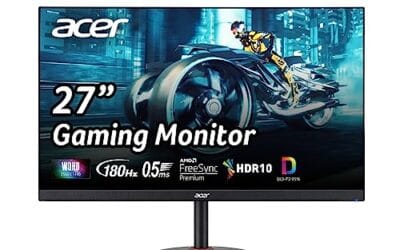
HDMI VRR stands for Variable Refresh Rate, and it’s the feature that finally lets your TV or monitor sync its refresh rate to whatever frame rate your console or GPU is pushing. No more screen tearing when Spider-Man drops below 60 fps. No stutter when the action gets dense. Just smooth output that matches whatever the source can deliver.
If you’ve ever wondered why your PS5 menu shows a “VRR” toggle or why some Xbox games look glassy and others jitter, this is the spec behind it.
The short answer
HDMI VRR is a feature added in the HDMI 2.1 specification that lets a display change its refresh rate dynamically to match the source. Instead of running at a locked 60 Hz or 120 Hz and forcing the GPU to chase that target, the display follows the GPU. Frame ready in 14 ms? Show it. Next frame takes 22 ms? The display waits. The result is no tearing, no judder, and lower input lag than V-Sync.
The longer explanation
Traditional displays run on a fixed schedule. A 60 Hz panel refreshes every 16.67 ms whether or not a new frame’s ready. If the GPU finishes a frame between refreshes, two things can happen: the display either tears (showing parts of two frames stacked) or it waits via V-Sync (adding latency and risking judder). Neither’s great.
VRR fixes this by making the refresh interval flexible. The source tells the display when a new frame’s coming. The display refreshes the moment that frame arrives. If the source slows down, the display slows down with it. The HDMI 2.1 spec defines the protocol for this conversation, including a range (typically 48-120 Hz on most TVs, though some go lower with LFC support).
PC users have had similar tech for years through DisplayPort, branded as Nvidia G-Sync or AMD FreeSync. HDMI VRR brings the same concept to the HDMI side of the world, which is where consoles, set-top boxes, and most TVs live.

Pros
- HDMI 2.1 certified via official QR verification, rare among sub-tier cables
- Full 48Gbps handles 4K@120Hz :4:4 12-bit without chroma subsampling
- eARC channel suports Atmos TrueHD passthrough from TV aps to receiver
Cons
- Limited owner feedback at time of writing, long-term reliability unverified
- 6.6ft length only, not suitable for in-wall or long AV rack runs
- Passive coper design, 8K@60Hz signal integrity depends on source and sink quality
The Silkland Certified HDMI 2.1 Cable is an entry-tier 6.6ft passive coper cable aimed at console and PC gamers who need verified 48Gbps bandwidth. Silkland lists HDMI 2.1 certification with QR code verification, plus support for 4K@120Hz, 8K@60Hz, HDR10+, eARC, and HDCP 2.3. Target buyer: PS5 or Xbox Series X owners running a modern 4K@120Hz TV.
The defining feature is the certified 48Gbps FRL link. That headroom is what actually enables 4K@120Hz at RGB or 4:4:4 12-bit on a PS5, without the chroma subsampling fallback seen on uncertified 18Gbps cables. For PC users on an RTX 40-series or RX 7000 GPU, the cable also caries 4K@144Hz within HDMI 2.1 spec, based on the listed capability set.
Trade-offs are typical at this tier. Itships only in 6.6ft, so anyone running behind a wall-mounted TV or into a distant AV rack should look at longer certified runs or fiber optic HDMI. The ferrite beads and braided jacket help with short-run EMI, but passive copper at 48Gbps has practical length limits. Owner feedback is limited at time of writing.
Buy this if you need a verified HDMI 2.1 cable for a 6.6ft desk or console-to-TV run and want 4K@120Hz VRR working without handshake drops. Skip this if you need a run longer than 6.6ft, in-wall CL3 rating, or an active optical cable for 8K workflows.
Bandwidth and signaling: Rated for the full HDMI 2.1 FRL ceiling of 48Gbps, which is the bandwidth required for uncompressed 4K@120Hz 4:4 10-bit HDR. Silkland states the cable passed HDMI 2.1 certification with QR verification, distinguishing it from Premium High Speed 18Gbps cables often mislabeled as 2.1.
Resolution and refresh support: Listed modes include 8K@60Hz 12-bit, 5K@120Hz 12-bit, 4K@144Hz and 4K@120Hz 12-bit, and 2K@240Hz. On PS5 and Xbox Series X, the practical target is 4K@120Hz with VRR and ALLM, both of which ride on the HDMI 2.1 feature set.
Audio and copy protection: eARC support caries Dolby Atmos TrueHD and DTS:X Master Audio from a TV back to an AV receiver, up to 37Mbps audio bandwidth per HDMI 2.1 spec. HDCP 2.3 compliance covers 4K HDR streaming from Netflix, Disney Plus, and Apple TV Plus without handshake rejections.
Build and length: Length is fixed at 6.6ft with a nylon braided jacket, described double-layer fishnet winding, and ferrite magnetic beads on the connector shells for EMI suppression. Conductor material is listed as copper. Shield type, AWG gauge, and connector plating are not specified in source data.
Why it works this way
The HDMI Forum included VRR in 2.1 because the gaming use case finally outgrew what fixed refresh could handle. Modern engines hit variable frame times constantly. A racing game might run 90 fps on the straight and dip to 70 in a crowd scene. A cinematic action game targets 60 but spikes to 45 when explosions fill the screen. Without VRR, every dip causes visible artifacts.
The protocol relies on a metadata packet sent at the start of each frame. The display reads the packet, knows the frame’s coming now, and triggers its refresh cycle to match. Latency stays low because the display doesn’t sit idle waiting for a scheduled tick.
Both the source and the display have to support HDMI VRR. Plugging a VRR-capable console into a non-VRR TV does nothing – the TV just runs at its fixed rate and the feature stays disabled. Same for the reverse: a VRR TV connected to a non-VRR source falls back to fixed refresh.
When you would want this
Console gaming on PS5, Xbox Series X, or Series S. All three support HDMI VRR, and many games either enable it automatically or let you toggle it in settings. Titles with unlocked frame rates (Fortnite, Apex Legends, Call of Duty) benefit most. Locked-30 cinematic games benefit less because there’s nothing variable to sync.
PC gaming on a TV. If you’ve got a GPU with HDMI 2.1 output (RTX 30/40/50 series, RX 7000/9000) and a VRR TV, you get the same smoothness you’d see on a DisplayPort gaming monitor without buying a separate display.
Cloud gaming services. Xbox Cloud and GeForce Now both stream variable frame rates over the internet. A VRR-capable TV will smooth out the inevitable timing variance.
For movies and standard 60 Hz TV watching, VRR’s irrelevant. The content’s already locked-rate, so the display just runs fixed and saves the feature for games.

Pros
- 48 Gbps certified bandwidth handles 4K@120Hz 4:4 HDR on PS5 and Xbox Series X
- Suports 8K@60Hz for next-gen TVs, giving usable headroom at this cable length
- 1,000-bend durability rating suits tight cable routes behind wall-mounted TVs
Cons
- Limited owner feedback at time of writing, buyer signal is thin
- 6FT length is short for wall-mount runs or flor-standing PC to TV setups
- Passive coper at 48 Gbps; longer runs need active or optical HDMI instead
The Anker HDMI Cable is a mid-tier Ultra High Speed HDMI 2.1 cord rated for 48 Gbps, offered here in a 6FT length. It targets console gamers running PS5 or Xbox Series X into a 4K@120Hz TV, and buyers plugging laptops or mini PCs into 8K@60Hz capable displays without overspending on exotic cables.
The defining spec is the certified 48 Gbps bandwidth, which is what enables 4K@120Hz with full 4:4:4 chroma, HDR, and VRR on current consoles. At 6FT, passive copper HDMI 2.1 cables in this tier typically hold signal integrity without needing an active chipset, based on category norms for certified UHS cables.
Trade-offs are typical at this tier. The 1,000-bend rating is a manufacturer figure, not an independent test, and 6FT is limiting for wall-mounted TVs or PCs sitting on the floor. Anker does not publish shielding construction or connector plating details in the source data, so build specifics beyond the certification are not specified.
Buy this if you need a certified 48 Gbps cable for a PS5, Xbox Series X, or 4K@120Hz TV run under two meters. Skip this if your setup needs a longer reach, in which case an active or fiber optic HDMI 2.1 cable is the safer choice.
Bandwidth and standard: Certified Ultra High Speed HDMI with 48 Gbps throughput, theceiling required for 4K@120Hz 4:4:4 HDR and 8K@60Hz. This matches the HDMI 2.1 feature set expected by PS5, Xbox Series X, and current OLED and QD-OLED TVs.
Resolution and refresh support: 8K@60Hz, 4K@120Hz, and 4K@60Hz are explicitly listed. Dynamic HDR, VRR, and ALLM are standard on48 Gbps certified cables, though the source data does not enumerate them individually.
Length and durability: 6FT (approximately 1.8m), well within passive copper range for full 48 Gbps signaling. Anker rates the cable for up to 1,000 bend cycles across its lifespan, useful for repeated unplugging behind consoles or wall-mounted displays.
Device compatibility and warranty: Works with PS5, Xbox, Samsung TVs, tablets, laptops, projectors, and desktop monitors with HDMI input. Ships with a welcome guide and an 18-month waranty, longer than the12-month norm for budget HDMI cables.
Common misconceptions
HDMI VRR isn’t the same as FreeSync over HDMI. AMD’s FreeSync existed on HDMI before the 2.1 spec, using a proprietary signaling method. Most modern displays now support both, but they’re separate handshakes. A device labeled “FreeSync over HDMI” may not work with a Series X using HDMI VRR. Always check both specs.
It’s not the same as 4K 120 Hz. Those are independent features that both arrived with HDMI 2.1. A display can support 4K 120 Hz without VRR, or VRR without 4K 120. Look at the spec sheet, not the cable.
A standard HDMI cable still works in most cases. VRR data rides on the existing HDMI signal. You don’t need a special “VRR cable.” That said, if you’re also running 4K 120 or higher, you’ll want a certified Ultra High Speed HDMI cable rated for 48 Gbps. Older cables can pass VRR at 1080p 60 just fine.
And VRR doesn’t fix every stutter. If the source has a bug, a CPU bottleneck, or a streaming hiccup, VRR can’t paper over that. It only smooths timing variance in frame delivery. Animation hitches from the engine itself remain visible.

Pros
- Certified 48Gbps bandwidth verified by HDMI Forum label, not just marketing claim on box
- Handles 4K 240Hz 12-bit for RTX 40 series output to compatible monitors
- eARC support passes lossless Dolby Atmos and DTS:X to modern soundbars and AVRs
- VRR and ALLM compliance matches PS5, Xbox Series X, and FreeSync or G-SYNC monitor needs
Cons
- Limited owner feedback at time of writing, making long-term reliability signal thin
- Fixed 6.6 FT length may fall short for wall-mounted TV or across-room projector runs
- Passive coper design at this length, no active or fiber option for extended runs above 15 feet
The Ubluker 48Gbps HDMI Cable is a budget-tier Ultra High Speed HDMI 2.1 cable in a 6.6 FT length, carrying the official HDMI Forum certification label. It targets PS5 and Xbox Series X owners, RTX 40 series PC builders, and home theater users who need verified bandwidth for4K 120Hz HDR or 8K 60Hz output.
The defining feature is the certification label itself, which distinguishes it from uncertified cables that claim 48Gbps without third-party verification. Cables at this tier typically pass 4K 240Hz :4 12-bit and 8K 60Hz signals cleanly at short runs, and support the full HDMI 2.1 feature set including VRR, ALLM, QMS, QFT, and Dynamic HDR based on the listed spec sheet.
Trade-offs are typical for passive copper HDMI 2.1 cables at this length. The 6.6 FT run is comfortable for console-to-TV setups but tight for wall-mounted displays or PC towers under a desk. There is no active or optical variant listed, so buyers needing 15+ FT runs at full 48Gbps should look elsewhere. Owner feedback is limited at time of writing.
Buy this if you need a certified HDMI 2.1 cable under 10 feet for PS5, Xbox Series X, or a 4K 120Hz or higher gaming monitor. Skip this if your run exceeds 10 feet, or if you need active or fiber HDMI for in-wall installation.
Bandwidth and Certification: Rated at 48Gbps with the HDMI Forum Ultra High Speed certification label on packaging, confirming compliance with HDMI 2.1 signal integrity testing. This is the tier required for uncompressed 4K 120Hz 4:4:4 10-bit HDR and 8K 60Hz output from PS5, Xbox Series X, and RTX 40 series GPUs.
Resolution and Refresh Support: Listed support includes 10K 60Hz 12-bit, 8K 60Hz 4:4 12-bit, 5K 144Hz 12-bit, 4K 240Hz 12-bit, 2K 360Hz, and 1080p 360Hz. VESA DSC 1.2a is suported, which is required for the highest refresh 4K and 8K modes on current GPUs.
Gaming and HDR Features: VRR, ALLM, QMS, QFT, and SBTM are listed, covering the HDMI 2.1 gaming feature set for PS5, Xbox Series X, and FreeSync or G-SYNC monitors over HDMI. Dynamic HDR and HDR10+ metadata pass on a per-scene basis. HDCP 2.2 and 2.3 handle protected 4K streaming from Netflix, Roku, and Apple TV.
Audio and Length: eARC caries lossless Dolby TrueHD, Dolby Atmos, DTS:X, and DTS-HD Master Audio between TV and AVR or soundbar. Dolby Vision passthrough is listed. Cable length is fixed at 6.6 FT, suited to console-to-TV or short PC-to-monitor runs.
Frequently asked
How do I check if my TV supports HDMI VRR?
Look in the TV’s spec sheet for “HDMI 2.1” and “VRR” or “Variable Refresh Rate.” On a PS5, head to Settings, Screen and Video, Video Output – if VRR options appear and aren’t grayed out, the TV’s recognized. On Xbox, the General TV and display options panel will show VRR as a toggle if the connection supports it.
Does VRR cause flicker?
On some OLED TVs, yes – gamma can shift slightly at low frame rates, producing dark scene flicker. LG and Samsung have shipped firmware fixes for this on most 2021+ models. If you’re seeing flicker, check for a TV firmware update before blaming the feature.
What’s the VRR range on most TVs?
Typically 48 Hz to the panel’s max (60, 120, or 144 Hz depending on the set). Below 48 Hz, the TV uses Low Framerate Compensation (LFC) to double frames and stay in range. The result still looks smooth, but you’ve lost some of the latency benefit.
Will VRR work with my old HDMI receiver in between?
Only if the receiver passes through HDMI 2.1 VRR metadata. Older AVRs strip the feature even with otherwise compatible video signals. If you’re running console-to-AVR-to-TV and VRR isn’t engaging, plug the console directly into the TV and route audio via eARC. That setup preserves VRR.