48 Gbps and 42.6 Gbps describe the same HDMI 2.1 cable. The bigger figure is the raw signalling rate on the wire, four data lanes clocked at 12 Gbps each. The smaller one is what survives the link’s 16b/18b encoding and actually reaches the panel as picture and sound. Both numbers get printed on spec sheets, sometimes on the same product page, which is why threads about HDMI 2.1 bandwidth never seem to settle.
Same cable. Two honest numbers.
HDMI 2.1 is the revision that finally matched what console owners and PC gamers wanted out of a single wire: 4K at 120 Hz with 10-bit color, variable refresh rate, and lossless Atmos riding alongside the video. It’s also the most misrepresented spec in display gear. Cable listings shout “8K 48Gbps” with no certification behind the claim, and plenty of TVs ship HDMI 2.1 ports that negotiate no higher than 24 Gbps, which the specification permits. What follows is that 48 versus 42.6 split in plain terms, then the resolution and refresh ceiling at each of the six FRL rates, including the points where compression stops being optional. If you like this kind of spec teardown, we did the same thing to keyboards in what is N-Key rollover.
48 Gbps or 42 Gbps? Both numbers are correct
The HDMI specification defines the top 2.1 mode, called FRL6, as four lanes running at 12 Gbps apiece. Four times twelve is 48, and that’s the 48 Gbps everyone quotes. It’s a signalling rate, counting every bit that crosses the connector, including the bits spent on encoding, error protection and link management rather than on your image.
Fixed Rate Link packs each 16 bits of payload into an 18-bit symbol on the wire. Apply that 16-to-18 ratio to 48 Gbps and you land on 42.67 Gbps. Spec sheets and reviews round it to 42.6. That’s the usable video payload, and the 5.33 Gbps difference was never yours to spend.
So: 48 Gbps raw, 42.67 Gbps usable for video and audio. A page quoting 42 isn’t describing a weaker cable than a page quoting 48.
The same arithmetic works per lane, 12 Gbps of signalling against 10.67 Gbps of payload. HDMI 2.0 fared worse on both counts. Its TMDS scheme used 8b/10b encoding, burning 20 percent of the wire rate, so an 18 Gbps HDMI 2.0 link handed only 14.4 Gbps to video. FRL’s 11.1 percent overhead is a real efficiency gain stacked on top of the bandwidth increase, and it’s the reason 4K at 120 Hz with 10-bit HDR fits inside 42.67 Gbps uncompressed with headroom left.
One more figure trips people up. HDMI 2.1 doesn’t obligate any device to reach FRL6. A port that stops at FRL3, meaning 24 Gbps of signalling and 21.33 Gbps of payload, is still a compliant HDMI 2.1 port. It simply can’t carry 4K 120 Hz without compression. Which is the trap manufacturers keep walking into on purpose.

Pros
- Claims HDMI 2.1 certification with full 48Gbps ultra high speed bandwidth.
- Lists VRR, ALLM, QFT, and QMS for lower latency gaming and smoother mode switches.
- Aluminum shell, nickel plating, and nylon braid improve durability over basic cables.
Cons
- No owner reviews at time of writing, so real-world reliability is unproven.
- Source omits measured eye-diagram, AWG, and shielding details buyers often demand.
- 6.6FT length may be short for wall-mounted TVs or long AV rack runs.
This is a budget HDMI 2.1 interconnect from UGREEN, specified for 48Gbps Ultra High Speed duty at 6.6FT. It is aimed at buyers linking a PS5, Xbox Series X, Switch 2, Mac mini, or PC GPU to an 8K or high-refresh 4K display that needs eARC and VRR. Tier is entry-level commodity cable, not pro install gear.
The defining claim is certified HDMI 2.1 at 48Gbps, which is 2.6x HDMI 2.0's 18Gbps and is the threshold for uncompressed 8K@60Hz and 4K@240Hz. Source also lists Dynamic HDR, 12-bit color, HDCP 2.2/2.3, Ethernet, and 3D. Without independent compliance logs here, treat those as manufacturer claims, not lab-verified results.
Trade-offs are real at this tier. There is no owner feedback sample, so failure rate, connector fit, and EMI rejection are unknown. Specs skip conductor gauge, shield layers, and insertion-loss numbers that distinguish certified Ultra High Speed cables from rebadged 18Gbps parts. Aluminum shells and nylon braid help durability, but length is fixed at 6.6FT only.
Buy this if you need a short certified-claim HDMI 2.1 run for console or PC gaming with eARC to a soundbar. Skip this if you require documented certification paperwork, longer runs past 6.6FT, or cables with published AWG and eye-diagram data before trusting 4K@240Hz links.
Bandwidth and video: Source states 48Gbps Ultra High Speed HDMI 2.1, supporting 10K, 8K@60Hz, and 4K@240Hz, versus 18Gbps on HDMI 2.0. That bandwidth class is the practical floor for uncompressed 8K60 and high-refresh 4K gaming on modern GPUs and consoles.
Audio and HDR features: eARC is listed for full-resolution Dolby Atmos and DTS:X return from TV to soundbar or AV receiver. Dynamic HDR with 12-bit color accuracy is claimed, plus HDCP 2.2 and 2.3, Ethernet channel, and 3D support for mixed AV gear.
Latency and gaming features: Cable is said to support VRR, QFT, Auto Low Latency Mode, and Quick Media Switching to cut display lag and mode-switch blackouts. Those features require matching HDMI 2.1 endpoints on both source and display to activate.
Build and length: Construction uses aluminum alloy shells, nickel-plated connectors, and a nylon braided jacket at 6.6FT (color Grey). Listed package dimensions are about 3.94 inches per side and weight about 0.29 pounds; no AWG or shield layer count is provided.
Every FRL rate, and the resolution it actually drives
Six FRL rates exist. A device implements whichever ones its transmitter and receiver silicon support, then the two ends negotiate the highest rate they share. That’s why one certified cable behaves differently between a PlayStation 5 and a mid-range soundbar.
Payload below is signalling times 16/18. The resolution figures assume 4:4:4 chroma with no compression, and add about 5 percent over raw pixel math to cover blanking intervals.
| FRL rate | Lanes x per-lane rate | Raw signalling | Usable payload | Top uncompressed mode | Compression needed for |
|---|---|---|---|---|---|
| FRL1 | 3 x 3 Gbps | 9 Gbps | 8.0 Gbps | 1080p at 120 Hz, 8-bit (6.3 Gbps) | 4K at any refresh rate |
| FRL2 | 3 x 6 Gbps | 18 Gbps | 16.0 Gbps | 4K at 60 Hz, 10-bit (15.7 Gbps) | 4K at 120 Hz |
| FRL3 | 4 x 6 Gbps | 24 Gbps | 21.3 Gbps | 1440p at 200 Hz, 8-bit (18.6 Gbps) | 4K at 120 Hz |
| FRL4 | 4 x 8 Gbps | 32 Gbps | 28.4 Gbps | 4K at 120 Hz, 8-bit (25.1 Gbps) | 4K at 120 Hz in 10-bit |
| FRL5 | 4 x 10 Gbps | 40 Gbps | 35.6 Gbps | 4K at 120 Hz, 10-bit (31.4 Gbps) | 8K above 30 Hz |
| FRL6 | 4 x 12 Gbps | 48 Gbps | 42.7 Gbps | 4K at 144 Hz, 10-bit (37.6 Gbps) | 8K at 60 Hz, 4K at 240 Hz |
8K at 30 Hz with 8-bit color needs 24.8 Gbps and slips into FRL4 uncompressed, which surprises anyone who assumes 8K always means compression. 4K at 144 Hz in 8-bit needs 30.1 Gbps, so it runs on a 40 Gbps FRL5 port. Published refresh rate measurements are worth checking against a monitor’s claimed HDMI mode, because panel specs and port specs don’t always agree.
Neither current console reaches FRL6. Published measurements show the PlayStation 5 negotiating 32 Gbps and the Xbox Series X 40 Gbps, so both fall back on compression or 8-bit color for their highest modes. Full 48 Gbps output turns up on RTX 30-series and newer GeForce cards, Radeon RX 6000 and above, and the better 4K panels in our best HDMI 2.1 monitor roundup.
Where DSC stops being optional
Display Stream Compression is VESA’s fixed-rate codec, and HDMI 2.1 carries DSC 1.2a. It shrinks the stream by roughly 3:1, and VESA classifies the result as visually lossless, meaning trained viewers can’t reliably pick out the compressed image in side-by-side viewing.
Past 42.67 Gbps of demand it isn’t a nicety. 8K at 60 Hz in 8-bit color needs 49.7 Gbps uncompressed. Push the same mode to 10-bit and it’s 62.1 Gbps. 4K at 240 Hz with 10-bit color lands at 62.7 Gbps. All three exceed FRL6, all three ship on retail hardware, and all three get there through DSC.
Compression also works downward, which is the part that gets missed. A 24 Gbps FRL3 port with DSC support can display 4K at 120 Hz, so a cheap HDMI 2.1 TV isn’t automatically locked out of high-refresh console gaming.
The cost isn’t picture quality, it’s compatibility. Owner reports indicate DSC handshakes are where black screens, dropped HDR and broken VRR cluster, particularly on 2021-vintage TV firmware. Nvidia’s drivers also disable certain display modes while DSC is active. If a display holds 4K 60 Hz and goes dark at 4K 120 Hz, compression negotiation is the first thing to suspect.
How four lanes and a folded clock get there
Bandwidth inside an HDMI cable isn’t one tube. It’s split across differential data pairs. TMDS used three pairs for pixel data at 6 Gbps each, 18 Gbps total, plus a separate clock pair contributing nothing to throughput. FRL puts all four pairs to work and folds the clock into the data stream itself, so no lane sits idle. That structural change, not just faster signalling, is where the jump from 18 to 48 comes from.
The pixel math explains the tiers. A 3840 x 2160 frame at 10-bit 4:4:4 carries 30 bits per pixel, and 3840 x 2160 x 30 x 120 works out to 29.9 Gbps before blanking, about 31.4 Gbps with it. 8K at 60 Hz doubles both axes: 7680 x 4320 x 24 x 60 is 47.3 Gbps raw and 49.7 Gbps with blanking, well past the 42.67 Gbps ceiling.
Splitting across four lanes also keeps each lane slow enough that shielding and interference stay manageable, and it lets a marginal cable renegotiate down to FRL4 or FRL3 instead of dropping the signal altogether.
From 4.95 Gbps in 2002 to FRL6 in 2017
HDMI launched in 2002 carrying 4.95 Gbps, a DVI replacement with audio and DRM bolted on. HDMI 1.3 reached 10.2 Gbps in 2006 and added Deep Color. HDMI 1.4 brought 4K at 30 Hz in 2009. HDMI 2.0 doubled the ceiling to 18 Gbps in 2013, which covered 4K 60 Hz in 8-bit and not much more.
The 2.1 spec was finalized in November 2017, then hardware took three years to arrive. Xbox Series X and PlayStation 5, both late 2020, were the first mainstream sources with native HDMI 2.1 output, and Nvidia’s RTX 30-series added it on the PC side that same year. TVs lagged. LG’s 2019 OLEDs supported parts of it, and by 2021 most premium sets carried high FRL rates on two of their four inputs.
Certification confusion started immediately. The HDMI Forum’s Ultra High Speed program, the only label that guarantees FRL6, shipped alongside the spec, and uncertified cables claiming 48 Gbps flooded retail anyway. The Forum’s answer was a scannable holographic QR code on the packaging.
Why 48 Gbps is where copper gives up
The number isn’t arbitrary. 12 Gbps per lane across a 2-meter passive copper cable sits near the limit of what arrives intact. Push further and reflections, crosstalk between adjacent pairs, and electromagnetic interference start corrupting symbols. HDMI 2.2, announced in 2025 at up to 96 Gbps, leans on active and fiber-optic cables for exactly that reason.
Cost explains the rest. Transmitter and receiver chips that handle FRL5 and FRL6 cost more than the ones stopping at FRL3, so budget TVs and mid-range AV receivers advertise HDMI 2.1 on the strength of features like ALLM and eARC, both of which work at low FRL rates, while their ports negotiate 24 or 32 Gbps. They’re not lying. The spec allows it.
Read the port table in the manual, not the version number on the box. What you want listed is 48 Gbps, or an explicit 4K 120 Hz 10-bit claim, named per input.
Who actually needs the full FRL6 tier
PS5, Xbox Series X, or a recent gaming PC. Both consoles output 4K 120 Hz natively, and games like Call of Duty, Fortnite and Forza Horizon 5 use it. On an HDMI 2.0 cable you’re pinned at 4K 60 Hz or trading away chroma resolution. A certified cable into a genuine high-rate port removes that ceiling.
A 4K monitor at 120 Hz or higher. OLED panels from LG, Alienware and ASUS run 4K at 120 Hz and beyond. DisplayPort 1.4 manages it with DSC, but over HDMI you need FRL5 at minimum or you’re stuck at 60 Hz. Panel wear is a separate worry, covered in what is OLED Burn-In.
Pros
- Certified 48Gbps rating covers 4K@120Hz, 4K@144Hz, and 8K@60Hz use cases
- Braided jacket with ferrite beads targets flicker and black screen dropouts common on cheap cables
- eARC and Dolby Atmos passthrough works for soundbar and AVR chains
Cons
- Limited owner feedback at time of writing, hard to judge long-term reliability
- 6.6FT length is short for wall-mounted TVs or console setups across a room
- No 48Gbps benefit unless source and display both support HDMI 2.1 FRL
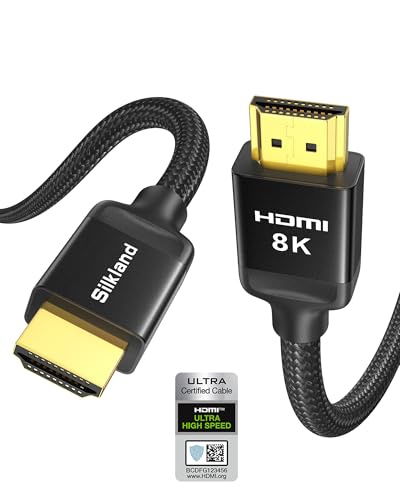
This is an entry-tier HDMI 2.1 cable rated at the full 48Gbps FRL bandwidth in a 6.6FT length with a braided jacket. The target buyer is a PS5, Xbox Series X, or Apple TV 4K owner who needs a short, certified run to a 4K@120Hz TV or a PC user driving a 4K@144Hz HDMI display.
The defining feature is the claimed HDMI 2.1 certification with QR verification, which matters because the HDMI Forum found many cables sold as 2.1 fail Ultra High Speed testing. At 48Gbps the cable can carry 4K@120Hz 4:4:4 12-bit HDR, 8K@60Hz with DSC, and eARC audio including Dolby Atmos and DTS:X lossless.
Trade-offs are typical at this tier. Passive copper HDMI runs get marginal near 3 meters at 48Gbps, so the 6.6FT length is the sweet spot but leaves little slack for wall mounts. Bandwidth headroom only pays off when both source and sink negotiate FRL, so an HDMI 2.0 TV will not see any benefit.
Buy this if you have a PS5 or RTX GPU feeding a 4K@120Hz HDMI 2.1 display within about two meters and want a certified cable rather than a generic one. Skip this if your run exceeds 3 meters, where an active optical HDMI cable is a safer choice.
Bandwidth and signaling: Rated 48Gbps FRL, the full HDMI 2.1 spec ceiling. Supports 4K@120Hz and 4K@144Hz 12-bit, 5K@120Hz 12-bit, 8K@60Hz 12-bit, and 2K@240Hz/165Hz. Dynamic HDR, HDR10, and HDCP 2.2/2.3 are covered for streaming apps on Apple TV 4K and current consoles.
Length and construction: 6.6FT (about 2 meters), which is inside the reliable range for passive copper 48Gbps. Uses a double-layer nylon braid with ferrite magnetic beads at the connectors to suppress EMI-induced flicker and black screen events reported on uncertified cables.
Audio and compatibility: eARC and ARC passthrough handles Dolby Atmos and DTS:X lossless from a TV back to an AVR or soundbar. Backward compatible down to HDMI 1.1, so it works on PS4, Roku TV, and older receivers, though throughput drops to whatever the older endpoint negotiates.
What is not specified: The listing does not state warranty length, AWG conductor gauge, or independent Ultra High Speed certification ID beyond the QR scan claim. Buyers who need documented certification should verify the QR result against the HDMI Forum database before install.
Dolby Atmos over eARC. Enhanced Audio Return Channel sends lossless Atmos and DTS:X from the TV back to a receiver on the same cable. It rides at low FRL rates, so eARC on its own doesn’t justify a 48 Gbps port, though a certified cable keeps it from dropping out mid-scene.
VRR that holds up. Variable Refresh Rate removes tearing when frame rates swing, and it needs a working 2.1 handshake between GPU and display. Smearing during motion is a different fault with different causes, which we work through in our monitor ghosting fix guide.
Picking a cable that really carries FRL6
Certification is the only claim with teeth. “Ultra High Speed HDMI Cable” is the label that guarantees 48 Gbps, and the packaging carries a holographic QR code you can scan with the HDMI Forum’s free certification app. No code, no verified rate.
Length does more damage than brand. Passive copper turns unreliable past roughly 3 meters at FRL6. Two-meter runs are fine with any certified cable. At 5 meters and beyond you want an active or optical cable with signal-boosting silicon inside, and a cheap 10-meter passive cable won’t hold 4K 120 Hz.
Build quality matters less than the marketing suggests. Braided sleeves, gold plating and oxygen-free copper don’t change a digital bitstream. A $10 certified cable performs the same as an $80 certified cable at equal length, so spend on the certification instead of the jacket.
Watch the wording too. “Premium High Speed” is the HDMI 2.0 label at 18 Gbps, “Ultra High Speed” is the 2.1 label at 48 Gbps, and anything sold as “8K Ready” or “48Gbps” without that second label hasn’t been verified by anyone. For most desks a 6-foot certified cable runs $10 to $20.
Three HDMI 2.1 claims that don’t hold up
“Every HDMI 2.1 cable does 48 Gbps.” No. Cables and ports are allowed to sit at any FRL rate the spec defines, and only Ultra High Speed certification pins a cable to FRL6.
“My TV has HDMI 2.1, so 4K 120 Hz will work.” Maybe. Budget and mid-range sets claim 2.1 on the strength of ALLM or eARC while their inputs cap at 24 or 32 Gbps, and only the input table in the manual settles it.
“An HDMI 2.0 cable will do.” Partly. The connectors are identical so it plugs in, and the link renegotiates down to whatever it can sustain, usually 18 Gbps. You’ll get a picture at 4K 60 Hz, quietly, with no error message anywhere on screen. If a console suddenly feels less fluid than it did last month, suspect the cable before the console.
Leftover questions about HDMI 2.1 bandwidth
Is HDMI 2.1 48 Gbps or 42 Gbps?
Both, from different ends of the same link. 48 Gbps is the raw signalling rate across four lanes at 12 Gbps each. 42.67 Gbps, usually written 42.6, is what remains for video and audio after 16b/18b encoding takes its 11.1 percent. Neither figure is wrong, and no cable delivers 48 Gbps of actual picture data.
What’s the highest resolution HDMI 2.1 can carry?
Uncompressed at FRL6, roughly 4K at 144 Hz in 10-bit color, or 8K at 30 Hz in 8-bit. With DSC in play the specification reaches 8K at 60 Hz and 10K at 120 Hz, though 10K displays barely exist outside industrial gear. Anything above 42.67 Gbps of payload demand requires compression, no exceptions.
Do I need a new cable for my PS5?
For 4K at 120 Hz, yes. Sony ships a certified Ultra High Speed cable in the box with every PS5 and that one’s fine. Swap in a generic HDMI 2.0 cable and the console caps at 4K 60 Hz even on a capable TV. For 1080p or 4K 60 Hz, the old cable’s enough.
How does HDMI 2.1 compare with DisplayPort 2.1?
DisplayPort 2.1 carries more raw bandwidth, up to 80 Gbps with UHBR 20, but HDMI 2.1 wins on device support. Consoles, receivers and TVs speak HDMI almost exclusively. DisplayPort dominates PC monitors. A gaming PC on a TV means HDMI 2.1 whether you like it or not.
Can a bad cable damage my TV or console?
No. Failing cables cause dropouts, sparkles, audio crackle, or a silent renegotiation to a lower FRL rate. They won’t harm the hardware. A screen that blanks during 4K 120 Hz play is usually a cable struggling at 12 Gbps per lane.
Will HDMI 2.2 make my 48 Gbps cables obsolete?
Not soon. HDMI 2.2 was announced in early 2025 with up to 96 Gbps over Ultra96 cables, but native 2.2 sources and displays won’t be common before 2027. Existing certified cables keep doing 4K 120 Hz and 8K 60 Hz for as long as those remain the modes people use.