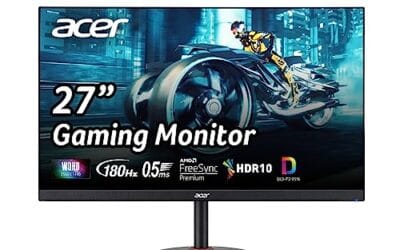
FreeSync is one of those PC features you don’t notice until it’s missing. Open a fast-paced shooter on a monitor without it, and you’ll spot tearing the moment your frame rate drifts off the refresh rate. Turn FreeSync on, and the tearing vanishes. There’s no perceptible input lag penalty, no extra hardware to buy beyond the monitor itself, and on most cards from the past six years it’s already running in the background. Here’s what’s actually happening, why AMD built it, and when it matters enough to chase.
The short answer
FreeSync is AMD’s brand of variable refresh rate technology. It tells your monitor to sync its refresh cycle to whatever frame rate your GPU is pushing out, instead of holding a fixed 60Hz or 144Hz timing. When the two are in step, you don’t get screen tearing and you don’t get the stutter that V-Sync introduces.
It’s built on the open VESA Adaptive-Sync standard, which means it’s royalty-free. That’s why FreeSync monitors are cheaper than equivalent G-Sync panels and why even Nvidia cards work with most FreeSync displays now.
The longer explanation
A traditional monitor refreshes its image on a strict clock. A 144Hz panel redraws every 6.94 milliseconds, no matter what your GPU is doing. If your card finishes rendering a frame halfway through that cycle and shoves it to the display, you get a torn image where the top half shows the old frame and the bottom shows the new one. Vertical sync prevents the tear by forcing the GPU to wait, but that wait introduces stutter and input lag.
FreeSync flips the relationship. The GPU becomes the conductor. When it finishes a frame, it tells the monitor to refresh right then. Frame ready at 7ms? Refresh at 7ms. Frame ready at 11ms? Refresh at 11ms. The panel’s refresh rate isn’t fixed anymore, it’s variable, bouncing between roughly 48Hz and the panel’s max rating on most displays.
There’s also a floor called LFC, or Low Framerate Compensation. If your frame rate drops below the panel’s minimum sync range, FreeSync duplicates frames to keep the refresh inside the supported window. Without LFC, a dip to 30 FPS on a panel with a 48Hz floor would bring back tearing or judder. With it, you stay smooth even when the GPU is struggling.

Pros
- 144Hz with AMD FreeSync suits 1080p esports on a GTX 1660 or RX 6600 class GPU
- Full ergonomic stand with tilt, swivel, and 3.93-inch height travel is uncommon at this size
- IPS panel keeps viewing angles wide for shared desks or dual-monitor productivity setups
Cons
- Limited owner feedback at time of writing, so panel uniformity and backlight bleed remain unverified
- 1080p on a 23.8-inch panel yields near 92 PPI, softer than 1440p options for text work
- Only HDMI and VGA inputs, no DisplayPort limits pairing with older GPUs lacking HDMI 2.0
Acer SH243Y P1si is a budget 23.8-inch 1080p IPS gaming and office monitor with a 144Hz refresh ceiling and AMD FreeSync. It targets buyers building a first esports rig, replacing an aging 60Hz office panel, or adding a secondary display for a competitive shooter workflow on entry-level GPUs.
The defining pairing is 144Hz with FreeSync on an IPS panel at this footprint. For CS2, Valorant, or Overwatch 2, a GTX 1660 Super or RX 6600 can push 144+ FPS at 1080p high, keeping frame pacing smooth. The listed 1ms figure is VRB (backlight strobe), so native GtG is typically higher at this tier.
Trade-offs are typical for the class: no DisplayPort, no USB hub, no built-in speakers listed, and HDR is not specified in source. Pixel density on a 23.8-inch 1080p panel sits near 92 PPI, which trails 1440p options for sustained text work. Zero-frame refers to bezel design, not literal zero-bezel construction.
Buy this if you want a 144Hz IPS panel with real ergonomic adjustment for competitive 1080p esports on a modest GPU. Skip this if you need DisplayPort daisy-chain, HDR playback, sub-1ms native GtG, or the higher pixel density of a 1440p 27-inch class panel.
Panel and Resolution: IPS panel at 1920x1080 FHD, 16:9 aspect, 23.8-inch diagonal. Pixel density lands near 92 PPI, adequate for 1080p esports viewing distance but visibly softer than a 27-inch 1440p panel for spreadsheet or code work. Source does not specify sRGB or DCI-P3 coverage.
Refresh and Response: Refresh ceiling is 144Hz with AMD FreeSync variable refresh. The 1ms figure is VRB (Visual Response Boost), a backlight strobe mode that reduces perceived motion blur at the cost of brightness. Native GtG, FreeSync range, and LFC support are not stated in source.
Ergonomics and Mounting: Stand supports -5 to 25 degree tilt, plus or minus 360 degree swivel, and 3.93-inch (100mm) height adjustment. Quick-release VESA mount is confirmed for wall or arm use, though the exact VESA pattern (75x75 or 100x100) is not specified. Pivot rotation is not listed.
Ports and Connectivity: Inputs cover HDMI and VGA only. No DisplayPort, no USB hub, no audio-out listed in source. HDMI 2.0 is required to hit 144Hz at 1080p, though the specific HDMI revision is not stated. VGA is analog-only and caps well below 144Hz.
Why it works this way
The physics here is simple but clever. LCD panels don’t have to refresh on a strict cadence the way old CRT tubes did. They can hold an image for milliseconds longer or shorter as long as the panel’s pixel response time can keep up. AMD and VESA exploited that flexibility by adding a signal to DisplayPort (and later HDMI) that lets the GPU tell the panel exactly when to start the next refresh.
The GPU still does all the heavy lifting. It renders, it decides when the frame’s done, and it pings the panel. The monitor just listens. That’s why FreeSync doesn’t need an expensive scaler module the way the original G-Sync did. It’s a software handshake over standard cabling, which is why AMD didn’t charge a licensing fee and why FreeSync took off across the budget market.
When you would want this
If you play any game where your frame rate fluctuates, you’ll see the benefit. That’s basically every modern title. Hardware-demanding games like Cyberpunk 2077 or Alan Wake 2 swing between 45 and 90 FPS depending on the scene, and FreeSync smooths that out so you don’t feel the dips as judder. Esports titles benefit too, because even when you’re hitting 240 FPS, sudden spikes in particle effects can momentarily drop frames.
You’ll also want it for older games that don’t have proper frame pacing. Console ports especially. The wider your FreeSync range, the more useful it gets, so a panel with a 48-180Hz range covers more situations than one stuck at 48-75Hz.

Pros
- 200Hz over HDMI and DP 1.4 covers high-refresh 1080p esports titles
- FreeSync plus 1ms MPRT reduces tearing and perceived motion blur
- 110% sRGB coverage handles casual photo edits and streaming overlays
Cons
- Limited owner feedback at time of writing, long-term panel QC unverified
- No built-in speakers, requires headset or external audio via 3.5mm jack
- Tilt-only stand (-5 to 15 degrees), no height or swivel adjustment
The SANSUI ES-G24F4L is an entry-level 24 inch FHD gaming monitor targeting the sub-100 tier. Headline specs include a 200Hz refresh rate, 1ms MPRT response, FreeSync, and 110% sRGB coverage. The buyer profile is clear: esports players on a tight budget running a mid-tier GPU who need high refresh over color accuracy.
The defining feature is hitting 200Hz at 1080p over DP 1.4, which is aggressive for this price bracket. In CS2, Valorant, or Rocket League, a GTX 1660Super or RX 6600 can push frame rates high enough to use that refresh headroom. Panel type is not specified, but monitors in this tier typicallyship TN or fast VA panels.
Trade-offs are typical at this tier. The stand offers tilt only, brightness sits at 300 nits so HDR is nominal rather than functional, and there are no built-in speakers. The 4000:1 contrast figure suggests a VA panel, which can introduce dark smearing in fast motion despite the 1ms MPRT claim. Owner feedback is currently thin.
Buy this if you want a cheap secondary or first competitive display and prioritize refresh rate over color grading or ergonomics. Skip this if you need IPS off-angle stability, HDR that actually clips highlights, or a height-adjustable stand for shared workstations.
Panel and resolution: Native 1920x1080 across a 24 inch diagonal, giving roughly 92 PI, which is standard for competitive play. Panel technology is not specified by SANSUI, but the 4000:1 contrast ratio and 178 degree viewing angle claim point to a VA-type panel rather than IPS.
Refresh and response: 200Hz refresh over both HDMI and DP 1.4, with 1ms MPRT (backlight strobing) rather than GtG. FreeSync handles variable refresh with compatible AMD and NVIDIA GPUs. Over Drive is user-adjustable to trade overshoot against smearing in dark scenes.
Color and HDR: 110% sRGB gamut coverage is adequate for casual content, though DCI-P3 coverage is not specified. Brightness is rated at 300 nits with HDR support flagged, but without a specific VESA HDR tier this is entry-level HDR only, not a true HDR400 or higher experience.
Connectivity and ergonomics: One HDMI and one DP 1.4 both support the full 200Hz. A 3.5mm audio jack is present, no built-in speakers. Stand adjustment is limited to -5 to 15 degrees tilt, with 75x75mm VESA for aftermarket arms if you need height or pivot control.
Common misconceptions
First myth: FreeSync only works with AMD cards. Not true since 2019. Nvidia’s “G-Sync Compatible” program certifies FreeSync displays for use with GeForce GPUs, and even uncertified panels work in most cases. You just enable Adaptive Sync in the Nvidia Control Panel and it’s done.
Second myth: FreeSync boosts your FPS. It doesn’t. It can’t make your GPU faster. What it does is make the frames you already get look smoother. If you’re stuck at 50 FPS, you’re still stuck at 50 FPS, just without tearing.
Third myth: FreeSync adds input lag. The opposite, actually. V-Sync adds lag because it forces the GPU to wait. FreeSync removes that wait. Measured input lag on FreeSync monitors is usually within 1ms of running with all sync off.
Fourth myth: All FreeSync is the same. AMD splits it into three tiers. Standard FreeSync covers basic tearing prevention. FreeSync Premium adds LFC and requires at least 120Hz at 1080p. FreeSync Premium Pro adds HDR support with low-latency tone mapping. If you care about HDR gaming, the Pro tier matters.
Frequently asked
Does FreeSync work over HDMI?
Yes, since HDMI 2.1, and even earlier on AMD GPUs via a proprietary extension. Most modern FreeSync panels support it on both HDMI and DisplayPort. Check the spec sheet because some older monitors only enable FreeSync over DP.
Is FreeSync worth it on a 60Hz monitor?
It helps, but the benefit’s smaller. A 60Hz panel’s sync range is usually narrow, often 48-60Hz, so there’s less room for the variable refresh to do its job. It’s still better than nothing if you’re playing games that can’t hit a locked 60.
Do I need a special cable?
No. Any DisplayPort 1.2a or HDMI 2.0+ cable that came with your monitor will work. The FreeSync signal is part of the standard data stream.
Can I use FreeSync with V-Sync on?
You can, and you probably should. Cap your frame rate just below the monitor’s max refresh (so 141 FPS on a 144Hz panel) and leave V-Sync enabled as a backup. This stops tearing if your FPS ever spikes above the FreeSync range, which is rare but possible on lighter games.