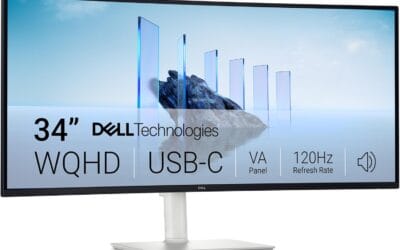
A 4K gaming TV isn’t just a 4K TV you happen to game on. It’s a specific class of display that combines high resolution with the input handling, refresh rates, and latency reduction that modern consoles and gaming PCs actually need. The label gets thrown around loosely, and most “smart TVs” sold under $400 don’t deliver what serious gamers want even if they technically display 4K content.
The differences are concrete. A real 4K gaming TV runs at 120 Hz or higher, supports HDMI 2.1 inputs at 48 Gbps, handles VRR (Variable Refresh Rate) to eliminate tearing, switches into a low-latency Game Mode automatically (ALLM), and keeps input lag under 15 ms. Skip any of those and you’ve got a 4K TV that watches Netflix well but stutters on Call of Duty Warzone or feels mushy in Fortnite competitive ranked. We’ll cover what features matter, why they matter, and which tradeoffs you can afford to make at different budgets.
The short answer
A 4K gaming TV is a 3840 x 2160 resolution display with native 120 Hz refresh, at least two HDMI 2.1 ports rated at 40 Gbps or higher, VRR support (HDMI Forum VRR, FreeSync Premium, or G-Sync Compatible), Auto Low Latency Mode, and measured input lag under 15 ms in Game Mode.
You’ll typically find this combo on LG OLED C-series and G-series, Samsung QN90 and S90/S95 QLED, Sony Bravia 7/8/9, TCL QM6K and QM8K, and Hisense U7/U8/U9 series. Budget options like the Insignia F50 or TCL Q-series do 4K and Smart features but skip 120 Hz and HDMI 2.1, which means they’re not gaming TVs by the modern definition. They’re 4K TVs you can game on, with caveats. The price floor for a real 4K gaming TV in 2026 is around $500 for a 55-inch TCL QM6K. Premium OLEDs from LG and Samsung run $1,200 to $2,500.
The longer explanation
Start with the panel itself. A 4K gaming TV has 3840 horizontal pixels by 2160 vertical, which is exactly four times the pixel count of 1080p. That much resolution only matters if the source can feed it (PS5, Xbox Series X, and any RTX 3070 or better can), and if the panel can refresh fast enough that motion doesn’t smear. That’s where refresh rate comes in.
Refresh rate is how many times per second the panel redraws the image. A 60 Hz panel redraws 60 times per second (one frame every 16.67 ms). A 120 Hz panel redraws 120 times per second (8.33 ms per frame). For competitive gaming, that halved frame-to-frame gap means smoother motion and earlier visual confirmation of enemy movement. It’s why CS:GO pros run 240 Hz monitors. On a TV, 120 Hz is the current ceiling on most premium models, with a few 144 Hz outliers like the TCL QM6K.
Then there’s HDMI 2.1. To push 4K at 120 Hz with HDR, you need about 32 Gbps of bandwidth. HDMI 2.0 caps out at 18 Gbps. HDMI 2.1 raises the ceiling to 48 Gbps, with most “real” 2.1 ports on TVs running at either 40 or 48 Gbps. Two HDMI 2.1 ports is the minimum for a serious gaming setup: one for your console, one for your PC, with the remaining ports for cable boxes or streaming sticks.
VRR (Variable Refresh Rate) syncs the TV’s refresh to whatever frame rate the source is producing in real time. If your PS5 is running Cyberpunk at 78 fps, the TV redraws at 78 Hz. If it drops to 52 fps, the TV drops to 52 Hz. Result? No screen tearing and no judder. Without VRR, the TV’s fixed refresh rate fights the variable source frame rate, and you get visible tearing or stuttering. VRR is implemented as HDMI Forum VRR (the universal flavor), AMD FreeSync Premium, or Nvidia G-Sync Compatible. Most premium TVs now support all three.
ALLM (Auto Low Latency Mode) is a handshake between the console and TV. When the console starts running a game, it signals the TV to disable picture-processing features like motion smoothing and AI upscaling, which add latency. The TV switches into Game Mode automatically, dropping input lag from 80-120 ms down to under 15 ms. It’s a small thing, but it matters because nobody actually remembers to manually switch picture modes every time they game.
Finally, panel tech. OLED panels (LG WOLED, Samsung QD-OLED) give per-pixel light control, near-instant response times (under 1 ms), and perfect blacks. Mini-LED QLEDs (Samsung QN90, TCL QM6K) push higher peak brightness (2000+ nits) and don’t risk burn-in. Both work great for gaming. Plain LED LCDs are the budget tier.
History / how we got here
4K TVs hit the consumer market around 2013, but they were laughably bad for gaming. Most had 60 Hz panels, HDMI 1.4 inputs capped at 4K 30 Hz, and input lag exceeding 100 ms even in “Game Mode.” The PS4 Pro (2016) and Xbox One X (2017) pushed 4K content into the mainstream, but neither console could output above 60 Hz, so 60 Hz TVs were enough.
The shift came with the PS5 and Xbox Series X launches in November 2020. Both consoles natively output 4K at 120 Hz, and they shipped requiring HDMI 2.1 connections to do it. LG had launched its first HDMI 2.1 OLED (the CX series) earlier that year, and Samsung followed with the QN90A in 2021. By 2022, every premium TV brand had at least one 4K 120 Hz model with proper HDMI 2.1 support.
What’s changed since? Mini-LED quality has improved dramatically. The 2023 and 2024 TCL QM-series and Hisense U-series broke the price ceiling, putting genuine 4K 120 Hz gaming TVs under $700 for 55 inches. QD-OLED, introduced by Samsung in 2022, brought higher color volume and brightness than traditional WOLED. And in 2025, Cloud Gaming Hub integration on Samsung and LG TVs let players stream Xbox Game Pass and GeForce Now without a console at all, which redefined what “gaming TV” even means.

Why it works this way
The whole feature stack exists because of one core problem: TVs evolved to display pre-rendered content (movies, broadcast video) where latency doesn’t matter. Games are interactive. You press a button, and you need the screen to respond within a single frame or it feels broken. The closer to zero ms input lag, the better.
Every gaming-TV feature targets that latency budget. 120 Hz halves the worst-case frame delay from 16.67 ms to 8.33 ms. VRR eliminates the wait for the next vsync interval. ALLM bypasses image processing pipelines that can add 50 to 100 ms of latency. HDMI 2.1’s higher bandwidth lets all this run without forced chroma subsampling, which would otherwise degrade text and HUD elements.
Why doesn’t every TV just do this? Cost. The panels capable of true 120 Hz refresh need faster scan drivers and better thermal management. HDMI 2.1 receiver chips cost more than 2.0 ones. Implementing VRR properly takes firmware work and validation. Budget brands skip these and ship “Smart TVs” optimized for streaming, which is what most buyers actually do most of the time.
There’s also a marketing problem. “120 Hz” appears on TV spec sheets that don’t actually accept a 120 Hz input. The TV’s internal motion interpolation (often called “TruMotion” or “Motion Rate 240”) fakes a higher refresh by inserting interpolated frames between real ones. That’s not what gamers want. Real 4K 120 Hz means the TV accepts a native 120 fps signal and displays each frame exactly once. The spec sheet usually lists this as “4K @ 120 Hz” or “Native 120 Hz panel.”
When you’d want this
You own a PS5 or Xbox Series X. Both consoles support 4K at 120 Hz in dozens of games (Call of Duty, Fortnite, Forza Horizon 5, Halo Infinite, DiRT 5). Without a 120 Hz HDMI 2.1 TV, you’re paying for hardware capability you can’t use.
You play competitive shooters or fighting games. Input lag matters more here than in any other genre. Going from a 50 ms input-lag TV to a 10 ms one is the same as halving your reaction time. It’s free skill.
You’ve got a gaming PC and want big-screen play from the couch. Modern RTX cards push 4K 120+ fps in plenty of titles. An HDMI 2.1 TV becomes a second monitor, and 65 inches at 8 feet feels immersive in a way a 27-inch desk monitor never will.
You watch a lot of HDR movies and shows too. The same panel tech that makes a great gaming TV (OLED contrast, Mini-LED brightness, 10-bit color, Dolby Vision support) makes a great movie TV. You’re not trading off entertainment quality. You’re getting both.
What to look for in a 4K gaming TV
Native 120 Hz panel, not motion interpolation. Look for “4K @ 120 Hz native” or “120 Hz refresh rate” with HDMI 2.1 input support. If the spec sheet only mentions “Motion Rate 240” or similar, that’s fake.
At least two HDMI 2.1 ports at 40 Gbps or higher. Some TVs cheat by labeling all four HDMI ports as “2.1” but only running two at full bandwidth. Read the manual to confirm which ports support 4K 120 Hz.
VRR support, ideally all three flavors. HDMI Forum VRR covers consoles. FreeSync Premium covers AMD GPUs. G-Sync Compatible covers Nvidia. Premium models from LG, Samsung, and Sony support all three.
Measured input lag under 15 ms. Don’t trust the brochure. Check Rtings.com or HDTVTest reviews for measured Game Mode input lag at 4K 120 Hz. The best OLEDs hit 5-7 ms. Good Mini-LEDs hit 9-13 ms. Budget panels can run 25 ms or worse.
Peak brightness for HDR. Gaming HDR looks washed out on a dim panel. Look for 600 nits minimum, 1000+ for noticeably good HDR, and 1500+ for premium HDR experiences. OLEDs are dimmer (700-1000 nits) but their perfect blacks compensate.
Size and viewing distance. 55 inches at 7-8 feet works well for most living rooms. 65 inches at 9-10 feet is fully immersive. Sub-50-inch gaming TVs are rare and usually a waste of premium panel tech.
Common misconceptions
“All 4K TVs are gaming TVs.” Wrong. 4K is just resolution. Without 120 Hz, HDMI 2.1, VRR, and ALLM, you’re paying for pretty pixels that respond too slowly to button presses. Watching Netflix is fine. Playing Apex Legends will feel sluggish.
“OLEDs will burn in if I game on them.” Modern LG and Samsung OLEDs have pixel-shifting, automatic brightness limiting, and pixel-refresh routines that dramatically reduce burn-in risk. Rtings ran a multi-year burn-in study and current OLEDs handle gaming HUDs fine for typical use. Don’t leave a static image on screen for 8 hours daily and you’re golden.
“120 Hz isn’t noticeable on a TV.” It absolutely is. Switching from 60 Hz to 120 Hz is the most obvious upgrade you can make in a gaming setup. Camera pans get cleaner. Aiming feels more precise. Hand-eye coordination clicks into place.
“Bigger is always better.” Not if you’re sitting close. A 75-inch TV at 6 feet means you’re moving your eyes across the screen instead of taking it in at a glance. Match the size to your seating distance. For a 7-foot couch, 55 to 65 inches is right.
Frequently asked
Do I need a 4K gaming TV if I only play on PS5?
If you want to use the PS5’s full output capability, yes. The console outputs 4K at up to 120 Hz with HDR and VRR. A 4K 60 Hz TV uses about half of what the hardware can push. You’ll get the picture, but motion will be choppier and input lag will be worse than the console intends.
Is OLED or Mini-LED better for gaming?
OLED for image quality. Mini-LED for brightness and zero burn-in risk. OLED’s instant response time (under 1 ms) and perfect blacks make HDR games look stunning in dim rooms. Mini-LED’s 1500-2000 nit peak brightness wins in sunlit rooms. Both have similar input lag in Game Mode.
Will a gaming monitor be faster than a gaming TV?
For competitive PC gaming, yes. A 240 Hz or 360 Hz gaming monitor with under 4 ms input lag beats any TV. But for couch gaming, console play, and games where 120 fps is the ceiling anyway, a good 4K gaming TV is comparable. Big-screen immersion outweighs the extra few milliseconds.
Do streaming services play in 4K 120 Hz?
No. Netflix, Disney+, and Prime Video stream at 24 fps for film content and 30 or 60 fps for series. 120 Hz on a TV only matters for gaming sources (PS5, Xbox, PC) and certain sports broadcasts. For everything else, the panel auto-matches the source frame rate.
What’s the cheapest decent 4K gaming TV?
In 2026, the TCL QM6K 55-inch runs around $500 and hits real 4K 120 Hz with HDMI 2.1, VRR, and ALLM. The Hisense U7 is similar pricing with comparable specs. Both punch well above their price for couch gaming. Below $400 you’re typically getting 60 Hz panels with HDMI 2.0, which won’t deliver the full gaming experience.