

Shop for a prebuilt PC or a used graphics card long enough and you’ll run into the term “OEM GPU.” It sounds technical, maybe even a little sketchy, and buyers often worry they’re getting a lesser part. The reality is more nuanced. An OEM GPU is a real graphics card, just one built and sold under different rules than the retail card you’d grab off a shelf, and knowing the difference can save you money or save you from a bad buy.
This explainer breaks down what OEM actually means for a GPU, where these cards come from, and when buying one makes sense. Since OEM GPUs show up most often inside prebuilt systems, our guides to the best budget prebuilt PCs for 1080p gaming and the best AMD prebuilt gaming PCs are useful companions if you’re weighing a whole system rather than a loose card.
The short answer
OEM stands for Original Equipment Manufacturer, and an OEM GPU is a graphics card made to be built into a complete system by a PC manufacturer rather than sold on its own in retail packaging. It’s the same class of GPU chip you’d find at retail, but it’s often stripped of extras, a plainer cooler, no fancy box, sometimes slightly different clocks, and it usually carries the system builder’s warranty instead of the card maker’s. That’s the whole idea. It’s a card built for machines, not shelves.
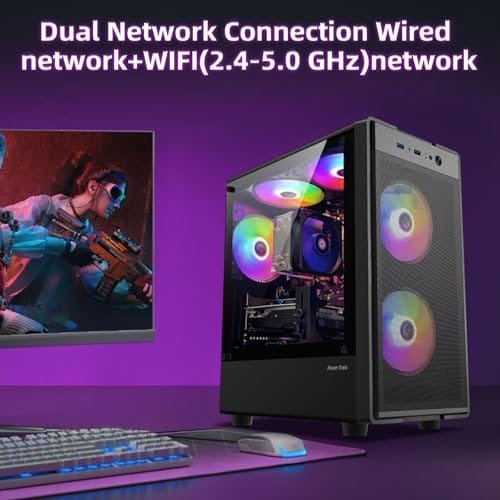
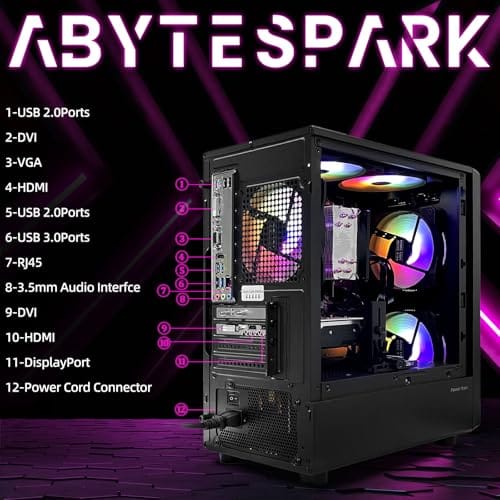
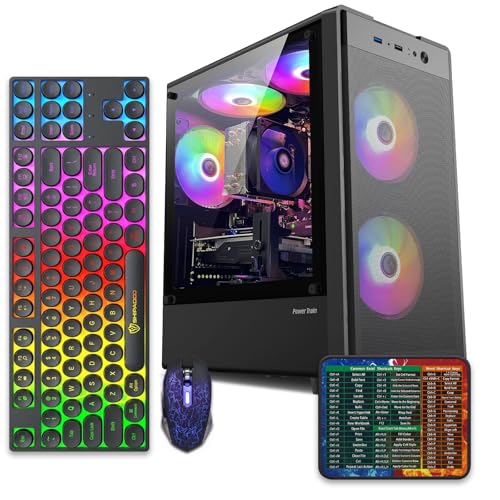
You most commonly meet OEM GPUs inside affordable prebuilts. A system like the abytespark Prebuilt Gaming PC, an Intel Core i7 tower at $499.99 with a 4.4 rating, is exactly the kind of machine that keeps costs down partly through OEM-style components. The GPU inside such a build does the same job as a retail card, just packaged for the factory line rather than the enthusiast aisle.
Pros
- 512GB SSD bot drive avoids the HDD bottleneck common in budget prebuilts
- RX 590 8GB VRAM buffer handles 1080p textures better than 4GB budget cards
- Complete bundle with RGB peripherals means no extra spend to start using
- Genuine Windows 11 Home 64-bit preinstalled, no activation hassle out of box
Cons
- Limited owner feedback at time of writing, verify seller reputation before purchase
- Core i7-4770 is Haswell era LGA150, no upgrade path and weak IPC versus modern CPUs
- Windows 11 on 4th-gen Intel is unsupported by Microsoft and may miss feature updates
- No CD/DVD-ROM support and RAM/GPU generation limits future workload headroom
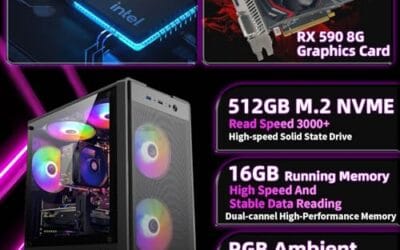
This is an entry-tier prebuilt tower built around an Intel Core i7-4770 Haswell CPU, 16GB RAM, a 512GB SSD, and an AMD Radeon RX 590 8GB GDDR5 GPU. It targets budget buyers who need a working office and light gaming PC with peripherals bundled, not enthusiasts chasing current-gen performance.
The defining feature is the RX 590 8GB paired with a 512GB SSD, an uncommon combo at this price band. Cards in this class typically handle 1080p esports titles at 60+ FPS on medium to high, matching the vendor claim for CS:GO, League of Legends, Apex, and Overwatch. Newer AA titles will need lowered settings.
Trade-offs are significant. The i7-4770 launched in 2013, so IPC, single-thread performance, and platform features like NVMe bot, PCIe Gen4, and modern USB are limited. Windows 11 runs here but sits outside Microsoft's official supported CPU list. There is no realistic CPU or socket upgrade path on LGA1150.
Buy this if you need a plug-and-play 1080p esports and office tower with keyboard, mouse, and RGB included at a low outlay. Skip this if you want current-gen platform support, sustained AA 1440p gaming, or a build with a meaningful upgrade runway.
GPU class: The AMD Radeon RX 590 8GB GDDR5 is a Polaris-refresh card roughly equivalent to a GTX 1060 6GB tier. Expect 1080p 60+ FPS in esports titles like CS:GO, Overwatch, Apex, League, and Fortnite on medium settings, matching the listing's claims.
AAA and modern titles: The vendor lists GTA V, Warzone, Hogwarts Legacy, and The Division 2. Realistically, these run at 1080p low to medium with FSR upscaling where suported.Ray tracing is unsupported on RX 590. No DLSS, no frame gen, no AV1 encode.
CPU bottleneck: The Core i7-4770 quad-core with 8threads at up to 3.9GHz will bottleneck the RX 590 in CPU-heavy titles like Warzone and Escape from Tarkov. Expect frame time inconsistency in large team fights even when average FPS looks aceptable.
Storage and RAM fit: 512GB SSD holds Windows plus 3 to 5 modern game installs before space pressure. 16GB DR3-era RAM is adequate for current esports but leaves no headroom for heavy streaming, browser tabs, and OBS NVENC alongside a game session.
The longer explanation
The gap between OEM and retail cards is mostly about packaging, support, and small design choices, not the core silicon. Both use the same GPU processor from NVIDIA or AMD. Where they diverge is everything around it. A retail card ships in a branded box with software, a robust aftermarket cooler, and the board partner’s own warranty, typically two to three years, that you can claim directly. An OEM card arrives bare, often with a simpler blower or reference cooler, and its warranty routes through whoever built your PC.
Clock speeds can differ too. Some OEM cards run at reference speeds or even slightly conservative settings to keep heat and power manageable inside a cramped prebuilt chassis, whereas retail models frequently come factory-overclocked. In practice the performance gap is small, but it’s real, and it’s part of why a prebuilt’s GPU sometimes benchmarks a hair below the retail card of the same name. None of this makes an OEM GPU fake. It makes it a card optimized for a different context.
How we got here
OEM parts exist because system builders buy components in enormous volume and need them cheap, consistent, and easy to install. A retail card’s flashy cooler and packaging add cost and size that a factory doesn’t want. So GPU makers and their partners produce OEM variants, plainer, standardized, and priced for bulk, that slot cleanly into thousands of identical machines. This has been standard practice for decades across CPUs, drives, and Windows licenses, not just graphics cards.
The model works well for everyone in the chain. Manufacturers get lower costs they can pass to buyers, which is how a complete gaming tower can land at a few hundred dollars. The tradeoff lands on the consumer in the form of thinner warranties and fewer frills. That bargain is why budget prebuilts are so competitively priced, and why understanding the OEM label helps you judge what you’re really getting.
Why it works this way
The economics drive everything. When a builder orders GPUs by the thousand, shaving the cooler, box, and bundled software off each unit adds up to serious savings, and standardized reference designs simplify assembly and support. A factory would rather install one predictable card across an entire product line than juggle a dozen retail variants with different sizes and power needs.
For the buyer, this means the value of an OEM GPU is highest inside the system it came in, where the builder handles warranty and compatibility. Pull that same card out to resell it and the calculus shifts, because a buyer can’t easily claim warranty on it and may not know its exact clocks or cooling. That’s why OEM cards trade cheaper on the used market. The design that makes them great for factories makes them a bit riskier as standalone purchases.
When you’d want this
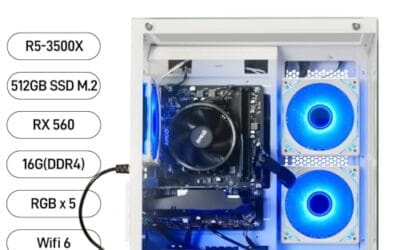
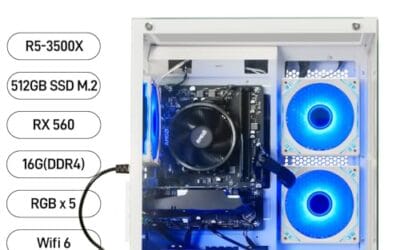
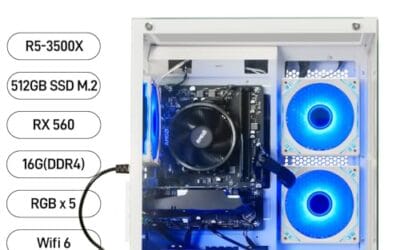
You’d want an OEM GPU when it comes inside a well-priced prebuilt and you value the complete-system warranty over individual-component support. If you just want a working gaming PC without sourcing parts, a build with an OEM card is a fine, cost-effective route. The WIWB Prebuilt Gaming PC, a Ryzen 5 tower with an RX 560 4GB card, 16GB of DDR4, a 512GB SSD, and Wi-Fi 6 at $569.99 with a 4.7 rating, is a clear example of an OEM-style GPU doing honest work in an affordable, ready-to-run machine aimed at home, office, and casual gaming.
You’d also accept an OEM card knowingly on the used market if the price discount outweighs the thinner warranty and you’re comfortable with a plainer cooler. What you’d avoid is paying retail-card money for an OEM card sold loose, since you lose the frills and the direct warranty without the savings. Know which you’re buying, and price it accordingly. That’s the entire skill here.

Pros
- Ryzen 5 3500X 6-core CPU bosts to 4.1GHz for smooth 1080p esports CPU load.
- Discrete RX 560 4GB handles DirectX 12 and Vulkan esports titles better than integrated graphics.
- 512GB SSD as bot drive keps Windows load times and app launches snappy out of box.
Cons
- Limited owner feedback at time of writing, no verified reviews to validate build quality.
- RX 560 is a legacy entry-tier GPU, skip if you want modern AAA at 1080p high.
- Ryzen 5 3500X sits on aging AM4, upgrade path is caped at Zen 3 with a BIOS update.
The WIWB is a budget prebuilt tower built around a Ryzen 5 3500X, RX 560 4GB, 16GB DDR4, and a 512GB SSD. It targets students, home office users, and casual gamers who want a plug-and-play box for esports at 1080p rather than a rig for current AAA titles.
The defining pairing here is the 3500X and RX 560. The 6-core, 6-thread CPU bosting to 4.1GHz is still competent for League, CS2, Valorant, and Overwatch, and typically pushes well above 100FPS at 1080p low-to-medium when paired with this GPU class. The RX 560 4GB is the bottleneck for anything heavier.
Trade-offs are typical at this tier. The RX 560 predates FSR frame generation and struggles with modern UE5 titles even at 1080p low. AM4 with a 3500X caps future CPU upgrades at Zen 3, and the case, PSU wattage, VRM phases, and included cooler are not specified, so headroom for a stronger GPU later is unclear.
Buy this if you need a cheap, pre-assembled Windows tower for schoolwork, browsing, and light esports at 1080p. Skip this if you plan to play current AAA releases, stream at 1080p60, or want a platform with a real multi-year upgrade path.
CPU workload: The Ryzen 5 3500X is a 6-core, 6-thread Zen 2 part with a 3.6GHz base and 4.1GHz boost. It stays viable for 1080p esports and light productivity like image editing and IDE work, but lacks SMT, which hurts streaming and modern CPU-bound AA titles.
GPU class and resolution fit: The RX 560 4GB GDDR5 is an entry esports card. Expect high frame rates in CS2, League, and Overwatch at 1080p low-to-medium, and playable frame rates in older AAA titles at 1080p low. 1440p and modern AA at medium are outside its envelope.
Memory and storage: 16GB DDR4 is the current baseline for gaming and multitasking, and the 512GB SSD covers Windows plus roughly 3 to 5 modern game installs. Exact DDR4 speed, dual-channel status, and SSD interface (SATA vs NVMe) are not specified.
Connectivity and upgrade path: WiFi 6 is included, and the board exposes an M.2 slot plus spare DDR4 slots for later expansion. PSU wattage, connector layout, case clearance, and waranty length beyond the stated 1-year coverage are not specified, so plan GPU upgrades cautiously.
What to look for in an OEM GPU
If you’re buying a prebuilt, look past the GPU’s name to its cooler and the system’s airflow, since an OEM card with a basic blower in a tight case can run hot and throttle. Confirm the actual clock speeds if the listing states them, and check what warranty the system builder offers and for how long, because that’s your only support channel for an OEM part. A card like the RX 560 4GB in the WIWB build is aimed at 1080p and casual play, so set performance expectations to match the tier.
If you’re buying an OEM card standalone, insist on a discount over the retail equivalent, verify the exact model and its display outputs, and factor in that you likely won’t get manufacturer warranty coverage. Ask the seller about cooling type and whether it fits your case, since some OEM cards use non-standard dimensions or power connectors. Do that homework and an OEM GPU is a smart buy. Skip it and you risk overpaying for less.
Common misconceptions
The most persistent myth is that OEM GPUs are slower or lower-quality silicon. They aren’t. They use the same chip as retail cards and deliver very close performance, with any gap coming from cooler design or conservative clocks, not a weaker processor. Another myth is that OEM means broken or gray-market. It simply means factory-channel, which is completely legitimate.
Buyers also assume an OEM card carries no warranty at all. Inside a prebuilt it’s usually covered by the system builder, so support exists, it just routes differently. And people often think retail and OEM are wildly different in speed, when the real-world difference is typically small. The one caution that holds up is warranty portability, which genuinely favors retail cards if you plan to move the GPU around.
Frequently asked
Is an OEM GPU worse than a retail one?
Not in raw silicon. An OEM GPU uses the same core chip as its retail counterpart, so performance is very close. The differences are a plainer cooler, no retail box or software bundle, sometimes slightly conservative clocks, and a warranty that routes through the system builder instead of the card maker. For most users inside a prebuilt, that’s a fair trade for a lower price.
Do OEM graphics cards come with a warranty?
Usually yes, but through whoever built your PC rather than the GPU manufacturer. If the card came inside a prebuilt, the system’s warranty covers it. Bought loose on the used market, an OEM card often has no transferable manufacturer coverage, which is a key reason it sells cheaper than a retail card. Always confirm the support path before you buy.
Can I put an OEM GPU in my own build?
Often, but verify the physical dimensions, power connectors, and display outputs first. Some OEM cards use non-standard sizes or blower coolers meant for specific prebuilt chassis, so they may not fit or cool well in a different case. If the specs match your build and the price is discounted enough, an OEM card can be a savvy way to save money.
Why are OEM GPUs cheaper on the used market?
Because you typically lose direct manufacturer warranty, get a plainer cooler, and may not know the exact clock behavior. Those uncertainties lower what buyers will pay. If the discount is steep enough and you’re comfortable with the tradeoffs, that lower price is the upside of an OEM card sold standalone. Just don’t pay retail money for one.
Should I avoid prebuilts with OEM GPUs?
No, they’re common and often the reason a prebuilt is affordable. A system like the WIWB Ryzen 5 tower with its RX 560 uses OEM-style parts to hit a $569.99 price while still gaming at its tier. Just judge the whole system, cooling, warranty length, and the GPU’s performance class, rather than dismissing it for the OEM label alone.





























Write Your Review
No reviews yet. Be the first to share your experience!