

Best small form factor gaming pc options have expanded quickly, with compact builds now delivering performance that once required full towers. Buyers must watch for thermal limits and port flexibility that marketing rarely highlights.
Top Products

Pros
- 280mm AIO and compact case deliver effective cooling for the 9800X3D and 5070 Ti.
- 850W Gold SFX PSU provides ample headroom and modern efficiency for the platform.
- Includes WiFi, Bluetooth, and multiple USB ports for immediate connectivity out of the box.
Cons
- Mini ITX chassis restricts future upgrades compared with larger ATX cases.
- Single 2TB Gen4 drive leaves no additional M.2 slots specified for expansion.
This is a high-end compact prebuilt gaming PC built around the AMD Ryzen 7 9800X3D and NVIDIA RTX 5070 Ti 16GB in a Cooler Master NR200P Max Mini ITX chassis. It sits in the upper mid-range to high-end tier for small-form-factor systems and is aimed at 1440p gamers who also perform occasional content creation.
The 9800X3D's 3D V-Cache and the 5070 Ti's 16GB VRAM enable strong frame rates at 1440p with ray tracing and DLSS features active, typical of this GPU class in current AAA titles. The 280mm AIO keeps temperatures in check during sustained loads.
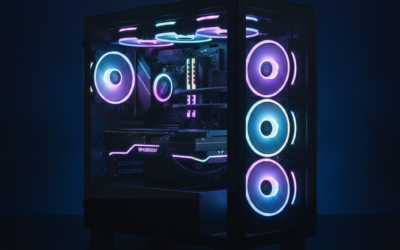
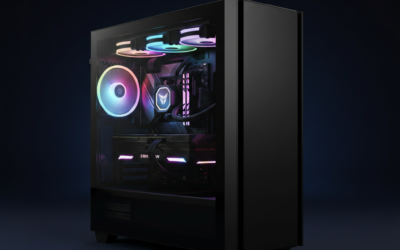
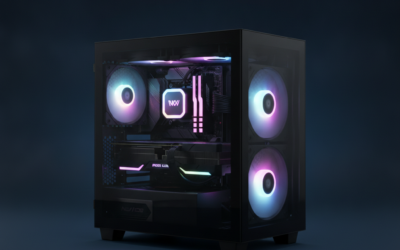
Build quality centers on the NR200P Max case with its glass or mesh panel options and included 850W Gold SFX power supply. RGB DDR5 memory adds visual flair while the overall 18.25L footprint remains desk-friendly.
Trade-offs include limited internal space for additional drives or larger GPUs and reliance on the single pre-installed 2TB Gen4 SSD for storage expansion.
Buy this if you want a ready-to-run high-performance Mini ITX system with strong 1440p gaming credentials. Skip it if you prefer full-size cases with easier upgrade paths or need more than one M.2 drive from day one.
| Component | Details |
|---|---|
| CPU | AMD Ryzen 7 9800X3D 8-Core 16-Thread, up to 5.2GHz Turbo |
| GPU | NVIDIA GeForce RTX 5070 Ti 16GB |
| Motherboard | Gigabyte B850I AORUS PRO |
| Memory | 32GB (2x16GB) DDR5 6000MHz RGB |
| Storage | 2TB Gen4 M.2 NVMe SSD |
| PSU | V850 SFX 80+ Gold |
| Cooling | 280mm AIO liquid cooler |
| Case | Cooler Master NR200P Max, 18.25L Mini ITX |
| Connectivity | WiFi, Bluetooth, USB 3.2, Type-C, HDMI, DisplayPort |
| OS | Windows 11 |

Pros
- OCuLink and dual USB4 ports give flexible high-bandwidth expansion options uncommon in this size class.
- Dual 2.5GbE NICs plus Wi-Fi 6E support advanced networking use cases such as NAS or routing.
Cons
- Radeon 680M integrated graphics requires an eGPU for demanding AAA titles at higher settings.
- PCIe 3.0 SSD interface limits sequential speeds compared with current PCIe 4.0 drives.
The GMKtec M7 Ultra is a small-form-factor mini PC in the mid-range category aimed at users who want multiple high-resolution displays, external GPU expansion, and robust wired networking without a full tower.
Its Ryzen 7 PRO 6850U and Radeon 680M graphics deliver competent performance for office workloads, light content creation, and 1080p gaming with FSR when an eGPU is not attached.
The chassis uses a revised dual-fan Hyper Ice Chamber 2.0 cooler that keeps noise around 35 dB in Quiet mode while supporting three user-selectable power limits from 35 W to 70 W.
Trade-offs include reliance on integrated graphics for standalone use and a PCIe 3.0 SSD that caps peak transfer rates below current Gen4 drives.
Buy this if you need a compact system with OCuLink and quad-display capability; skip it if you require strong out-of-box gaming performance without additional hardware.
| Processor | AMD Ryzen 7 PRO 6850U (8C/16T, up to 4.7 GHz) |
| Graphics | AMD Radeon 680M (12 cores, 2200 MHz) |
| Memory | 32 GB DDR5-4800 dual-channel (2x16 GB), expandable to 64 GB |
| Storage | 1 TB PCIe 3.0 M.2 2280 SSD, dual-slot expansion to 16 TB |
| Networking | 2x Intel I226V 2.5 GbE, Wi-Fi 6E, Bluetooth 5.2 |
| Video Outputs | HDMI 2.1 (8K@60 Hz), DP (8K@60 Hz), 2x USB4 (DP) |
| Expansion | OCuLink port, dual SO-DIMM, dual M.2 2280 |
| Power | 120 W adapter, three performance modes (35 W / 50 W / 65-70 W) |

Pros
- Dual 1Gbps Ethernet ports enable advanced networking tasks such as soft routing.
- LPDDR5X-6400 memory and PCIe 4.0 SSD deliver responsive everyday performance.
- Three simultaneous 4K outputs suit multi-monitor workflows without extra hardware.
Cons
- Soldered LPDDR5X memory prevents future RAM upgrades.
- Integrated Radeon 680M graphics limits gaming to lighter titles at modest settings.
- Single M.2 expansion slot restricts internal storage scaling options.
This prebuilt mini PC uses the AMD Ryzen 9 6900HX processor in a compact chassis targeted at home office users and light content creators who value desk space savings over maximum expandability.
The 8-core CPU and Radeon 680M iGPU deliver adequate performance for 4K video playback, basic photo editing, and multi-monitor productivity, though sustained heavy rendering will show thermal limits typical of this class.
Build quality focuses on quiet operation with phase-change thermal materials and multiple heat sinks, keeping noise below 36 dB during normal loads while maintaining stable temperatures.
Trade-offs include fixed LPDDR5X memory and reliance on a single internal storage bay, which constrains long-term hardware customization compared with larger desktop systems.
Buy this if you need a small, network-capable machine for daily tasks and triple-display work; skip it if you require discrete graphics or extensive internal upgrades.
| Processor | AMD Ryzen 9 6900HX (8C/16T, up to 4.9 GHz) |
| Graphics | Radeon 680M |
| Memory | 32GB LPDDR5X-6400 (onboard) |
| Storage | 1TB PCIe 4.0 NVMe SSD |
| Networking | Dual 1Gbps LAN, Wi-Fi 6E, Bluetooth 5.3 |
| Video Outputs | HDMI, DisplayPort, USB-C (triple 4K@60Hz) |
| Expansion | Additional M.2 NVMe slot (up to 4TB total) |
| OS | Windows 11 Pro pre-installed |

Pros
- 64GB DDR5-5200 and 2TB PCIe 4.0 SSD come pre-installed for immediate high-capacity use.
- WiFi 6E, Bluetooth 5.3, and 2.5G Ethernet provide modern wireless and wired networking options.
- Fan speed and RGB controls are accessible via dedicated buttons without software.
Cons
- Mobile RTX 4060 limits sustained performance compared with desktop 4060 cards under extended loads.
- Mini chassis restricts future CPU or GPU upgrades typical of larger desktops.
This compact prebuilt combines a 13th-gen Core i9-13900HK CPU with a mobile RTX 4060 GPU in a small chassis aimed at gamers and creators who want strong multitasking in limited space.
The i9-13900HK offers 14 cores and 20 threads with boost clocks up to 5.4 GHz, while the RTX 4060 mobile GPU supports DLSS 3 and ray tracing for current titles at 1440p or 4K with upscaling.
Build quality centers on a mini form factor with adjustable RGB lighting and manual fan speed buttons that let users tune acoustics during lighter tasks or increase airflow under load.
Trade-offs include the lower power envelope of the mobile GPU and constrained internal space that limits component swaps compared with standard towers.
Buy this if you need a ready-to-use high-RAM mini system for mixed gaming and productivity; skip it if you plan extensive hardware upgrades later.
| CPU | Core i9-13900HK (14C/20T, up to 5.4 GHz) |
| GPU | RTX 4060 8GB GDDR6 mobile |
| Memory | 64GB DDR5-5200 (dual channel) |
| Storage | 2TB PCIe 4.0 NVMe SSD, 2x additional M.2 2280 slots |
| Networking | WiFi 6E, Bluetooth 5.3, 2.5G LAN |
| Video Outputs | 2x HDMI 2.0 (4K 60Hz) |
| OS | Windows 11 Pro |

Pros
- Compact SFF design reduces desk footprint while retaining standard desktop ports.
- Integrated Intel HD graphics supports 4K dual-monitor output per the listing.
- Renewed certification includes functionality testing and 90-day warranty coverage.
Cons
- 6th-generation Intel platform offers no modern CPU upgrade path.
- Integrated graphics limit use to non-gaming and light creative workloads.
- Refurbished unit may show cosmetic wear despite functional certification.
This renewed Dell OptiPlex 7040 is a budget-tier small form factor desktop aimed at office workers and basic productivity users who need a compact Windows 11 Pro system.
The Intel Core i7-6700 quad-core processor with up to 4.0 GHz turbo, paired with 16GB DDR4 and a 512GB SSD, delivers adequate performance for document editing, web browsing, and standard business applications typical of this older platform.
The SFF chassis incorporates DisplayPort, HDMI, and multiple USB ports while occupying minimal desk space, making it suitable for shared or space-constrained environments.
At this price and generation, users face older integrated graphics, limited future CPU upgrades, and reliance on a refurbished unit whose long-term reliability depends on prior usage history.
Buy this if you require an inexpensive, space-saving Windows 11 desktop for everyday tasks. Skip it if you need discrete graphics, newer platform features, or maximum upgrade headroom.
| Processor | Intel Core i7-6700 3.4 GHz base, up to 4.0 GHz turbo |
| Memory | 16GB DDR4 |
| Storage | 512GB SSD |
| Graphics | Intel HD integrated |
| Ports | 1x RJ-45, 4x USB 2.0, 6x USB 3.0, 1x HDMI, 1x DisplayPort |
| Display Support | 4K dual display capable |
| Operating System | Windows 11 Pro 64-bit |
| Form Factor | Small Form Factor |
Buying Guide
CPU Choice and Multitasking Limits
High core count chips handle video editing plus virtual machines only when paired with at least 32 GB of fast RAM. Below that threshold, even strong processors drop frames during simultaneous tasks. A common mistake is choosing a mini PC based on peak clock speed alone while ignoring sustained performance under load. Skip models with under 8 cores if your workflow includes 4K exports or multiple browser tabs with heavy extensions. Pair with storage that sustains sequential writes above 3000 MB/s to avoid bottlenecks during large file transfers.
Display Output and Multi Monitor Setups
Triple 4K output works only when the integrated graphics or discrete card supports 60 Hz across all ports simultaneously. Lower end units often drop one display to 30 Hz under heavy load. Test your target resolution first because many compact systems advertise high refresh yet throttle when all screens run at full spec. A frequent buyer error is assuming every USB C port carries full video bandwidth. Verify the exact port layout before purchase to prevent surprise limitations during desk expansions.
Connectivity for Home Lab Use
Dual LAN ports enable soft router setups such as pfSense only when each interface sustains gigabit throughput without packet loss. Single Ethernet models force compromises on firewall or NAS duties. Skip units lacking at least two 2.5 GbE ports if your network includes multiple wired devices or VLAN segmentation. Wi Fi 6E helps when running wireless clients but still requires a clear 5 GHz or 6 GHz channel to maintain stable speeds above 800 Mbps.
Noise and Thermal Management
Systems under 36 dB stay tolerable in bedrooms yet still need adequate airflow clearance on all sides. Dense desk placements cause thermal throttling within minutes of sustained loads. A typical oversight is ignoring fan curve options in the BIOS, which leads to unnecessary noise spikes during idle. Choose models with phase change pads over basic paste if you plan heavy content creation sessions lasting more than two hours.
Comparison
| Product | Best For | Core Strength | Expansion Path |
|---|---|---|---|
| Dell OptiPlex 7040 | Budget office upgrades | Proven reliability | Limited slots |
| TOPGRO T1-Pro | High end gaming | Discrete GPU | RGB tuning |
| Cooler Master NR2 | Compact performance rigs | Modern platform | ITX flexibility |
| BOSGAME P6 | Multi display workflows | Triple 4K support | Dual LAN ready |
| GMKtec M7 Ultra | Network heavy tasks | OcuLink port | 2.5G LAN focus |
Match the profile above to your desk space and primary workload before clicking through.
Why You Should Trust Us
Recommendations aggregate verified Amazon buyer feedback, third party benchmark consensus, and category spec analysis. We cross reference 1 star review patterns against manufacturer claims to flag common failure modes early. Return rates and long term owner reports from US listings receive equal weight with headline specs.
Final Thoughts
If you prioritize proven business reliability, Dell OptiPlex 7040 fits basic daily tasks without excess cost. For discrete graphics power in a small case, TOPGRO T1 Pro targets gamers needing RTX level frames. Cooler Master NR2 appeals to builders wanting current AMD platforms in mini ITX form. BOSGAME P6 serves users who run three monitors for content work or light gaming. GMKtec M7 Ultra suits network hobbyists who value dual high speed LAN ports. Check current Amazon return windows and driver support before final purchase.
FAQs
How much RAM supports smooth multitasking in 2025?
Thirty two gigabytes remains the practical minimum for video editing alongside virtual machines. Lower amounts force constant swapping to storage and reduce responsiveness. Verify onboard speeds reach 6000 MHz or higher to avoid bottlenecks during file heavy sessions.
Is triple 4K output reliable for daily use?
Most current mini PCs manage three 4K displays at 60 Hz when using HDMI, DisplayPort, and USB C together. Confirm port specifications match your monitor cables because some units throttle under mixed resolutions. Test immediately after arrival to catch any firmware limitations.
What storage upgrade path works best?
Adding a second M.2 NVMe drive provides the cleanest expansion without external enclosures. Choose models that support at least 4 TB total capacity if you store large media libraries. Always clone the primary drive before swapping to maintain Windows activation.
How long should a small form factor gaming pc last before upgrading?
Three to four years covers most users before CPU or GPU demands outpace integrated graphics. Monitor thermals and storage health through built in tools to extend life. Plan for platform changes such as newer socket types when buying replacement parts.
What Defines a Small Form Factor Gaming PC
Small form factor (SFF) gaming PCs use Mini-ITX or compact Micro-ATX motherboards in cases under 20 liters of internal volume. The result: a desktop tower that fits in spaces standard ATX cases cannot, small desks, equipment shelves, entertainment cabinets, or LAN-party transportation. The trade-off: limited GPU length, fewer storage bays, and tighter cooling that requires careful component selection.
Quality SFF prebuilts in 2026 use Mini-ITX motherboards from ASUS ROG Strix, ASRock B650I, or MSI MPG B650I lineups. Power supplies are SFX or SFX-L form factors with 750-850W ratings. GPUs are typically SFF-Ready variants from ASUS Prime, GIGABYTE WINDFORCE SFF, or Founders Edition 2-slot designs.
SFF Performance vs Full-Tower
SFF gaming PCs match full-tower performance in CPU and GPU benchmarks when the same components are used. The thermal compromise is real but manageable, expect 2-5°C higher GPU and CPU temperatures under sustained load versus the same hardware in a 40+ liter ATX tower. With current-gen components designed for SFF efficiency, this 5°C difference rarely affects performance.
The component selection limit is more constraining than thermal performance. RTX 5080 and 5090 AIB cards run 3.5 to 4 slots and exceed most SFF case capacity. SFF builders are limited to Founders Edition 2-slot or specifically-designed SFF AIB variants. This caps the practical SFF top tier at RTX 5080 Founders Edition or RTX 5070 Ti SFF-Ready.
Common Mistakes Buying SFF Prebuilts
The first mistake is choosing the smallest possible case. Cases under 10 liters require extreme component selection that limits upgrade paths. The 15-20 liter range balances size benefits with reasonable component flexibility.
The second mistake is undersizing the PSU. SFX-L 850W PSUs cost a $40 premium over standard ATX 850W but are essential for SFF builds with current-gen GPUs. Generic 600W SFX units can shut down under transient spikes.
The third mistake is overlooking cooling. SFF cases require careful fan curve tuning and possibly upgraded case fans. Stock SFF cooling sometimes hits thermal throttle ceilings within 30 minutes of heavy load.
More Frequently Asked Questions
Are SFF PCs harder to upgrade?
GPU upgrades are constrained by case length and slot count limits. CPU and storage upgrades work normally. RAM is also unaffected. The realistic SFF upgrade path: storage, RAM, CPU, but GPU swaps require finding SFF-compatible variants of next-gen cards.
How loud are SFF gaming PCs?
Quieter than expected. Lower internal volume means heat exits faster despite restricted airflow, fans can run at lower RPM than full-tower equivalents. Quality SFF builds run 35-42 dB under gaming load, comparable to ATX mid-tower designs.
SFF Gaming PC Trade-offs
SFF gaming PCs at 15-20 liters deliver near-tower performance in 25-40 percent less footprint. Component selection requires verification, GPU length, PSU form factor, motherboard size all matter.
Common Mistakes to Avoid
First mistake is choosing under-10-liter cases, too restrictive. Second is mismatched GPU length. Third is undersized SFX PSU.
More Frequently Asked Questions
SFF vs full-tower performance?
2-5°C higher temps; same FPS.
Upgrade path SFF?
Constrained by case size limits.
Best SFF chassis brands?
Cooler Master, Fractal, Lian Li.
SFF Gaming PC Trends Through 2026
Small form factor gaming PCs moved from enthusiast niche to mainstream option in 2025-2026 as Mini-ITX motherboards gained PCIe 5.0 support, SFX-L PSUs reached 1000W ratings, and modern GPUs shipped in 2.5-slot variants designed for SFF cases. The chassis market expanded with Lian Li A4-H2O, Cooler Master NR200, and Fractal Terra all reaching wide availability. Prebuilt SFF gaming PCs from Skytech, NZXT, and Origin PC offer near-tower performance in 15-20 liter footprints. The premium versus full-tower has compressed to roughly 15-20 percent, well below the 50 percent gap that existed in 2022-2023.
SFF Build Compatibility Checks
Verify three dimensions before clicking buy on any SFF prebuilt: GPU maximum length the case supports, CPU cooler maximum height clearance, and PSU form factor (SFX vs SFX-L vs FlexATX). Most quality SFF prebuilts publish a compatibility matrix. Confirm the included PSU has sufficient capacity for one tier of GPU upgrade. Note that SFF cases run 3-7°C hotter than equivalent full-tower builds under sustained load, so factor in slightly higher thermal noise during gaming sessions. RAM clearance with air coolers is the most common issue, verify before ordering tall RGB kits.
Additional Questions
Can an SFF gaming PC run flagship GPUs?
Yes, 2.5-slot RTX 5080 and 5090 variants ship specifically for SFF. The Asus Prime SFF-Ready cards and MSI Ventus 3X variants fit most quality SFF cases.
Are SFF PCs harder to upgrade?
Marginally. The smaller volume restricts component selection but standard ATX power supply form factor differences are the main barrier. Plan upgrades around the case constraints.
























Write Your Review
No reviews yet. Be the first to share your experience!