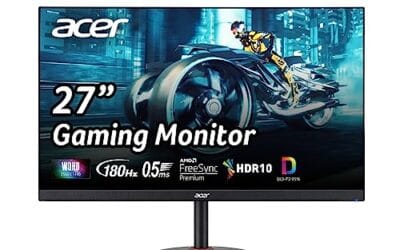
Screen tearing kills immersion. So does stutter. That’s why adaptive sync exists, and that’s why G-Sync versus FreeSync still sparks arguments on Reddit threads in 2026. Both technologies smooth out gameplay by matching your monitor‘s refresh rate to your GPU’s frame output. But they’re not identical, and the gap between them has narrowed in interesting ways.
Matchup at a glance
G-Sync started as NVIDIA’s proprietary hardware solution back in 2013. It used a dedicated module inside the monitor to handle variable refresh rates. FreeSync, AMD’s answer, leaned on the open VESA Adaptive-Sync standard built into DisplayPort. No hardware module, no licensing fee, lower monitor cost.
Fast forward to today. Most G-Sync displays are now “G-Sync Compatible,” which means they use the same Adaptive-Sync standard as FreeSync but pass NVIDIA’s certification. True hardware G-Sync Ultimate panels still exist, but they’re rare and expensive. For 95% of buyers, the practical difference comes down to refresh rate range, HDR handling, and what GPU brand sits in your rig.
Spec sheet showdown
| Feature | G-Sync (Compatible) | FreeSync Premium |
|---|---|---|
| GPU support | NVIDIA + most AMD | AMD + most NVIDIA |
| Minimum refresh range | Varies by panel | 48-144Hz typical |
| Low Framerate Comp. | Yes | Yes (Premium tier) |
| HDR support | G-Sync Ultimate tier only | FreeSync Premium Pro |
| Price premium | $0 to $30 over non-VRR | $0 (open standard) |

Pros
- 310Hz FHD refresh pairs well with RTX 4060 or RX 7600 class GPUs
- Fast IPS delivers wider viewing angles than TN at similar response times
- ELMB Sync combines strobing with VRR, uncommon at this price tier
- DisplayWidget Center allows OSD tuning via mouse instead of joystick nub
- Three-year warranty exceeds typical one-year coverage on budget esports panels
Cons
- Limited owner feedback at time of writing, no aggregate review signal yet
- 1080p on 24.5-inch caps pixel density near 90 PPI, visible at desk distance
- No HDR tier specified, expect SDR-only performance typical at this bracket
- Port selection, stand ergonomics, and VESA mount not disclosed in source data
The ASUS TUF Gaming VG259QMR5A is a budget-tier 24.5-inch 1080p Fast IPS esports monitor sting inASUS's Series 5 TUF lineup. The headline mix is a 310Hz overclock, 0.3ms GtG response, and99% sRGB coverage, aimed at competitive FPS players who prioritize motion clarity over resolution or HDR performance.
The defining feature is the 310Hz refresh rate on a Fast IPS panel, which historically was TN territory. Paired with an RTX 4060,X 4070, or RX 7700 XT, titles like CS2, Valorant, and Apex Legends can push frame rates that actually feed the panel. ELMB Sync layering strobing on top of VRR is uncommon at this tier.
Trade-offs are typical for the bracket. 1080p on 24.5 inches lands around 90 PPI, which looks coarse next to 1440p panels. The source does not specify HDR tier, peak brightness, stand adjustability, port layout, or VESA mount, so treat those as unknowns rather than strengths. Aggregate owner data is not yet available.
Buy this if you are building a dedicated esports rig targeting 240Hz plus frame rates at 1080p and want IPS colors without paying OLED money. Skip this if you play primarily single-player, cinematic titles, need HDR, or already own a 1440p high-refresh display.
Panel and resolution: Fast IPS technology at 1920x1080 across a 24.5-inch diagonal, yielding roughly 90 PPI. Fast IPS trades slightly lower contrast versus VA for faster pixel transitions and wider viewing angles, which suits competitive shooters where off-axis color shift on TN panels is a known drawback.
Refresh and response: 310Hz overclocked refresh rate with a rated 0.3ms GtG minimum response time. Real-world GtG averages on Fast IPS at this tier typically land closer to 1ms to 3ms depending on overdrive tuning, based on RTINGS-style measurements of comparable ASUS panels.
Adaptive sync and motion: G-SYNC Compatible certification and FreeSync Premium coverage handle VRR across NVIDIA and AMD GPUs. ELMB Sync enables backlight strobing concurrently with variable refresh, reducing perceived motion blur below the sample-and-hold flor, though strobing usually cuts effective brightness.
Color and features: 99% sRGB gamut coverage is adequate for SDR gaming and casual photo work, but insufficient for wide-gamut DCI-P3 content grading. DisplayWidget Center software provides mouse-driven OSD control and TUF Gaming AI ads scene-based presets. HDR tier, port count, and stand adjustability are not specified.
Where G-Sync pulls ahead
Hardware G-Sync modules still offer the widest variable refresh range. Some Ultimate panels sync from 1Hz to 360Hz without any flicker at the low end. Cheaper FreeSync displays can struggle below 40fps, where the panel either doubles frames or briefly disables VRR. That can show up as subtle brightness fluctuation in dark scenes.
NVIDIA’s certification program also weeds out monitors with weak VRR implementation. A “G-Sync Compatible” label means the panel was vetted for flicker, ghosting, and refresh range across the full spectrum. Plenty of cheap FreeSync displays pass certification too, but uncertified ones can show artifacts that ruin the experience.
For competitive shooter players running an RTX 4080 or 5080, G-Sync’s Reflex integration shaves a few milliseconds off input lag. Marginal. But marginal matters when you’re chasing the top of the Apex Legends ladder.
Where FreeSync pulls ahead
Price. Always price. FreeSync adds zero cost to a monitor since it rides on the open VESA standard. You’re not paying for licensing, certification, or proprietary hardware. That’s why budget 1080p 165Hz panels with FreeSync exist at $130 while G-Sync Ultimate displays start at $700.
FreeSync also works over HDMI, not just DisplayPort. Handy if you’re plugging in a Series X or PS5, both of which support VRR over HDMI 2.1. NVIDIA G-Sync historically required DisplayPort, though that’s relaxed on newer panels with HDMI 2.1 inputs.

Pros
- 180Hz refresh and 1ms GtG pair well with 1440p esports on mid-range GPUs.
- Fast IPS panel with 178degree viewing angles avoids VA smearing in dark scenes.
- G-Sync Compatible and FreeSync support both NVIDIA and AMD variable refresh setups.
- Fullergonomic stand with height, tilt, pivot, and swivel is uncommon at this tier.
Cons
- Limited owner fedback at time of writing, treat performance impressions as preliminary.
- HDR10 badge without a certified brightness tier suggests entry-level HDR, not true HDR performance.
- Port list, panel bit depth, and sRGB/DCI-P3 coverage not specified in source data.
The Samsung Odyssey G5 G50F (LS32FG502ENXZA) is a mid-range 32-inch 1440p IPS gaming monitor running at 180Hz with 1ms GtG response. It targets 1440p players on RTX 4060 to4070 class GPUs or Radeon RX 700XT equivalents who want IPS color and viewing angles rather than a curved VA panel.
The defining combination here is QHD resolution on IPS at 180Hz. On a 32-inch panel this lands around 93 PI, which is workable but less crisp than 27-inch 1440p. Monitors in this tier typically deliver 300to 350 nits SDR brightness and around 95 percent sRGB, though Samsung does not publish either figure in the source spec sheet.
Trade-offs are typical at this price point. HDR10 support without a DisplayHDR certification usually means the panel lacks the sustained brightness and local dimming for meaningful HDR gming. IPS glow in dark rooms and the 32-inch 1440p pixel density are known compromises. Port selection, panel bit depth, and factory calibration data are not disclosed in the source.
Buy this if you want a large1440p IPS panel with full ergonomic adjustment and both G-Sync Compatible and FreeSync for a mixed GPU household. Skip this if you need true HDR, a higher pixel density 27-inch option, or verified color coverage for content creation work.
Panel and resolution: Fast IPS panel at 2560x1440 across32 inches yields roughly 93 PI. Text and UI look softer than 27-inch 1440p, but the extra scren real estate suits split-window workflows and racing or flight sims where field of view maters more than pixel density.
Motion performance: 180Hz refresh with a claimed 1ms GtG response is enough headroom for competitive shooters on GPUs capable of pushing 140 to 180 FPS at 1440p, such as an RTX 4070 or RX 7800 XT. IPS panels at this tier typically show mild overshoot at the fastest overdrive seting.
Adaptive sync and HDR: NVIDIA G-Sync Compatible and AMD FreeSync are both listed, covering variable refresh across vendors. HDR10 is suported but no DisplayHDR 400/600certification is specified, so expect entry-level HDR without local dimming or peak brightness gains.
Ergonomics and features: The included stand offers height, tilt, pivot, and swivel adjustment, which is above average at this tier. Black Equalizer, Virtual Aim Point, and Auto Source Switch+ are included. VESA mount pattern, port count, and stand height range are not specified in source data.
And the cross-compatibility story is huge in 2026. NVIDIA cards work fine with most FreeSync monitors. AMD cards work fine with most G-Sync Compatible displays. The walled garden basically collapsed three years ago. Pick the panel that fits your budget and color requirements, then enable VRR in whichever driver you’re running.
Which to buy
Honestly? Stop sweating the logo. Look at the panel specs: refresh rate, response time, HDR brightness, color gamut, and panel type (IPS vs OLED vs VA). Then check that VRR works in your refresh range. Whether the sticker says G-Sync Compatible or FreeSync Premium matters far less than which monitor has the better IPS panel for your budget.
If you’re spending under $300 on a 27-inch 1440p gaming display, FreeSync gives you more options at every price point. If you’re spending $600+ on a high-refresh OLED, you’ll find both certifications on the same panels anyway. The Alienware AW2725DM at $239 carries both labels, which is now the norm rather than the exception.
Common questions
Will FreeSync work on my NVIDIA GPU?
Almost certainly yes. Since 2019, NVIDIA’s drivers have supported FreeSync displays via the “G-Sync Compatible” mode in the control panel. You might need to manually enable it under Display > Set up G-Sync. Some uncertified panels work fine despite not carrying the label.
Does VRR cause input lag?
Slightly. Both technologies add roughly 1ms of latency when enabled, which is imperceptible for nearly everyone. The latency reduction from eliminating screen tearing far outweighs that tiny cost. Esports pros sometimes disable VRR for absolute consistency, but that’s a fraction of a percent of players.
Is hardware G-Sync still worth the premium?
For most buyers, no. The performance gap between hardware G-Sync and well-implemented G-Sync Compatible / FreeSync Premium Pro is small enough that you’d struggle to notice in a blind comparison. Save the money for a better panel or a faster GPU.
Do I need HDMI 2.1 for VRR on console?
Yes if you want 4K 120Hz with VRR on a PS5 or Series X. HDMI 2.0 supports VRR at lower resolutions but caps at 4K 60Hz. Most 2024-onward gaming monitors include at least one HDMI 2.1 port for this exact reason.