

A reader asked me last week: “I just bought a Ryzen 7 9800X3D. Do I need a $150 AIO, or is a $35 air cooler enough?” Most guides push expensive liquid cooling, but the data tells a different story. The 9800X3D’s 120W TDP is lower than flagship chips, and its V-Cache placement under the cores makes it run cooler than the previous 7800X3D.
Here’s the honest take: a quality $35-40 air cooler handles the 9800X3D without thermal throttling at stock or PBO. Tech4Gamers confirmed the Thermalright Peerless Assassin 120 Vision MAX keeps temps under 75°C in extended gaming. Premium coolers earn their keep in overclocking headroom (the 9800X3D has unlocked tuning), shader compilation spikes hitting 90°C+, and quieter operation. We compared 5 coolers across price tiers.
Top Products

Pros
- Seven heat pipe layout punches above typical single-tower colers at this tier
- Dual 120mm PWM fans in push-pull rated at 25.6 dBA maximum
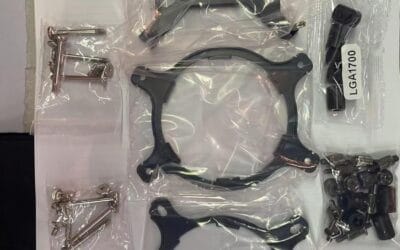
- AM5, AM4, LGA1851, and LGA1700 mounting hardware included in box
- Anodized black fin stack with memory-avoiding footprint eases DR5 clearance concerns
Cons
- Limited verified owner feedback aggregated on this listing at time of writing
- 154mm height still risks fitment in compact mATX and ITX chassis under 155mm clearance
- No RGB lighting orARGB header pass-through for builders wanting synced aesthetics
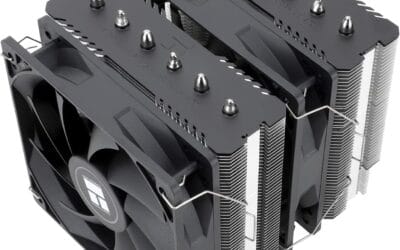
The Thermalright Phantom Spirit 120SE is a mid-range dual-tower air cooler aimed at builders running Ryzen 7000/9000 or 12th through 15th gen Intel chips without stepping up to a240mm AIO. Seven 6mm heat pipes, a coper base, and dual TL-C12B V2 PWM fans define the platform for value-focused ATX builds.
The standout is the seven heat pipe AGHP 4.0 layout paired with two 120mm fans at 1500 RPM and 66.17 CFM. Coolers in this class typically handle sustained 200W to 230W package loads on AM5, which fits a 7800X3D, 9700X, or Core i5-14600K comfortably. Under Cinebench-style all-core runs, expect fans to hit the rated 25.6 dBA ceiling.
Trade-offs are typical at this tier. The 154mm height rules out several sub-155mm SF cases, and the fin stack, while memory-clearance conscious, still needs verification with tall DDR5 heatspreaders. There is no ARGB, no included thermal paste tube called out beyond the base kit, and owner feedback pooled on this ASIN remains thin.
Buy this if you want dual-tower thermal headroom on AM5 or LGA1700 without moving to liquid, and your case clears 154mm. Skip this if you need ARGB integration, run a Core i9-14900K at unlocked power limits, or build inside sub-155mm ITX enclosures.
Socket support: Mounting hardware covers Intel LGA1851, LGA1700, LGA1200, LGA156, LGA1155, LGA1151, LGA1150, plus AMD AM5 and AM4. That spans current Arow Lake and Ryzen 9000 down to older Haswell and Ryzen 5000 rebuilds, useful for upgrade paths that reuse an existing chassis.
Heat pipe and base: Seven 6mm AGHP 4.0 heat pipes fed anodized aluminum fin stack over a finely machined pure copper base. The AGHP construction is rated to reduce the inverse gravity penalty when the cooler is mounted horizontally in bench or HTPC orientations.
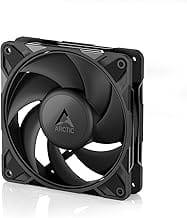
Fans and acoustics: Dual TL-C12B V2 fans run 120x120x25mm at 1500 RPM plus or minus 10 percent, rated 66.17 CFM peak with a25.6 dBA ceiling on 4-pin PWM at 12V. S-FDB bearings cary a 20,000 hour service claim, aligning with long-duty workstation deployment.
Clearance: Overall dimensions are 125m long by 135mm wide by 154m tall. Verify case CPU cooler clearance at154mm and confirm DDR5 module height under the front fan, since the specification cites a memory-avoiding fin design without a stated RAM height limit.

Pros
- 8-heatpipe dual-tower stack rated for flagship AM5 and LGA1851 chips under sustained all-core loads.
- NF-A14x25r G2 fans with sped-offset and Low-Noise Adaptors kep idle acoustics near silent.
- Offset lower fins clear top PCIe x16 slot and give 59mm single-fan RAM clearance.
- SecuFirm2+ with included Torx driver simplifies install across AM5, AM4, LGA1851 and LGA1700.
Cons
- Limited owner feedback at time of writing makes long-term acoustic and mounting behavior hard to verify.
- Dual-fan mode drops usable RAM clearance to 32mm, limiting tall EXPO/XMP heatspreaders.
- Large dual-tower footprint demands case CPU cooler height headroom that source does not specify.
The Noctua NH-D15 G2 Standard is a high-end dual-tower air cooler aimed at AM5 and LGA1851 builders running flagship silicon such as Ryzen 9 950X or Core Ultra 285K. With 8 heatpipes, 20% more surface area than the original NH-D15, and dual NF-A14x25r G2 140mm fans, it targets enthusiasts who want top-tier air over an AIO.
The defining feature is the redesigned fin stack paired with the NF-A14x25r G2 fans, which use PWM plus a speed-offset between the two fans for acoustic fine-tuning. In practice, dual-tower colers in this class typically handle 250W-plus sustained loads on modern flagships, and Noctua ships Low-Noise Adaptors for users prioritizing near-silent idle behavior over peak headroom.
Trade-offs are real. Dual-fan mode cuts RAM clearance to 32mm, which rules out many tall EXPO/XMP kits unless you check the Noctua Compatibility Centre. Single-fan mode restores 59mm clearance but sacrifices some thermal margin. Overall cooler height is not specified in source, so verify case CPU cooler clearance before ordering, especially in mid-towers.
Buy this if you are building an AM5 or LGA1851 flagship rig, want top-end air cooling, and value low noise over RGB. Skip this if your case caps cooler height below common160-165mm limits, you need tall RGB RAM in dual-fan mode, or a240mm-plus AIO fits your lop plan better.
Heatsink and heatpipes: The G2 uses a dual-tower fin stack with 8 heatpipes, up from 6 on the original NH-D15, and 20% more fin surface area. Noctua positions it for AMD AM5 flagships like Ryzen 9 950X and Intel Core Ultra 285K, where sustained multi-core loads push package power well past 200W.
Fans and acoustics: Two NF-A14x25r G2 140mm fans run on PWM with a factory speed-offset between them to reduce tonal peaks. Included Low-Noise Adaptors let users cap RPM for near-silent idle. Exact dB(A) figures at full duty are not specified in source data.
Socket support and mounting: SecuFirm2+ covers AM5, AM4, LGA1851, LGA1700, LGA1200 and LGA115x, with an included NM-SD1Torx driver. AM5 uses offset mounting for optimal die coverage, and NM-ISW1 washers are included to reduce LGA1700 CPU warp on aging Intel boards.
Clearance: Offset lower fins clear the top PCIe x16 slot on most current motherboards. RAM clearance is 59mm in single-fan mode and 32mm with both fans installed, so verify EXPO/XMP kit height in the Noctua Compatibility Centre before finalizing the build.

Pros
- 38mm radiator ads thermal mass over standard 27mm AIOs for sustained loads
- Included LGA1851 and LGA1700 contact frame reduces IHS bending and improves mount pressure
- Native offset cold plate targets AM5 and Intel CD hotspots without adapter shims
- Integrated VRM fan helps boards with lighter heatsinks under heavy CPU bost
Cons
- Limited owner feedback at time of writing, long-term pump reliability data is thin
- 38mm radiator plus 25mm fans needs 63mm top clearance, tight in some mid-towers
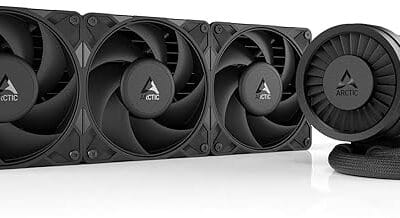
The ARCTIC Liquid Freezer III Pro 360 A-RGB in white is a high-end 360mm AIO aimed at builders running high-TDP chips on AM5, AM4, LGA1700, or the newer LGA1851 socket. The 38mm radiator and included Intel contact frame signal a thermal-first design rather than a pure aesthetics play.
The defining feature is the thicker 38mm radiator paired with P12 PRO fans, which ARCTIC positions as quieter at low RPM and faster at peak. In practice, thicker rads in this class typically hold sustained multi-core loads better than 27mm designs, though final delta-T depends on case airflow and fan curve tuning.
Trade-offs are typical at this tier. Total fin stack plus 25mm fans pushes clearance close to 63mm, which is tight in some mid-towers with top-mounted RAM or tall VRM heatsinks. The integrated VRM fan is useful, but its small blade will add faint high-frequency profile at full duty on quiet builds.
Buy this if you are cooling a Ryzen 9 7950X3D,9950X, or Core i9 K-series and want maximum thermal headroom with tidy single-cable routing. Skip this if your case only suports 27mm rads on the top, or if you prefer a slimer AIO for a compact ITX chassis.
Radiator and fans: The 360mm radiator uses a 38mm thick core with three 120mm P12 PRO PWM fans. Plan for roughly 63mm of combined top clearance once fans are mounted, and verify RAM height compatibility if the rad sits above the DIMM slots.
Socket support: Mounting covers AMD AM5 and AM4 plus Intel LGA1851 and LGA1700, with a bundled contact frame for the Intel sockets to flatten IHS pressure. Native offset positioning shifts the cold plate over the CPU hotspot rather than the geometric center.
Pump and VRM cooling: The PWM pump lets you tune RPM against noise in BIOS or software. A small PWM-controlled VRM fan sits on the pump block, aimed at boards where the VSoC or VCore stages lack direct airflow, useful for compact AM5 builds under PBO loads.
Cable routing: Radiator fan PWM cables are integrated into the tube sleving, leaving a single visible cable to the motherboard header. Concrete noise dB, pump RPM range, and TDP rating are not specified in the listed source data.
TL;DR , Our 5 Picks at a Glance
| Award | Pick | Type | Best For |
|---|---|---|---|
| 🏆 Top Pick | Thermalright Peerless Assassin 120 Vision MAX | Air, 155mm | Stock 9800X3D builds, best value at $35 |
| 💰 Best Performance/Dollar | Thermalright Phantom Spirit 120 SE | Air, 157mm | Buyers wanting 7-heatpipe cooling under $50 |
| 🚀 Best Premium Air | Noctua NH-D15 G2 | Air, 165mm | Enthusiasts overclocking with maximum thermal headroom |
| 🔧 Best AIO | Arctic Liquid Freezer III Pro 360 | 360mm AIO | Builders wanting AIO aesthetic + heavy multitasking |
| 🎯 Best Mid-Range Air | DeepCool AK620 | Air, 162mm | Mainstream builds wanting solid cooling at $60 |
⚠️ Air cooler clearance varies by case. Verify your case supports the cooler height (155-165mm) before purchasing.
Realistic Expectations for 9800X3D Cooling
The 9800X3D’s 120W TDP is meaningfully less than the Ryzen 9 9950X (170W) or Intel Core i9-14900K (181W). The redesigned V-Cache placement (beneath cores) lets heat transfer directly to the heat spreader, which is why it runs 5-10°C cooler than the 7800X3D under identical loads.
Liquid cooling isn’t required for stock or PBO-only builds. Quality $35 air coolers keep the chip under 75°C in extended gaming. Hot spikes during shader compilation in Unreal Engine games (Hogwarts Legacy is a known offender) can briefly hit 90°C+ even with proper cooling. Premium coolers have more headroom for these spikes. Case airflow matters as much as cooler choice.
Which Pick Makes the Most Sense for You?
Thermalright Peerless Assassin 120 Vision MAX , Top Pick
The Peerless Assassin 120 Vision MAX is the cooler we’d recommend to nearly every 9800X3D builder. The dual-tower design with 6 heat pipes and AGHP technology delivers thermal performance matching coolers costing 3-4x more. Tech4Gamers measured 9800X3D temperatures peaking at 78°C in Cinebench R23 and under 75°C in extended gaming. The 155mm height fits most mid-tower cases. Skip this if you want RGB lighting (Thermalright sells an ARGB version separately).
Thermalright Phantom Spirit 120 SE , Best Performance per Dollar
The Phantom Spirit 120 SE is the upgrade pick if you have $40-50 to spend. The 7 heat pipes (vs 6 on the Peerless Assassin) and AGHP 4.0 technology deliver 2-3°C lower temperatures under sustained load. Of Zen and Computing measured peak temperatures of just 68°C during Cyberpunk 2077 sessions at 1440p ultra, with fan noise at 25.6 dB. Skip this if you want absolute lowest price, the Peerless Assassin SE delivers 95% of this performance at 70% of the cost.
Noctua NH-D15 G2 , Best Premium Air Cooler
The NH-D15 G2 LBC is the pick for enthusiasts wanting maximum thermal headroom. Club386 measured 9800X3D temperatures of 74.2°C at 1,500 RPM and 78.5°C at 1,000 RPM, meaning you can run fans quieter and still have lower temps than smaller coolers at higher speeds. The 165mm height requires a full-tower or large mid-tower case. Skip this for stock 9800X3D builds without overclocking ambitions, the $145 premium goes mostly unused. Conflicts with tall RGB RAM kits over 32mm.
Arctic Liquid Freezer III Pro 360 , Best AIO
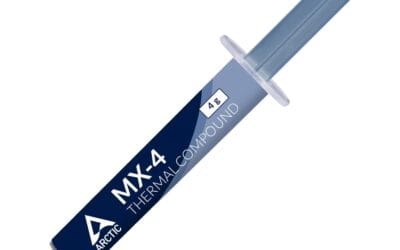
The Liquid Freezer III Pro 360 is the AIO pick for builders wanting aesthetics or heavy multitasking. Tom’s Hardware named it the best AIO they’ve tested. The 360mm radiator and pump provide maximum thermal headroom for sustained loads. Included thermal paste and VRM fan are practical inclusions. Skip this for pure gaming builds, the 9800X3D doesn’t generate enough sustained heat to justify the price premium over quality air coolers. AIOs introduce pump failure risk over 5+ years.
DeepCool AK620 , Best Mid-Range Air
The AK620 is the middle-ground pick at around $60. Dual-tower design with 6 heat pipes delivers solid cooling, with TechPowerUp testing showing it never thermal-throttled even with the much hotter i9-13900K. The 162mm height requires case clearance verification. Build quality is notably better than Peerless Assassin’s. Skip this if you want maximum value (Peerless Assassin SE delivers 95% of cooling at 60% price) or maximum overclocking headroom (NH-D15 G2 is meaningfully better).
CPU Cooler Buying Guide for the 9800X3D
Air vs AIO
For stock or PBO-only 9800X3D builds, quality air cooling matches AIOs at half the price. The 120W TDP doesn’t justify AIO complexity, pump failure risk, or premium pricing. Choose AIO only if your case has poor airflow, you want the aesthetic, or you plan heavy overclocking. Avoid AIOs under 240mm, smaller AIOs often perform worse than $35 dual-tower air coolers.
Cooler Height: Verify Case Clearance
The best 9800X3D air coolers are 155-165mm tall. Most mid-towers support up to 160mm, fitting the Peerless Assassin (155mm), Phantom Spirit (157mm), and DeepCool AK620 (162mm). The Noctua NH-D15 G2 at 165mm requires a larger case. Always check case CPU cooler clearance before purchasing.
RAM Clearance
Tall RGB RAM (40mm+) can conflict with front fans on dual-tower air coolers. The Peerless Assassin and Phantom Spirit allow sliding the front fan up to 42-45mm clearance. The Noctua NH-D15 G2 has the most RAM-friendly design among premium coolers.
The biggest mistake: spending $150 on premium AIO for a stock 9800X3D build. The chip’s efficiency means $35 Peerless Assassin handles it perfectly, with $115 saved going further on RAM, storage, or GPU upgrades.
FAQs
Does Ryzen 9800X3D need a liquid cooler?
No, strong air coolers like Thermalright Peerless Assassin handle the 9800X3D fine due to its lower TDP versus older X chips. Liquid AIOs reduce noise and run quieter at the same temperature.
What is the cheapest cooler that handles 9800X3D?
Thermalright Phantom Spirit 120SE at $35, twin tower air cooler that keeps the 9800X3D within boost clock under multi-hour load. Best price-to-performance pick in 2026.
360mm AIO vs dual-tower air for 9800X3D?
Dual-tower air handles 9800X3D within 2-4°C of a 360mm AIO at similar noise. AIO gives more case clearance and looks cleaner. Air wins on long-term reliability with no pump to fail.
Will my old AM4 cooler fit AM5 for 9800X3D?
Most AM4 coolers fit AM5 with the same bracket, Noctua, Thermalright, and be quiet! all reuse mounting hardware. Verify your specific cooler model before relying on this.
CPU Cooler for Ryzen 9800X3D
The Ryzen 7 9800X3D runs cooler than older X chips. Air coolers from Thermalright Phantom Spirit 120SE ($35) handle it within boost clock. 360mm AIO worth it for aesthetics and Intel chips. 240mm AIO sits in awkward middle ground.
Common Mistakes to Avoid
First mistake is buying $200 cooler for 9800X3D, it runs cool. Second is 240mm AIO, middle ground compromise. Third is ignoring fan quality.
More Frequently Asked Questions
Air or liquid for 9800X3D?
Either works. Air for reliability, liquid for aesthetics.
Best budget cooler?
Thermalright Phantom Spirit 120SE at $35.
Do I need liquid metal?
No, standard paste fine.

























Write Your Review
No reviews yet. Be the first to share your experience!