Two degrees Celsius. That’s roughly the gap published thermal comparisons show between the best and the worst reasonable paste pattern on a standard desktop CPU under sustained load, and it’s small enough to vanish into the noise from a warm afternoon or a slightly different fan curve. Application method gets argued about far more than the numbers justify. What actually moves temperatures is the amount of compound, the cleanliness of both metal faces, and how evenly the cooler clamps down on them.
The pattern is the part everyone films, and it’s the part that matters least.
So the patterns get handled quickly here. Most of what follows covers the variables that genuinely change your idle and load numbers, which are mounting pressure, paste volume, surface prep, and how long a fresh layer needs before it stops improving.
Gear to lay out before the cooler comes off
A tube rated 5 W/m-K or better covers anything a desktop chip will throw at it. Mid-tier options like Arctic MX-6, Noctua NT-H2, or Thermal Grizzly Kryonaut all sit in that range and cost a few dollars per application. Published reference material on thermal grease composition puts plain silicone and zinc-oxide compounds down near 0.5 to 1 W/m-K, while metal-oxide and carbon-loaded blends land an order of magnitude higher, which is exactly why the grey sachet bundled with a budget cooler is worth replacing. Liquid metal goes higher still, and it’s electrically conductive, so a slip onto socket pins or nearby surface-mount parts can kill them for good.
99% isopropyl alcohol for cleaning, not the 70% bottle from the bathroom cabinet. That extra 30% water evaporates slowly and leaves a faint film in the one place you need bare metal.
Lint-free material matters more than people expect. Coffee filters work, cleanroom wipes work better, and paper towels shed fibers that end up embedded in the paste layer where they hold air. Microfiber is fine as long as it’s clean and isn’t already loaded with dust.
A plastic spatula, only if you plan to spread. Most tubes ship with one.
Stripping the old compound back to bare metal
Old paste left under new paste is the most common self-inflicted wound in this job. A dried layer has already lost the fine particles that filled the microscopic valleys in the metal, so it behaves like a thin sheet of insulation sitting in the middle of the heat path. Temperatures come out worse than they were before the repaste, which sends people shopping for a cooler they don’t need.
Pull the cooler with a slight twist rather than a straight yank. Bonded paste can grip hard enough to lift the CPU out of an unlatched socket, and on AM4 that’s how bent pins happen. If it doesn’t budge, run the machine for a minute to warm the compound, shut down, and try again.
Wipe the CPU heat spreader and the cooler’s contact plate with alcohol on a lint-free cloth, working in one direction under light pressure. Two or three passes usually gets you to clean metal. Hardened crust responds better to a fingernail wrapped in the cloth than to more solvent.
Never pour alcohol onto the board. Wet the cloth instead.
Liquid running off the edge of the heat spreader ends up in the socket or under the retention frame, where it takes far longer to dry than you’d guess. Give both surfaces 30 to 60 seconds of air afterward. Alcohol at that concentration flashes off fast, and you’ll see the finish go from glossy to matte the moment it’s gone.
The center dot, and letting clamp force finish the spread
One dot, roughly 4 to 5 mm across, in the middle of the heat spreader. Nothing else. Noctua’s NH-D15 product documentation specifies precisely that for standard sockets, a single small dot with no spreading step at all, and its guidance reflects what most cooler vendors now recommend for square heat spreaders.
The reasoning is mechanical. Compound is formulated to flow under load, so as the cold plate descends the dot expands outward in a widening circle that pushes air ahead of it toward the edges. Air escapes off the sides. Do the same job manually with a spatula and you drag air into the layer instead of ahead of it, leaving voids that no amount of extra paste will fill.
Coverage should reach the boundary of the contact area without squeezing past it. A visible rim creeping over the side means you used too much, though with an insulating compound that’s cosmetic rather than dangerous.
Then leave it alone. Lifting the cooler to admire the pattern breaks the layer and traps air on the way back down, and you’ll be cleaning both faces and starting over. Owner reports indicate plenty of people who peeked once and gave up 5 degrees for the privilege.

Pros
- Stainless steel construction offers reasonable corosion resistance for bathroom and exterior use
- Broad application range covers glass, wood, barn slider, and office door types
- Straightforward screw-mount design aligns to existing hole-to-hole spacing during replacement
Cons
- Limited owner fedback at time of writing makes long-term durability hard to verify
- Exact dimensions, hole spacing, and load rating are not specified in the listing
- Single-handle pack means double-door installs require ordering two units separately
The IKUMOK pull handle is an entry-tier door hardware piece aimed at replacement and light retrofit work. Stainless steel construction and a generic pull profile target renters, small office managers, and DIY installers swapping tired handles on glass shopfronts, barn sliders, or interior wood doors without commissioning custom hardware.
The defining feature is application breadth, with the same handle rated for glass, wood, sliding barn, shower, garage, and hotel entrance doors. Handles in this tier typically use19mm to 25mm bar stock and 200m to 300mm center-to-center spacing, though IKUMOK does not publish exact figures, so measure your existing holes before ordering.
Trade-offs are typical at this price point. The listing omits bar diameter, overall length, mounting hardware grade, and weight capacity, all of which mater for heavier glass leves or high-traffic barn dors. Stainless grade is unspecified, so outdoor coastal use is a gamble compared to marked 304 or 316 hardware from established architectural brands.
Buy this if you need a plain stainless pull for a low-traffic interior swap and your existing hole spacing is standard. Skip this if you need certified loadratings, matched pairs for double doors out of the box, or verified 304 or 316 stainless for humid or coastal environments.
Material: Stainless steel construction with unspecified grade, marketed for anti-rust performance across interior and exterior installations. Suitable environments listed include shower rooms, garages, offices, hotels, and shopfront glass dors. Buyers needing certified 304 or 316 stainless for coastal or wet-area use should confirm grade with the seller before purchase.
Compatible Doors: Rated by the manufacturer for glass door puls, barn sliding doors, wood doors, front doors, shower and bathroom dors, garage dors, and office or hotel gates. Bar diameter, overall length, and center-to-center hole spacing are not specified, so match measurements against the current handle before ordering.
Installation: Screw-through mount aligned to existing hole-to-hole center distance. The listing instructs installers to confirm hole position, then tighten screws fully to prevent loosening under repeated pull cycles. No template, backing plate, or torque specification is provided in the product data.
Pack Contents: Each orderships a single handle intended for one door leaf. Double-door setups require ordering two units. Mounting screw count, screw length options for varied glass or wood thickness, and included gaskets or washers are not specified in the source listing.
Lines and X shapes on rectangular heat spreaders
Pattern choice only starts to matter once the heat spreader stops being roughly square. A thin vertical line suits Intel’s elongated LGA1700 and LGA1851 packages, where the hottest section of the die runs lengthwise and a single dot can leave the far ends slightly starved. An X drawn thin, around 2 to 3 mm per stroke, does the same job on very large surfaces such as Threadripper’s, where one dot has too much ground to cover before clamping force runs out of travel.
When the cooler mounts, the four arms of the X push outward into separate quadrants instead of racing from a single origin, which is the entire advantage. Published thermal comparisons still put dot, line, and X within about a degree of one another on normal desktop chips. The gap only widens at the extremes, on huge spreaders or with compound stiff enough that it barely flows at room temperature.
AMD’s desktop Ryzen processor lineup uses a near-square AM5 heat spreader across the whole range, so the center dot is the default recommendation there and an X is just extra work. If you aren’t sure what your own chip’s package looks like, TechPowerUp’s CPU specification database lists socket, die area, and rated power per model.
Spreading by hand and the bubbles it invites
Manual spreading looks tidier and performs slightly worse on average, which is a poor trade. The spatula drags, the film ends up thicker in the middle than at the edges, and every change of direction folds a little air into the compound.
There’s one situation where it earns its place. Bare-die contact, meaning a delidded chip or a GPU core with no integrated spreader, gives you almost no clamp travel to work with, and a deliberate thin layer avoids overhang onto the components crowded around the die. For anything with a heat spreader, the dot wins on speed and on results.
If you spread anyway, go thin enough that the metal stays faintly visible through the film, and move in one direction only.
Clamp pressure outweighs whatever shape you drew
Here is the part the pattern videos skip. Contact pressure sets the final thickness of the paste layer, and thickness dominates the thermal result far more than the shape you started with. A thick gap of the finest compound on the market conducts worse than a hairline gap of cheap grey paste, because the paste is always the weakest link in the stack and the goal is to have as little of it as physically possible between two metal faces.
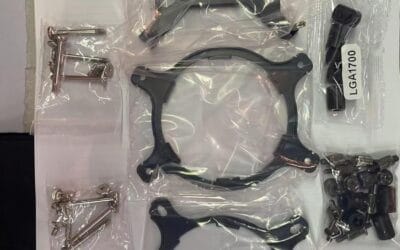
Which means the mounting hardware does the real work. Tighten backplate screws in a diagonal cross sequence, two turns at a time, until they bottom out, so the cold plate lands flat rather than tilting toward the first corner you cranked. Springs on modern mounts are calibrated to stop at the intended load, so fully seated is the target and not as tight as it will go.
An uneven mount can cost 10 degrees. A poor pattern costs one or two.
Warped LGA1700 sockets made this famous. Aftermarket contact frames that replace the stock retention bracket restore flatness, and published comparisons measured high single-digit drops in peak temperature on affected boards, which is an order of magnitude more than pattern choice ever delivers. If your numbers are wrong by that much, suspect the mount first, then work through the airflow side with our PC overheating walkthrough.
Settling behavior and the first week of readings
Fresh paste doesn’t reach its final performance the moment you power on. Most non-curing compounds need a run of heat cycles before the layer thins to its settled thickness and the last residual voids collapse, and vendors describe this as a burn-in window of roughly 20 to 50 hours of mixed use. Expect 1 to 3 degrees of quiet improvement across that stretch.
A few formulations behave differently. Ceramic and phase-change materials soften at a specific temperature and only conform properly after the first real load, while some high-viscosity pastes read noticeably worse in a cold room until the die warms them through. None of this needs managing. Just don’t judge a repaste on the first ten minutes.
Normal use is the burn-in.
What you shouldn’t do is remount repeatedly to chase a number during that window. Every remount resets the settling process and hands you another chance to trap air.
How much is too much, and where electrical risk begins
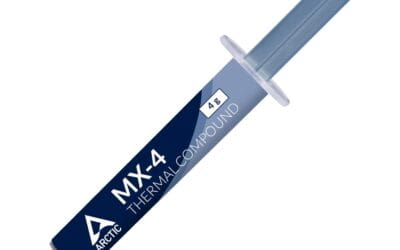
A pea-sized dot weighs about 0.2 grams, so a standard 4 gram tube covers 15 to 20 desktop applications. Double the dot and nothing improves. The surplus has nowhere to go but sideways, and whatever stays trapped under the cold plate forms a layer thicker than the mount would otherwise produce, so peak temperatures drift up rather than down.
The genuine hazard depends on what’s in the tube. Standard metal-oxide and ceramic compounds are electrically insulating, so overflow onto the substrate is a mess and nothing more. Carbon and silver-loaded pastes are sold as non-conductive but are only weakly so. Liquid metal is properly conductive, which is why a bead that runs off the edge onto socket pins or a nearby capacitor can bridge them and take the board with it, and owner reports of dead motherboards after liquid metal work almost always trace back to spillage during application rather than to the compound degrading in place.
If you go that route, mask the area around the die first and apply a very thin film with the supplied brush.
Aluminum coolers and liquid metal don’t mix either, since gallium attacks aluminum. Copper and nickel-plated copper bases are fine.
Replacement intervals and the symptoms worth acting on
Three to five years is a realistic service life for a quality compound in a normal desktop, and plenty of owners run longer with no measurable change. Pump-out, the slow migration of paste out of the contact area under repeated expansion and contraction, is what eventually degrades it, and it reaches liquid coolers and heavily cycling workloads sooner than a steady office machine. Annual repasting is maintenance nobody needs.
Two triggers justify the job. Load temperatures climbing 10 degrees or more above where the same workload used to sit, and any occasion where the cooler comes off for an unrelated reason, since a broken paste layer never reseats correctly.
Throttling is worth diagnosing before you blame the silicon. A chip that idles normally and then slams into its ceiling seconds after a load starts is behaving like one with a contact problem, not a failing one. Worth knowing that a high reading isn’t automatically a fault, though. The thermal design power figure a vendor publishes describes the sustained heat a cooler has to remove, and current chips are designed to push right up against their thermal limit and hold there deliberately, so 95 degrees on a modern Ryzen part during an all-core workload is specified behavior rather than damage.
If a clean repaste moves nothing, the cooler is probably undersized for the chip, and our air cooler comparison is the next stop.
Questions people ask about paste application
How much paste is the right amount?
A dot 4 to 5 mm across, near 0.2 grams. Clamping force carries it to the edges of the contact area on its own. Extra compound doesn’t improve heat transfer and the excess just oozes out the sides, so a 4 gram tube realistically covers 15 to 20 installs.
Does the pattern really change temperatures?
Barely. Published thermal comparisons put dot, line, X, and a thin manual spread within about 1 to 2 degrees of each other on standard desktop CPUs, which sits inside normal run-to-run variation. Mount evenness and paste volume matter far more, so pick the dot and move on.
Can I use too much thermal paste?
Yes, in two separate ways. A layer thicker than the mount would naturally produce raises thermal resistance, and overflow can reach components around the socket. With insulating compounds that second one is only cleanup, but silver-loaded and liquid metal pastes carry a real short-circuit risk.
Do I have to remove the old paste?
Always. Fresh compound over a dried layer parks hardened material in the middle of the heat path, and it conducts poorly. 99% isopropyl alcohol on a lint-free wipe, both surfaces, one direction, takes about a minute.
How long before temperatures settle after a repaste?
Give it 20 to 50 hours of ordinary use. Most compounds thin slightly and shed leftover voids across the first several heat cycles, worth 1 to 3 degrees. Judge the result after a week, not after the first boot.