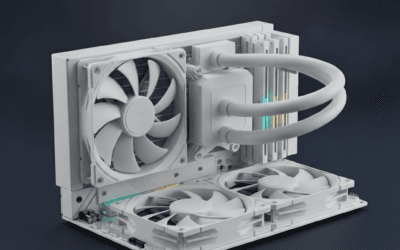
AIO or air? It’s the cooler debate that won’t die. AIOs look slick and handle high-wattage CPUs, but they cost more and ship with a finite pump lifespan. Air coolers are simpler, quieter at idle, and last a decade with no maintenance. The right pick depends on your CPU, your case, and how much you care about RGB.
Here’s how the two cooling paths actually compare on thermals, noise, and total cost in 2026.
Matchup at a glance
A modern 360mm AIO like the ARCTIC Liquid Freezer III Pro 360 can dissipate 250-300 watts of heat sustained. A premium air cooler tops out around 220-260 watts depending on case airflow. For a Ryzen 9800X3D or Core Ultra 7, both paths work. For a Core i9-14900K running unlocked, the AIO has real headroom advantages.
Noise is more nuanced than people assume. A well-tuned air cooler under light load is whisper quiet because no pump is running. An AIO has pump noise even at idle – usually faint, sometimes coil-whine-like. Under heavy load, AIOs often pull ahead on noise because their radiator surface area lets fans spin slower.
Spec sheet showdown
| Spec | 360mm AIO | Premium Air Cooler |
|---|---|---|
| Heat dissipation | 250-320W sustained | 180-260W sustained |
| Idle noise | Pump audible (faint) | Near silent |
| Lifespan | 5-7 years (pump wear) | 10+ years (fans replaceable) |
| Install difficulty | Moderate (rad mounting) | Easy (tower bracket) |
| Price range | $80-220 | $35-110 |
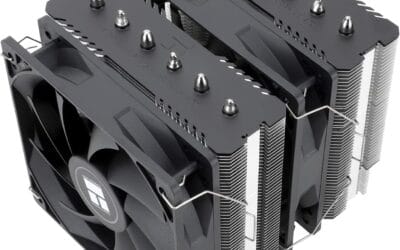
The CORSAIR Nautilus 360 RS at $99.99 is a clean entry point for AIO cooling, with direct motherboard connection and daisy-chained ARGB fans. The Cooler Master 360L Core at $79.99 undercuts that with a patented dual-chamber pump. On the air side, you’d pair a $40 Peerless Assassin or a $110 Noctua NH-D15 G2.
Where AIO wins
High TDP CPUs benefit most. If you’re running a Ryzen 9 9950X3D or a Core i9 at stock, a 360mm AIO keeps temps 5-10C lower under sustained loads than a top-tier air cooler. That gap widens for overclocking. The ARCTIC Liquid Freezer III Pro 360 with its 38mm thick radiator and VRM fan is a thermal beast for the $83.99 ask.
RAM clearance is another quiet win. AIOs free up the area around your CPU socket. Tall RGB RAM, big VRM heatsinks, and small form factor builds get easier. No fighting a giant heatsink for headspace.
Aesthetics matter to a lot of builders, and AIOs deliver. The CORSAIR Titan 360 RX LCD at $196.83 has a programmable LCD screen on the pump block. The Nautilus’s ARGB fans look like a finished build out of the box. Air coolers can look great, but they don’t compete on visual drama.

Pros
- Supports Intel LGA1851/LGA1700 and AMD AM5/AM4 in one cooler.
- Motherboard-controlled PWM and 5V ARGB, no included controller required.
- Daisy-chain fan connections simplify wiring for a 360mm setup.
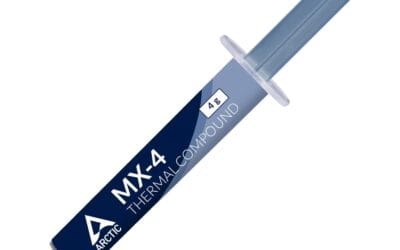
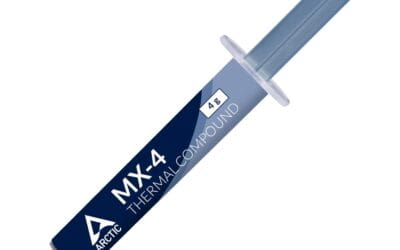
- Pre-applied thermal paste and convex cold plate reduce installation friction.
- Pump noise is listed at 20 dBA for low-noise oriented builds.
Cons
- 360mm radiators require a case with compatible top or front mounts, not ideal for many compact enclosures.
- Full iCUE ecosystem control is optional and requires a separate controller (sold separately).
- Fan speed range, radiator thickness, and tubing length are not specified in the listing.
The CORSAIR Nautilus 360 RS ARGB is a mid-range 360mm all-in-one liquid CPU cooler aimed at builders who want straightforward wiring and motherboard-synced lighting. It targets AM5 and LGA1700/LGA1851 systems where a 360mm radiator is commonly chosen for sustained multi-core workloads and quieter fan curves.
The defining feature is the direct-to-motherboard approach: the fans and ARGB lighting are designed to run from standard headers without a separate controller. In real-world terms, a 360mm AIO class cooler typically gives more thermal headroom than smaller AIOs, which can help maintain boost behavior during long renders, encodes, or heavy compile sessions, depending on CPU power limits and case airflow.
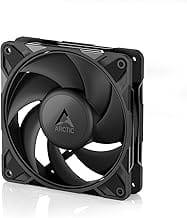
Corsair calls out a slightly convex cold plate with pre-applied thermal paste, which is intended to improve contact across the CPU’s integrated heat spreader and make first-time mounting faster. The included RS120 ARGB fans are positioned as radiator-capable, with AirGuide technology and Magnetic Dome bearings for a balance of focused airflow and controlled noise.
Trade-offs are mostly about fit and ecosystem expectations. A 360mm radiator can force case and layout choices, and your motherboard needs an available 4-pin PWM header and a 5V ARGB header to use the simple wiring path. If you want deeper lighting and device control through iCUE, that is listed as optional and may require additional hardware.
Buy this if you want a 360mm AIO with clean cabling, motherboard-controlled PWM and 5V ARGB, and support for current Intel and AMD sockets. Skip this if your case cannot mount a 360mm radiator or if you want fully specified fan and radiator details before buying.
| Type | All-in-one (AIO) liquid CPU cooler |
| Radiator size class | 360mm |
| Included fans | 3x CORSAIR RS120 ARGB |
| Pump noise | 20 dBA (listed) |
| Lighting | 8 RGB LEDs on the pump head and each fan (listed) |
| Fan control connection | 4-pin PWM (listed) |
| ARGB connection | +5V ARGB header (listed) |
| Wiring | Daisy-chain support for fans (listed) |
| Thermal interface | Pre-applied thermal paste (listed) |
| Cold plate | Slightly convex (listed) |
| CPU socket support | Intel LGA 1851, LGA 1700; AMD AM5, AM4 |
| Color | Black |
| Radiator thickness | Not specified |
| Tubing length | Not specified |
| Fan speed range | Not specified |
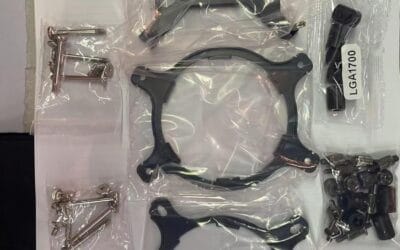
CPU and socket: The listing includes mounting support for Intel LGA 1851 and LGA 1700, plus AMD AM5 and AM4. This covers most current mainstream Intel and Ryzen platforms called out in the product data.
Case and radiator placement: Plan around a 360mm radiator mount. If your case only supports 240mm or smaller, this cooler will not be a good physical fit. Common placements are top or front, but the correct choice depends on your case and GPU length.
Headers and wiring: The simple setup expects a standard 4-pin PWM fan header for control and a +5V ARGB header for lighting. If your motherboard lacks a 5V ARGB header, you will need an appropriate alternative controller (the listing notes iCUE control is optional with a controller sold separately).
Fan and cable management: Use the included daisy-chain capability to reduce visible wiring. This is especially helpful in builds with multiple intake and exhaust fans where ARGB leads can otherwise get messy.
Thermals and tuning: With a 360mm class AIO, you can typically run lower fan speeds at a given CPU temperature compared to smaller radiators, assuming your case airflow is not restrictive. Dial your PWM curve in BIOS or motherboard software to match your noise and temperature targets.
Where air wins
Reliability. An air cooler has two failure points: the fan bearings and the heat pipes. Fans are user-replaceable five-minute fixes. Heat pipes don’t fail in any practical sense. An AIO has a pump that runs 24/7, coolant that evaporates over years, and tubes that can develop micro-leaks. Five to seven years is the typical lifespan before you replace the whole unit.
Cost-per-watt is heavily in air’s favor. A $40 Peerless Assassin cools 220 watts. A $99 Nautilus 360 cools 280 watts. You’re paying a $59 premium for maybe 50-60 more watts of headroom. For most builds, that headroom goes unused.
Idle silence wins for office and bedroom builds. No pump means no hum during light browsing or video calls. If your case sits two feet from your head, this matters more than it sounds.
Which to buy
Go AIO if: you’ve got a 125W+ TDP CPU, you plan to overclock, you want a clean look around the socket, you’ve got front or top radiator mounts in your case, or RAM clearance is tight. The Cooler Master 360L Core at $79.99 is the value pick. The ARCTIC Liquid Freezer III Pro 360 at $83.99 is the high-performance pick.
Go air if: you’re running a Ryzen 7 or Core i5 (or lower), you value reliability over raw thermal headroom, you want a quieter idle, or you build once and don’t want to swap coolers in five years. The CORSAIR Titan 360 RX LCD makes sense only if aesthetics carry serious weight – otherwise you’re paying for an LCD you’ll glance at once a week.
There’s no objectively correct answer. We’ve cooled 14900Ks with $50 air towers and seen them throttle. We’ve also seen builders chase AIOs for Ryzen 7600X chips that would’ve stayed under 60C with a $25 cooler. Match the cooler to the heat output you’ll actually generate.
Common questions
Do AIOs really leak?
Modern sealed AIOs from CORSAIR, ARCTIC, NZXT, and Cooler Master are extremely reliable. Leaks are rare and almost always covered by warranty plus component damage protection. Still, run new AIOs for 24 hours outside the case to catch any defects before installation.
Will my air cooler fit my case?
Check max CPU cooler height in your case spec, then compare to the cooler’s listed height. A NH-D15 needs 165mm. Most mid-towers clear this. Compact and ITX cases often cap at 140-155mm. Measure first.
Does AIO pump noise really matter?
Depends on your sensitivity. Most users won’t notice once a game starts or fans spin up. Bedroom builds or sound-mixing setups are where it becomes audible. Reading reviews from owners with the same case helps gauge real-world noise.
Top mount or front mount for an AIO?
Front mount is technically better for CPU thermals (cooler air hits the radiator). Top mount looks cleaner and avoids restricting GPU airflow. The difference is usually 2-4C – small enough that case layout and aesthetics can drive the decision.