PCIe 4.0 vs PCIe 5.0 SSD sounds simple until you see the numbers. A Samsung 990 PRO tops out at 7,450 MB/s read for $369.99, while a Samsung 9100 PRO jumps to 14,700 MB/s read for $249.99. On paper, that looks huge. In real use, the gap doesn’t always feel as dramatic as the spec sheet suggests.
That’s why this guide stays focused on the everyday questions: How much speed do you notice?How much heat are you signing up for? And is the extra spend justified? If you want broader context first, our guides on what PCIe 5.0 is and NVMe Gen 4 vs Gen 5 SSDs frame the difference before you pick a drive.
Related buying guides: SSD deals, external SSDs, external drives, budget gaming PCs, and workstation PCs.
Matchup at a glance
PCIe 4.0 SSDs cover most gaming, boot, and productivity needs with room to spare. PCIe 5.0 SSDs push higher sequential throughput, mostly for huge file transfers, video work, AI workflows, and heavy writes. Both generations use the same M.2 shape here, so the decision is platform support, thermals, and value.
Here’s the practical split: Gen4 drives are easier to cool, usually cheaper per terabyte, and already fast enough for the bulk of consumer tasks. Gen5 drives are the bragging-rights tier, but they’re also the kind of drives that make you care more about motherboard support and heatsink clearance. Not a myth. Just physics.
Spec sheet showdown
| Drive | Interface | Seq. read | Seq. write | Price |
|---|---|---|---|---|
| Samsung 9100 PRO 1TB | PCIe 5.0 x4 | Up to 14,700 MB/s | Not listed in provided title | $249.99 |
| Samsung 990 PRO 2TB | PCIe Gen4 | Up to 7,450 MB/s | Not listed in provided title | $369.99 |
| WD_Black SN7100 2TB | PCIe Gen4 | Up to 7,250 MB/s | Up to 6,900 MB/s | $242.96 |
| WD_Black SN8100 2TB | PCIe 5.0 x4 | Up to 14,900 MB/s | Up to 11,000 MB/s | $429.99 |
| WD Blue SN5000 4TB | PCIe Gen4 | Up to 5,500 MB/s | Not listed in provided title | $459.00 |
The table makes the headline easy to see. Gen5 doubles the best sequential read figure here, and the WD_Black SN8100 also brings a very strong 11,000 MB/s write number. Gen4 isn’t slow, though. A 7,450 MB/s or 7,250 MB/s drive already feels fast in day-to-day desktop use, especially if you’re moving from a SATA SSD or older NVMe drive.
PCIe 4.0 strengths
PCIe 4.0 still wins in the places most people actually feel. It’s easier to fit into a normal build, easier to cool, and often easier on the wallet. The Samsung 990 PRO at $369.99 and the WD_Black SN7100 at $242.96 both offer very strong throughput without forcing you into the heat and cost profile that comes with Gen5 hardware. For a lot of PCs, that’s the real story.
Gaming is the clearest example. Once a game is installed, level loads and texture streaming depend on more than peak sequential numbers. Controller behavior, random reads, and system responsiveness matter too. A good Gen4 SSD already keeps Windows snappy, launches apps quickly, and handles huge game libraries with ease. You’ll still get quick boots, fast patch installs, and short waits when copying smaller files.
Gen4 also makes sense in laptops and compact desktops. Less heat means less fan noise and less thermal throttling risk. That matters more than raw speed in a chassis with limited airflow. If you’ve got a thin-and-light machine or a small-form-factor build, the practical choice is often the drive that stays cool and predictable, not the one with the biggest peak number.
Value is the other big point. The WD_Black SN7100 at $242.96 lands very close to mainstream territory, and its 7,250 MB/s read plus 6,900 MB/s write spec is plenty for creators who aren’t hammering giant projects all day. Gen4 drives also tend to slot into existing AM5 and Intel platforms without forcing the rest of the system to justify the jump. That helps more than people think.
PCIe 5.0 strengths
PCIe 5.0 is about headroom. The Samsung 9100 PRO reaches up to 14,700 MB/s read, while the WD_Black SN8100 goes even higher at up to 14,900 MB/s read and 11,000 MB/s write. Those aren’t tiny improvements. They’re massive jumps over Gen4 on paper, and they can matter a lot if your work involves large sequential transfers or heavy cache churn.
This is where big media projects start to make sense. Editing high-bitrate footage, moving massive game capture folders, staging AI datasets, or working in a workflow that constantly writes and rewrites large files can all benefit from the added throughput. If your storage is a workspace, not just a parking spot for games, Gen5 can cut down on wait times in a way that’s easier to notice.
The other strength is future-proofing, although that phrase gets overused. Still, if you’re building a new high-end desktop and your motherboard already supports PCIe 5.0 M.2, it’s reasonable to buy into the faster lane now. You’ve already paid for the platform. Why leave the fastest slot unused? For some builders, that logic is enough.
There is a tradeoff, and it’s not small. Gen5 drives usually ask more from cooling, and the premium can be steep. The WD_Black SN8100 costs $429.99, which is a meaningful jump over the best Gen4 options here. Even the Samsung 9100 PRO at $249.99 is only compelling if you actually need the bandwidth or want the newer generation in a smaller capacity. Speed is nice. The rest of the system still has to live with it.
That said, if you’re chasing the fastest numbers in this lineup, Gen5 owns the crown. It’s plain.

Pros
- Sequential 14,700/13,300 MB/s readwrite puts it at the top of consumer PCIe 5.0 charts
- 1,850K/2,600K IOPS random performance handles game shader compile and AI inference caching well
- 5nm controller claims up to 49% better power efficiency than the 990 PRO
- In-house Samsung V-NAND, DRAM, and controller stack simplifies firmware and long-term support
Cons
- Limited owner fedback at time of writing makes long-term reliability signals thin
- 1TB capacity is tight for buyers stacking modern 100GB+ game installs or LM weights
- PCIe 5.0 NVMe drives at this tier typically need a motherboard heatsink or airflow to avoid thermal throttling
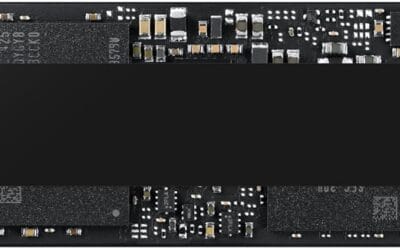
The Samsung 9100 PRO 1TB is a flagship consumer PCIe 5.0 x4 NVMe SSD in the standard M.2 2280 form factor. Samsung targets it at Gen5-equipped AM5 and LGA1851 desktops, high-end laptops, and workstation users running AI inference, 4K and 8K video editing, and large game libraries on DirectStorage-capable titles.
The defining spec is raw throughput: up to 14,700 MB/s sequential read and 13,300 MB/s write, roughly double the 990 PRO. Random performance rated at 1,850K read and 2,600K write IOPS helps with shader compile spikes, aset streaming, and AI dataset loads. PCIe 5.0 SSDs in this class typically hit peak numbers only in short bursts before thermal management steps in.
Trade-offs are typical of the tier. Gen5 controllers run hot, so a motherboard M.2 heatsink or active airflow is effectively mandatory to sustain rated speeds. The 1TB capacity fills quickly for AI weights or a modern game library, and Gen5 gains over a good Gen4 drive are still modest in real gameplay outside DirectStorage titles.
Buy this if you have a Gen5 M.2 slot, run AI, compile, or heavy media workloads, and want the current Samsung flagship with first-party firmware and Magician support. Skip this if you game at 1080p or 1440p on a Gen4 board, where a990 PRO or 2TB Gen4 drive is a better capacity-per-dollar move.
Interface and throughput: PCIe 5.0 x4 over M.2 2280 delivers up to 14,700 MB/s sequential read and 13,300 MB/s write, with random performance rated at 1,850K read and 2,600K write IOPS. In practice, sustained large-file transfers approach these numbers only with adequate cooling on the M.2 slot.
Gaming and DirectStorage: Titles using DirectStorage 1.2and GPU decompression benefit most from Gen5 bandwidth, cutting texture streaming stalls. Traditional games see smaller gains over a Gen4 drive, so buyers on1440p esports rigs should weigh the jump versus a higher capacity Gen4 SSD.
Thermals and power: Samsung cites up to 49% better power efficiency than the 990 PRO thanks to the 5nm controller. Gen5 drives in this class still typically idle warm, so a motherboard heatsink or airflow-fed enclosure is required to hold peak speeds under sustained writes.
Form factor and software: Single-sided M.2 2280 fits desktops, mini-ITX, and most Gen5-capable laptops. Samsung Magician handles firmware updates, encryption toggles, and SMART health monitoring. Capacity scales up to 8TB in the wider 9100 PRO line for users needing more headroom.
Real-world scenarios
Gaming rig with a big library
For a gaming PC, PCIe 4.0 is usually the smarter buy. You’ll feel the responsiveness of a Samsung 990 PRO or WD_Black SN7100 every day, but you won’t get much extra from a Gen5 drive once the game is loaded. Install speed is useful, sure, yet most players spend more time inside the game than waiting on file copies. If your budget also covers a better GPU or more RAM, that money may be better spent there.
Creator workstation with huge assets
For editors and motion graphics users, the case for PCIe 5.0 gets stronger. If you’re shuffling giant source files, scratch data, and exports all day, the 14,900 MB/s class drive can shave time off repetitive transfers. The benefit isn’t magic, and it won’t fix every bottleneck, but it can make the storage layer feel less like the slow part of the pipeline.
Compact PC or laptop upgrade
A smaller system usually leans Gen4. The WD_Black SN7100 and WD Blue SN5000 both look attractive here because they avoid the extra thermal drama that can come with faster PCIe 5.0 hardware. In a cramped laptop bay or a mini-ITX case, cooler operation is a feature, not a footnote. You want stability, not a drive that keeps asking for more airflow.
New high-end build with a Gen5-ready board
If the motherboard already supports PCIe 5.0 and the budget is healthy, a Gen5 SSD makes sense as a premium system component. The Samsung 9100 PRO and WD_Black SN8100 are the clear examples here. Use the faster lane for a build that’s meant to feel top-tier from day one. It won’t transform every app, but it does raise the ceiling.
Pricing and availability
The pricing spread tells the whole story. The WD_Black SN7100 at $242.96 is the bargain-friendly choice in this group, while the Samsung 9100 PRO at $249.99 stays surprisingly close despite being PCIe 5.0. That’s interesting, because it shows Gen5 isn’t always trapped at the high end. But the 2TB Samsung 990 PRO at $369.99 and the WD_Black SN8100 at $429.99 remind you that capacity, controller class, and market positioning still matter.
The 4TB WD Blue SN5000 at $459.00 also changes the comparison. It’s a Gen4 drive, yet the capacity boost is the selling point. For some buyers, 4TB of slower storage beats 2TB of faster storage, especially if the system needs room for game installs, media archives, or photo catalogs. Storage buying is rarely just about speed. It’s about what you’ll keep on the drive six months from now.
Which to buy
If you’re building a gaming or general-use PC, buy PCIe 4.0. The Samsung 990 PRO and WD_Black SN7100 both deliver enough speed that the rest of the system usually becomes the more important factor. They’re cooler, simpler, and easier to justify. If your workload is mostly Windows, apps, game libraries, and the occasional big file copy, Gen4 gives you the cleaner value play.
If you’re building around heavy media work, large transfers, or you just want the fastest drive in this comparison, PCIe 5.0 is the call. The Samsung 9100 PRO brings the headline read speed at a friendlier price point than the WD_Black SN8100, while the WD drive pushes the top write and read numbers in the group. For a premium workstation or a new showcase build, that extra bandwidth can be worth it.
Our lean is simple. Most people should buy Gen4. Enthusiasts with real throughput needs should move to Gen5. That’s the split.

Pros
- Rated 7,450 MB/s sequential read pushes close to the PCIe Gen4 x4 ceiling for game loads.
- Rated 6,900 MB/s sequential write helps large file transfers and 4K editing scratch workflows.
- Samsung claims 55 percent random IOPS uplift vs the 980 PRO, benefiting bot and app launch responsiveness.
Cons
- Limited owner feedback available at time of writing, so long-term reliability signal remains thin.
- TBW endurance rating not specified in listing, worth confirming for sustained write workloads.
- No heatsink on this SKU, sustained Gen4 writes may need a motherboard M.2 cooler to avoid throttling.
The Samsung 990 PRO 2TB is a high-end PCIe Gen4 NVMe SSD in the M.2 2280 form factor, rated up to 7,450 MB/s sequential read and 6,900 MB/s sequential write. It targets desktop gamers, PS5 upgraders, and content creators who want Gen4 headroom without stepping up to a Gen5 drive.
The defining pitch is near-ceiling Gen4 bandwidth paired with a claimed 55 percent uplift in random IOPS over the 980 PRO. In practice, drives at this tier typically shave a second or two off open-world level loads and accelerate DirectStorage titles, though real-world gaming deltas over solid Gen4 rivals remain modest.
Gen4 flagships like this tend to run hot under sustained sequential writes, and the bare version without a heatsink relies on motherboard M.2 cooling to hold peak speeds. TBW endurance is not specified in the listing, so buyers running heavy write workloads should confirm the rating from Samsung's own datashet.
Buy this if you want a top-shelf Gen4 drive for a gaming PC, editing rig, or PS5 with a well-cooled M.2 slot. Skip this if you already own a fast Gen4 SD, need Gen5 bandwidth for scratch work, or want a factory heatsink model included in the box.
Sequential throughput: Samsung rates the 990 PRO at up to 7,450 MB/s sequential read and 6,900 MB/s sequential write over PCIe Gen4 x4. That is close to the practical Gen4 x4 ceiling near 7,500 MB/s, so large file copies are limited more by the source disk than by this drive.
Random performance: The listing calls out a 55 percent improvement in random performance versus the 980 PRO. Random 4K IOPS drives OS snappiness, shader cache loads, and small file operations, so the uplift matters more day to day than the sequential headline for most users.
Form factor and platform: The drive uses M.2 2280 single-sided layout and PCIe Gen4 x4, dropping into standard desktop M.2 slots, most Gen4 laptops, and the PS5 storage bay. Capacity spans 1TB to 4TB in the family, with this SKU at 2TB for a balanced game library.
Power and thermals: Samsung claims up to 50 percent better performance per wat versus the 980 PRO, helping in fanless laptop bays and compact ITX builds with limited airflow. Under sustained writes, this bare version benefits from a motherboard M.2 heatsink to avoid thermal throttling on long transfers.
Common questions
Is PCIe 5.0 SSD speed noticeable in games?
Usually, not much once the game is installed. Load times can improve, but the jump from a strong Gen4 SSD to a Gen5 SSD is often smaller than the spec sheet suggests. You’ll notice it more in installs, patches, and file moves than in actual gameplay. For gaming alone, Gen4 is still the better value.
Do PCIe 5.0 SSDs run hotter?
In general, yes. Faster controllers and higher throughput tend to bring more heat, so cooling matters more. That’s why board heatsinks, airflow, and case layout become important with Gen5 drives. In a roomy desktop, that’s manageable. In a cramped system, it can be a bigger deal.
Can I use a PCIe 5.0 SSD in a PCIe 4.0 slot?
Yes, in many cases it will still work, but it’ll run at the lower generation’s speed. That means a PCIe 5.0 drive won’t reach its full potential if the slot or platform only supports Gen4. It’s backwards compatible, but you’re not getting the full payoff.
Should I buy more capacity or more speed?
For most buyers, capacity wins. A 4TB Gen4 drive can be more useful than a 1TB or 2TB Gen5 drive if you’re storing a big game library or lots of media. If you’re just using the PC for everyday tasks, space usually pays off first.
What is the safest default choice here?
A good PCIe 4.0 SSD is the safest default for most PCs. It’s fast, easy to cool, and usually cheaper than Gen5. The Samsung 990 PRO and WD_Black SN7100 both fit that lane well. If your build is new, high-end, and storage-heavy, then PCIe 5.0 starts to make more sense.