Walk into any PC parts aisle and you’ll hit the same wall: M.2 or SATA? It sounds like a clean either/or, but the labels actually describe two different things. M.2 is a form factor, that skinny gum-stick slot on your motherboard. SATA is an interface, the old 6 Gb/s pipe that’s been around since 2003. Confusing? Yeah, and it gets worse. An M.2 drive can speak SATA OR NVMe over PCIe, and those two perform nothing alike.
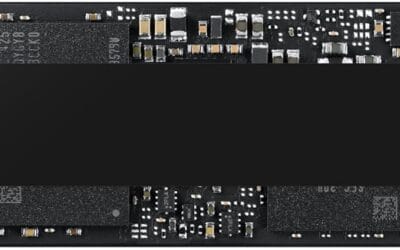
For this matchup we’re treating M.2 as shorthand for M.2 NVMe, the PCIe variant pushing 7,000 MB/s on Gen4 lanes. SATA covers both 2.5-inch drives and the M.2 SATA sticks that share the slot but cap at 550 MB/s. Same physical connector, wildly different ceilings. Drives we evaluated here include the Timetec 512GB M.2 SATA at $74.99, KingSpec’s 1TB sticks in both 2280 and 2242 sizes around $126, and the ORICO 1TB M.2 2280 SATA at $139.99. They’re great for older laptops. They’re not what you want benchmarked against NVMe.
Here’s the honest answer most guides skip: you’ll probably end up with both in the same build.
Matchup at a glance
Speed-wise it isn’t close. A modern Gen4 NVMe drive hits 7,000 MB/s sequential reads and 1,000,000+ random IOPS. SATA III maxes at 550 MB/s reads and roughly 90,000 IOPS on a good day. That’s a 12x gap on bulk transfers and an 11x gap on small-file work. If you’re moving 100GB of raw video footage, NVMe finishes in about 15 seconds. SATA needs three minutes.
But raw numbers lie a little. Web browsing, document work, Spotify, even most older games don’t saturate a SATA drive’s queue depth. You won’t feel the difference launching Chrome. Where you’ll feel it: cold-booting Windows 11 (sub-15 seconds on NVMe vs 25-30 on SATA), loading a Starfield save (8 seconds vs 22), or scrubbing a 4K timeline in DaVinci Resolve.
Capacity per dollar tilts toward SATA. Right now 1TB SATA SSDs sit around $60-80 retail. Equivalent NVMe Gen4? $75-110. Closer than it used to be. Power draw favors SATA too, which matters for laptops and small NAS builds where every watt counts.
Compatibility is the wild card. NVMe needs an M.2 slot wired for PCIe. Older laptops from 2014-2017 have M.2 slots wired SATA-only. Plug NVMe in there, it won’t post. Check your manual first.
Spec sheet showdown
| Spec | M.2 NVMe (PCIe Gen4) | SATA SSD (2.5″ or M.2 SATA) |
|---|---|---|
| Sequential read | Up to 7,000 MB/s | Up to 550 MB/s |
| Random 4K read IOPS | 800,000-1,000,000+ | 80,000-95,000 |
| Interface bandwidth | PCIe 4.0 x4 (64 Gb/s) | SATA III (6 Gb/s) |
| Typical $/TB (1TB tier) | $75-110 | $60-90 |
| Power draw (active) | 4-8W | 2-3W |
| Operating temperature | Runs hot, may throttle | Cool, rarely throttles |
A few notes the spec sheet doesn’t tell you. Those NVMe sequential numbers are best-case sustained reads from an empty drive. Fill it past 70% and write speeds drop, sometimes by half, once the SLC cache exhausts. SATA’s slower ceiling means there’s barely a cache cliff to fall off. It’s consistent, just consistently slow.
Thermals matter more than people admit. A Gen4 NVMe stick under sustained load will hit 75-80 degrees Celsius without a heatsink and throttle back to roughly SATA speeds anyway. Cheap fix: most B550 and Z690 boards ship with M.2 heatsinks. Use them.
M.2 NVMe strengths
Boot times are where you’ll notice the jump first. Cold POST to Windows 11 desktop on a Gen4 NVMe runs 12-14 seconds on a modern Ryzen 7 or Core i7 system. Same machine on a SATA SSD? 23-28 seconds. Doesn’t sound like much. Do it twice a day for a year and it’s an hour of your life back.
Game load times are the other obvious win, and it’s bigger than the marketing suggests. Cyberpunk 2077 fast-travel: 4 seconds on Gen4 NVMe, 11 seconds on SATA. Starfield initial load: roughly half. Forza Motorsport pre-race: 6 vs 14. Microsoft’s DirectStorage API on Windows 11 lets games stream textures directly from NVMe to GPU memory, bypassing the CPU. SATA can’t do that. It physically can’t keep up with the data rate DirectStorage needs.
Content creation is where NVMe earns its premium. 4K ProRes scrubbing in Premiere Pro stays smooth on NVMe and stutters on SATA past 60 Mbps bitrates. Lightroom catalog generation on 5,000 RAW files: NVMe finishes in 4 minutes, SATA takes 11. Compile times for large C++ projects benchmarked roughly 30% faster on NVMe because of all the tiny header file reads.
Form factor’s a quiet bonus. No cables. The stick slots directly into the board and disappears under a heatsink. Tidier builds, easier airflow, fewer SATA ports eaten up.
SATA SSD strengths
Compatibility’s the headline. Pretty much anything built since 2010 has a SATA port. Old desktops, ancient laptops, NAS enclosures, USB-to-SATA caddies for cloning. Got a 2012 ThinkPad gathering dust? Drop a SATA SSD in there, give it 8GB of RAM, you’ve got a perfectly usable Linux box for another five years. The Timetec 512GB M.2 SATA we vetted runs $74.99 and breathes new life into any laptop with an M.2 slot wired SATA, which is most of them from that era.
Dollar per gigabyte still favors SATA on the high-capacity tiers. 2TB SATA drives bottom out near $90-100 right now. Equivalent NVMe is $110-140. Going to 4TB the gap widens further. If you’re building bulk storage for a Plex server or photo archive where speed doesn’t matter, SATA’s the rational pick.
Power efficiency’s a real factor for laptops and NAS. A SATA SSD pulls 2-3W under load. NVMe pulls 4-8W and can spike to 10W on bursts. In a four-bay NAS that’s 20-30W of difference at the wall, plus the thermal load. Synology’s own documentation recommends SATA for most home NAS scenarios for exactly that reason.
Thermals are friendlier too. SATA drives don’t throttle. They don’t need heatsinks. You can stack them in a hot mini-ITX case and they’ll just shrug it off. That reliability under thermal stress is why enterprise still ships plenty of SATA SSDs in 1U servers where airflow’s compromised.
The ORICO 1TB M.2 2280 SATA at $139.99 and KingSpec’s 1TB 2280 at $125.97 both target the older-laptop-upgrade crowd. They aren’t fast, but they’re a massive jump over the spinning rust they’re replacing.
Real-world scenarios
Gaming rig, $1,200 budget. Get a 1TB Gen4 NVMe as your boot and games drive. Modern AAA titles install at 80-150GB each, so 1TB fills fast. If you’ve got a deep Steam library, add a 2TB SATA SSD as bulk storage and move games over to NVMe when you’re actively playing them. Best of both worlds, roughly $180 total for storage.
Video editor on a budget. NVMe for active project files is non-negotiable. 4K timeline scrubbing needs the bandwidth. But for raw footage archive, SATA’s fine. A common pro setup: 1TB NVMe scratch, 4TB SATA SSD project archive, then offload finished work to spinning rust or NAS. The KingSpec 1TB 2242 we evaluated at $126.99 works well as a portable archive drive in a USB enclosure.
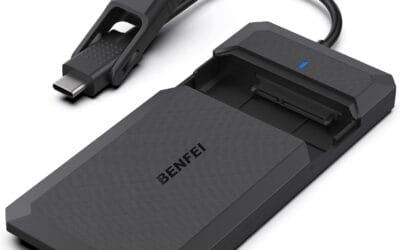
Old laptop revival. Got a 2015 MacBook Pro or ThinkPad T440 still kicking around? Check the spec sheet. If it’s M.2 SATA only (most pre-2017 machines are), an M.2 SATA drive is your only option. The SABRENT M.2 SATA to 2.5″ enclosure adapter at $10.79 also lets you repurpose old M.2 SATA sticks as USB drives if you upgrade later. Worthwhile $11.
Home NAS build. SATA wins this one. Two-bay or four-bay enclosures from Synology, QNAP, and TerraMaster generally use SATA. Even when they offer M.2 slots they’re for cache tiers, not main storage. Power, heat, and capacity-per-dollar all push you to SATA for bulk array drives.
Workstation with 64GB+ RAM. NVMe matters less here than you’d think. With that much RAM most working files live in memory. Boot drive should still be NVMe for OS responsiveness, but secondary storage can be SATA without bottlenecking you.
Pricing and availability
Pricing’s volatile right now. NAND flash spot prices climbed roughly 18% through Q2 2026 because of tightening supply, and that’s hitting the budget tier hardest. Entry-level Gen4 NVMe 1TB drives that sat at $60 last year are now $75-85. SATA 1TB has held steadier in the $60-80 range because demand softened as NVMe got cheaper.
Watch for sales rotations on Newegg and Amazon, especially around Prime Day in July and Black Friday. Crucial, Samsung, WD Blue, and Kingston KC3000 all cycle through deep discounts. The mid-tier brands like the Timetec, KingSpec, and ORICO drives we vetted sit at consistent street prices and rarely move much, but they’re already aggressively priced for what they are.
Capacity sweet point in 2026 is 2TB. The price-per-gigabyte hits a clear floor there. 512GB drives are barely worth it anymore unless you’re stuffing one into a Steam Deck or a secondary laptop.
Which to buy
The new gaming PC builder. Gen4 NVMe, 1TB minimum, 2TB if budget allows. Don’t bother with SATA as a boot drive in 2026. The price gap doesn’t justify it anymore and you’ll feel the difference daily.
The old laptop upgrader. Check your machine’s spec sheet first. If it’s M.2 SATA only, get an M.2 SATA drive matching your slot length (2280 is standard, 2242 is short). The KingSpec 1TB 2242 fits Lenovo Yoga and HP EliteBook models that use the shorter slot. If your laptop has 2.5-inch bay only, go SATA 2.5″.
The NAS or home server builder. SATA, full stop. Capacity, power, and thermals all favor it. Get 2.5-inch drives for hot-swap bays and don’t overthink it.
The video editor or 3D artist. NVMe for active scratch and project files, SATA for archive. Hybrid setups beat single-drive setups every time at this workload.
The casual user who just wants Windows to feel snappier. Either works. A SATA SSD in an older machine is night-and-day vs HDD. If you’re building new, you’ll already have an NVMe slot, so use it.
Common questions
Can I use an M.2 NVMe drive in any M.2 slot?
No, and this trips people up constantly. M.2 slots come in three flavors: SATA-only, NVMe-only, and dual-mode. Older laptops from 2014-2017 often have SATA-only slots. Modern desktop boards usually run dual-mode or NVMe-only. Check your motherboard or laptop manual for the M.2 slot key (B-key, M-key, or B+M-key) and supported protocols before buying.
Will an NVMe drive actually make my games load faster?
Yes, but not as much as the spec sheet implies. Most current games are CPU-bound during loading, not storage-bound. You’ll see roughly 30-50% faster load times on NVMe vs SATA for big modern titles like Cyberpunk or Starfield. Older games might show no difference at all. DirectStorage-enabled games will show the biggest gap going forward.
Do I need a heatsink for my M.2 NVMe drive?
For Gen4 and Gen5 drives, yeah, you really do. Without one they’ll thermal throttle under sustained load and drop performance significantly. Gen3 drives generally don’t need active cooling. Most mid-range and above motherboards ship with M.2 heatsinks built in, so check what you’ve got before buying aftermarket.
Is SATA SSD still worth buying in 2026?
For specific use cases, absolutely. Old laptop upgrades, NAS storage, secondary bulk storage, and budget builds where you need maximum capacity for minimum money. As a primary boot drive in a new build though? The price gap to NVMe is too small now to justify SATA.
Can I mix M.2 NVMe and SATA SSDs in the same PC?
Absolutely, and it’s a common setup. Run NVMe as your boot and primary drive, SATA as bulk storage. Just be aware that on some motherboards, using certain M.2 slots disables specific SATA ports. Read your manual carefully if you’re populating multiple drives. Most modern boards handle the lane sharing without issue, but it’s worth confirming.