A grand is the honest entry point for 1080p high-refresh gaming and capable 1440p in 2026. Not because that’s where marketing brackets it, but because the math works: AM5 platform costs have dropped, DDR5-6000 is cheap, and the RX 9060 XT 16GB landed at a price that wasn’t possible two years ago. Build it yourself and you’ll get roughly 30-40% more real-world performance than a prebuilt at the same sticker. The catch? You’re the warranty department. If that’s fine, here’s exactly how to spend $1,000 in 2026 without wasting a dollar on parts that won’t matter in six months.
What this build targets
Let’s set honest expectations before anyone clicks “add to cart.” This build aims for 1440p ultra at 60+ fps in modern AAA titles like Cyberpunk 2077, Black Myth: Wukong, and Stalker 2 (with upscaling, which is now standard not a crutch). At 1080p you’ll see 144+ fps in esports staples (CS2, Valorant, Apex) and 90-120 fps in heavier games at high settings.
What it doesn’t do: native 4K, heavy ray tracing, or path tracing. Those are $1,500+ build territory and pretending otherwise just sets you up to be disappointed. 16GB of DDR5 handles every current game with headroom; 32GB only matters if you stream, mod heavily, or run a browser tab graveyard while gaming. 1TB NVMe is your starting capacity, and modern games eat that fast (Call of Duty alone is 200GB), so plan for a second drive within a year. The spec target here is durable, not flashy.
The core three (CPU, GPU, RAM)
Three parts decide 80% of your gaming performance. Get these right, the rest is logistics.
- CPU: Ryzen 5 9600X (~$185) for pure gaming, or 9700X (~$280) if you also edit/stream. Both are AM5, both run on B650 boards. The 9600X is genuinely all most gamers need in 2026.
- GPU: RX 9060 XT 16GB (~$340) is the value pick – the 16GB VRAM future-proofs you against texture-hungry releases. RTX 5060 8GB (~$300) trades VRAM for slightly better ray tracing and DLSS 4. Pick AMD if you want raster muscle, Nvidia if you live in upscaler features.
- RAM: 16GB (2x8GB) DDR5-6000 CL36 (~$65). Don’t overpay for CL30 kits or RGB nonsense. The 6000 MT/s tier is what AM5 was tuned for.
If you’d rather skip the build entirely, here are the closest prebuilt alternatives at this price. They’re convenient. They’re also slower than what you’d assemble yourself.

Pros
- RTX 4060 with DLSS 3 frame gen is a solid 1080p GPU for this price bracket.
- 64GB RAM is well above typical prebuilt allocations at this tier for future multitasking.
- Dual-drive layout with NVMe bot plus 1TB HDD covers sped and capacity without upgrades.
Cons
- Zero owner reviews at time of writing, no third-party validation of build quality or QC.
- CPU listed as i7 Xeon 12-core is contradictory marketing, exact model, socket, and generation not specified.
- 650W PSU with unspecified efficiency rating and brand leaves little headroom for future GPU upgrades.
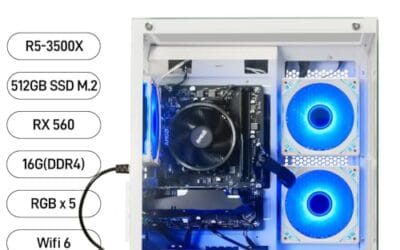
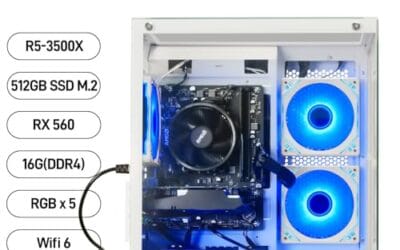
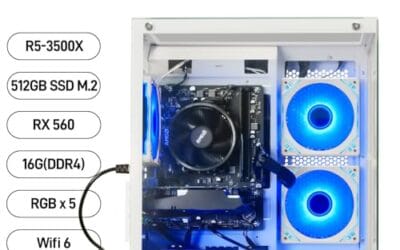
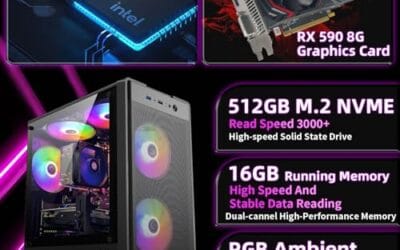
The Evounic is a budget prebuilt gaming tower built around an RTX 4060 8GB GDDR6, an unspecified 12-core CPU, 64GB RAM, and a 512GB NVMe plus 1TB HDD split. It targets first-time PC gamers or console upgraders who want a plug-and-play 1080p rig without sourcing parts.
The defining component is the RTX 4060, which in independent testing typically handles 1080p high orultra in most current AA titles at 60 to 90 FPS, with DLSS 3 frame generation pushing much higher figures in suported games. VR and1440p esports are workable, but 4K is out of scope for this GPU class.
Trade-offs are real. The CPU is described as i7 Xeon 12-core, which is not a coherent product line, so buyers should confirm the exact SKU before purchase. The 650W PSU is adequate for a stock RTX 4060 but leaves little transient headroom, and the specifications field is empty, so waranty, motherboard, and case dimensions are unknown.
Buy this if you want a preassembled 1080p 60to 144Hz gaming PC with generous RAM and dual storage out of the box. Skip this if you need verified component brands, a documented warranty path, or upgrade room beyond an RTX 4060 class GPU.
Resolution target: The RTX 4060 8GB is a 1080p high-refresh card. Expect 100+ FPS in esports titles like Valorant, CS2, and Fortnite, and 60 to 90 FPS at 1080p high in most current AAA games without DLSS enabled, per NVIDIA and third-party review baselines for this SKU.
DLSS and VRAM: 8GB GDDR6 is the ceiling here. Modern titles with ray tracing at 1440p can exceed the 8GB buffer, causing texture streaming stuter. DLSS 3 frame generation is the main lever for hitting higher frame rates in supported titles, and this GPU suports it natively.
CPU pairing: The listing states an i7 Xeon 12-core, which conflates two Intel product families. Real 12-core desktop parts at this price typically ship as Core i7-12700 series or older Xeon workstation chips. For an RTX 4060, any modern 6 to 12 core CPU avoids meaningful bottleneck at 1080p high or1440p.
Cooling and PSU headroom: Seven ARGB fans plus AIO liquid cooling is generous for an RTX 4060 build with roughly 115W TGP. The 650W PSU has adequate wattage, but with unspecified efficiency and brand, transient spikes and future GPU upgrades to a 200W+ card would be borderline.

Pros
- Radeon RX580 8GB VRAM handles 1080p esports and older AA titles at medium settings.
- 512GB SSD bot drive plus 1TB HDD gives fast OS response and bulk storage.
- WiFi 6 and Bluetooth 5.4 included, no separate wireless adapter purchase needed.
- Windows 11 Pro preinstalled with 9 ARGB fans, ready to use on arival.
Cons
- Very limited owner feedback at time of writing, long term reliability unverified.
- Xeon E5 is a used server-class CPU generation, IPC trails modern Core i5 and Ryzen 5 parts.
- RX580 lacks hardware ray tracing and modern FSR3 frame generation, limiting future AA scaling.
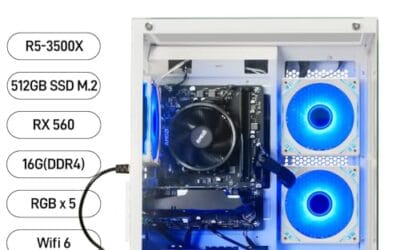
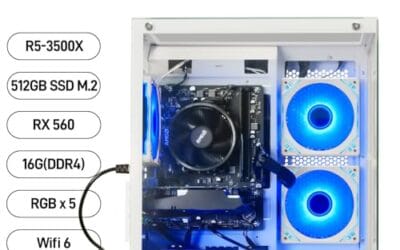
The Evounic is a budget prebuilt gaming tower built around a Xeon E5 processor clocked at 3.20GHz, a Radeon RX580 8GB GPU, 16GB of RAM, and a 512GB SSD plus 1TB HDD combo. Windows 11 Pro ships preinstalled. Target buyer: first-time PC gamers on a tight budget who mostly play 1080p esports titles.
The defining feature is the RX580 8GB pairing. That GPU class typically holds 60FPS at 1080p medium in Fortnite, Valorant, Apex Legends, and GTA V, based on public benchmarks for the card. The 8GB VRAM buffer is the main reason it still runs modern titles where4GB cards choke on texture streaming.
Trade-offs are honest at this tier. Xeon E5 is a repurposed server CPU generation, so single-thread IPC trails current Core i5 and Ryzen 5 chips, which caps minimum FPS in CPU-heavy games. The listing does not specify chassis size, PSU wattage, RAM sped, or motherboard chipset, so upgrade paths are unclear. Owner feedback is effectively absent.
Buy this if you want a plug-in 1080p esports box with Windows 11 Pro preloaded and accept used-server CPU tradeoffs. Skip this if you plan to runray tracing, 1440p, or upgrade to a current-gen GPU within a year, since PSU and platform headroom are unknown.
GPU class and resolution fit: The Radeon RX580 8GB is a 2017-era Polaris card that lands in the entry 1080p bracket. Expect 90 to 150 FPS in Valorant, 60 to 90 FPS in Fortnite performance mode, and 50 to 70 FPS in GTA V at high settings, based on published RX580 benchmarks.
CPU pairing: Xeon E5 at 3.20GHz covers gaming threads adequately for the RX580, since this GPU rarely bottlenecks a4-core-plus CPU at 1080p. Exact Xeon E5 SKU, core count, and generation are not specified, which maters for minimum FPS in Warzone and newer UE5 titles.
Memory and storage impact: 16GB RAM matches current AA minimums like Call of Duty and Cyberpunk 2077. The 512GB NVMe or SATA SD, exact interface not specified, handles OS and two or three installed games. The 1TB HDD is fine for older libraries but will show long shader compile and load times.
Ray tracing and upscaling: RX580 has no hardware RT cores and does not support FSR3 frame generation. FSR1 and FSR2 upscaling work but image quality trails DLSS on comparable NVIDIA cards. Skip this build for any RT-focused title release.

Pros
- Quick setup reported by multiple owners, typically under 10 minutes
- WiFi 6 included at this price tier, which most competitors skip
- Adequate for casual titles: Roblox, Sims 4, VRChat, older indie games
- Customer service replaced a defective unit outside the return window per owner report
Cons
- RX 550 GPU was already outdated at launch and struggles with modern AAA titles
- Recurring WiFi dropout complaints across multiple verified owner reviews
- DDR3 RAM and older i5 platform offer limited upgrade headroom long-term
The STGAubron ABR1222 is a budget prebuilt desktop aimed at first-time PC buyers, parents shopping for younger kids, and casual users who want a ready-to-use Windows machine without the complexity of building their own. Combining an older Intel Core i5 with an AMD Radeon RX 550 4GB GPU, this system targets light gaming, schoolwork, and basic home computing. It is best suited for users whose game library skews toward Roblox, Sims 4, Minecraft, or browser-based titles, not for anyone expecting to run Baldur's Gate 3, Cyberpunk 2077, or other graphics-demanding releases at playable settings.
The RX 550 is the component that most defines what this machine can and cannot do. Based on AMD's older Polaris architecture with 4GB of GDDR5 VRAM, the card was already a budget-tier option several years before this system shipped. In practical terms, verified owners report smooth performance in casual titles and older games, but frame rates in the 15 FPS range in demanding titles like Baldur's Gate 3, which aligns with what the RX 550's specs would predict. The Core i5, running at up to 3.6GHz across four cores with 6MB of cache, does not appear to be the primary bottleneck here. The GPU ceiling is the real limiting factor for anyone with gaming ambitions beyond light titles.
STGAubron has equipped the chassis with two RGB fans, which provide basic airflow and a visual appeal that younger users tend to appreciate. The dual-fan setup appears adequate for the thermal load generated by the RX 550 and older i5, though one negative reviewer noted overheating concerns over extended use, which is worth monitoring. The tower form factor measures 18.1 x 10.2 x 18.9 inches, a manageable desktop footprint. The inclusion of DisplayPort, HDMI, and DVI outputs gives some flexibility for monitor connections.
There are several considerations worth taking seriously before purchasing. The WiFi connection is flagged in multiple verified owner reviews as intermittent, with dropouts reported every few hours during normal use. This is not an isolated complaint and appears to be a recurring hardware or driver issue rather than a setup error. The RX 550 GPU is genuinely limited for modern gaming and marketing claims about running titles like Elden Ring or Call of Duty Warzone at 60+ FPS should be treated with skepticism based on real-world owner feedback. The platform uses DDR3 RAM and an LGA 1151 socket, which constrains meaningful upgrade paths. One long-term owner noted significant performance degradation after roughly two years of use, citing thermal issues and component quality concerns. The one-year warranty window is also shorter than what competing prebuilts at similar price points sometimes offer.
Overall, the STGAubron ABR1222 is a functional starter desktop for buyers with modest expectations and a casual game library. Owner ratings are broadly consistent with a machine that works adequately out of the box for light use, but falls short for anyone expecting a genuine gaming experience in current titles. Buyers are encouraged to read recent verified reviews carefully, particularly around the WiFi reliability issue, before committing. If the target user's game list includes anything released in the last three years at medium-to-high settings, stepping up to a higher GPU tier within the STGAubron lineup or a competing brand is likely the better long-term decision.
Pros
- Ryzen 5 5600 remains a strong 1080p gaming CPU on the mature AM4 platform.
- 32GB DDR4-3200 dual-channel is generous for the price tier and workload.
- 1TB NVMe PCIe SD standard, no slow SATA bot drive at this configuration.
- Built-in WiFi and Bluetooth included, no add-in card or dongle needed.
Cons
- Limited owner feedback at time of writing makes long-term QC hard to verify.
- RTX 3050 6GB is a cut-down variant with lower CUDA count than the 8GB desktop card.
- 550W 80 Plus Bronze PSU and MSI A520M-A PRO leave no meaningful GPU upgrade path.
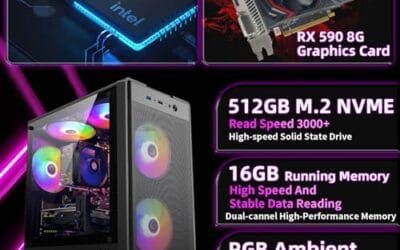
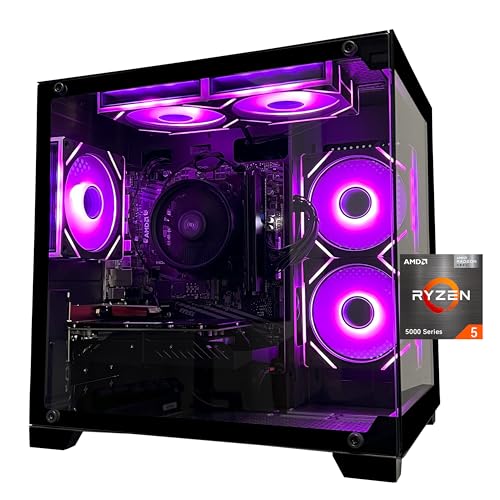
The SKYESEV is a budget AM4 prebuilt built around the Ryzen 5 5600, RTX 3050 6GB, 32GB DDR4-3200, and a 1TB NVMe SD on an MSI A520M-A PRO board. It targets first-time PC buyers wanting a plug-in-and-play 1080p system for esports and entry AA titles.
The defining pairing is Ryzen 5 5600 with RTX 3050 6GB. That combo lands in 1080p territory: high-refresh esports like Valorant, CS2, or Rocket League runs comfortably, while modern AAA games at 1080p high with DLSS Quality is the realistic ceiling based on category norms for the 3050 6GB variant.
Trade-offs are typical at this tier. The A520 chipset lacks PCIe Gen4 and CPU overclocking, the 3050 6GB uses a narower memory bus than the 8GB card, and the 550W Bronze PSU limits future GPU swaps to similar-class cards. Remove the shipping foam inside the chassis before first boot as the listing notes.
Buy this if you want a ready-to-run 1080p gaming PC with romy RAM and NVMe storage for casual and esports play. Skip this if you plan to game at 1440p, upgrade to an RTX 4070-class GPU later, or need verified owner reports before purchase.
Resolution target: RTX 3050 6GB with 6GB GDDR6 is a 1080p card. Expect high settings in esports titles at high refresh, and medium to high with DLSS in modern AAA at 1080p. 1440p gaming is outside this GPU's comfort zone based on category norms for the 6GB SKU.
CPU pairing: Ryzen 5 5600 with 6 cores, 12 threads, and 4.4GHz boost is not a bottleneck for the RTX 3050 in any current title. The pairing is CPU-heavy relative to the GPU, leaving headroom if a future GPU upgrade fits the PSU budget.
Memory and storage: 32GB DDR4-3200 dual-channel on AM4 hits the Zen 3 sweet spot for 1:1 FCLK. The 1TB M.2 NVMe PCIe SSD keps load times short, though A520 caps M.2 at Gen3 speds rather than Gen4.
Power and upgrade path: The 550W 80 Plus Bronze PSU is adequate for the 3050 6GB but leaves little transient headroom. Upgrading to a 200W+ TGP GPU later would require a PSU swap, and A520 blocks CPU overclocking outright.

Pros
- Ryzen 5 5600GT integrated Vega graphics handles 1080p in less demanding titles
- 1TB NVMe SSD is a meaningful step up from budget SATA drives at this price tier
- MSI A520M-A PRO motherboard is a known, established platform with decent compatibility
- ARGB fan system with remote control is a rare inclusion at this budget level
Cons
- No verified owner reviews at time of writing - long-term reliability is impossible to assess
- Integrated Vega graphics cannot handle modern AAA titles at acceptable frame rates - a discrete GPU is needed for serious gaming
- A520 chipset blocks CPU overclocking and limits PCIe bandwidth compared to B550 or X570 boards
The YAWYORE MX240 is a budget-tier prebuilt tower aimed at first-time PC buyers, home office users, and light gamers who want a ready-to-use Windows 11 system without building from scratch. Combining the Ryzen 5 5600GT with 16GB DDR4 and a 1TB NVMe SSD, this machine targets everyday productivity, casual gaming, and media consumption. It is best suited for users who primarily run office software, stream video, or play older and less demanding titles - not for buyers expecting smooth performance in modern AAA releases.
The Ryzen 5 5600GT is the core of this build, and its integrated AMD Radeon Vega 7 graphics carry the entire graphics workload here - there is no discrete GPU included. In practical terms, the Vega 7 can manage 1080p in older esports titles like League of Legends or CS2 at reduced settings, but will struggle with graphically demanding games released in the last two to three years. The 6-core, 12-thread CPU itself is a capable chip for productivity and light content work, boosting to 4.6GHz for single-threaded tasks. Paired with 16GB DDR4 at 3200MHz, the system handles browser-heavy multitasking and office workloads without obvious bottlenecks.
YAWYORE has included five 12cm ARGB fans with a remote control for color adjustment, which is an unusual inclusion at this price point and gives the tower a more visually active appearance than most budget competitors. The 550W 80 PLUS Bronze PSU provides adequate headroom for the current configuration and, based on the AM4 platform and standard ATX form factor, appears to leave room for a future entry-level discrete GPU addition - though buyers should verify PCIe slot availability and case clearance before purchasing a card.
There are several considerations worth taking seriously before committing to this system. Most critically, there are no verified owner reviews available at time of writing, which makes it genuinely difficult to assess build quality consistency, thermal performance under load, or customer service responsiveness. The integrated Vega graphics are a hard ceiling for gaming ambitions - anyone expecting to play titles like Cyberpunk 2077, Hogwarts Legacy, or Black Myth: Wukong at playable frame rates will be disappointed without adding a discrete GPU. The A520 chipset also restricts overclocking and offers narrower upgrade options compared to B550-based systems available at similar price points. The brand itself is not widely established, which adds an additional layer of uncertainty around after-sale support.
Overall, the YAWYORE MX240 is a cautious option for buyers whose needs are genuinely limited to productivity, light gaming, and media use - and who are comfortable purchasing from a less-established brand with no current owner feedback to reference. Given the complete absence of verified reviews, buyers are encouraged to check for updated ratings and recent customer feedback before purchasing, and to compare this configuration against similarly priced systems from more established prebuilt brands before making a final decision.
Foundation (case, PSU, storage)
The boring parts are where prebuilts cut the most corners, and where DIY builders save themselves from misery.
Case ($60-80): Look for a budget mid-tower with mesh front and at least one included fan. The Montech AIR 903 MAX, Phanteks Eclipse G360A, or NZXT H5 Flow all qualify. Avoid anything with a glass front panel at this budget; airflow matters more than aesthetics when your GPU dumps 200W into a case.
PSU ($70-90): 650W 80+ Gold, ATX 3.0 spec. Corsair RM650x, MSI MAG A650GL, or be quiet! Pure Power 12 M. This is your insurance policy – a $40 unbranded PSU that fails takes your GPU and motherboard with it. Don’t skip this line item. The 650W headroom also leaves room for a Year-3 GPU upgrade without a PSU swap.
Storage ($55-75): 1TB Gen4 NVMe – Crucial P3 Plus, WD Black SN770, or Lexar NM790. Real-world game load times between Gen4 drives are within margin of error, so buy the cheapest reputable one.
Cooling and airflow
Here’s something prebuilt brochures won’t tell you: the stock Wraith Stealth cooler bundled with the 9600X is genuinely fine. Not great, not whisper-quiet, but it’ll hold the CPU at safe temps under gaming loads all day. If you went with the 9700X (no stock cooler), grab a Thermalright Peerless Assassin 120 SE (~$35) or Phantom Spirit 120 EVO (~$40). Both punch absurdly above their price and beat coolers that cost three times more.
Skip the AIO at this build cost. A 240mm AIO adds $80-100 for maybe 5C lower temps you’ll never notice in games, plus a pump that’s a failure point. Air cooling on a 65W-105W CPU is the right call.
For case airflow, three fans is the magic number: two 120mm intakes up front, one 120mm exhaust at the rear. If your case includes one, you’re spending $15-20 on the other two. Positive pressure keeps dust manageable.
Optional add-ons
These aren’t critical for boot day, but most builders add them within the first month. Budget for one or two if you have wiggle room.
- WiFi 6 PCIe card (~$25): Only if your motherboard is the non-WiFi variant. The TP-Link Archer TX3000E is the boring, reliable choice. Most B650 boards already include WiFi 6E, so check the SKU.
- Second 1TB SATA SSD (~$50): A Crucial MX500 or Samsung 870 EVO as your “games library” drive. Slower than NVMe but games don’t care; you’ll just notice it when copying files.
- Better case fans (~$25): An Arctic P12 PWM 3-pack replaces whatever the case shipped with. Quieter, push more air, and they’re priced like an impulse buy.
- Monitor (~$160): The Acer Nitro 27″ 1440p 180Hz IPS is the natural pairing – this build outputs the frames it needs.
Total cost breakdown
Here’s the actual receipt. Prices shift weekly so treat these as 2026 mid-year benchmarks; you’ll find $20-50 swings during Prime Day, Black Friday, and Micro Center bundle weeks. Buy when components dip, not when you’re impatient.
| Component | Pick | Price |
| CPU | Ryzen 5 9600X | $185 |
| GPU | RX 9060 XT 16GB | $340 |
| Motherboard | B650 (WiFi 6E) | $130 |
| RAM | 16GB DDR5-6000 CL36 | $65 |
| Storage | 1TB Gen4 NVMe | $60 |
| PSU | 650W 80+ Gold ATX 3.0 | $75 |
| Case | Mesh mid-tower + 1 fan | $70 |
| Cooler | Stock Wraith (included) | $0 |
| Subtotal | $925 |
Upgrade path over 3 years
This is where DIY pays off the second time. AM5 is confirmed supported through 2027, which means the socket you’re buying in 2026 isn’t a dead end. Here’s a realistic 3-year roadmap:
Year 2: Drop in a Ryzen 7 9800X3D (~$432) if you’ve gone gaming-heavy. It’s plug-and-play on the same B650 board with a BIOS update, and the 3D V-Cache delivers a genuine 15-25% gaming uplift over the 9600X. No reinstall, no Windows reactivation, just a screwdriver and 20 minutes.
Year 3: GPU swap to whatever replaces the 5070/9070 class at $400-500. Your 650W Gold PSU has headroom for it, and DDR5-6000 RAM will still be relevant.
The case, PSU, RAM, and storage carry across both upgrades. You’re not rebuilding – you’re refreshing the parts that age fastest. By 2029 you’ve spent maybe $1,500 total on what would’ve cost $2,200+ buying new prebuilts twice. That’s the real argument for building it yourself.